Dead Mouse Reincarnated As Macropad

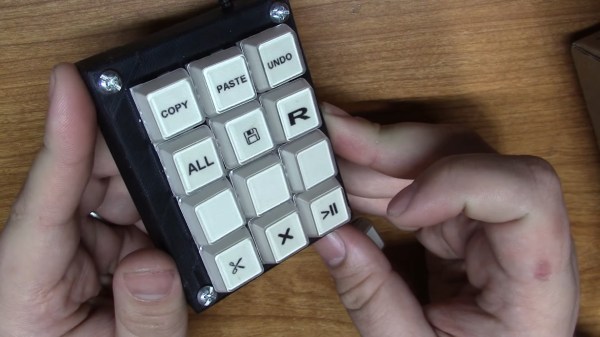
[Taylor] wanted to join the cool kids club and build a macropad for CAD work and video editing, but didn’t want to do it the traditional way with an Arduino. We can get behind that. In fact, [Taylor] wanted to reuse some old piece of tech if possible, which is even better. With a little luck, they found a used gaming mouse with a set of 12 tiny macro buttons on the side that were ripe for reuse. Only the scroll wheel was reported to be broken.
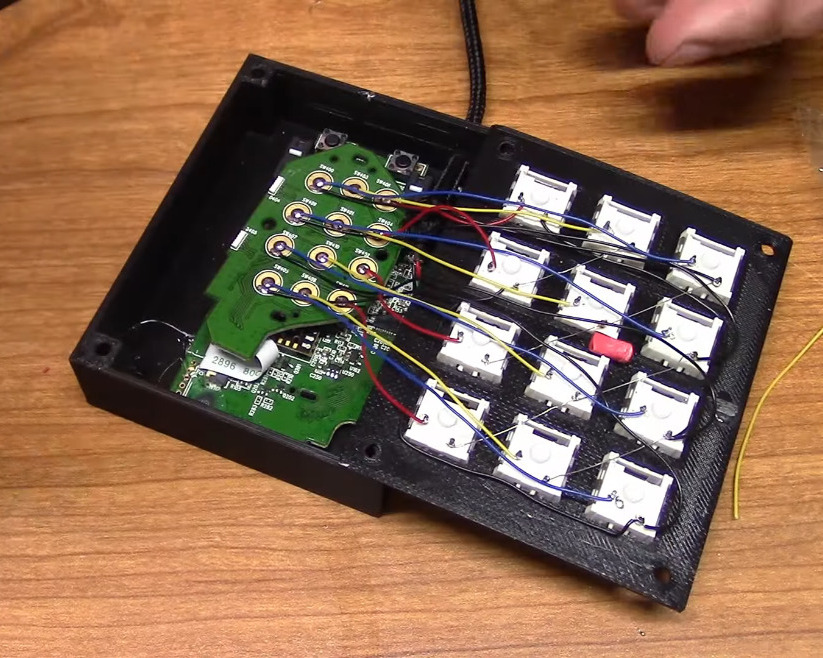
After verifying that all the macro buttons worked, [Taylor] tore down the mouse and extracted the daughterboard, then removed the sticker that held the rubber dome actuators in place. Then they wired up twelve Kailh box jades to the pads, doing some nice diagonal work with bare 30 AWG wire to join all the common pins together.

[Taylor] designed and printed a simple enclosure that’s a slim 21.5 mm tall including the switch plate, and then made a dozen keycaps to match. That was until [Taylor] remembered some relegendable keycaps they had lying around — the kind that let you print your own labels and trap them underneath clear plastic. The only problem was that they are stemmed for some cylindrical actuator, so [Taylor] designed an adapter piece so they would fit on MX-style sliders. Be sure to check out the build video after the break.

If for some reason box jades aren’t clicky and satisfying enough for you, try making your own maglev Hall-effect switches. These days, you even have design options.

Continue reading “Dead Mouse Reincarnated As Macropad”

Illustrated Kristina with an IBM Model M keyboard floating between her hands.

Keebin’ With Kristina: The One With The Tri-lingual Typewriter

Isn’t it just fantastic when a project finally does what you wanted it to do in the first place? [Simon Merrett] isn’t willing to compromise when it comes to the Aerodox. His original vision for the keyboard was a wireless, ergonomic split that could easily switch between a couple of PCs. Whereas some people are more into making layout after layout, [Simon] keeps pushing forward with this same design, which is sort of a mashup between the ErgoDox and the Redox, which is itself a wireless version of the ErgoDox.

The Aerodox has three nRF51822 modules — one for the halves to communicate, one for the control half to send key presses, and a third on the receiver side. [Simon] was using two AA cells to power each one, and was having trouble with the range back to the PC.

The NRFs want 3.3 V, but will allegedly settle for 2 V when times are hard. [Simon] added a boost converter to give each a solid 3.3 V, and the Aerodox became reliable enough to be [Simon]’s daily driver. But let’s go back to the as-yet-unrealized potential part.

Continue reading “Keebin’ With Kristina: The One With The Tri-lingual Typewriter”

Macro-popsicle

Macropopsicle Melts On Your Desk, Not In Your Mouth

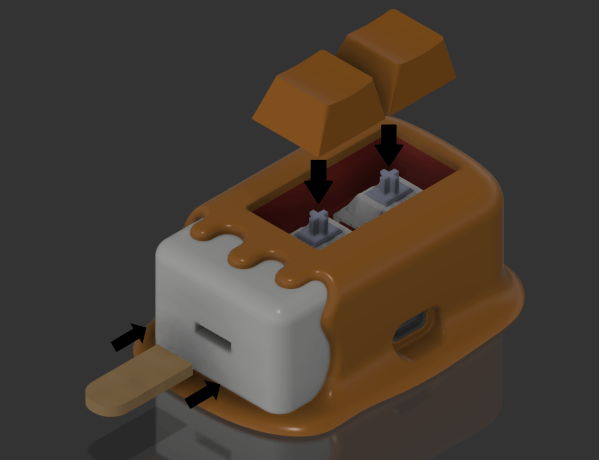
We all know by now that macropads are super cool shortcut machines. And what’s cooler than a popsicle? Well, this cute little thing, which goes by the name of Macropopsicle.

The freezer’s open if you want your own Macropopsicle. There’s not much more to this tasty and practical desktop treat than an adafruit QT Py, a couple of Cherry MX-style switches, some wires, and a handful of printed parts. One cool thing about this design is that all the pieces print with little to no supports, and many of them snap together.

We say there’s a lot to like about Macropopsicle — it’s cute, it’s useful, and there’s even a little bite taken out of it that you can see in some of the renders. [oxisidia] even shoved a real popsicle stick in there to complete the look.

Keyboard aficionados will no doubt recognize Macropopsicle as a great companion to Milk, a 2% keyboard.

A 3D-printed macropad that needs no solder or screws.

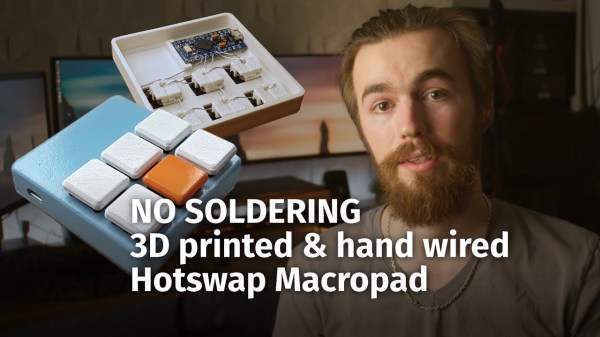
Snap-Together Macropad Does It Without Solder

Maybe we’re biased, but we think everyone has a use for a macropad. It’s just a matter of time before a highly personalized set of speed controls starts to sound like a great time-saving device to have around.

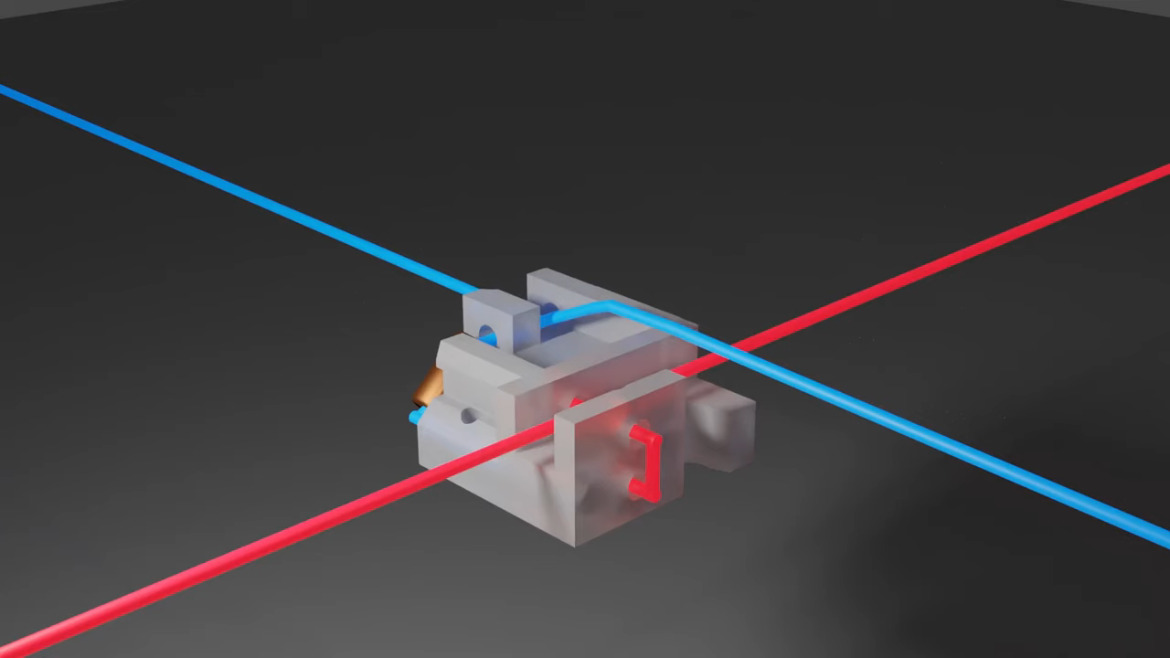
The column wire is red, and the row wire is blue. A printed clip snaps on to separate the two.Trouble is, macropads are usually kind of expensive to buy outright, and not everyone feels comfortable building keyboards. Okay, so what if you didn’t even have to solder anything? That’s the idea behind [Jan Lunge]’s hand-wired macropad.

You will still want to open a window for ventilation if you build this one, because this macropad requires a lot of 3D printing. What it doesn’t require is glue or screws, because everything snaps together.

Of course, the star of this build is [Jan]’s hot swap socket design. We especially love the little clip that holds the column wires in place while also providing a spacer between those and the row wires. Everything is connected up to a Pro Micro with non-insulated wire and held in place with bends at the ends and the magic of tension. Be sure to check out the build video after the break.

Thirsty for more than a six pack of switches? This design is easy to scale up until you run out of microcontroller inputs. At that point, you might want to add screens to keep track of all your macros.

Continue reading “Snap-Together Macropad Does It Without Solder”