Nintendo DS Homebrew Guide


Running homebrew applications on the Nintendo DS is easier than ever these days, but if you didn’t get into the scene on the ground floor, knowing where to start can appear much more daunting than it actually is. The great thing is: you don’t need to crack open your DS and void the warranty. There are numerous peripheral options that handle this easily with no hardware mods required. DS Fanboy has served up a useful guide to the most popular peripherals and homebrew software. They explain the pros and cons of each peripheral along with the installation and uses of a few popular homebrew apps.

Already well versed in the homebrew arts? Then try some hacks we’ve featured previously, like building a serial interface or installing DSLinux and loading it with with software like this on-screen qwerty keyboard.
DIY DS Lite RumblePak


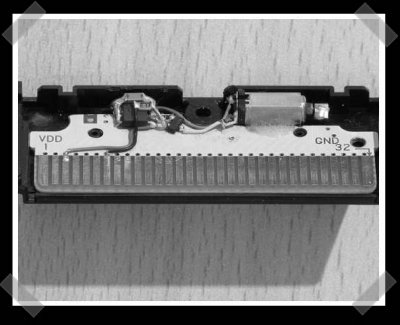
This one’s been making the blog rounds, but it really fits us. Nintendo makes one, but this instructables tells you how to make your own for a DS lite. It uses a PIC 12F675 to read the input line and activate a vibration motor from an old nokia cell phone.

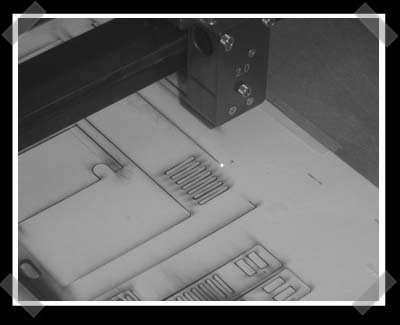
Oh, speaking of instructables, I forgot to mention that they finally picked a winner for their laser etching machine. Of course, if you lack the budget, you can make your own for $60.

DIY Wireless NES Controllers For Wii/Gamecube


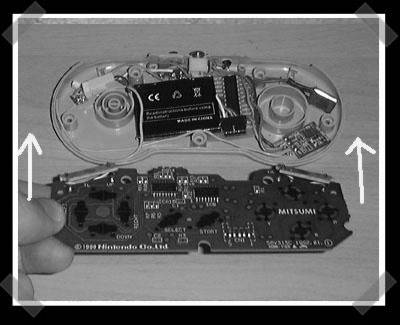
[Mark] sent in his wireless classic nintendo controller project. He built a wireless NES and SNES controller to use with his Wii via the Gamecube port. He used off the shelf TX/RX hardware and used some PIC controllers to glue everything together. iPod batteries keep em powered and keep the weight down. He provides all the schematics and a walk through on constructing the SNES controller. The circuits are pretty simple, so it’s definitely repeatable. This is almost enough to get me to buy a Wii.

— video after the break.

Continue reading “DIY Wireless NES Controllers For Wii/Gamecube”

Oldschool NES ‘repair’ How-to


[sebastian] sent in his NES ‘repair’ how-to. (coral cache) It’s more of a guide to modding the NES for more user friendly operation. Emulators and a USB game pad usually do the job for me, but there’s nothing quite like the original hardware. Hmm, I just ran across my NES advantage joystick earlier today.