
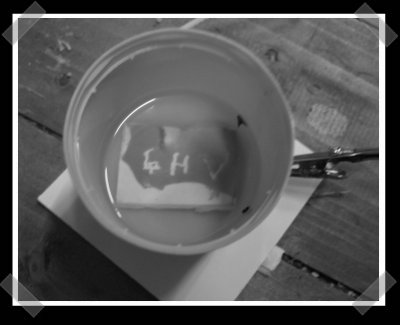
[andre] sent in his first attempt at using a HD-DVD laser diode to expose photosensitive resist to create PC boards. We’ve been meaning to give this a shot with the ol’ Epilog laser cutter. For the test, he coated the board with some resist and hand exposed it with the laser. Finally, he etched it with some sodium hydroxide.
pcb636 Articles
Reusing PCB Components
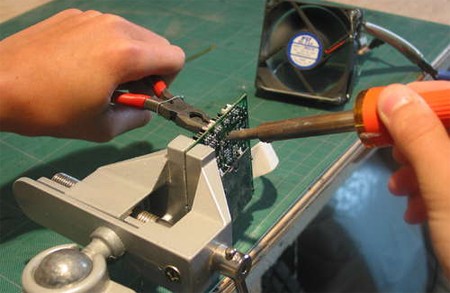
If you’re anything like us, you have a closet full of old electronics, some broken, some obsolete. You can stop using those as paperweights with the help of this guide that shows you how to recycle and reuse PCB components.
The first step of the process is finding electronics you don’t mind taking apart. Next place the PCB you’ll be stripping in a vice, with the components facing away from you and the solder side facing towards you. Grip the component you want with a pair of pliers, and apply a hot soldering iron to the solder that is holding the component. The solder will melt and allow you to safely and cleanly remove the component.
This process can be applied to virtually any component on an PCB, and the author of the guide, [Patented], got a lot of components this way, including resistors, capacitors, switches, audio jacks, and much more. Don’t forget to toss any free-floating metal or plastic parts in the recycle bin when you’re done. You can feel good about the fact that nothing was wasted, you found parts for your next project, and you cleared out some space.
RGB Etched Box
[youtube=http://www.youtube.com/watch?v=KG4PWZyR4Sk&hl=en]
[Dine909] brings us this simple glowing box made out of five etched PCBs. The PCBs control RGB LEDs inside the box, which is also filled with clear glass beads. The four walls are connected to a base controller board that has a Cypress PSoC chip for color mixing. There’s no writeup, and even though it looks a lot like the Lament Configuration, it should be a lot easier to build; any transportation to other dimensions it provides will be strictly figurative.
[via ladyada]
Name That Ware
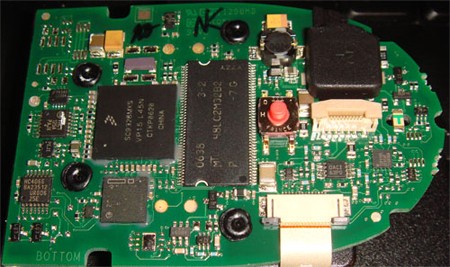
Guessing games are fun, especially when unnamed hardware and prizes are involved. [bunnie] holds a Name that Ware contest on his blog once a month; he posts an image of hardware components like the PCB above (which is May’s mystery ware) and asks visitors to try to guess the machine it came from or at least its function. Aside from the prizes he gives out, winners get the most coveted of all rewards: bragging rights. He’s been running the monthly contest for quite some time and it’s not always PCBs; past wares have included this micron thickness guage (internal) and an xray of a crystal oscillator.
Eagle 5 Overview
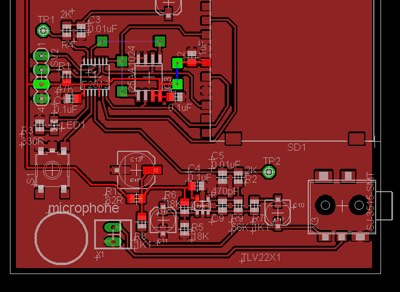
Not sure how we missed this when it was originally published, but our friend [Ian Lesnet] at DIY Life posted an overview of Cadsoft’s new release Eagle 5. This upgrade seems to be all usability tweaks-it really took 5 versions before you could right click? They also made CTRL+Z undo. Really. Eagle3D works nearly the same as before, but has a few changes to help you figure out why certain parts aren’t rendering. We’re happy to see the OSX version is now Universal and no longer needs X11.
DIY TomTom Docking Station
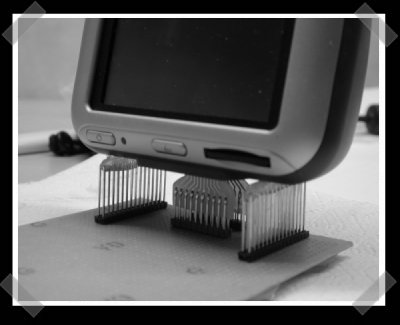
TomToms have been getting pretty cheap. We like ’em because they’re nice and hackable. This diy docking station was made from some etched PCBs, a bunch of male pin headers and a bit of hot glue.









