Increasing Local GPS Accuracy For A Small Robot

Even though GPS makes it possible for us to easily navigate around the planet in almost any vehicle we’d like, whether that’s a passenger vehicle, airplane, or cargo ship, it’s not really suitable for applications that require sub-meter accuracy. For that, some specialized hardware is needed, and [GreatScott!] shows us how to do it using a small robot as a platform.

The key to extremely accurate GPS signals in this case is using a receiver that supports real-time kinematic positioning (RTK). This type of system relies on a base station with a known position communicating with local mobile receivers to increase the precision of those mobile receivers by comparing the phase angle of the received signals. Of course these modules are much more expensive than the average standard GPS receiver, but for this kind of accuracy there is always a cost.

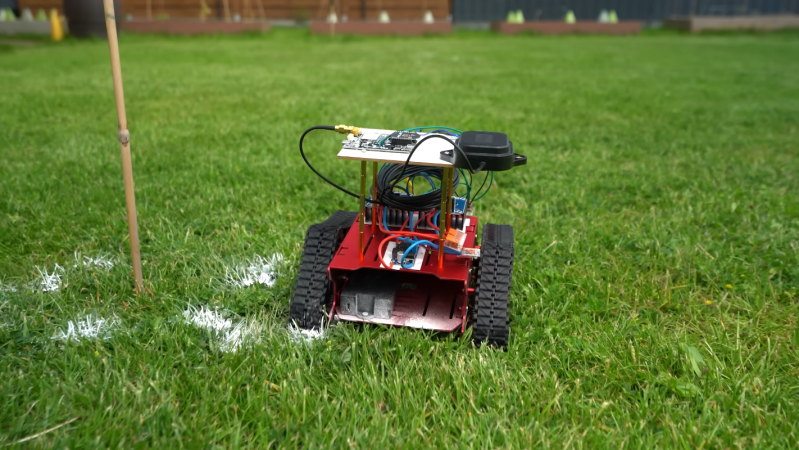
After getting a baseline accuracy of around two meters with a standard GPS receiver, [GreatScott!] installs the RTK GPS mobile receiver on a tracked robotic platform and a base station on a fence post. With the RTK system running, the limiting factor in accuracy became the robot’s steering system, as its turning radius and steering algorithms weren’t up to the task of hitting centimeter-sized targets out of the box.

But, as a proof-of-concept, it goes to show how accurate GPS can be as long as the right hardware is used, and for practical applications is good enough to mow a lawn with a robot or even do some amateur land surveying.

Continue reading “Increasing Local GPS Accuracy For A Small Robot”

Spy Tech: The GPS Numbers Station

We’ve talked before about number stations — mysterious shortwave transmitters repeating numbers, presumably for clandestine purposes. But, of course, the mere fact that they are unusual makes them stand out. The best place to hide something is in plain sight. In the old days, a broadcaster might slip a fake news story in mentioning a name that has a secret meaning, for example. But according to [Steven Murdoch], the United States has an even more obvious hiding place for a numbers station: inside GPS.

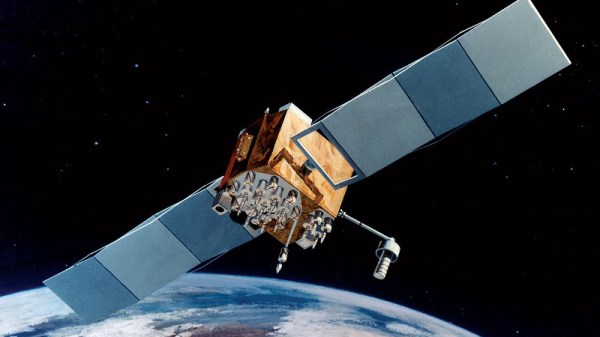
Every L1 C/A navigation message is a 176-bit field known by the affectionate moniker: Subframe 4, Page 17. The GPS specification says it is for “special messages.” No one has disclosed what those messages might be.

[Murdoch] at University College London analyzed over 12 million GPS packets from 2007 to 2026, trying to understand what was in this field. You might think 176 bits isn’t much, and you are right. But the L1 C/A signal carries 50 bits per second, and each frame is 1,500 bits. As [Murdoch] points out: “every bit must earn its place.” Each subframe is 300 bits, so this mysterious signal is 12% of the subframe. It must be important to someone.

Continue reading “Spy Tech: The GPS Numbers Station”

Broadcasting GPS On The Local Network To Help Geoclue Find You

Rather than having users go through the inconvenience of having to punch in their current location, an increasing number of applications and websites use location services that can pin-point the current location of a user to within a certain number of meters or kilometers.

Unfortunately, [Evert Pot] found that with the demise of the Mozilla Location Service (MLS) in 2024, accuracy of the Linux Geoclue service had dropped to a resolution of about 25 km. Since a LAN tends to not move around a lot, this seemed like the perfect time to help Geoclue out with a local GPS server.

All that Geoclue looks for on the LAN is an mDNS service identifying as _nmea-0183._tcp that responds with the GPS coordinates as network packets containing an ASCII payload encoded using the NMEA 0183 standard. With this knowledge [Evert] was then able to quickly put together a Python-based server that simply blasts the static GPS coordinates of the LAN in question.

With the service running, Gnome Maps and Firefox with Google Maps both displayed the right location down to the house, as can be seen in the screenshots. With the same LAN service and a Mac system there was no such luck with Apple Maps unless Location Services was turned off, though presumably Apple uses its own equivalent to MLS.

Need For Speed Map IRL

When driving around in video games, whether racing games like Mario Kart or open-world games like GTA, the game often displays a mini map in the corner of the screen that shows where the vehicle is in relation to the rest of the playable area. This idea goes back well before the first in-vehicle GPS systems, and although these real-world mini maps are commonplace now, they don’t have the same feel as the mini maps from retro video games. [Garage Tinkering] set out to solve this problem, and do it on minimal hardware.

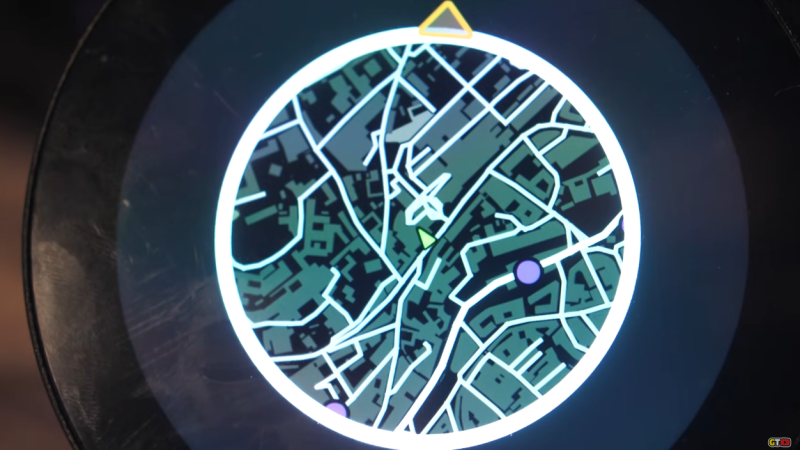
Before getting to the hardware, though, the map itself needed to be created. [Garage Tinkering] is modeling his mini map on Need For Speed: Underground 2, including layers and waypoints. Through a combination of various open information sources he was able to put together an entire map of the UK and code it for main roads, side roads, waterways, and woodlands, as well as adding in waypoints like car parks, gas/petrol stations, and train stations, and coding their colors and gradients to match that of his favorite retro racing game.

To get this huge and detailed map onto small hardware isn’t an easy task, though. He’s using an ESP32 with a built-in circular screen, which means it can’t store the whole map at once. Instead, the map is split into a grid, each associated with a latitude and longitude, and only the grids that are needed are loaded at any one time. The major concession made for the sake of the hardware was to forgo rotating the grid squares to keep the car icon pointed “up”. Rotating the grids took too much processing power and made the map updates jittery, so instead, the map stays pointed north, and the car icon rotates. This isn’t completely faithful to the game, but it looks much better on this hardware.

The last step was to actually wire it all up, get real GPS data from a receiver, and fit it into the car for real-world use. [Garage Tinkering] has a 350Z that this is going into, which is also period-correct to recreate the aesthetics of this video game. Everything works as expected and loads smoothly, which probably shouldn’t be a surprise given how much time he spent working on the programming. If you’d rather take real-world data into a video game instead of video game data into the real world, we have also seen builds that do things like take Open Street Map data into Minecraft.

Thanks to [Keith] for the tip!

Continue reading “Need For Speed Map IRL”

GPS And Its Little Modules

Ever want to find your device on the map? Think we all do sometimes. The technology you’ll generally use for that is called Global Positioning System (GPS) – listening to a flock of satellites flying in the orbit, and comparing their chirps to triangulate your position.

The GPS system, built by the United States, was the first to achieve this kind of feat. Since then, new flocks have appeared in the orbit, like the Galileo system from the European Union, GLONASS from Russia, and BeiDou from China. People refer to the concept of global positioning systems and any generic implementation as Global Navigation Satellite System (GNSS), but I’ll call it GPS for the purposes of this article, and most if not all advice here will apply no matter which one you end up relying on. After all, modern GPS modules overwhelmingly support most if not all of these systems!

We’ve had our writers like [Lewin Day] talk in-depth about GPS on our pages before, and we’ve featured a fair few projects showing and shining light on the technology. I’d like to put my own spin on it, and give you a very hands-on introduction to the main way your projects interface with GPS.

Continue reading “GPS And Its Little Modules”

One Man’s Trash… Bicycle Edition

[Remy van Elst] found an obsolete bike navigation system, the Navman Bike 1000, in a thrift store for €10. The device was a rebadged Mio Cyclo 200 from 2015. Can a decade-old GPS be useful? Well, the answer depends on a little reverse engineering.

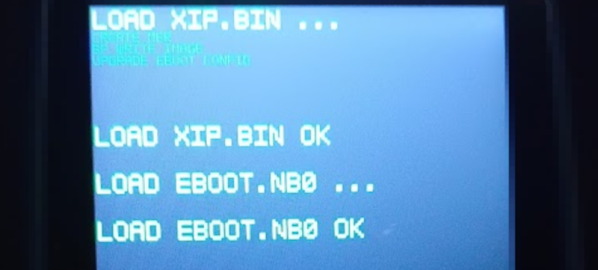
There were some newer maps available, but they wouldn’t download using the official software. Out comes WireShark and mitmproxy. That allowed [Remy] to eavesdrop on what was going on between the box and its home server. From there he could intercept the downloaded software image, which in turn yielded to scrutiny. There was one executable, but since the device mounted as a drive, he was able to rename that executable and put his own in using the same name.

The device turns out to run Windows CE. It could even run DOOM! Once he was into the box with a file manager, it was fairly straightforward to add newer software and even update the maps using OpenStreetMaps.

This is a great example of how a little ingenuity and open source tools can extend the life of consumer electronics. It isn’t always as easy to find an entry point into some device like this. Then again, sometimes it’s a little easier than maybe it should be.

We’d all but forgotten Windows CE. We see many people using WireShark, but fewer running mitmproxy. It sure is useful.

A Close Look At The Mitxela Precision Clock Mk IV

Over on his secondary YouTube channel, [Jeff Geerling] recently demoed the new Mitxela Precision Clock Mk IV.

This clock uses GPS to get the current time, but also your location so it can figure out what time zone you’re in and which daylight savings time might apply. On the back a blinking diode announces the arrival of each second. A temperature-compensated crystal oscillator (TCXO) is employed for accurate time-keeping.

The clock can be folded in half, thereby doubling as a clapperboard for movie makers. The dimming system is analog, not pulse width modulation (PWM), which means no visible flashing artifacts when recording. It is highly configurable and has USB connectivity. And it has not one but two ARM microcontrollers, an ARM STM32L476, and an ARM STM32L010. If you’re interested, you can pick one up for yourself from [Mitxela]’s shop.

Toward the end of his video [Jeff] does some navel gazing, thinking about what might be required if future versions of the clock wanted to get down into precision at the nanosecond level. Do you arrange it so the light arrives at the viewer’s eyeball at the right time? Or do you update it on the clock at the right time and let the viewer know about it after a minuscule delay? Philosophical preponderances for another day!

We should add that we’ve seen plenty of cool stuff from [Mitxela] before, including the Euroknob and these soldering tweezers.

Continue reading “A Close Look At The Mitxela Precision Clock Mk IV”