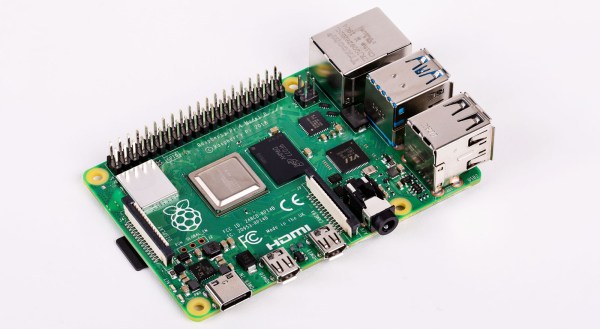
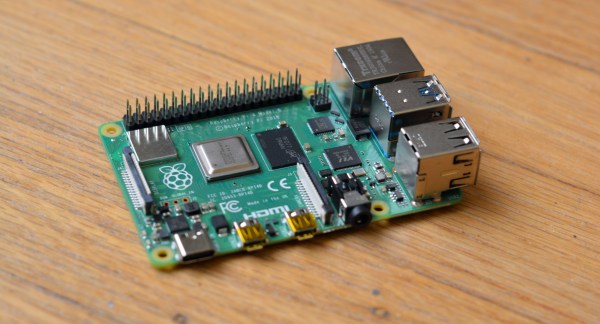
It would be fair to say that the Raspberry Pi team hasn’t been without its share of hardware issues, with the Raspberry Pi 2 being camera shy, the Raspberry Pi PoE HAT suffering from a rather embarrassing USB power issue, and now the all-new Raspberry Pi 4 is the first to have USB-C power delivery, but it doesn’t do USB-C very well unless you go for a ‘dumb’ cable.
Join me below for a brief recap of those previous issues, and an in-depth summary of USB-C, the differences between regular and electronically marked (e-marked) cables, and why detection logic might be making your brand-new Raspberry Pi 4 look like an analogue set of headphones to the power delivery hardware.
The new Raspberry Pi 4 is out, and slowly they’re working their way from Microcenters and Amazon distribution sites to desktops and workbenches around the world. Before you whip out a fancy new USB C cable and plug those Pis in, it’s worthwhile to know what you’re getting into. The newest Raspberry Pi is blazing fast. Not only that, but because of the new System on Chip, it’s now a viable platform for a cheap homebrew NAS, a streaming server, or anything else that requires a massive amount of bandwidth. This is the Pi of the future.
The Raspberry Pi 4 features a BCM2711B0 System on Chip, a quad-core Cortex-A72 processor clocked at up to 1.5GHz, with up to 4GB of RAM (with hints about an upcoming 8GB version). The previous incarnation of the Pi, the Model 3 B+, used a BCM2837B0 SoC, a quad-core Cortex-A53 clocked at 1.4GHz. Compared to the 3 B+, the Pi 4 isn’t using an ‘efficient’ core, we’re deep into ‘performance’ territory with a larger cache. But what do these figures mean in real-world terms? That’s what we’re here to find out.
Is this something you should be worried about? Almost certainly not. The Pi folks have tested their product with a wide variety of chargers but it is inevitable that they would be unable to catch every possible one. If your charger is affected, try another one.
What it does illustrate is the difficulties faced by anybody in bringing a new electronic product to market, no matter how large or small they are as an organisation. It’s near-impossible to test for every possible use case, indeed it’s something that has happened to previous Pi models. You may remember that the Raspberry Pi 2 could be reset by a camera flash or if you have a very long memory, that the earliest boards had an unseemly fight between two 1.8 V lines that led to a hot USB chip, and neither of those minor quirks dented their board’s ability to get the job done.
Mistakes happen. Making the change to USB-C from the relative simplicity of micro-USB is a big step for all concerned, and it would be a surprise were it to pass entirely without incident. We’re sure that in time there will be a revised Pi 4, and we’d be interested to note what they do in this corner of it.
So you’ve rushed off to your favourite dealer in Raspberry Pi goodies and secured your shiny new Raspberry Pi 4. Maybe you’re anxiously waiting for the postie, or perhaps if you’re lucky enough to live near Cambridge you simply strolled into the Pi shop and bought one over the counter. You’ve got the best of the lot, the 4 GB model, and there’s nothing like the feeling of having the newest toy before everyone else does.
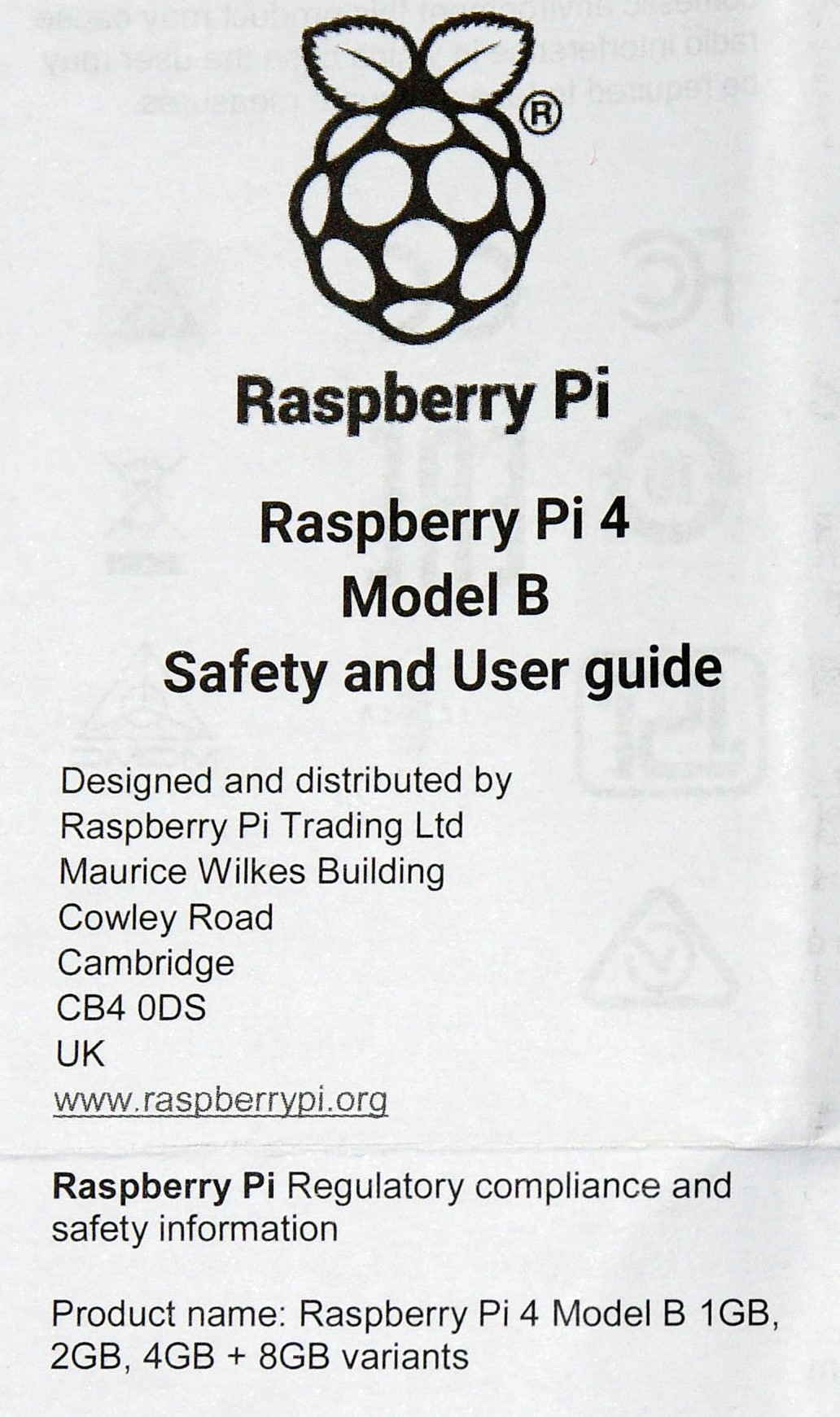
A scan of the Pi 4 user guide, with a tantalising 8GB at the bottom.
You open the box, pull out the Pi, and get busy. The instruction leaflet flutters to the floor, ignored and forgotten. If you’re our tipster [Eric van Zandvoort] though, you read it, notice something unexpected, and send a scan to your friends at Hackaday. Because there at the top, in the regulatory compliance information that nobody reads, is the following text:
Product name: Raspberry Pi 4 Model B 1 GB, 2 GB, 4 GB + 8 GB variants.
It’s not the lack of an Oxford comma that caught his eye, but the tantalising mention of an 8 GB Raspberry Pi 4. Could we one day see an extra model in the range with twice the memory? It would be nice to think so.
There are a couple of inevitable reactions when a new product comes out. First, everyone who has just bought the previous one will be upset, and second there will always be a group of people who say “Ah, don’t buy this one, wait for the super-duper upgrade model!” We’d like to suggest to anyone tempted into the latter group that this news should be no reason not to buy a Raspberry Pi 4 at the moment, because the prospect of an 8 GB variant should come as a shock to nobody.
It makes absolute sense that the Pi people will have equipped their SoC with as much address space as they can get into it, and equally as much sense that they will have fitted the final products with whatever memory chips keep it within their target price point. If you cast your mind back you’ll know that this isn’t the first time this has happened, early boards were shipped with 256 MB of RAM but later upgraded to 512 MB as the economics made it possible. Those with extreme knowledge of Pi trivia will also know that the original Model A was announced with 128 MB and released with 256 MB for the same reason.
There’s another question, would 8 GB make that much difference? The answer depends upon what you are doing with your Pi 4, but it’s worth remembering that this is no high-end workstation but a single-board computer with a stripped-down Linux distro for experimenters. You may be disappointed if you are pushing the limits of computational endeavour, but the majority of users will not be taxing Raspbian on the 4 GB model even if they install Chromium and open up all their favourite bloated social media sites. Perhaps we’ve become conditioned by the excessive demands of Windows on an x86 platform and forgotten just how powerful our computers really are. After all, as the apocryphal Bill Gates quote has it, “640k should be enough for anyone“, right?
We can look forward to an 8 GB Pi 4 then at some point in the future. We’d put our money on next year, since 2020 is a leap year and 2020-02-29 will be the Pi’s 2nd 8th birthday, it wouldn’t stretch the imagination to speculate around that date. But don’t bet on it, save your money for buying a 4 GB Pi 4 right now.
The Raspberry Pi 4 was just released. This is the newest version of the Raspberry Pi and offers a better CPU and more memory than the Raspberry Pi 3, dual HDMI outputs, better USB and Ethernet performance, and will remain in production until January, 2026.
The CPU on the new and improved Raspberry Pi 4 is a significant upgrade. While the Raspberry Pi 3 featured a Broadcom BCM2837 SoC (4× ARM Cortex-A53 running at 1.2GHz) the new board has a Broadcom BCM2711 SoC (a quad-core Cortex-A72 running at 1.5GHz). The press literature says this provides desktop performance comparable to entry-level x86 systems.
Of note, the new Raspberry Pi 4 features not one but two HDMI ports, albeit in a micro HDMI format. This allows for dual-display support at up to 4k60p. Graphics power includes H.265 4k60 decode, H.264 1080p60 decode, 1080p30 encode, with support for OpenGL ES, 3.0 graphics. As with all Raspberry Pis, there’s a component composite video port as well tucked inside the audio port. The 2-lane MIPI DSI display port and 2-lane MIPI CSI camera port remain from the Raspberry Pi 3.