3D Printed VirtuScope Is A Raspberry Pi 4 Cyberdeck With A Purpose

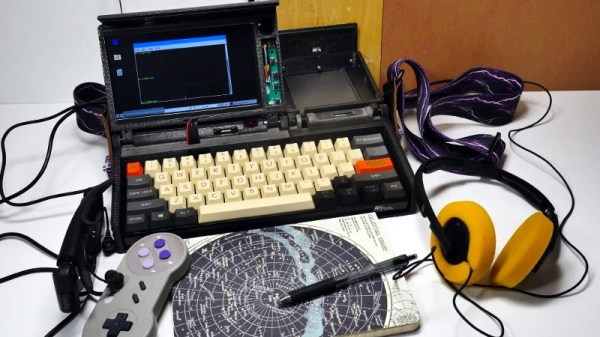
William Gibson might have come up with the idea for the cyberdeck in 1984, but it’s only recently that technology like desktop 3D printing and powerful single board computers have enabled hackers and makers to assemble their own functional versions of these classic cyberpunk devices. Often the final product is little more than a cosplay prop, but when [Joe D] (better known on the tubes as [bootdsc]) started designing his VirtuScope, he wanted to create something that was actually practical enough to use. So far, it looks like he’s managed to pull it off.

Many of the cyberdeck builds we see are based around the carcass of a era-appropriate vintage computer, which looks great and really helps sell the whole retro-future vibe. Unfortunately, this can make the projects difficult and expensive to replicate. Plus there’s plenty of people who take offense to gutting a 30+ year old piece of hardware just so you can wear it around your neck at DEF CON.

[bootdsc] deftly avoided this common pitfall by 3D printing the entire enclosure for the VirtuScope, and since he’s shared all of the STLs, he’s even made it so anyone can run off their own copy. The majority of the parts can be done on any FDM printer with a 20 x 20 x 10cm build area, though there are a few detail pieces that need the resolution of an SLA machine.

Under the hood the VirtuScope is using the Raspberry Pi 4, which [bootdsc] says is key to the build’s usability as the latest version of the diminutive Linux SBC finally has enough computational muscle to make it a viable for daily computing. Granted the seven inch LCD might be a tad small for marathon hacking sessions, but you could always plug in an external display when you don’t need to be mobile. For your wireless hacking needs, the VirtuScope features an internal NooElec SDR (with HF upconverter) and a AWUS036AC long-range WiFi adapter; though there’s plenty of room to outfit it with whatever kind of payload you’d find useful while on the go.

Documentation for this project is still in the early stages, but [bootdsc] has already provided more than enough to get you started. He tells us that there are at least two more posts coming that will not only flesh out how he built the VirtuScope, but explain why it’s now become his portable SDR rig of choice. We’re excited to see more details about this build, and hope somebody out there is willing to take on the challenge of building their own variant.

In the past we’ve seen partially 3D printed cyberdecks, and at least one that also went the fully-printed route, but none of them have been quite as accessible as the VirtuScope. By keeping the geometry of the printed parts simple and utilizing commonly available components, [bootdsc] may well have laid the groundwork for hackerdom’s first “mass produced” cyberdeck.

Continue reading “3D Printed VirtuScope Is A Raspberry Pi 4 Cyberdeck With A Purpose”

Can You Really Use The Raspberry Pi 4 As A Desktop Machine?

When the Raspberry Pi 4 was released, many looked at the dual micro HDMI ports with disdain. Why would an SBC like the Raspberry Pi need two HDMI ports? The answer was that the Pi 4 is finally fast enough to work as a desktop replacement, and the killer feature (for many of us) for a desktop is multiple monitors.

Now I know what many of you are thinking. There’s no way a $35, or even $55, credit-card-sized computer can replace a $1000+ desktop machine, right? Right? Of course not, but at the same time, yes, yes it can. So I tried to use the Pi as a desktop replacement for a week, and it worked. In fact, this article has been written almost entirely on the Pi 4 with 4 GB of memory, as well as a couple of my recent security columns. I could definitely continue working with the Pi as my daily driver for that purpose.

There are a few points of order to cover first. Initial reviews were based on the June 20th release of Raspbian, which in turn was based on the pre-release Debian Buster. Since then, Buster has released. Fixes that were queued up have landed now that the release freeze has ended. A new Raspbian image was released on July 10, and many of the initial release issues have been fixed.
Continue reading “Can You Really Use The Raspberry Pi 4 As A Desktop Machine?”

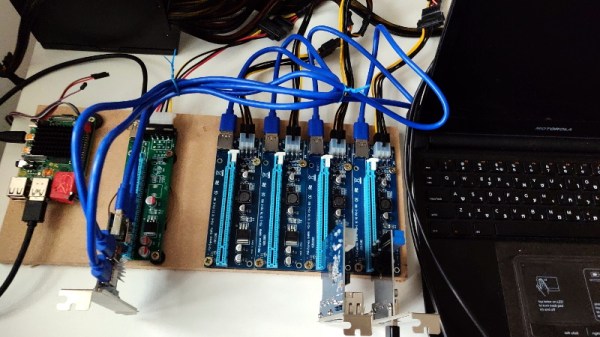
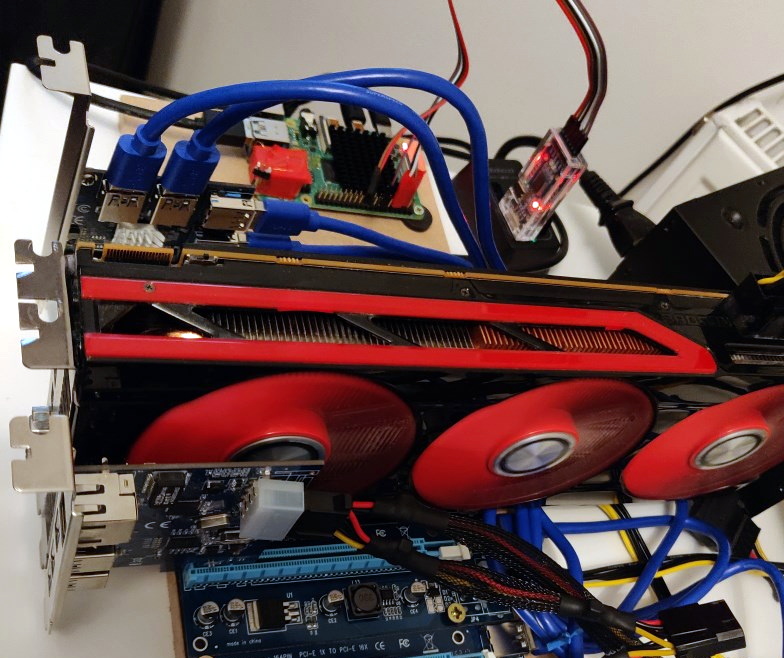
PCIe Multiplier Expands Raspberry Pi 4 Possibilities

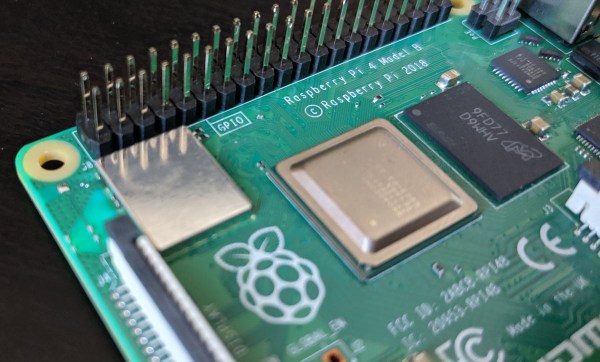
It probably goes without saying that hardware hackers were excited when the Raspberry Pi 4 was announced, but it wasn’t just because there was a new entry into everyone’s favorite line of Linux SBCs. The new Pi offered a number of compelling hardware upgrades, including an onboard PCI-Express interface. The only problem was that the PCIe interface was dedicated to the USB 3.0 controller; but that’s nothing a hot-air rework station couldn’t fix.

We’ve previously seen steady-handed hackers remove the USB 3.0 controller on the Pi 4 to connect various PCIe devices with somewhat mixed results, but [Colin Riley] has raised the bar by successfully getting a PCIe multiplier board working with the diminutive Linux computer. While there are still some software kinks to work out, the results are very promising and he already hasĀ  a few devices working.

Getting that first PCIe port added to the Pi 4 is already fairly well understood, so [Colin] just had to follow the example set by hackers such as [Tomasz Mloduchowski]. Sure enough, when he plugged the port multiplier board in (after a bit of what he refers to as “professional wiggling”), the appropriate entry showed up in lspci.

But there was a problem. While the port multiplier board was recognized by the kernel, nothing he plugged into it showed up. Checking the kernel logs, he found messages relating to bus conflicts, and one that seemed especially important: “devices behind bridge are unusable because [bus 02] cannot be assigned for them“. To make a long story short, it turns out that the Raspbian kernel is specifically configured to only allow a single PCI bus.

Fortunately, it’s an easy fix once you know what the problem is. Using the “Device Tree Compiler” tool, [Colin] was able to edit the Raspbian Device Tree file and change the PCI “bus-range” variable from <0x0 0x1> to <0x0 0xff>. From there, it was just a matter of plugging in different devices and seeing what works. Simple things such as USB controllers were no problem, but getting ARM Linux support for the NVIDIA GTX 1060 he tried will have to be a topic for another day.

[Thanks to Paulie for the tip.]

USB-C: One Plug To Connect Them All, And In Confusion Bind Them

USB stands for Universal Serial Bus and ever since its formation, the USB Implementers Forum have been working hard on the “Universal” part of the equation. USB Type-C, which is commonly called USB-C, is a connector standard that signals a significant new chapter in their epic quest to unify all wired connectivity in a single specification.

Many of us were introduced to this wonder plug in 2015 when Apple launched the 12-inch Retina MacBook. Apple’s decision to put everything on a single precious type-C port had its critics, but it was an effective showcase for a connector that could handle it all: from charging, to data transfer, to video output. Since then, it has gradually spread to more devices. But as the recent story on the Raspberry Pi 4’s flawed implementation of USB-C showed, the quest for a universal connector is a journey with frequent setbacks.

Continue reading “USB-C: One Plug To Connect Them All, And In Confusion Bind Them”

Hackaday Podcast 027: Confusingly USB-C, Glowey Displays, Logically VGA, Hackers Who Changed Gaming

Hackaday Editors Elliot Williams and Mike Szczys dive into the most interesting hacks of the week. Confused by USB-C? So are we, and so is the Raspberry Pi 4. Learning VGA is a lot easier when abstract concepts are unpacked onto a huge breadboard using logic chips and an EEPROM. Adding vision to a prosthetic hand makes a lot of sense when you start to dig into possibilities of this Hackaday Prize entry. And Elliot gets nostalgic about Counter-Strike, the game that is a hack of Half-Life, grew to eclipse a lot of other shooters, and is now 20 years old.

Take a look at the links below if you want to follow along, and as always tell us what you think about this episode in the comments!

Take a look at the links below if you want to follow along, and as always, tell us what you think about this episode in the comments!

Direct download (60 MB or so.)

Continue reading “Hackaday Podcast 027: Confusingly USB-C, Glowey Displays, Logically VGA, Hackers Who Changed Gaming”

Exploring The Raspberry Pi 4 USB-C Issue In-Depth

It would be fair to say that the Raspberry Pi team hasn’t been without its share of hardware issues, with the Raspberry Pi 2 being camera shy, the Raspberry Pi PoE HAT suffering from a rather embarrassing USB power issue, and now the all-new Raspberry Pi 4 is the first to have USB-C power delivery, but it doesn’t do USB-C very well unless you go for a ‘dumb’ cable.

Join me below for a brief recap of those previous issues, and an in-depth summary of USB-C, the differences between regular and electronically marked (e-marked) cables, and why detection logic might be making your brand-new Raspberry Pi 4 look like an analogue set of headphones to the power delivery hardware.

Continue reading “Exploring The Raspberry Pi 4 USB-C Issue In-Depth”

Raspberry Pi 4 Benchmarks: Processor And Network Performance Makes It A Real Desktop Contender

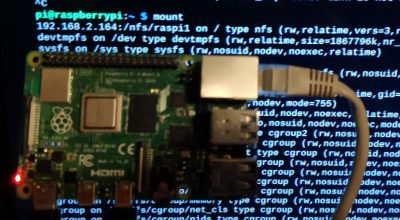
The new Raspberry Pi 4 is out, and slowly they’re working their way from Microcenters and Amazon distribution sites to desktops and workbenches around the world. Before you whip out a fancy new USB C cable and plug those Pis in, it’s worthwhile to know what you’re getting into. The newest Raspberry Pi is blazing fast. Not only that, but because of the new System on Chip, it’s now a viable platform for a cheap homebrew NAS, a streaming server, or anything else that requires a massive amount of bandwidth. This is the Pi of the future.

The Raspberry Pi 4 features a BCM2711B0 System on Chip, a quad-core Cortex-A72 processor clocked at up to 1.5GHz, with up to 4GB of RAM (with hints about an upcoming 8GB version). The previous incarnation of the Pi, the Model 3 B+, used a BCM2837B0 SoC, a quad-core Cortex-A53 clocked at 1.4GHz. Compared to the 3 B+, the Pi 4 isn’t using an ‘efficient’ core, we’re deep into ‘performance’ territory with a larger cache. But what do these figures mean in real-world terms? That’s what we’re here to find out.

Continue reading “Raspberry Pi 4 Benchmarks: Processor And Network Performance Makes It A Real Desktop Contender”