KiwiSDR Vs RaspberrySDR — A Tale Of Two SDRs

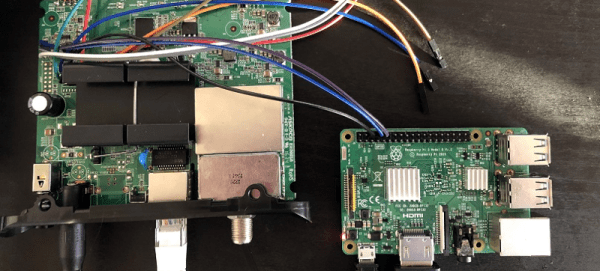
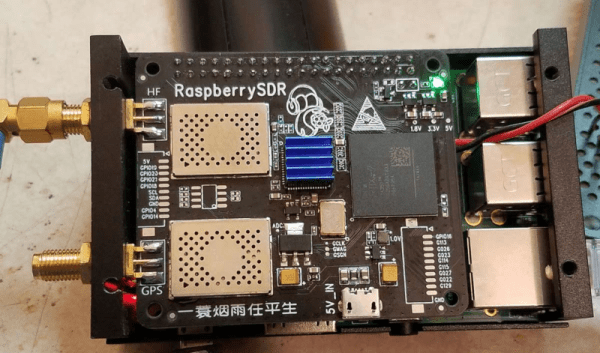
Once you move away from the usual software defined radio (SDR) dongles, you have only a few choices unless you want to drop some serious cash. One common hobby-grade SDR is the KiwiSDR. This popular unit runs Linux and can receive up to 30 MHz. The platform uses a dedicated A/D converter, an FPGA, and BeagleBone computer. Success of course breeds imitators, and especially when you have an open source design like the Kiwi, you are going to find similar devices with possibly different end goals. That’s how the RaspberrySDR came to be. This is a very similar unit to the KiwiSDR but it uses a Raspberry Pi, along with a handful of other differences. What’s different? [KA7OEI] tells us in a recent blog post.

Other than the obvious difference of the computer and all that it entails, the RaspberrySDR has a higher speed A/D (125 MHz vs 66 MHz) and 16-bits of resolution instead of the Kiwi’s 14 bits. This combines to give the Raspberry a wider receive range (up to 60 MHz) and — in theory — better performance in terms of dynamic range and distortion.

Continue reading “KiwiSDR Vs RaspberrySDR — A Tale Of Two SDRs”

Hackaday Links Column Banner

Hackaday Links: September 20, 2020

The announcement of Autodesk’s changes to the Fusion 360 personal use license terms this week caused quite a dustup. Our article on the announcement garnered a lot of discussion and not a few heated comments. At the end of the day, though, Autodesk is going to do what it’s going to do, and the Fusion 360 user community is just going to have to figure out how to deal with the changes. One person who decided to do something other than complain is Justin Nesselrotte, who came up with a quick and easy bulk export tool for Fusion 360. This gets to the heart of the issue since the removal of export to STEP, IGES, and SAT files is perhaps the most painful change for our community. Justin’s script automatically opens every design and exports it to the file type of your choice. Since the license changes go into effect on October 1, you’d better get cracking if you want to export your designs.

Over on Twitter, Hackaday superfriend Timon gives us a valuable lesson in “you get what you pay for.” He found that a bunch of his header pin jumper cables weren’t even remotely assembled properly. The conductors of the jumper wire were only loosely inserted into the terminal’s crimp, where apparently no crimping pressure had been applied. The wires were just rattling around inside the crimp, rather than making sold contact. We’ve covered the art and science of crimping before, and it’s pretty safe to say that these jumpers are garbage. So if you’re seeing weird results with a circuit, you might want to take a good, close look at your jumpers. And as always, caveat emptor.

The GNU Radio Conference wrapped up this week, in virtual format as so many other conferences have been this year, and it generated a load of interesting talks. They’ve got each day’s proceedings over on their YouTube channel, so the videos are pretty long; luckily, each day’s stream is indexed on the playbar, so along with the full schedule you can quickly find the talks you’re interested in. One that caught our eye was a talk on the Radio Resilience Competition, a hardware challenge where participants compete head-to-head using SDRs to get signals through in an adversarial environment. It sounds like a fascinating challenge for the RF inclined. More details about registering for the competition can be had on the Radio Resilience website.

You know those recipe sites that give you a few choices on what to make for dinner based on the ingredients you have on hand? We always thought that was a clever idea, and now something like it has come to our world. It’s called DIY Hub, and it aims to guide makers toward projects they can build based on the parts they have on hand. Users create projects on the site, either hosting the project directly on the site or providing a link to projects on another site. Either way, the project’s BOM is cataloged so that users can find something to build based on parts stored in their “Garage”. Granted, most of us suffer from the exact opposite problem of not knowing what to build next, but this could be an interesting tool for stimulating the creative process, especially for teachers and parents. It’s currently in beta, and we’d love to see a few Hackaday.io projects added to the site.

And finally, we got a tip to an oldie but a goodie: How to Build a Castle. No, we don’t expect to see a rash of 13th-century castle builds gracing our pages anytime soon — although we certainly wouldn’t be opposed to the idea. Rather, this is a little something for your binge-watching pleasure. The BBC series, which was actually called Secrets of the Castle, was a five-part 2014 offering that went into great detail on the construction of Guédelon Castle, an experimental archaeology project in France that seeks to build a castle using only the materials and methods available in the 1200s. The series is hosted by historian Ruth Goodman and archaeologists Peter Ginn and Tom Pinfold, and it’s great fun for anyone interested in history and technology.

Tutorial For Setting Up Raspberry Pi For Ham Radio Use

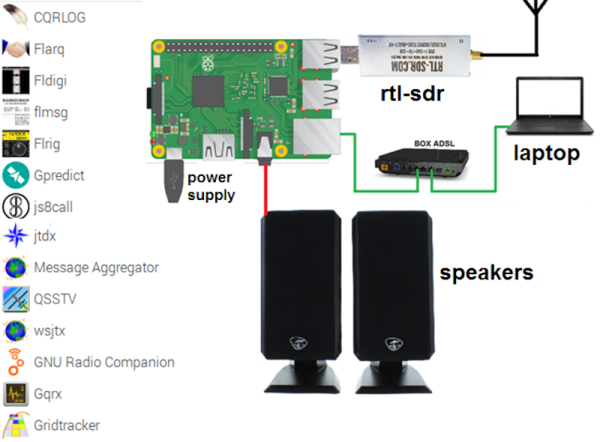
There was a time when a ham radio set up sported many dials and switches and probably quite a few boxes as well. Computers have changed all that. Some transceivers now have just a few buttons or are even totally computer-controlled. Where a ham, at one time, might have a TeleType machine, a slow-scan TV monitor, and a fax printer for receiving satellite images, now that can all be on a single computer which can even be a Raspberry Pi. [F4GOH] has a post that takes you from the fundamentals to installing everything from an SDR to many common ham programs for digital modes, APRS, SSTV, and more. You can download the seven-part tutorial as separate PDF files, too.

Even if you aren’t a ham, you might find some of the software interesting. OpenWebRX lets you listen to your software defined radio on the road. You can use other software to pick up weather satellite data.

Continue reading “Tutorial For Setting Up Raspberry Pi For Ham Radio Use”

Comparing Shortwave Antennas With RTL-SDR And Python

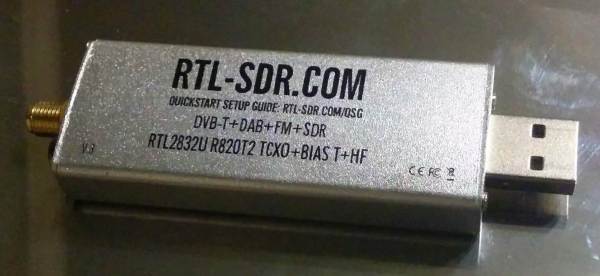
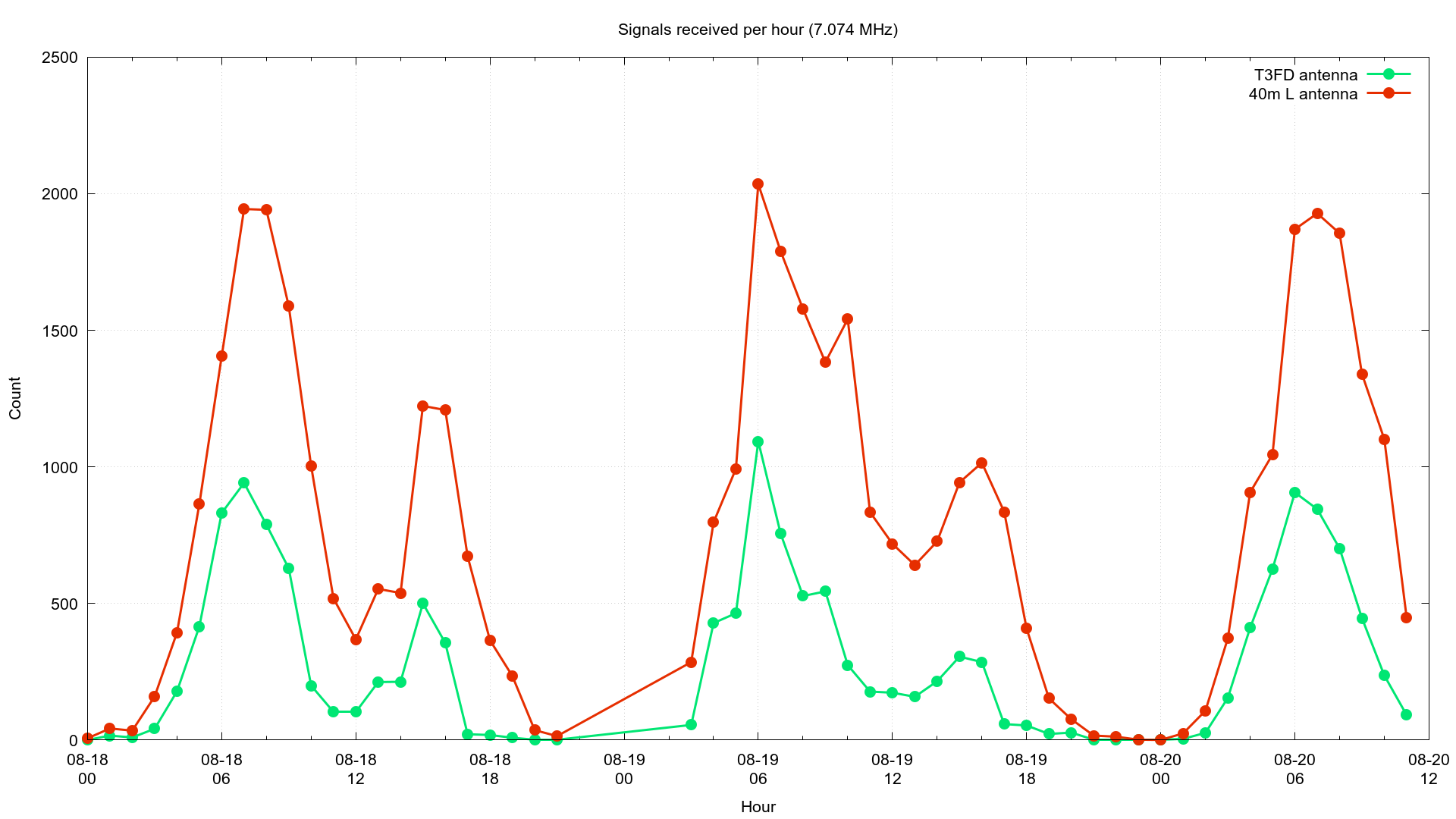
Measuring the performance of antennas in absolute terms that can involve a lot of expensive equipment and specialized facilities. For practical applications, especially when building antennas, comparing performance in relative terms is more practical. Using cheap RTL-SDR dongles and Python, [Eric Urban] was able to compare the performance of two shortwave/HF antennas, and documented the entire process.

The two antennas in question was a single band inverted-L and smaller broadband T3FD antenna. [Eric] first gathered performance data for each over few days, connected to separate PCs with RTL-SDRs via low-pass filters. These were set up to receive FT8 transmissions, a popular digital ham radio mode, which allowed [Eric] to automate data collection completely. GQRX, a software receiver, converted the signals to audio, which was then piped into WSJT-X for demodulation.

Data for each received FT8 transmission was recorded to a log file. [Eric] also modified GQRX and WSJT-X to give him all the remote control features he needed to automatically change frequencies. Between the two antenna setups, more than 100,000 FT8 transmissions were logged. Using the recorded data and Python he compared the number of received transmissions, the distance, and the heading to the transmitters, using the location information included in many FT8 transmissions. Where the same transmission was received by both antennas, the signal-to-noise ratios was compared.

From all this data, [Eric] was able to learn that the inverted-L antenna performed better than the T3FD antenna on three of the four frequency bands that were tested. He also discovered that the inverted-L appeared to be “deaf” in one particular direction. Although the tests weren’t perfect, it is impressive how much practical data [Eric] was able to gather with low-cost hardware. Continue reading “Comparing Shortwave Antennas With RTL-SDR And Python”

SDR Transmitting Gets The Power

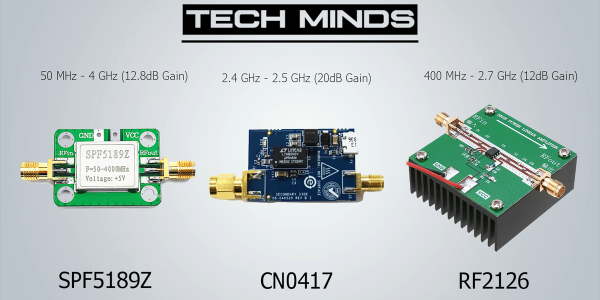
Most hobby-grade software defined radio setups don’t transmit. Of the few that do, most of them put out anemic levels around one milliwatt or so. If you want to do something outside of the lab, you’ll need an amplifier and that’s what [Tech Minds] shows how to do in a recent video. (Embedded below.)

The video covers LimeSDR, HackRF, and the Pluto SDR, although the amplifiers should work with any transmitter. The SPF5189Z module is quite cheap and covers 50 MHz to 4 GHz, amplifying everything you throw at it. The downside is that it will amplify everything you throw at it, even parts of the signal you don’t want, such as spurs and harmonics.

Continue reading “SDR Transmitting Gets The Power”

Virtual Software Defined Radio

Software defined radio or SDR has changed the radio landscape forever. But to use one you need to buy some kind of hardware right? Maybe not. As [Tech Minds] shows in a recent video there are plenty of SDRs publically available on the Internet. We know that isn’t news, but the video does cover several different methods of finding and using SDR receivers including many that run totally in the browser.

Of course, there are a lot of reasons you might want to borrow an alien radio receiver, even if you have your own hardware. Maybe you don’t have a great antenna or maybe you want to hear a signal — maybe even your own — from a different location.

Continue reading “Virtual Software Defined Radio”

Lightning Analysis With Your SDR

Perhaps it’s just one of those things adults dream up to entertain their children, but were you ever told to count slowly the time between seeing a lightning flash and hearing the rumble of thunder? The idea was that the count would tell you how far away the storm was, but from a grown-up perspective the calibration accuracy of a child saying “one… two…three…” in miles seems highly suspect. It’s a valid technique though, and it can be used to monitor thunderstorms by the radio emissions created through the electrical discharge. It’s an area the SAGE project has been working in, and they’ve posted some details including a fascinating run-down of the software techniques , on how lightning can be detected with an RTL-SDR.

A lightning strike produces a characteristic wideband burst that shows up in the time domain as a maximum point that can easily be detected but could also be confused with radio interference from another source. Thus after identifying maxima they zoom in and perform a Fourier transform to spot the wideband burst. It’s all done in Python, and the pleasant surprise is how straightforward to understand it all is.

SAGE are working on a distributed sensor network, so we hope this work might one day give us real-time open lightning data. The FFT approach should ensure that it won’t be fooled by false positives as a traditional detector might be.

Via RTL-SDR.com.