Hackaday Links: February 8, 2012

Most useless machine
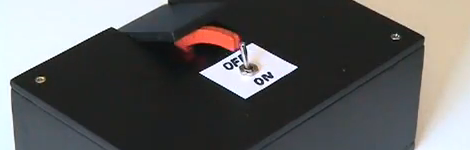
We love ’em, and we hope you do too. Here’s [Phase2plus’] take on the most useless machine.

Scratching like it’s 1989
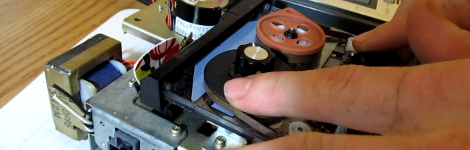
[Nick] spent three bucks at the thrift store and ended up buying days worth of fun with this cassette player. He hacked it to scratch like vinyl.

3D printed jawbone

This lady now has her own 3D-printed jawbone. We’re not talking about the Bluetooth headset… it’s an actual bone replacement! And yes, the skeleton for the Terminator was 3D printed… we’re that much closer now. [Thanks Steve]

Hexbug superbowl
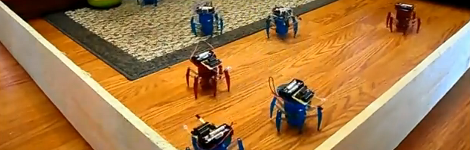
Why not let robots decide our sports gambling choices? [Eric] let this slew of HexBugs battle it out as an early indicator for who would win the Super Bowl. Seems he has no shortage of the little toys, all of which received an MSP430 upgrade. The firmware actually implements obstacle avoidance, but he makes a poke at the Chicago Bears who seem to have the same mission.

Foil fix for worn out remotes
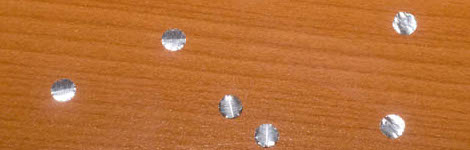
[Viktor] found an interesting repair tip. If you’ve got remote controlers whose buttons are not working so well anymore you may be able to fix them with tin foil. He uses a single-hole punch to clip out circles which are attached to the underside of the misbehaving button. Worth a try!
Single Hand Keyboard For Tablets

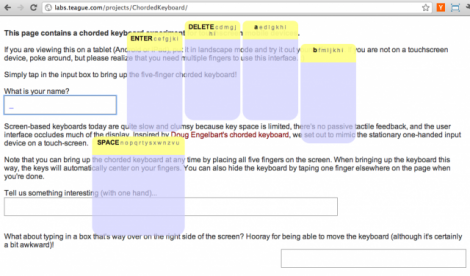
To us it makes a lot of sense to hold the tablet in one hand and type with the other. That’s exactly how [Adam Kumpf] has implemented this one-handed typing interface which was originally conceived by [Doug Engelbart].

As you can see, there’s a large contextual area for each finger on your right hand. Letters and navigational keystrokes are input through this interface based on single touches, or combinations up to and including all five digits. This offers up 32 possible combinations (including all on and all off) which is enough to cover the modern English alphabet.

[Adam’s] demo page works for most tablets so give it a whirl. Yes, it works with iDevices too which is a surprise as we would have thought this was using Flash. If you’re not near a touch-sensitive device you can get the gist of the operation from the demo video embedded after the break.

Now, who’s going to be the first to make this into a replacement keyboard on iOS 5?

Continue reading “Single Hand Keyboard For Tablets”

Quadcopter Build Ready For First Flight

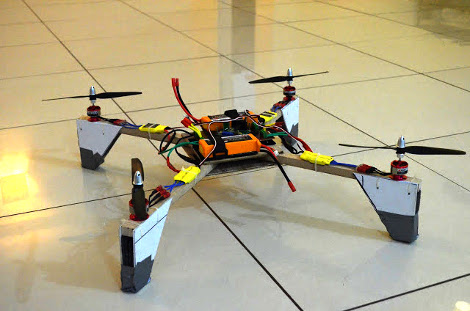
[Abhimanyu Kumar] has been hard at work building and posting about his quadcopter. So far he’s published ten installments for this build, letting us relive the adventure vicariously. But it’s number 11 that we’re really excited about as he plans to share the first free-flight footage in that one.

The bug was planted in his brain after hearing that a quadcopter was used to shoot some of the footage in Spiderman 2. He wanted one to call his very own but the cost of a ready-made unit was out of his league. So he decided to build one instead. The first version uses aluminum bracket for the cross making up the motor mounts. He added LEDs to liven things up and even made a demo video of the thing tied to a table (no IMU yet so free flight would be fatal). After this stepping stone he decided to go with a Wii Motion Plus and Wii Nunchuck as the positioning feedback sensors. There is also a body redesign with helps lighten the load.

It’s a fun project, and we can’t wait to see where he goes from here!

Hydroponic Strawberries Sweeten Up Winter Dolldrums

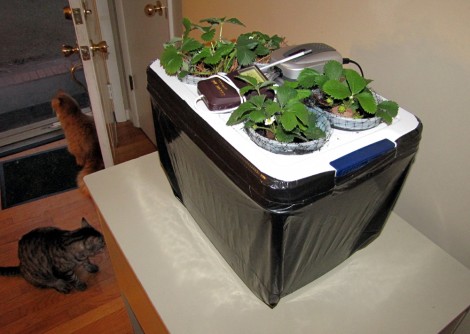
Add some fruit to your indoor bounty with this hydroponic strawberry farm. [Dino] whipped this up as his 45th hack a week episode (getting pretty close to his year-long goal). He used parts you probably already have sitting around the house somewhere. But even if you bought everything and used it once you still wouldn’t be out much.

A plastic storage container serves as the base. [Dino] also grabbed four identical plastic containers (large yogurt containers would work here) to host the plants. He cut off the bottom half and inserted some netting to keep the plant from falling through. After tracing the size of the container on the enclosure’s lid he cut out holes which will host each plant. This provides a way to dangle the roots into the nutrient solution which is kept oxygen rich with an aquarium pump and two air stones. It certainly deserves a place next to that salad farm you threw together. Don’t miss [Dino’s] build video after the break.

Continue reading “Hydroponic Strawberries Sweeten Up Winter Dolldrums”

Yet Another 3D Printer

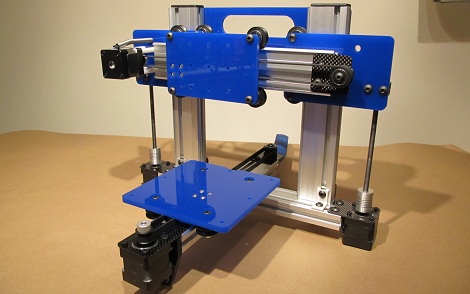
What would you do if you wanted to demonstrate a linear bearing system? If you’re like [Bart] the obvious solution is building a tiny little 3D printer. [Bart]’s Quantum ORD Bot is constructed out of a previous project of his, the MakerSlide linear bearing system.

The idea of a printer made out of MakerSlide materials came from [Bart]’s invitation to ORD Camp. The fact that this build went together in about 5 hours speaks volumes about the simplicity of the MakerSlide system. Right now, the printer is designed for NEMA 14 motors, but for larger builds there’s plenty of room for the larger NEMA 17 stepper motors. [Bart] put up a build log for his printer up on the buildlog.net forums.

The MakerSlide system has already been used in an open source laser cutter project, but [Bart] really just wanted something to demonstrate his linear bearing system. We like the bot anyway; not enough stuff is made out of aluminum extrusion these days.

[Bart] is going to be showing off his bot at the Chicago hackerspace Pumping Station: One tonight, February 8th. Stop by and check it out. Snap a few pictures for us and we’ll put them up.

EDIT: [gigawatts121] was kind enough to send in a picture of the printer at Pumping Station: One. There’s also a video of a calibration cube being printed courtesy of [David] in the comments. Check that out after the break.

Continue reading “Yet Another 3D Printer”

DIY Solid State Tesla Coil

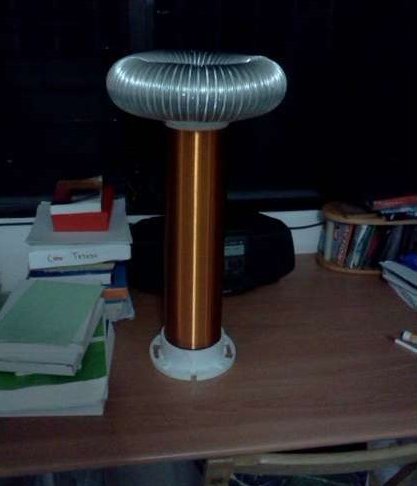
Tesla Coils are always a blast to see and are relativity simple to build. While there are plenty of sites on the subject, [Michael’s] newest instructable breaks building a solid state Tesla Coil down to 12 easy steps.

Items that should be familiar to anyone who has even looked at a Tesla Coil include PVC pipe, Aluminum ducting, and wire … lots of wire. The PVC pipe is cut to length and a flange is attached to help form a base. From there the pipe is wound with about ¾ of a pound of 30 AWG enameled wire, which takes some time by hand to make sure you don’t overlap or get space between the coils.

Aluminum ducting is then wrapped around the outside of a second flange. Some stovepipe wire is ran though the ducting and twisted to close up the 2 ends, and hot glue is used to attach the two ends together. The assembly is screwed to the top of the pipe now containing the secondary of the massive transformer. All that is left is to attach a primary, which is made out of a few turns of 16 AWG wire, and the control circuitry.

Join us after the break for a shocking video!

Continue reading “DIY Solid State Tesla Coil”

Bring Your Own Name Badge

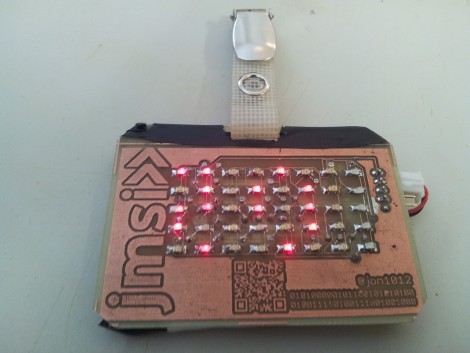
It used to be that the contents of your pocket protector directly mirrored your geek level. But that just doesn’t cut it in our fast-paced digital age. We think [Jonathan] is headed down the right track though, by creating a scrolling LED name badge which he takes to conventions with him. With the right enclosure this could reach the same geek level as Woz’s watch. There’s a lot packed into the little device, but readability at close range doesn’t look like one the features so make sure you glance at the tag before you approach him for a conversation.

As you can see, the PCB for the project is the same form factor as a landscape ID card. It hosts an 8×5 LED matrix, which meshes nicely with the registers of the MSP430 chip which runs it. He admits that the hardware may not last very long as the chip is multiplexing the display directly, with no resistors or LED drivers for current protection. But there is potential in the design. It uses a rechargeable battery (which we like) and he included a QR code in the board artwork for easy exchange of contact information. We’ve embedded his description of the project after the break. Continue reading “Bring Your Own Name Badge”