Remoticon Video: The Mechanics Of Finite Element Analysis

Hardware hacking can be extremely multidisciplinary. If you only know bits and bytes, but not solder and electrons, you’re limited in what you can build. The same is true for mechanical design, where the forces of stress and strain suddenly apply to your project and the pile of code and PCBs comes crashing to the ground.

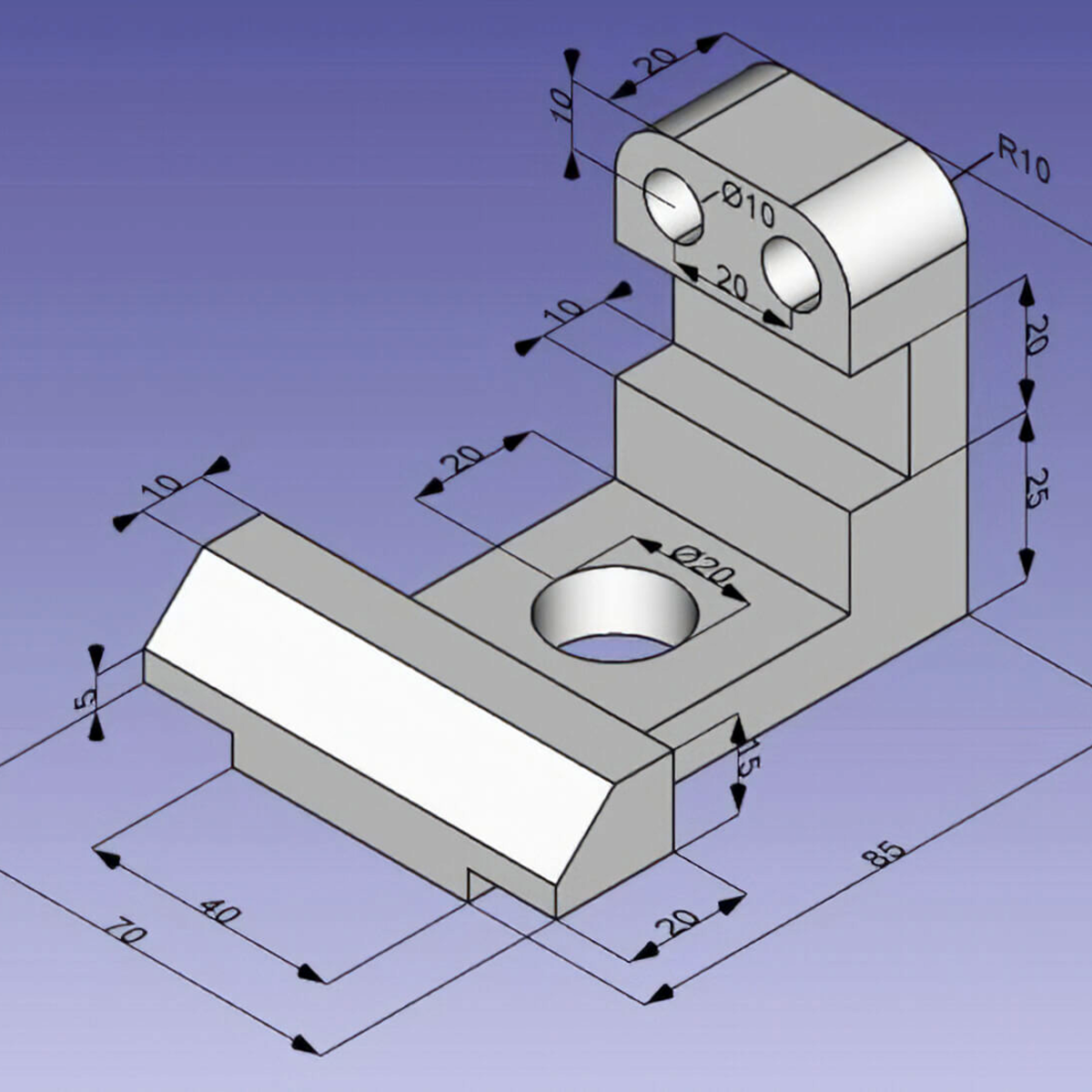
In the first half of his workshop, Naman Pushp walks you through some of the important first concepts in mechanical engineering — how to think about the forces in the world that act on physical objects. And he brings along a great range of home-built Jugaad props that include a gravity-defying tensegrity string sculpture and some fancy origami that help hammer the topics home.

In the second half of the workshop, Naman takes these concepts into computer simulation, and gives us good insight into the way that finite-element analysis simulation packages model these same forces on tiny chunks of your project’s geometry to see if it’ll hold up under real world load. The software he uses isn’t free by any definition — it’s not even cheap unless you have a student license — but it’s nonetheless illuminating to watch him work through the flow of roughly designing an object, putting simulated stresses and strains on it, and interpreting the results. If you’ve never used FEA tools before, or are looking for a compressed introduction to first-semester mechanical engineering, this talk might be right up your alley. Continue reading “Remoticon Video: The Mechanics Of Finite Element Analysis”

Remoticon Video: KiCad To Blender PCB Renders

We seem to want our PCB design software to do everything these days, and it almost delivers. You can not only lay it all out, check electrical and design rules, and even spit out a bill of materials, but many PCB tools produce 3D models that are good enough to check parts clearance or are useful in designing enclosures. But when it comes to producing photorealistic output, whether for advertising or just for eye-candy, you might want to turn to 3D design tools.

In this workshop, Anool Mahidharia takes the output of KiCad’s VRML export, gets it rendering in Blender, and then starts tweaking the result until you’re almost not sure if it’s the real thing or a 3D model. He starts off with a board in KiCad, included in the project’s GitHub repo, and you can follow along through the basic import, or go all the way to copying the graphics off the top of an ATtiny85 and making sure that the insides of the through-plated holes match the tops.

If you don’t know Blender, maybe you don’t know how comprehensive a 3D modelling and animation tool it is. And with the incredible power comes a notoriously steep learning curve up a high mountain. Anool doesn’t even try to turn you into a Blender expert, but focuses on the tweaks and tricks that you’ll need to make good looking PCB renders. You’ll find general purpose Blender tutorials everywhere on the net, but if you want something PCB-specific, you’ve come to the right place.

Continue reading “Remoticon Video: KiCad To Blender PCB Renders”

Label Your Shtuff!

Joshua Vasquez wrote a piece a couple of weeks ago about how his open source machine benefits greatly from having part numbers integrated into all of the 3D printed parts. It lets people talk exactly about which widget, and which revision of that widget, they have in front of them.

Along the way, he mentions that it’s also a good idea to have labels as an integrated part of the machine anywhere you have signals or connectors. That way, you never have to ask yourself which side is positive, or how many volts this port is specced for. It’s the “knowledge in the head” versus “knowledge in the world” distinction — if you have to remember it, you’ll forget it, but if it’s printed on the very item, you’ll just read it.

I mention this because I was beaten twice in the last week by this phenomenon, once by my own hand costing an hour’s extra work, and once by the hand of others, releasing the magic smoke and sending me crawling back to eBay.

The first case is a 3D-printed data and power port, mounted on the underside of a converted hoverboard-transporter thing that I put together for last year’s Chaos Communication Congress. I was actually pretty proud of the design, until I wanted to reflash the firmware a year later.

I knew that I had broken out not just the serial lines and power rails (labelled!) but also the STM32 SWD programming headers and I2C. I vaguely remember having a mnemonic that explained how TX and RX were related to SCK and SDA, but I can’t remember it for the life of me. And the wires snake up under a heatsink where I can’t even trace them out to the chip. “Knowledge in the world”? I failed that, so I spent an hour looking for my build notes. (At least I had them.)

Then the smoke came out of an Arduino Mega that I was using with a RAMPS 1.4 board to drive a hot-wire cutting CNC machine. I’ve been playing around with this for a month now, and it was gratifying to see it all up and running, until something smelled funny, and took out a wall-wart power supply in addition to the Mega.

All of the parts on the RAMPS board are good to 36 V or so, so it shouldn’t have been a problem, and the power input is only labelled “5 A” and “GND”, so you’d figure it wasn’t voltage-sensitive and 18 V would be just fine. Of course, you can read online the tales of woe as people smoke their Mega boards, which have a voltage regulator that’s only good to 12 V and is powered for some reason through the RAMPS board even though it’s connected via USB to a computer. To be honest, if the power input were labelled 12 V, I still might have chanced it with 18 V, but at least I would have only myself to blame.

Part numbers are a great idea, and I’ll put that on my list of New Year’s resolutions for 2021. But better labels, on the device in question, for any connections, isn’t even going to wait the couple weeks until January. I’m changing that right now.

How Much Is Too Much?

I definitely tend towards minimalism in my personal projects. That often translates into getting stuff done with the smallest number of parts, or the cheapest parts, or the lowest tech. Oddly enough that doesn’t extend to getting the project done in the minimum amount of time, which is a resource no less valuable than money or silicon. The overkill road is often the smoothest road, but I’ll make the case for taking the rocky, muddy path. (At least sometimes.)

There are a bunch of great designs for CNC hot-wire foam cutters out there, and they range from the hacky to the ridiculously over-engineered, with probably most of them falling into the latter pile. Many of the machines you’ll see borrow heavily from their nearest cousins, the CNC mill or the 3D printer, and sport hardened steel rails or ballscrews and are constructed out of thick MDF or even aluminum plates.

All a CNC foam cutter needs to do is hold a little bit of tension on a wire that gets hot, and pass it slowly and accurately through a block of foam, which obligingly melts out of the way. The wire moves slowly, so the frame doesn’t need to handle the acceleration of a 3D printer head, and it faces almost no load so it doesn’t need any of the beefy drives and ways of the CNC mill. But the mechanics of the mill and printer are so well worked out that most makers don’t feel the need to minimize, simply build what they already know, and thereby save time. They build a machine strong enough to carry a small child instead of a 60 cm length of 0.4 mm wire that weighs less than a bird’s feather.

I took the opposite approach, building as light and as minimal as possible from the ground up. (Which is why my machine still isn’t finished yet!) By building too little, too wobbly, or simply too janky, I’ve gotten to see what the advantages of the more robust designs are. Had I started out with an infinite supply of v-slot rail and ballscrews, I wouldn’t have found out that they’re overkill, but if I had started out with a frame that resisted pulling inwards a little bit more, I would be done by now.

Overbuilding is expedient, but it’s also a one-way street. Once you have the gilded version of the machine up and running, there’s little incentive to reduce the cost or complexity of the thing; it’s working and the money is already spent. But when your machine doesn’t quite work well enough yet, it’s easy enough to tell what needs improving, as well as what doesn’t. Overkill is the path of getting it done fast, while iterated failure and improvement is the path of learning along the way. And when it’s done, I’ll have a good story to tell. Or at least that’s what I’m saying to myself as I wait for my third rail-holder block to finish printing.

Sufficiently Advanced Technology And Justice

Imagine that you’re serving on a jury, and you’re given an image taken from a surveillance camera. It looks pretty much like the suspect, but the image has been “enhanced” by an AI from the original. Do you convict? How does this weigh out on the scales of reasonable doubt? Should you demand to see the original?

AI-enhanced, upscaled, or otherwise modified images are tremendously realistic. But what they’re showing you isn’t reality. When we wrote about this last week, [Denis Shiryaev], one of the authors of one of the methods we highlighted, weighed in the comments to point out that these modifications aren’t “restorations” of the original. While they might add incredibly fine detail, for instance, they don’t recreate or restore reality. The neural net creates its own reality, out of millions and millions of faces that it’s learned.

And for the purposes of identification, that’s exactly the problem: the facial features of millions of other people have been used to increase the resolution. Can you identify the person in the pixelized image? Can you identify that same person in the resulting up-sampling? If the question put before the jury was “is the defendant a former president of the USA?” you’d answer the question differently depending on which image you were presented. And you’d have a misleading level of confidence in your ability to judge the AI-retouched photo. Clearly, informed skepticism on the part of the jury is required.

Unfortunately, we’ve all seen countless examples of “zoom, enhance” in movies and TV shows being successfully used to nab the perps and nail their convictions. We haven’t seen nearly as much detailed analysis of how adversarial neural networks create faces out of a scant handful of pixels. This, combined with the almost magical resolution of the end product, would certainly sway a jury of normal folks. On the other hand, the popularity of intentionally misleading “deep fakes” might help educate the public to the dangers of believing what they see when AI is involved.

This is just one example, but keeping the public interested in and educated on the deep workings and limitations of the technology that’s running our world is more important than ever before, but some of the material is truly hard. How do we separate the science from the magic?

Why You Need To Finish

Mike and I were talking about an interesting smart-glasses hack on the podcast. This was one of those projects where, even if you don’t need a pair of glasses with LEDs on them to help you navigate around, you just couldn’t help but marvel at a lot of the little design choices made throughout.

For instance, I love the way the flex PCB is made to do double duty by wrapping around the battery and forming a battery holder. This struck me as one of those quintessential hacks that only occurs to you because you need it. Necessity is the mother of invention, and all that. There was a problem, how to fit a battery holder in the tiny space, and a set of resources that included a flex PCB substrate. Cleverly mashing that all together ended up with a novel solution. This wouldn’t occur to you if you were just sitting at the beach; you’d have to be designing something electronic, space-constrained, and on a flex PCB to come up with this.

Mike made an offhand comment about how sometimes you just need to finish a project for the good ideas and clever solutions that you’ll come up with along the way, and I think this battery holder example drives that point home. I can’t count the number of my projects that may or may not have been dumb in retrospect, but along the way I came up with a little trick that I’ll end up using in many further projects, outliving the original application.

Finishing up a project on principle is a reasonable goal just on its own. But when the process of seeing something to conclusion is the generator of new and interesting challenges and solutions, it’s even more valuable. So if you’re stuck on a project, and not sure you want to take it all the way, consider if the journey itself could be the destination, and look at it as an opportunity to come up with that next long-lasting trick.

Bad News: Arecibo

If you read the newsletter last week, you heard me wondering aloud if the damage to Arecibo Observatory had crossed the threshold into where it’s no longer economically viable to keep it running, and the sad news has just come in and the battle for Arecibo has been lost. We said we’d shed a tear, and here we are. Sic transit gloria mundi. Here’s hoping something cooler replaces it!

What Is Worth Saving?

When it rain, it pours. One of the primary support cables holding up the Arecibo Observatory dish in Puerto Rico has just snapped, leaving its already uncertain fate. It had been badly damaged by Hurricane Maria in 2017, and after a few years of fundraising, the repairs were just about to begin on fixing up that damage, when the cable broke. Because the remaining cables are now holding increased weight, humans aren’t allowed to work on the dome until the risk of catastrophic failure has been ruled out — they’re doing inspection by drone.

Arecibo Observatory has had quite a run. It started out life as part of a Cold War era ICBM-tracking radar, which explains why it can transmit as well as receive. And it was the largest transmitting dish the world had. It was used in SETI, provided the first clues of gravitational waves, and found the first repeating fast radio bursts. Its radar capabilities mean that it could be used in asteroid detection. There are a number of reasons, not the least of which its historic import, to keep it running.

So when we ran this story, many commenters, fearing the worst, wrote in with their condolences. But some wrote in with outrage at the possibility that it might not be repaired. The usual suspects popped up: failure to spend enough on science, or on infrastructure. From the sidelines, however, and probably until further structural studies are done, we have no idea how much a repair of Arecibo will cost. After that, we have to decide if it’s worth it.

Per a 2018 grant, the NSF was splitting the $20 M repair and maintenance bill with a consortium led by the University of Central Florida that will administer the site. With further damage, that might be an underestimate, but we don’t know how much of one yet.

When do you decide to pull the plug on something like this? Although the biggest, Arecibo isn’t the only transmitter out there. The next largest transmitters are part of Deep Space Network, though, and are busy keeping touch with spacecraft all around our solar system. For pure receiving, China’s FAST is bigger and better. And certainly, we’ve learned a lot about radio telescopes since Arecibo was designed.

I’m not saying that we won’t shed a tear if Arecibo doesn’t get repaired, but it’s not the case that the NSF’s budget has been hit dramatically, or that they’re unaware of the comparative value of various big-ticket astronomy projects. Without being in their shoes, and having read through the thousands of competing grant proposals, it’s hard to say that the money spent to prop up a 70 year old telescope wouldn’t be better spent on something else.