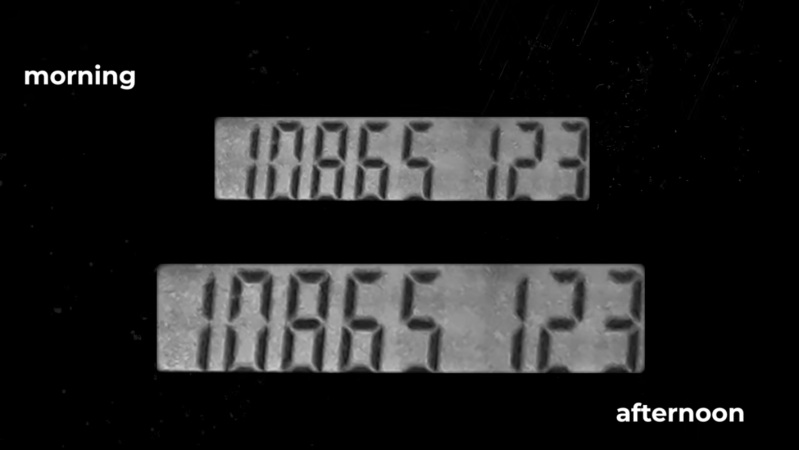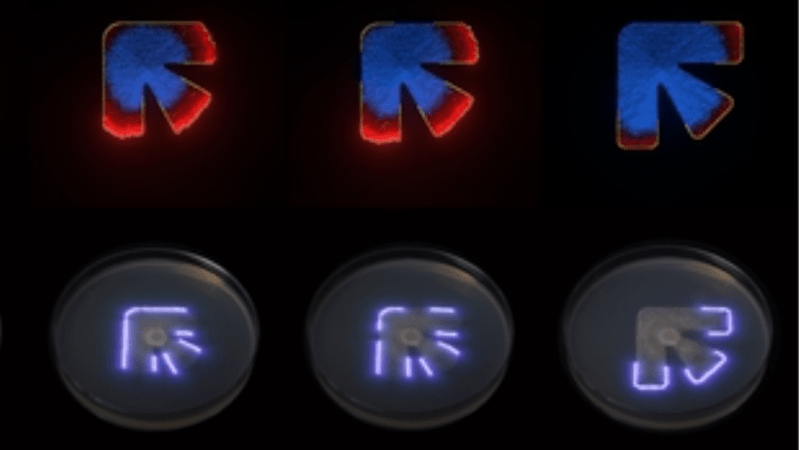
A series of simulations of a shape are shown, with that shape traced out in a petri dish with a laser below. The shape is roughly like a 90-degree corner bisected by a third arm.

Printing Fungal Art With Laser Control

Preservationists usually take great care to prevent fungi from appearing the world of art, but in the case of [Kexin Wang]’s Funguy project, the fungus itself is the art. It uses a laser diode to repeatedly trace an outline onto a dish of agar gel in which fungus is growing, and the photophobic fungus grows only up to the edge of the laser-traced figure, potentially creating complex designs.

This project evolved out of a research project in which they developed a computer model for fungal growth, then used its predictions and a laser to control a fungus’s growth pattern. The model has two parts: a temporal convolutional neural network which learns fungi growth patterns from a series of images, and a cellular automaton to simulate these growth patterns under different starting conditions. The cellular automaton’s rules aren’t fixed; each cell runs a small neural network which learns the rules under supervision from the convolutional network. By training these networks on images of the growth stages of three different fungi, it was able to realistically predict the different growth patterns of the different species.

To actually control the growth pattern, the researchers tried a series of different wavelengths and laser powers; shorter wavelengths tended to work better, with a 405 nm laser working best. The growth model complemented the laser setup by predicting in which areas the growth medium had run out of nutrients. Since fungus would no longer spread in these regions, the laser no longer needed to trace these sections. The Funguy kit’s laser system itself is similar to a laser engraver, with an XY-kinematic system seemingly built from a DVD drive frame. It uses fungi from the Mucor genus, though it can print with other photophobic microorganisms, such as slime molds.

This project seems aimed at artistic and educational uses, but considering the various electronic parts that have been made of fungi, more functional applications should be possible.

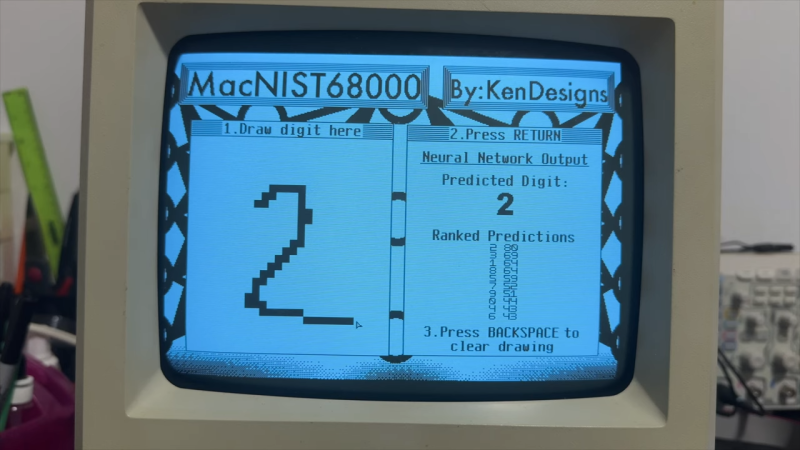
Neural network shown on original mac screen, handwritten 2 on left and predictions on right

Original Mac Limitations Can’t Stop You From Running AI Models

Modern retrocomputing tricks often push old hardware and systems further than any of the back-in-the-day developers could have ever dreamed. How about a neural network on an original Mac? [KenDesigns] does just this with a classic handwritten digit identification network running with an entire custom SDK!

Getting such a piece of hardware running what is effectively multiple decades of machine learning is as hard as most could imagine. (The MNIST dataset used wasn’t even put together until the 90s.) Due to floating-point limitations on the original Mac, there are a variety of issues with attempting to run machine learning models. One of the several hoops to jump through required quantization of the model. This also allows the model to be squeezed into the limited RAM of the Mac.

Impressively, one of the most important features of [KenDesigns] setup is the custom SDK, allowing for the lack of macOS. This allows for incredibly nitty-gritty adjustments, but also requires an entire custom installation. Not all for nothing, though, as after some training manipulation, the model runs with some clear proficiency.

If you want to see it go, check out the video embedded below. Or if you just want to run it on your ancient Mac, you’ll find a disk image here. Emulators have even been tested to work for those without the original hardware. Newer hardware traditionally proves to be easier and more compact to use than these older toys; however, it doesn’t make it any less impressive to run a neural network on a calculator!

Continue reading “Original Mac Limitations Can’t Stop You From Running AI Models”

Pong Cloned By Neural Network

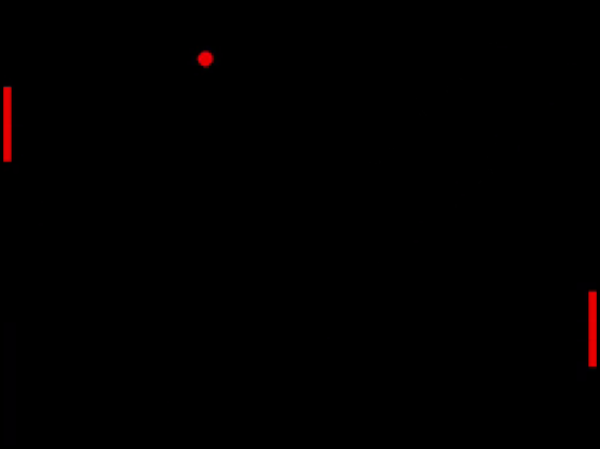
Although not the first video game ever produced, Pong was the first to achieve commercial success and has had a tremendous influence on our culture as a whole. In Pong’s time, its popularity ushered in the arcade era that would last for more than two decades. Today, it retains a similar popularity partially for approachability: gameplay is relatively simple, has hardwired logic, and provides insights about the state of computer science at the time. For these reasons, [Nick Bild] has decided to recreate this arcade classic, but not in a traditional way. He’s trained a neural network to become the game instead.

Continue reading “Pong Cloned By Neural Network”

An image of a light grey graphing calculator with a dark grey screen and key surround. The text on the monochrome LCD screen shows "Input: ENEB Result 1: BEEN Confidence 1: 14% [##] Result 2: Good Confidence 2: 12% [#] Press ENTER key..."

A Neural Net For A Graphing Calculator?

Machine learning and neural nets can be pretty handy, and people continue to push the envelope of what they can do both in high end server farms as well as slower systems. At the extreme end of the spectrum is [ExploratoryStudios]’s Hermes Optimus Neural Net for a TI-84 Plus Silver Edition.

This neural net is setup as an autocorrect system that can take four character inputs and match them to a library of twelve words. That’s not a lot, but we’re talking about a device with 24 kB of RAM, so the little machine is doing its best. Perhaps more interesting than any practical output is the puzzle solving involved in getting this to work within the memory constraints.

The neural net “employs a feedforward neural network with a precisely calibrated 4-60-12 architecture and sigmoid activation functions.” This leads to an approximate 85% accuracy being able to identify and correct the given target words. We appreciate the readout of the net’s confidence as well which is something that seems to have gone out the window with many newer “AI” systems.

We’ve seen another TI-84 neural net for handwriting recognition, but is the current crop of AI still headed in the wrong direction?

Continue reading “A Neural Net For A Graphing Calculator?”

Digital Squid’s Behavior Shaped By Neural Network

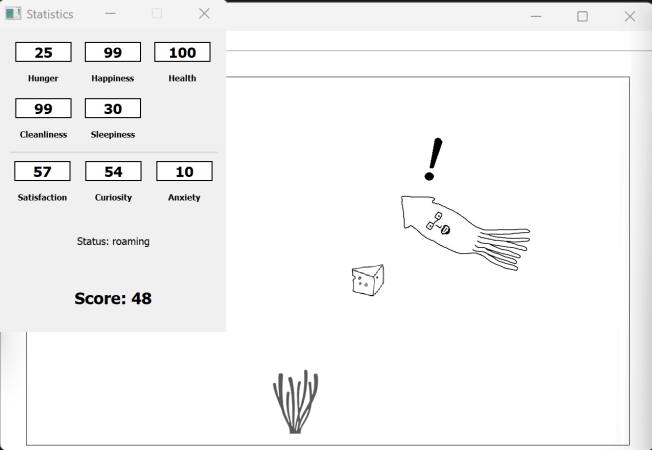
In the 90s, a video game craze took over the youth of the world — but unlike today’s games that rely on powerful PCs or consoles, these were simple, standalone devices with monochrome screens, each home to a digital pet. Often clipped to a keychain, they could travel everywhere with their owner, which was ideal from the pet’s perspective since, like real animals, they needed attention around the clock. [ViciousSquid] is updating this 90s idea for the 20s with a digital pet squid that uses a neural network to shape its behavior.

The neural network that controls the squid’s behavior takes a large number of variables into account, including whether or not it’s hungry or sleepy, or if it sees food. The neural network adapts as different conditions are encountered, allowing the squid to make decisions and strengthen its algorithms. [ViciousSquid] is using a Hebbian learning algorithm which strengthens connections between neurons which activate often together. Additionally, the squid’s can form both short- and long-term memories, and the neural network can even form new neurons on its own as needed.

[ViciousSquid] is still working on this project, and hopes to eventually implement a management system in the future, allowing the various behavior variables to be tracked over time and overall allow it to act in a way more familiar to the 90s digital pets it’s modeled after. It’s an interesting and fun take on those games, though, and much of the code is available on GitHub for others to experiment with as well. For those looking for the original 90s games, head over to this project where an emulator for Tamagotchis was created using modern microcontroller platforms.

close up of a TI-84 Plus CE running custom software

Going Digital: Teaching A TI-84 Handwriting Recognition

You wouldn’t typically associate graphing calculators with artificial intelligence, but hacker [KermMartian] recently made it happen. The innovative project involved running a neural network directly on a TI-84 Plus CE to recognize handwritten digits. By using the MNIST dataset, a well-known collection of handwritten numbers, the calculator could identify digits in just 18 seconds. If you want to learn how, check out his full video on it here.

The project began with a proof of concept: running a convolutional neural network (CNN) on the calculator’s limited hardware, a TI-84 Plus CE with only 256 KB of memory and a 48 MHz processor. Despite these constraints, the neural network could train and make predictions. The key to success: optimizing the code, leveraging the calculator’s C programming tools, and offloading the heavy lifting to a computer for training. Once trained, the network could be transferred to the calculator for real-time inference. Not only did it run the digits from MNIST, but it also accepted input from a USB mouse, letting [KermMartian] draw digits directly on the screen.

While the calculator’s limited resources mean it can’t train the network in real-time, this project is a proof that, with enough ingenuity, even a small device can be used for something as complex as AI. It’s not just about power; it’s about resourcefulness. If you’re into unconventional projects, this is one for the books.

Continue reading “Going Digital: Teaching A TI-84 Handwriting Recognition”

An Animated Walkthrough Of How Large Language Models Work

If you wonder how Large Language Models (LLMs) work and aren’t afraid of getting a bit technical, don’t miss [Brendan Bycroft]’s LLM Visualization. It is an interactively-animated step-by-step walk-through of a GPT large language model complete with animated and interactive 3D block diagram of everything going on under the hood. Check it out!

nano-gpt has only around 85,000 parameters, but the operating principles are all the same as for larger models.

The demonstration walks through a simple task and shows every step. The task is this: using the nano-gpt model, take a sequence of six letters and put them into alphabetical order.

A GPT model is a highly complex prediction engine, so the whole process begins with tokenizing the input (breaking up words and assigning numerical values to the chunks) and ends with choosing an appropriate output from a list of probabilities. There are of course many more steps in between, and different ways to adjust the model’s behavior. All of these are made quite clear by [Brendan]’s process breakdown.

We’ve previously covered how LLMs work, explained without math which eschews gritty technical details in favor of focusing on functionality, but it’s also nice to see an approach like this one, which embraces the technical elements of exactly what is going on.

We’ve also seen a much higher-level peek at how a modern AI model like Anthropic’s Claude works when it processes requests, extracting human-understandable concepts that illustrate what’s going on under the hood.