Street Photography, With RADAR!

As the art of film photography has gained once more in popularity, some of the accessories from a previous age have been reinvented, as is the case with [tdsepsilon]’s radar rangefinder. Photographers who specialized in up-close-and-personal street photography in the mid-20th century faced the problem of how to focus their cameras. The first single-lens reflex cameras (SLRs) were rare and expensive beasts, so for most this meant a mechanical rangefinder either clipped to the accessory shoe, or if you were lucky, built into the camera.

The modern equivalent uses an inexpensive 24 GHz radar module coupled to an ESP32 board with an OLED display, and fits in a rather neat 3D printed enclosure that sits again in the accessory shoe. It has a 3 meter range perfect for the street photographer, and the distance can easily be read out  and dialed in on the lens barrel.

Whenever the revival of film photography is discussed, it’s inevitable that someone will ask why, and point to the futility of using silver halides in a digital age. It’s projects like this one which answer that question, with second-hand SLRs being cheap and plentiful you might ask why use a manual rangefinder over one of them, but the answer lies in the fun of using one to get the perfect shot. Try it, you’ll enjoy it!

Some of us have been known to dabble in film photography, too.

Thanks [Joyce] for the tip.

Arduino Provides No Fuss SNES-To-USB Conversion

Even for those of us who are fans of retrocomputing, it’s fair to say that not everyone plays their old-school games on real old-school hardware. The originals are now fragile and expensive, and emulators are good enough that if the gaming experience is all you’re after there’s little point in spending all that cash.

There’s one place in which the originals sometimes have the edge though, the classic controllers are the personal interface with the game. So when [Dome] found a SNES controller in an Akibahara shop, of course he picked it up. How to make it talk to a PC? Tuck an Arduino Pro Micro inside it, of course!

What we like about this project is that instead of ripping out the original electronics it instead hooks the Arduino board onto the original serial interface. We might have made a Nintendo socket to USB box to keep the original cable, but either way, the SNES (technically Super Famicom, because it’s a Japanese market unit) original stays true to its roots. The Arduino polls the clock line at the speed of the console, reads the result, and translates it to a USB interface for the computer. There’s a full run-down of the code and how it was made, should you wish to try.

Of course, if you don’t always have a PC handy, you could also put the whole computer in the controller.

A Practical Open Source Air Purifier

In the years since the start of the coronavirus pandemic, it’s fair to say we’ve all become a lot more aware of the air quality surrounding us. Many of us have added a CO2 monitor to our collection of tools, and quite a few will have an air filtration system too. There are plenty of devices on the market that fulfill this niche at varying qualities and prices, but shouldn’t a decent filter be something to make for yourself? [Naomi Wu] thinks so, and she’s put up the design for her Nukit open air purifier online under the GPLv3.

The principle of the unit is simple enough: it’s a box with an HVAC filter on the front and a set of computer fans on its side to draw air through. But it’s more than just a box, as there are three separate versions for wall-mount, hanging mount or a freestanding tower, and each one comes as a DXF file with all parts ready for laser cutting. It’s about as straightforward a way to get your hands on a well-designed and high quality air purifier as could be imagined.

[Naomi] has been quiet for a while in her familiar role as YouTube maker and guide to the nooks and crannies of her native Shenzhen, so it’s very positive to see her still active and producing projects after being warned off social media by the authorities. If you’d like to see another recent project of hers, look no further than her update to [Bunnie Huang]’s Shenzhen guide.

USB-C PD: New Technology Done Right

There is a tendency as we get older, to retreat into an instinctive suspicion of anything new or associated with young people. All of us will know older people who have fallen down this rabbit hole, and certainly anything to do with technological advancement is often high on their list of ills which beset society. There’s a Douglas Adams passage which sums it up nicely:

“I’ve come up with a set of rules that describe our reactions to technologies:
1. Anything that is in the world when you’re born is normal and ordinary and is just a natural part of the way the world works.
2. Anything that’s invented between when you’re fifteen and thirty-five is new and exciting and revolutionary and you can probably get a career in it.
3. Anything invented after you’re thirty-five is against the natural order of things.”

Here at Hackaday we’re just like anybody else, in that we all get older. Our lives are devoted to an insatiable appetite for new technology, but are we susceptible to the same trap, and could we see something as against the antural order of things simply because we don’t like it? It’s something that has been on my mind in some way since I wrote a piece back in 2020 railing at the ridiculous overuse of new technologies to limit the lifespan and repairability of new cars and then a manifesto for how the industry might fix it, am I railing against it simply because I can’t fix it with a screwdriver in the way I could my 1960 Triumph Herald? I don’t think so, and to demonstrate why I’d like to talk about another piece of complex new technology that has got everything right.

In 2017 I lamented the lack of a universal low voltage DC power socket that was useful, but reading the piece here in 2024 it’s very obvious that in the years since my quest has been solved. USB Power Delivery was a standard back then, but hadn’t made the jump to the ubiquity the USB-C-based power plug and socket enjoys today. Most laptops still had proprietary barrel jack connectors, and there were still plenty of phones with micro-USB sockets. In the years since it’s become the go-to power standard, and there are a huge number of modules and devices to supply and receive it at pretty high power.

At first sight though, it might seem as though USB-PD is simply putting a piece of unnecessary technology in the way of what should be a simple DC connector. Each and every USB-PD connection requires some kind of chip to manage it, to negotiate the connection, and to transform voltage. Isn’t that the same as the cars, using extra technology merely for the sake of complexity? On the face of it you might think so, but the beauty lies in it being a universally accepted standard. If car manufacturers needed the same functionalty you’d have modules doing similar things in a Toyota, a Ford, or a Renault, but they would all be proprietary and they’d be eye-wateringly expensive to replace. Meanwhile USB-PD modules have to work with each other, so they have become a universal component available for not a huge cost. I have several bags of assorted modules in a box of parts here, and no doubt you do too. The significant complexity of the USB-PD endpoint doesn’t matter any more, because should it break then replacing it is an easy and cheap process.

This is not to say that USB-PD is without its problems though, the plethora of different cable standards is its Achilies’ heel. But if you’re every accused of a knee-jerk reaction to a bad piece of new technology simply because it’s new, point them to it as perhaps the perfect example of the responsible use of new technology.

OpenWRT To Mark 20 Years With Reference Hardware

The OpenWRT project is now two decades old. The project has come a long way since Linksys was forced to release the GNU-licensed code for the original WRT54G router from which the project takes its name. They’ve marked the occasion in an interesting manner: by proposing that the plethora of devices supported by the OS be joined by a fully upstream-supported reference hardware platform.

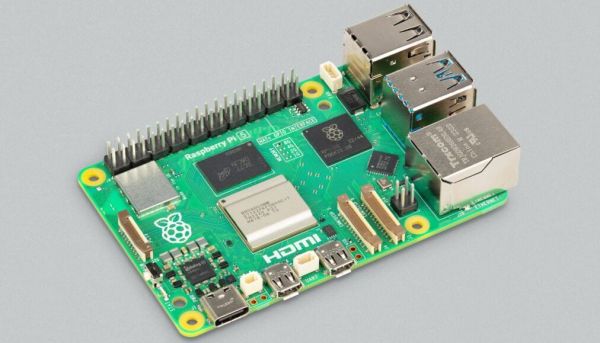
Spec-wise it’s what you would expect for a hackable router platform in 2024. A MediaTek chipset can be found at its centre, but the hardware is not in this case the important bit. Here will be a platform that won’t have to rely on proprietary manufacturer BLOBs, and which will thus likely continue to have up-to-date kernel support long into the future. So many enticing SBCs fall in this regard, and many retain ossified kernel versions after their manufacturers tire of them as a result.

It appears that the future of this project will be subject to an OpenWRT community vote, and we sincerely hope that it will come to fruition. Meanwhile, we couldn’t resist a peek at the status of the router that started it all, by our reckoning the original WRT54G was last supported by the OS over a decade ago.

Decoding A ROM From A Picture Of The Chip

Before there were home computers, among the hottest pieces of consumer technology to own was a pocket calculator. In the early 1970s a series of exciting new chips appeared which allowed the impossible to become the affordable, and suddenly anyone with a bit of cash could have one.

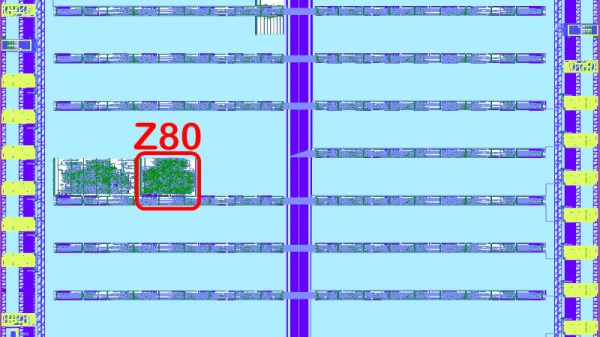
Perhaps one of the more common series of chips came from Texas instruments, and it’s one of these from which [Veniamin Ilmer] has retrieved the ROM contents. In a way there’s nothing new here as the code is well known, it’s the way it was done which is of interest. A photo of the die was analysed, and with a bit of detective work the code could be deduced merely from the picture.

These chips were dedicated calculators, but under the hood they were simple pre-programmed microcontrollers. Identifying the ROM area of the chip was thus relatively straightforward, but some more detective work lay in getting to the bottom of how it could be decoded before the code could be verified. So yes, it’s possible to read code from an early 1970s chip by looking at a photograph.

A very similar chip to this one was famously reprogrammed with scientific functions to form the heart of the inexpensive Sinclair Cambridge Scientific.

A Very 21st Century Receiver For A Very 20th Century Band

The FM broadcast band has been with us since the middle of the 20th century, and despite many tries to unseat it, remains a decent quality way to pick up your local stations. It used to be that building an FM broadcast receiver required a bit of RF know-how, but the arrival of all-in-one receiver chips has made that part a simple enough case of including a part. That’s not to say that building a good quality FM broadcast receiver in 2024 doesn’t involve some kind of challenge though, and it’s one that [Stefan Wagner] has risen to admirably with his little unit.

Doing the RF part is an RDA5807MP single chip radio, but we’d say the center of this is the CH32V003 RISC-V microcontroller and its software. Twiddling the dial is a thing of the past, with a color display and all the computerized features you’d expect. Rounding it off in the 3D printed case is a small speaker and a Li-Po pouch cell with associated circuitry. This really is the equal of any commercially produced portable radio, and better than many.

Even with the all-in-one chips, there’s still fun in experimenting with FM the old way.