ZSWatch: This OSHW Smart Watch Is As DIY As It Gets

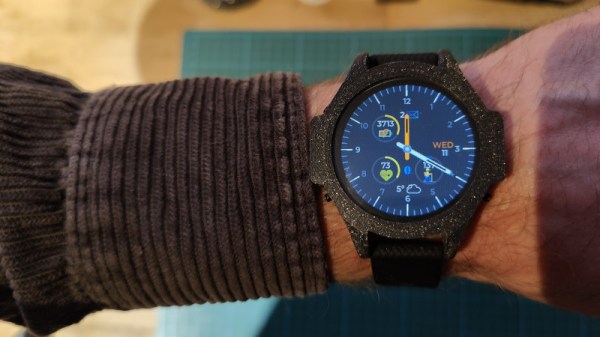
We say it often, but it’s worth repeating: this is the Golden Age of making and hacking. Between powerful free and open source software, low-cost PCB production, and high resolution 3D printers that can fit on your desk, a dedicated individual has everything they need to make their dream gadget a reality. If you ever needed a reminder of this fact, just take a look at the ZSWatch.
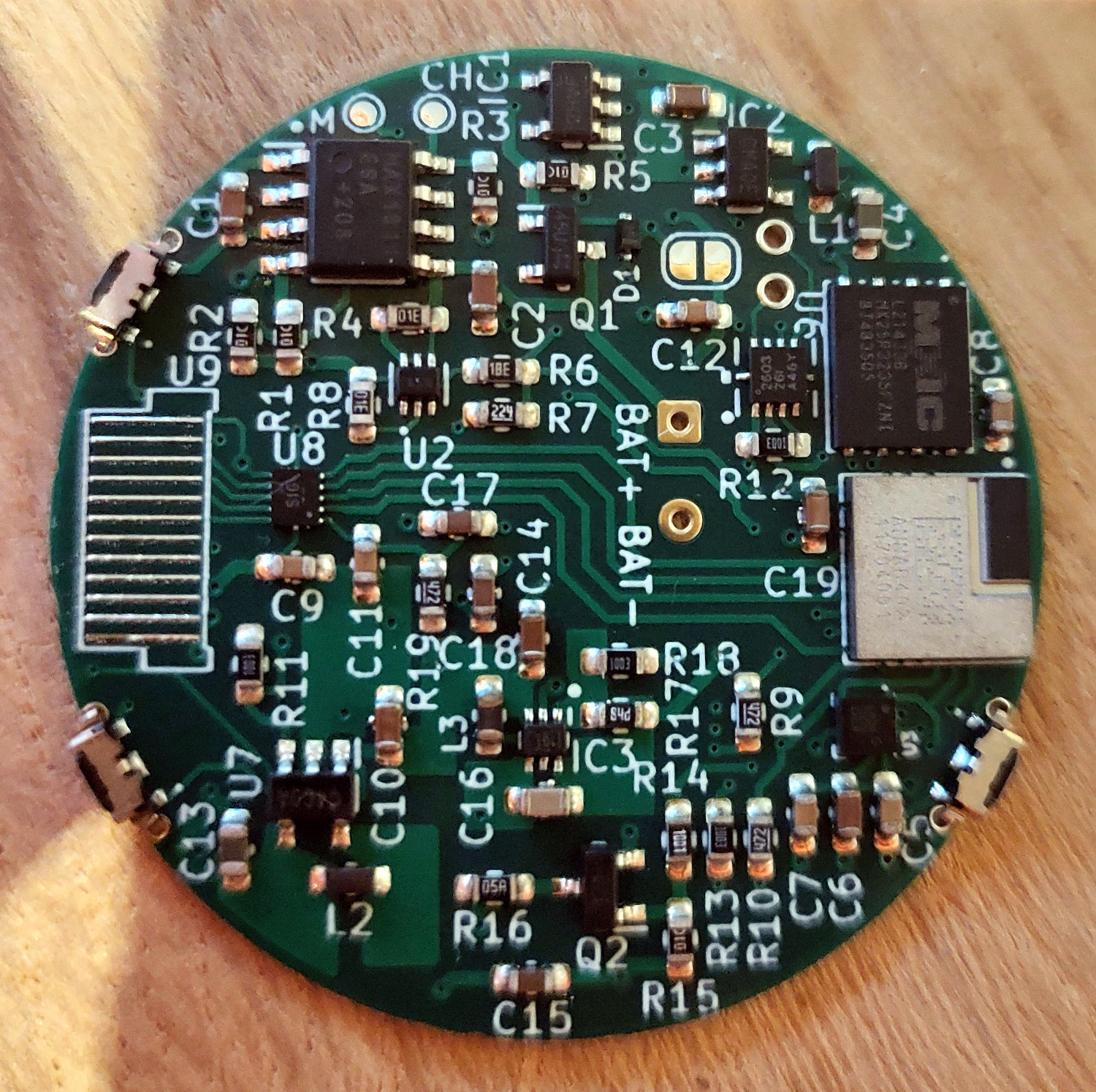
When creator [Jakob Krantz] says he built this MIT-licensed smart watch from scratch, he means it. He designed the 4-layer main board, measuring just 36 mm across, entirely in KiCad. He wrote every line of the firmware, and even designed the 3D printable case himself. This isn’t some wearable development kit he got off of AliExpress and modified — it’s all built from the ground up, and all made available to anyone who might want to spin up their own version.

The star of the show is the nRF52833 SoC, which is paired with a circular 1.28″ 240×240 IPS TFT display. The screen doesn’t support touch, so there’s three physical buttons on the watch for navigation. Onboard sensors include a LIS2DS12 MEMS accelerometer and a MAX30101EFD capable of measuring heartrate and blood oxygen levels, and there’s even a tiny vibration motor for haptic feedback. Everything’s powered by a 220 mAh Li-Po battery that [Jakob] says is good for about two days — afterwards you can drop the watch into its matching docking station to get charged back up.

As for the software side of things, the watch tethers to a Android application over Bluetooth for Internet access and provides the expected functions such as displaying the weather, showing notifications, and controlling music playback. Oh, and it can tell the time as well. The firmware was made with extensibility in mind, and [Jakob] has provided both a sample application and some basic documentation for would-be ZSWatch developers.

While an unquestionably impressive accomplishment in its current form, [Jakob] says he’s already started work on a second version of the watch. The new V2 hardware will implement an updated SoC, touch screen, and an improved charging/programming connector. He’s also looking to replace the 3D printed case for something CNC milled for a more professional look.

The ZSWatch actually reminds us quite a bit of the Open-SmartWatch project we covered back in 2021, in that the final result looks so polished that the average person would never even take it for being DIY. We can’t say that about all the smartwatches we’ve seen over the years, but there’s no question that the state-of-the-art is moving forward for this kind of thing in the hobbyist space.


Stadia Says Goodbye With Bluetooth And Crap Game

In just a few days time, Google’s Stadia game streaming service will finally shut down for good. But not for any technical reason, mind you. Microsoft has managed to demonstrate that streaming modern games over home and even mobile Internet connections is viable with their immensely popular Game Pass Ultimate service, and NVIDIA is making similar inroads with GeForce Now. No, like so many of Google’s failed experiments, they’ve simply decided they don’t want to play anymore and are taking their proverbial ball home back with them.

But not all is lost for those who shelled out money for Stadia’s wares. Not only will Google be refunding any money players spent on games, but a company representative has also announced they will be releasing a tool to unlock the latent Bluetooth capabilities of the service’s custom controller — hopefully stemming a surge of e-waste before it starts.

Thanks for playing, chumps.

In a forum thread titled “A Gift from the Stadia Team”, Community Manager [DanFromGoogle] explains that information on how you can enable Bluetooth on the controller will be coming next week. In the meantime, he also announced the immediate release of “Worm Game”, a tech demo that staffers apparently used to test out capabilities of the streaming service before its public release.

That this ridiculously simple game, which looks all the world like something a kid would crank out during an after-school programming class, will be the final title to officially release on Stadia is a stunningly insulting epitaph for the fledgling service. But then, Google seems to have developed a special affinity for mistreating their most loyal cattle users over these last few years.

Enabling Bluetooth on a game controller might not seem like such a big deal, but in this case, it will potentially give the piece of hardware a second chance at life. The Stadia controller is unique in that it uses WiFi to communicate directly over the Internet to Google’s streaming service, so once those servers stop responding, the orphaned device will end up being little more than a curiosity. Although it does technically work over USB, being able to use it wirelessly will not only provide a more modern experience, but help justify its internal batteries.

The last time we mentioned the Stadia controller, it was to document one user’s attempt to rid it of an internal microphone they didn’t feel comfortable with. Now that the service is being put to pasture, we wonder if we’ll start to see more hacks involving the admittedly interesting peripheral. We’ll certainly be keeping an eye out for them, but if you see anything we miss, you know where to send it.

Swap The Clock Chip On The Mac SE/30 With An ATTiny85

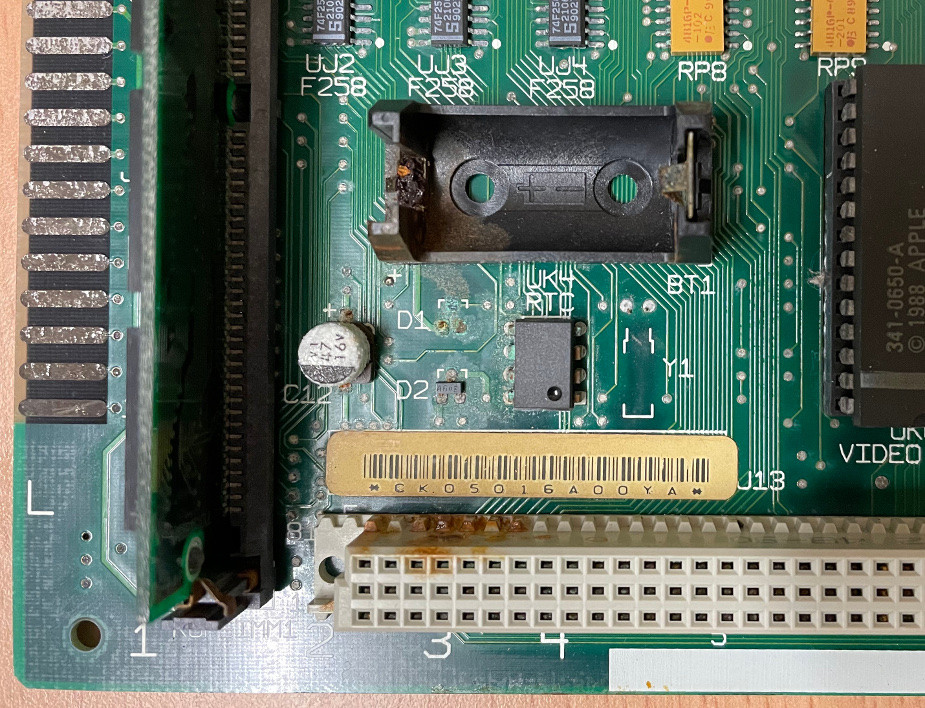
As [Phil Greenland] explains in the first part of his excellent write-up, the lithium battery used to keep the real-time clock (RTC) going on the Macintosh SE/30 has a nasty habit of exploding and leaking its corrosive innards all over the board. Looking to both repair the damage on a system that’s already had a battery popped and avoid the issue altogether on pristine boards, he started researching how he could replace the battery with something a bit more modern.

Damage from a ruptured RTC battery.

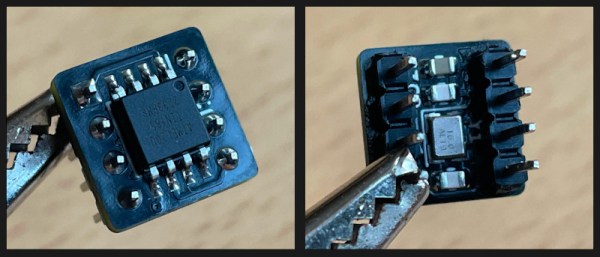
It turns out, the ATtiny85 is pin-compatible with the Mac’s original RTC chip, and indeed, [Andrew Makousky] had already written some code that would allow the microcontroller to emulate it. This is actually a bit more complex than you might realize, as the original RTC chip was doing double-duty: it also held 256 bytes of parameter random access memory (PRAM), which is where the machine stored assorted bits of info like which drive to boot from and the mouse cursor speed.

But after getting the mod installed, the computer refused to start. It turns out the project targeted earlier machines like the Macintosh Plus and SE, and not his higher-performance SE/30. Thanks to community resources like this KiCad recreation of the SE/30’s motherboard, contemporary technical documents, and his trusty logic analyzer, [Phil] was able to figure out that the timing was off — the code was simply struggling to respond to the faster machine. Continue reading “Swap The Clock Chip On The Mac SE/30 With An ATTiny85”

An E-Ink Progress Bar For Your Unborn Child

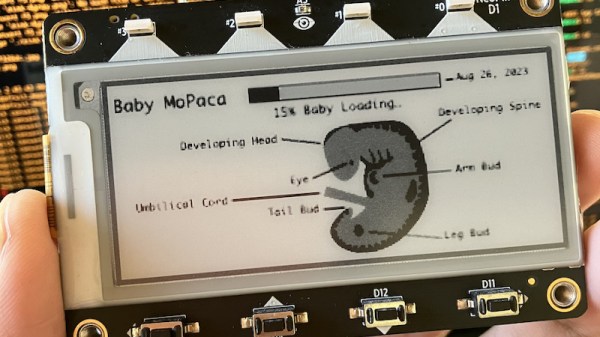
Having a child is a major milestone in a person’s life, and there’s a long list of things to get done before that little bundle of joy kicks and screams its way into the world. What better way to make sure you’ve still got time to paint the nursery and assemble the crib than to have an automated loading screen that shows just how far along the organic 3D printing process is?

This fetal development tracker was put together by [mokas] using Adafruit’s ESP32-S2 powered MagTag. As the name implies, the all-in-one electronic ink development board is designed so that it can be adhered to a metallic surface with integrated magnets. The idea is that you can pop a battery in the low-power device, stick it on your refrigerator, and have a regularly updated display of…well, whatever you want. Continue reading “An E-Ink Progress Bar For Your Unborn Child”

Arduino Library Brings Rtl_433 To The ESP32

If you have an RTL-SDR compatible radio there’s an excellent chance you’ve heard of the rtl_433 project, which lets you receive and decode signals from an ever-expanding list of supported devices in the ISM radio bands. It’s an incredibly useful piece of software, but the fact that it requires an external software defined radio and a full-fledged computer to run dictated the sort of projects it could realistically be used for.

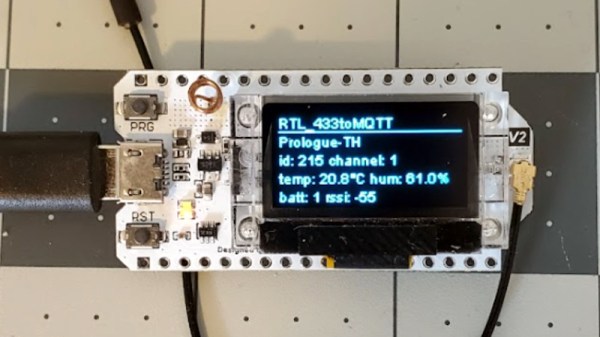
But thanks to the rtl_433_ESP Arduino library developed by [NorthernMan54], we’re now able to pack that functionality into a much smaller package. All you need is an ESP32 microcontroller and a CC1101 or SX127X transceiver module. If you’re looking for a turn-key hardware platform, the documentation notes the LILYGO LoRa32 V2 board includes the required hardware, plus adds a handy OLED display and microSD slot. It should be noted that the range of these radios don’t compare particularly well to a full-size RTL-SDR device, but that probably won’t come as much of a surprise. Continue reading “Arduino Library Brings Rtl_433 To The ESP32”

Celebrating A Decade Of Bootleg Hackaday Merch

A listener of the podcast recently wrote in to tell us that, in the process of trying to purchase a legitimate Hackaday t-shirt, they discovered this 2012 Instructable from [yeltrow] that covers how you can cheaply crank out your own Wrencher shirts via screen printing.

Now historically, as long as you’re not trying to make a buck off of our name, we’ve never felt the need to stop folks from putting our logo on their projects. So we’re not too concerned that somebody was making Wrencher shirts, especially since they were almost certainly for their own personal use. Though the fact that [yeltrow] apparently described the project as a “Hackster-Style shirt” to try and avoid using our name ended up being a prophetic 4D chess meta-joke that you couldn’t make up if you tried. Continue reading “Celebrating A Decade Of Bootleg Hackaday Merch”

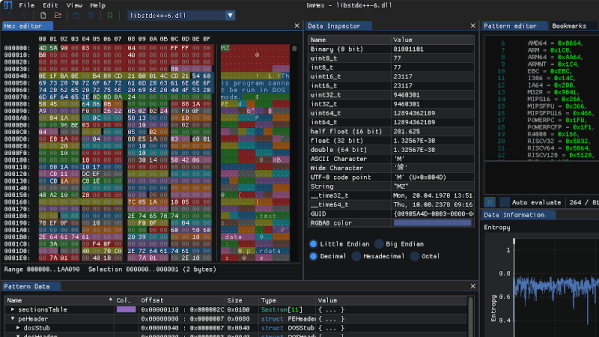
ImHex: An Open Hex Editor For The Modern Hacker

It’s little surprise that most hackers have a favorite text editor, since we tend to spend quite a bit of time staring at the thing. From writing code to reading config files, the hacker’s world is filled with seemingly infinite lines of ASCII. Comparatively, while a hex editor is a critical tool to have in your arsenal, many of us don’t use one often enough to have a clear favorite.

But we think that might change once you’ve taken ImHex for a spin. Developer [WerWolv] bills it specifically as the hex editor of choice for reverse engineering, it’s released under the GPL v2, and runs on Windows, Linux, and macOS. Oh, and did we mention it defaults to a slick dark theme designed to be easy on the eyes during those late night hacking sessions — just like your favorite website? Continue reading “ImHex: An Open Hex Editor For The Modern Hacker”