Commodore’s Most Popular Computer Gets DOOM-style Shooter

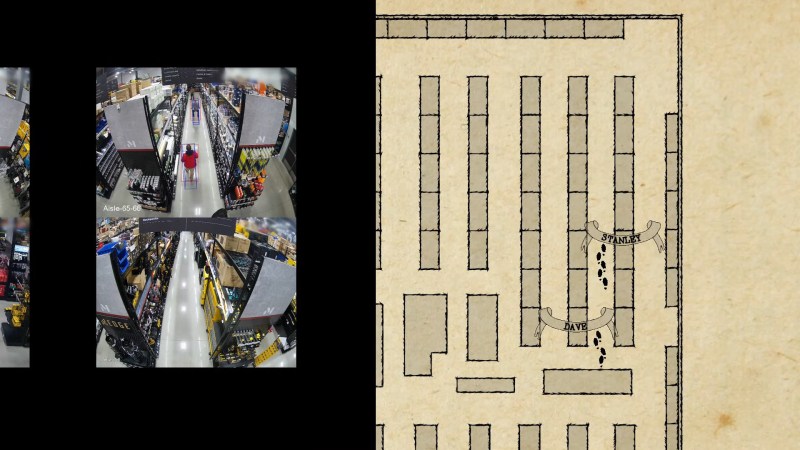
When people talk about the lack of a DOOM being the doom Commodore home computers, they aren’t talking about the C64, which was deep into obsolescence when demon-slaying suddenly became the minimal requirement for all computing devices. That didn’t stop [Kamil Wolnikowski] and [Piotr Kózka] from hacking together Grey a ray-cast first-person shooter for the Commodore 64.

Grey bares more than a passing resemblance to id-software’s most-ported project. It apparently runs at 16 frames per second on a vanilla C64 — no super CPU required. The secret to the speedy game play is the engine’s clever use of the system’s color mapping functionality: updating color maps is faster than redrawing the screen. Yeah, that makes for rather “blockier” graphics than DOOM, but this is running on a Commodore 64, not a 386 with 4 MB of RAM. Allowances must be made. Come to think of it, we don’t recall DOOM running this smooth on the minimum required hardware — check out the demo video below and let us know what you think.

The four-level demo currently available is about 175 kB, which certainly seems within the realms of possibility for disk games using the trusty 1541. Of course nowadays we do have easier ways to get games onto our vintage computers.

If you’re thinking about Commodore’s other home computer, it did eventually get a DOOM-clone. Continue reading “Commodore’s Most Popular Computer Gets DOOM-style Shooter”

Wear This RISC V, RPN Calculator Watch For Maximum Nerd Cred

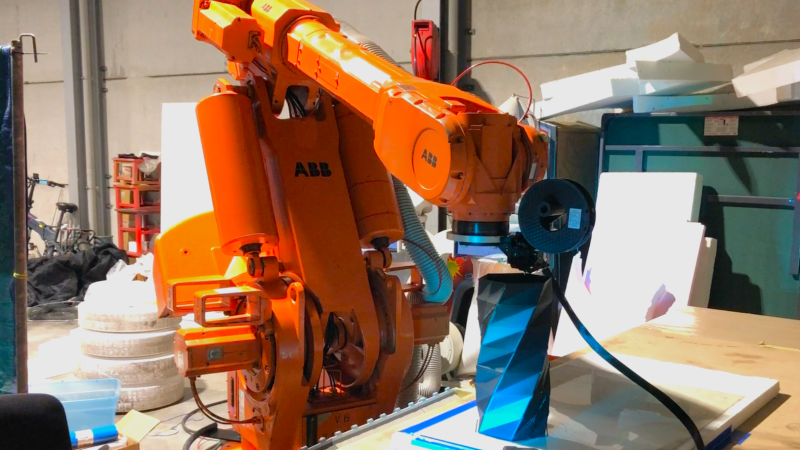
Once upon a time, owning a calculator watch was the epitome of cool. Well, for a very specific subset of the population with our own definition of “cool” anyway. The only thing cooler than wearing a calculator watch? Making a calculator watch, of course! If you do it as part of developing your own SDK for a popular RISC V microcontroller, all the better. That’s what [Miroslav Nemecek] did with his Antcalc watch, which is one of the demo projects for the CH32Lib SDK, which is currently under development at version 0.35 as this is written.

It appears as though the solid core wire on the back of the homemade PCB is used to hold the watch band, a nice little hack.

As you might guess, CH32LibSDK is targeting the super-cheap CH32 series of RISC V microcontrollers. Perhaps because the SDK is so early in development, there’s not much documentation outside of the example projects. The examples are all worth looking at, but our tipster wanted us to cover the Antcalc calculator watch specifically.

The Antcalc watch uses the SOP16-packaged CH32V002A4M6 to drive a small OLED display while taking input in Reverse Polish Notation from a dozen small buttons. We’re not sure how the cool kids feel about RPN these days, but that’s got to be worth extra nerd cred. Using a RISC V chip doesn’t hurt in that department, either.

For something so small– 30 mm x 55 mm–it’s looks like a decent little calculator, with 10 registers holding a mantissa of 21 digits and exponents up-to +/-99 in binary coded decimal. Seven layers on the dozen-key input pad mean most of the scientific functions you could ask for are available, along with the ability to record and replay upto 10 macros. There are also ten memory slots, all of which go into the chip’s onboard flash so are non-volatile during a battery swap. (Of which many will be necessary, since this appears to run on a single coin cell.)

If you get bored of wrist-mounted calculating, you could always repurpose this microcontroller to play MOD files on your wrist. Some people couldn’t imagine ever getting bored by a wrist-mounted calculator, and just for them we have this teardown of a beautiful 1975 model and a this article on the history of the calculator watch.

Thanks to [James Bowman] for the tip.

Diskette Game Floppy Flopper Is Certainly No Flop

There’s a tactile joy to the humble 3.5″ floppy that no USB stick will ever match. It’s not just the way they thunk into place in a well-made drive, the eject button, too, is a tactile experience not to be missed. If you were a child in disk-drive days, you may have popped a disk in-and-out repeatedly just for the fun of it — and if you weren’t a child, and did it anyway, we’re not going to judge. [igor] has come up with a physical game called “Floppy Flopper” that provides an excuse to do just that en masse, and it looks like lots of fun.

It consists of nine working floppy drives in a 3×3 grid, all mounted on a hefty welded-steel frame. Each drive has an RGB LED above it. The name of the game is to swap floppies as quickly as possible so that the color of the floppy in the drive matches the color flashing above it. Each successful insertion is worth thirteen points, tracked on a lovely matrix display. Each round is faster than the last, until you miss the window or mix up colors in haste. That might make more sense if you watch the demo video below.

Continue reading “Diskette Game Floppy Flopper Is Certainly No Flop”

Amiga? Arduino? AMeagerBall Gets The Uno Bouncing

When the iconic “Boing Ball” first debuted 40 years ago, it was a wonder to behold. There was nothing like it in the home compuing world upto that time, and it showed that Commodore’s new “Amiga” was a powerhouse sure to last the test of time. Forty years later, the Amiga as we knew it then might not be with us anymore, but [Mark Wilson] is recreating its iconic demo on a microcontroller– but not just any microcontroller. “AMeagerBall” is an Arduino Uno exclusive, and it even tells the time.

Like the original “Boing Ball”, the demo is running at 320×240, though on a touch LCD shield instead of a CRT. Unlike some microcontrollers, the Uno doesn’t have the horsepower to just brute-force emulate a 1980s home computer, so [Mark] has had to recreate the boing ball from scratch. He’s not doing it with any graphics libraries, either. On the Uno that would be too slow, so [Mark] is driving the LCD directly to its appropriate registers, to stay close enough to the metal to make it work. That means if you’re going to try the code on his GitHub repository, you’ll need to be sure to use matching hardware or be prepared to port it.

One of the things about Amiga’s demo that was so impressive is that it hardly made use of the CPU, allowing the Workbench to be pulled up while the ball bounced. That’s not the case here, as the UNO doesn’t have any extra graphics chips. Still, [Mark] was able to squeeze enough horsepower out of everyone’s favourite ATmega to present us with an Amiga-styled clock– either analog, digital, or in the workbench title bar in that iconic blue-and-white. To keep the clock accurate, he’s squeezed an RTC module in, too. Lovely! The different clocks can be accessed via the touchscreen.

Oh, did we forget to mention that the touchscreen is implemented? This certainly stretches the hardware far enough to be considered a demo. If just a bouncing ball doesn’t work the UNO hard enough for you, try booting Linux.

This isn’t the first bouncing ball demo we’ve seen on a microcontroller:  here are four of them bouncing in an ATtiny85.

Continue reading “Amiga? Arduino? AMeagerBall Gets The Uno Bouncing”

Possibly-Smallest ESP32 Board Uses Smallest-Footprint Parts

Whenever there’s a superlative involved, you know that degree of optimization has to leave something else on the table. In the case of [PegorK]’s f32, the smallest ESP32 dev board we’ve seen, the cost of miniaturization is GPIO.

There’s only one GPIO pin broken out, and it’s pre-wired to an LED. That’s the bad news, and depending on what you want an ESP32 for, it might not phase you at all. What is impressive here, if not the number of I/O pins, is the size of the board: at 9.85 mm x 8.45 mm barely overhangs the USB-C socket that takes up one side of the board.

Pegor provides this helpful image in the readme so you know what you’re getting into with the 01005 resistors.

In order to get the ESP32-C3FH4 onto such a tiny board, all of the other support hardware had to be the smallest possible sizes– including resistors in 01005. If you don’t speak SMD, one could read that number code as “oh god too small” — at 0.4 mm x 0.2 mm it’s as minuscule as you’ll find– and [Pegor] hand soldered them.

OK, he did use a hot plate for the final step, but he did tin the pads manually with a soldering iron, which is still impressive. Most of us probably would have taken PCBWay up on their offer of assembly services, but not [Pegor]. Apparently part of the reason for this project was that he was looking for an excuse to use the really small footprint components.

Aside from leaving out GPIO and needing too-small SMD components, [Pegor] admits that pesky little details like antenna matching circuits and decoupling capacitors had to get cut to make the tiny footprint, so this board might be more of a stunt than anything practical. So what can you do with the smallest ESP32 board? Well, [Pegor] put up a basic web interface up to get you started blinking the built-in LED; after that, it’s up to you. Perhaps you might fancy a teeny-tiny minecraft server? If you can stand to increase the volume a little bit, we’ve seen how to hack a C3 for much better wifi performance.

Thanks to [Pegor] for the tip, and remember– submit your projects, big or small, we read ’em all!

Charge NiMH Batteries With Style, Panache And An RP2040

The increasing dominance of lithium cells in the market place leave our trusty NiMH cells in a rough spot. Sure, you can still get a chargers for the AAs in your life, but it’s old tech and not particularly stylish. That’s where [Maximilian Kern] comes in, whose SPINC project was recently featured in IEEE Spectrum— so you know it has to be good.

With the high-resolution LCD, the styling of this device reminds us a little bit of the Pi-Mac-Nano— and anything that makes you think of a classic Macintosh gets automatic style points. There’s something reminiscent of an ammunition clip in the way batteries are fed into the top and let out the bottom of the machine.

[Maximilian] thought of the, ah, less-detail-oriented amongst us with this one, as the dedicated charging IC he chose (why reinvent the wheel?) is connected to an H-bridge to allow the charger to be agnostic as to orientation. That’s a nice touch. An internal servo grabs each battery in turn to stick into the charging circuit, and deposits it into the bottom of the device once it is charged. The LCD screen lets you monitor the status of the battery as it charges, while doubling as a handy desk clock (that’s where the RP2040 comes in). It is, of course powered by a USB-C port as all things are these days, but [Maximilian] is just drawing from the 5V line instead of making proper use of USB-C Power Delivery. (An earlier draft of this article asserted incorrectly that the device used USB-C-PD.)  Fast-charging upto 1A is enabled, but you might want to go slower to keep your cells lasting as long as possible. Firmware, gerbers and STLs are available on GitHub under a GPL-3.0 license– so if you’re still using NiCads or want to bring this design into the glorious lithium future, you can consider yourself welcome to.

We recently featured a AA rundown, and for now, it looks like NiMH is still the best bang for your buck, which means this project will remain relevant for a few years yet. Of course, we didn’t expect the IEEE to steer us wrong.

Thanks to [George Graves] for the tip.

In Praise Of Plasma TVs

I’m sitting in front of an old Sayno Plasma TV as I write this on my media PC. It’s not a productivity machine, by any means, but the screen has the resolution to do it so I started this document to prove a point. That point? Plasma TVs are awesome.

Always the Bridesmaid, Never the Bride

An Egyptian god might see pixels on an 8K panel, but we puny mortals won’t. Image “Horus Eye 2” by [Jeff Dahl]
The full-colour plasma screens that were used as TVs in the 2000s are an awkward technological cul-de-sac. Everyone knows and loves CRTs for the obvious benefits they offer– bright colours, low latency, and scanlines to properly blur pixel art. Modern OLEDs have more resolution than the Eye of Horus, never mind your puny human orbs, and barely sip power compared to their forbearers. Plasma, though? Not old enough to be retro-cool, not new enough to be high-tech, plasma displays are sadly forgotten.

It’s funny, because I firmly believe that without plasma displays, CRTs would have never gone away. Perhaps for that I should hate them, but it’s for the very reasons that Plasma won out over HD-CRTs in the market place that I love them.

What You Get When You Get a Plasma TV

I didn’t used to love Plasma TVs. Until a few years ago, I thought of them like you probably do: clunky, heavy, power-hungry, first-gen flatscreens that were properly consigned to the dustbin of history. Then I bought a house.

The house came with a free TV– a big plasma display in the basement. It was left there for two reasons: it was worthless on the open market and it weighed a tonne. I could take it off the wall by myself, but I could feel the ghost of OSHA past frowning at me when I did. Hauling it up the stairs? Yeah, I’d need a buddy for that… and it was 2020. By the time I was organizing the basement, we’d just gone into lockdown, and buddies were hard to come by. So I put it back on the wall, plugged in my laptop, and turned it on.

I was gobsmacked. It looked exactly like a CRT– a giant, totally flat CRT in glorious 1080p. When I stepped to the side, it struck me again: like a CRT, the viewing angle is “yes”. Continue reading “In Praise Of Plasma TVs”