Retro Gadgets: The 1983 Pocket Oscilloscope

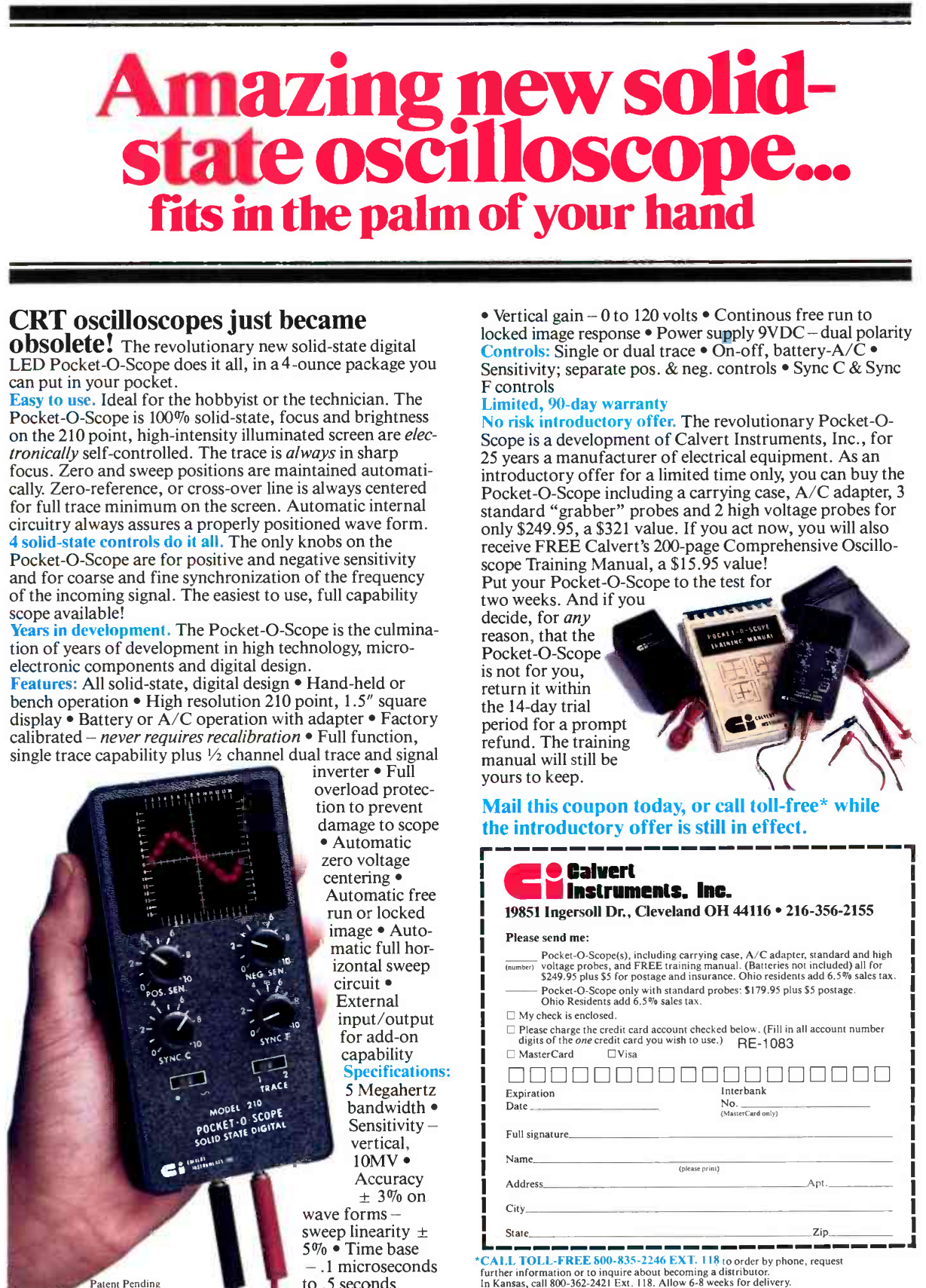
In the 1980s, an oscilloscope was typically a bulky affair with a large CRT, and a heavy power supply. So it probably grabbed a lot of attention in 1983 when Calvert Instruments Incorporated ran an ad in magazines like Radio Electronics. The ad touted a 5 MHz scope that was pocket-sized and weighed 4 ounces. The ad proudly proclaimed: CRT oscilloscopes just became obsolete!

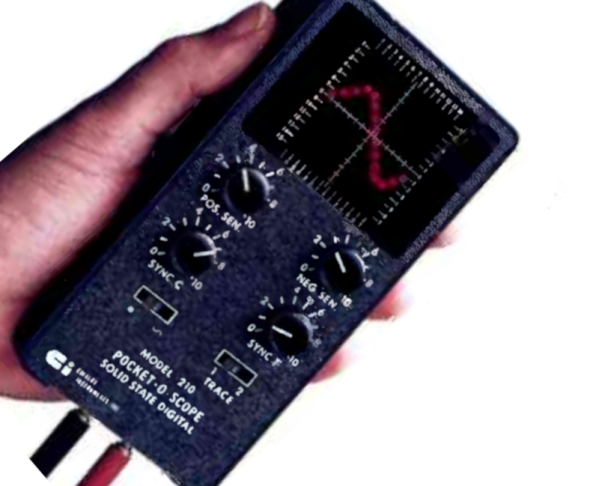
Indeed they would, but if you are wondering who Calvert Instruments was, so are we. We have never heard of them before or since, and we don’t know for certain if any of these devices were ever actually produced. What did it use instead of a CRT? The CI Model 210 Pocket-O-Scope was not only solid state but used an LED screen 1.5 inches square. That’s small, but it packed in 210 LEDs for “high resolution.” We assume that was also the genesis of the model number. Judging from the product picture, there were 14 LEDs in the X direction and 15 in the Y direction. High resolution, for sure!

There were some early LCD scopes (like the Iskrascope and one from Scopex) around the same time, but it would be the 1990s before we would see LCD oscilloscopes and even longer before CRTs were totally squeezed out.

Continue reading “Retro Gadgets: The 1983 Pocket Oscilloscope”
Tinkercad Gets A Move On

Going to the movies is an experience. But how popular do you think they’d be if you went in, bought your popcorn, picked your seat, and the curtain would rise on a large still photograph? Probably not a great business model. If a picture is worth 1,000 words, then a video is worth at least a million, and that’s why we thought it was awesome that Tinkercad now has a physics simulator built right in.

Look for this icon on the top right toolbar.

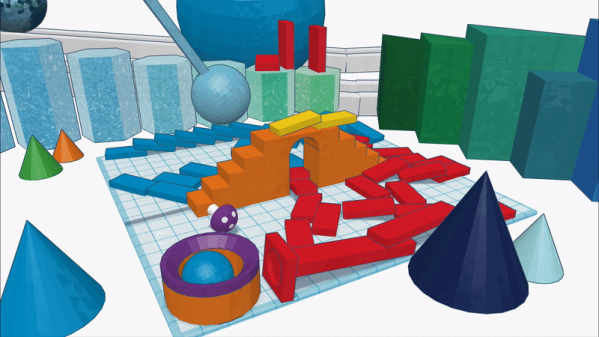
It all starts with your 3D model or models, of course. Then there’s an apple icon. (Like Newton, not like Steve Jobs.) Once you click it, you are in simulation mode. You can select objects and make them fixed or movable. You can change the material of each part, too, which varies its friction, density, and mass. There is a play button at the bottom. Press it, and you’ll see what happens. You can also share and you have the option of making an MP4 video like the ones below.

We, of course, couldn’t resist. We started with a half-sphere and made it larger. We also rotated it so the flat side was up. We then made a copy that would become the inside of our bowl. Using the ruler tool, we shaved about 2 mm off the length and width (X and Y) of the inner sphere. We also moved it 2 mm up without changing the size.

Using the alignment tools, you can then center the inner piece in the X and Y axis. Change the inner color to a hole and group the objects. This forms a simple bowl shape. Then we moved the workplane to a random part of the inner surface of our bowl and dropped a sphere. Nothing complicated.

Continue reading “Tinkercad Gets A Move On”

Tech In Plain Sight: Field Guide To Power Plugs

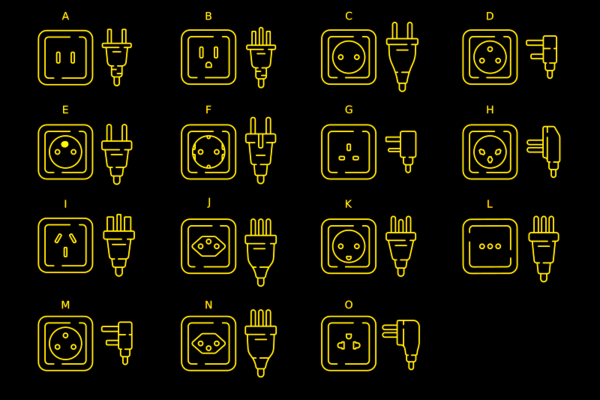
It is the bane of worldwide travel: there isn’t just one way to get AC power from the wall. The exact connector — and what you can expect when you plug in — differs from country to country. Even if you stay home, you must account for this if your designs go places and expect to plug into the wall. If you’ve ever looked at a universal adapter, it is full of prongs and pins like a metallic porcupine. Where do all those pins go?

Of course, there are some easy ways to sidestep the whole issue if you don’t need AC power. Much low-power gear now just provides a USB or barrel connector. Then you can use an area-appropriate adapter or charger to power your device. Batteries work, too. But if you need to plug in, you will run into other kinds of plugs.

Switching power supplies have helped. In the old days, many things expected either 125V or 250V and didn’t work with the opposite voltage. Switching power supplies often allow a wide input range or have a switch to select one range or the other. These two voltages will cover almost any situation. If you have something that must have one voltage or the other, you’ll need a transformer — also called a converter — to step the voltage up or down. But most often, these days, you just need an adapter. There are slight variations. For example, some countries supply 100V or 110V, but that usually doesn’t make much difference. You also need to understand if your equipment cares if the AC is 50 Hz or 60 Hz.

Most of the power sockets you’ll find around the world will fall into one of several categories. The categories range from A to N. Even among these, however, there are variations.

Type A

For example, the common type A plug and socket are what Americans call “two prong.” If you live in the US, you’ve probably noticed that the plug is polarized. That is, one pin is slightly wider than the other so the plug can only go in one way. The wide pin is connected to the circuit neutral. The maximum load for this connector is 15A. It is difficult to find type A sockets anymore, other than on cheap extension cords or things like lamps that pass through their electrical connections to a second socket. Type B is far more common and type A plug will fit in a type B socket.

Continue reading “Tech In Plain Sight: Field Guide To Power Plugs”

Dual Extrusion Support Without PVA

If you have an FDM printer that features multiple hotends or can otherwise switch between different filaments, you’ve surely thought about using the capability to lay down dedicated support material. Historically the filament of choice for this is PVA, since it can be dissolved in water once the print has finished. But if you’ve ever used it, you’ll know it’s not without its own challenges. Luckily, there may be an alternative — [ModBot] had heard that it is possible to use PLA to support PETG and vice-versa so he decided to try it. You can see how it works in the video below.

Of course, you can simply use PLA to support PLA and PETG to support PETG. Depending on the supports and slicer settings, though, it can be hard to remove the support after printing cleanly. Slicers have made major improvements in this area, but it still isn’t ideal. Some use HIPS for support, but that requires a solvent to dissolve and is also a bit exotic compared to PLA and PETG.

To illustrate, [ModBot] printed some test articles with the alternate support and did more reference prints using the same material with different parameters. The typical gap slicers use is 0.2 mm, but when using the different materials you can set the gap to zero. For the reference parts he set the gap to zero and 0.1 mm, both closer than you would normally print.

The PLA-only prints were essentially impossible to separate. While the PETG prints separated with tools, the resulting surfaces were ugly, with support residue and scarring. But the prints with two materials and zero gap pulled apart readily with no tools and left a beautiful surface underneath.

If you have the ability to do dual extrusion, this could be a great trick to have in your toolbox. Granted, PVA will still be of interest if you have support buried deep inside some structure where it is physically difficult to get to. Water can go where tweezers can’t. But for supporting large accessible areas, this looks like a game-changer.

Sometimes automatic supports can use a little help. There are plenty of supports and best practices for supports if you want to fine-tune your process.

Continue reading “Dual Extrusion Support Without PVA”

Mag Loop Antenna Has A Brain

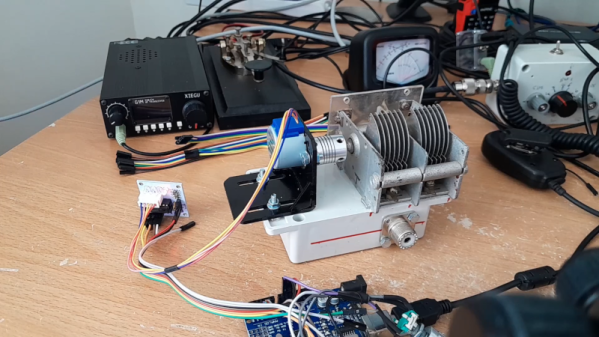
Magnetic loop antennas are great if you are limited on space since they are just a potentially small loop of wire. The problem is, they are sharply tuned. You normally have an adjustment capacitor to tune the antenna to different frequencies. [TekMakerUK] built one with a motor and an Arduino that he can tune from an Android phone. You can see more about the project in the video below.

If you want to transmit, the capacitor is often the weak part of the system. Luckily, some old gear yielded a capacitor with multiple sections and enough plate distance to handle the 5W desired. Of course, motor driving a capacitor isn’t a new idea, but this setup is nice since it uses a stepper motor and a rotary encoder.

Continue reading “Mag Loop Antenna Has A Brain”

It Isn’t WebAssembly, But It Is Assembly In Your Browser

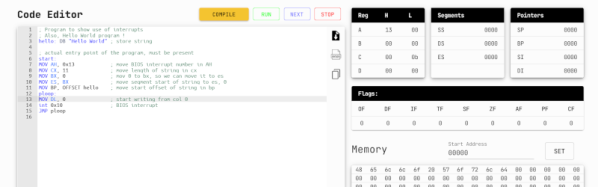
You might think assembly language on a PC is passe. After all, we have a host of efficient high-level languages and plenty of resources. But there are times you want to use assembly for some reason. Even if you don’t, the art of writing assembly language is very satisfying for some people — like an intricate logic puzzle. Getting your assembly language fix on a microcontroller is usually pretty simple, but on a PC there are a lot of hoops to jump. So why not use your browser? That’s the point of this snazzy 8086 assembler and emulator that runs in your browser. Actually, it is not native to the browser, but thanks to WebAssembly, it works fine there, too.

No need to set up strange operating system environments or link to an executable file format. Just write some code, watch it run, and examine all the resulting registers. You can do things using BIOS interrupts, though, so if you want to write to the screen or whatnot, you can do that, too.

The emulation isn’t very fast, but if you are single-stepping or watching, that’s not a bad thing. It does mean you may want to adjust your timing loops, though. We didn’t test our theory, but we expect this is only real mode 8086 emulation because we don’t see any protected mode registers. That’s not a problem, though. For a learning tool, you’d probably want to stick with real mode, anyway. The GitHub page has many examples, ranging from a sort to factorials. Just the kind of programs you want for learning about the language.

Why not learn on any of a number of other simulated processors? The 8086 architecture is still dominant, and even though x86_64 isn’t exactly the same, there is a lot of commonalities. Besides, you have to pretend to be an 8086, at least through part of the boot sequence.

If you’d rather compile “real” programs, it isn’t that hard. There are some excellent tutorials available, too.

The Hello World Of GPT?

Someone wants to learn about Arduino programming. Do you suggest they blink an LED first? Or should they go straight for a 3D laser scanner with galvos, a time-of-flight sensor, and multiple networking options? Most of us need to start with the blinking light and move forward from there. So what if you want to learn about the latest wave of GPT — generative pre-trained transformer — programs? Do you start with a language model that looks at thousands of possible tokens in large contexts? Or should you start with something simple? We think you should start simple, and [Andrej Karpathy] agrees. He has a workbook that makes a tiny GPT that can predict the next bit in a sequence. It isn’t any more practical than a blinking LED, but it is a manageable place to start.

The simple example starts with a vocabulary of two. In other words, characters are 1 or 0. It also uses a context size of 3, so it will look at 3 bits and use that to infer the 4th bit. To further simplify things, the examples assume you will always get a fixed-size sequence of tokens, in this case, eight tokens. Then it builds a little from there.

Continue reading “The Hello World Of GPT?”