Nixie Clock Claims To Be Simplest Design

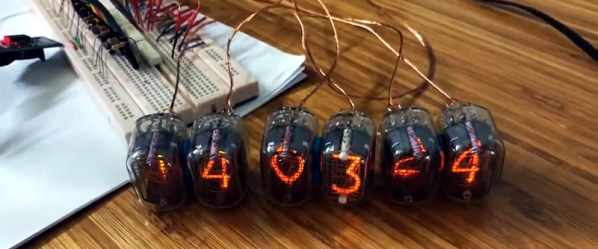
[Engineer2you] built a nixie tube clock and claims it is the simplest design. We felt like that was a challenge. In this design, the tubes are set up as a matrix with optoisolators on each row and column. With 60 segments, the matrix allows you to control it all with 16 bits. There are six columns, each corresponding to a digit. That means each row has 10 lines.

The Arduino code reads the clock and produces the output to the tubes fast enough that your eye perceives each digit as being always on, even though it isn’t.

Continue reading “Nixie Clock Claims To Be Simplest Design”

RF Shield Turns Arduino (And PC) Into Shortwave Radio

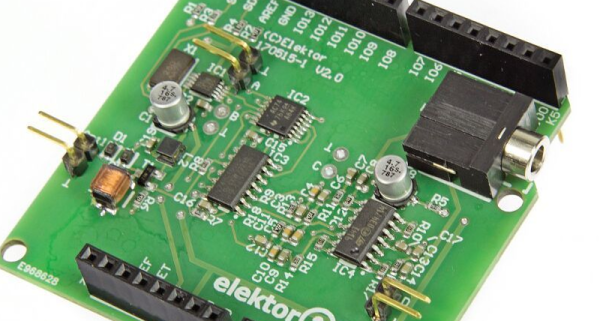
Microcontrollers tend to consume other kinds of electronics. A project you might once have done with a 555 now probably has a cheap microcontroller in it. Music synthesizers? RC controllers? Most likely, all microcontroller-based now. We always thought RF electronics would be immune to that, but the last decade or two has proven us wrong. Software-defined radio or SDR means you get the RF signal to digital as soon as possible and do everything else in software. If you want an introduction to SDR, Elektor now has an inexpensive RF shield for the Arduino. The Si5351-based board uses that oscillator IC to shift RF signals down to audio frequencies and then makes it available to the PC to do more processing.

The board is available alone or as part of a kit that includes a book. There’s also a series of Elektor articles about it. There’s also a review video from Elektor about the board in the video, below.

Continue reading “RF Shield Turns Arduino (And PC) Into Shortwave Radio”

It Ain’t Over ‘Til The Paperwork Is Done: Test Driving TiddlyWiki

Working on projects is fun. Documenting them is often not so much. However, if you want anyone to duplicate your work — or even just want to remember what you were doing a few years ago when something needs upgrading or repairing.

There’s a ton of ways to keep track of the details of your projects. We love seeing how things come together and of course we’re happy to suggest documenting on Hackaday.io. But sometimes, you just want to keep your own notes to yourself. There’s always a notebook, of course, but that seems kind of old fashioned. A lot of projects are on Wikis but you hate to stand up a web server and a Wiki instance just to keep notes. But what if you could have a local Wiki with minimal setup?

I recently came across TiddlyWiki and decided to take it for a spin. Join me after to break to see what it’s all about.

Continue reading “It Ain’t Over ‘Til The Paperwork Is Done: Test Driving TiddlyWiki”

Arduino Drives A 600-Character Display

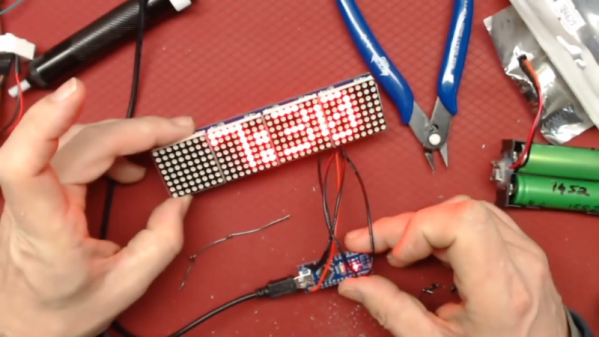
[Peterthinks] admits he’s no cabinet maker, so his projects use a lot of hot glue. He also admits he’s no video editor. However, his latest video uses some a MAX7219 to create a 600 character scrolling LED sign. You can see a video of the thing, below. Spoiler alert: not all characters are visible at once.

The heart of the project is a MAX7219 4-in-1 LED display that costs well under $10. The board has four LED arrays resulting in a display of 8×32 LEDs. The MAX7219 takes a 16-bit data word over a 10 MHz serial bus, so programming is pretty easy.

Continue reading “Arduino Drives A 600-Character Display”

$200 Resin Printer Reviewed

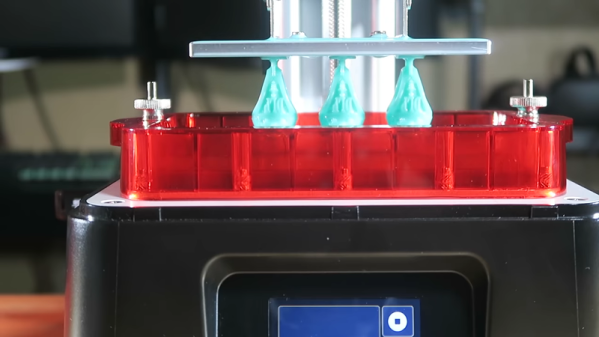
[3DPrintFarm] got an early version of the Phrozen Sonic Mini resin printer. If you look at the video below, he was very impressed with its build quality and results. The price is reported to be $200, although we have seen it on some web sites for a bit more. The build quality does look good, although you have to admit, the motion mechanism on a resin printer is pretty simple, since you just need to move up and down.

The printer uses a monochrome LCD which allows it to cure layers very fast (apparently, monochrome panels pass more ultraviolet light through). The panel also has a higher-rated lifetime than color LCDs

Continue reading “$200 Resin Printer Reviewed”

Taking Pictures Of The Space Station With A Handheld Camera

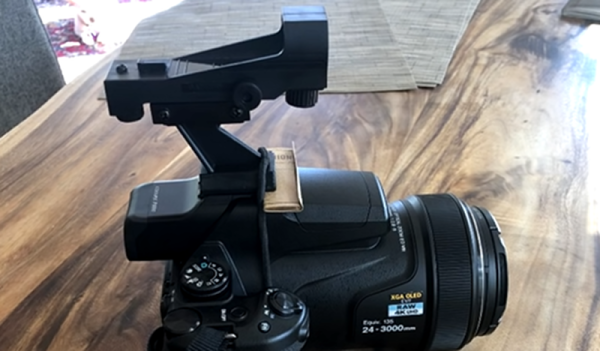
It is easy to find out when the space station is passing overhead, and you may have run outside to see the blip of light moving at five miles per second. It turns out that some people make a hobby out of taking its picture, and if you have a pretty beefy telescope you can get some good shots. [Scott], on the other hand, wanted to take a handheld consumer-grade camera and try some pictures. His results show up in the video below.

If you look at the second video from [Thierry], you’ll see [Scott’s] videos are a far cry from state of the art. However, the [Thierry] photos essentially use a special telescope made to track the station very precisely. [Scott] is using a handheld, consumer-grade Nikon P1000.

Continue reading “Taking Pictures Of The Space Station With A Handheld Camera”

All Band Radio Uses Arduino And Si4730

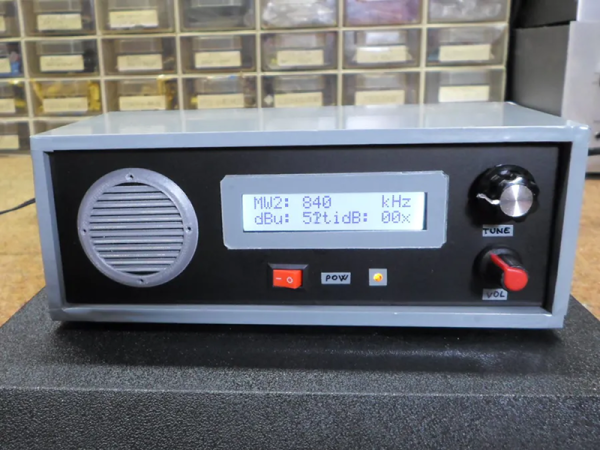
It is getting harder and harder to tell homemade projects from commercial ones. A good case in point is [Mirko’s] all band radio which you can see in the video below the break. On the outside, it has a good looking case. On the inside, it uses a Si4730 radio which has excellent performance that would be hard to get with discrete components.

The chip contains two RF strips with AGC, built-in converters to go from analog to digital and back and also has a DSP onboard. The chip will do FM 64 to 108 MHz and can demodulate AM signals ranging from 153 kHz to 279 kHz, 520 kHz to 1.71 MHz, and 2.3 MHz to 26.1 MHz. It can even read RDS and RBDS for station information. The output can be digital (in several formats) or analog.

Continue reading “All Band Radio Uses Arduino And Si4730”