IRC Will Never Die

The big kerfuffle in the open source world this week surrounds the biggest IRC server operator, Freenode. Wherever the dust settles, myriad important open source projects use Freenode’s IRC servers for their main channel of user feedback, and a number of vibrant communities call or called Freenode home. What you would call a 3D printer, and most of the software that drives it, for instance, was brainstormed up in Freenode’s #reprap. If you want help with a Linux distribution, you’ll be set straight within a few minutes in the relevant channel, because the people who wrote, packaged, or maintain it are probably on Freenode waiting to chat.

But suppose Freenode burns to the ground tomorrow, as some are suggesting. So what? My take is that is doesn’t matter. Freenode doesn’t own IRC, setting up an IRC server is essentially trivial, and what’s really important is the online community — they can just pick up and move somewhere else with very little hassle.

This is not to say that we don’t all benefit from the diligence that Freenode’s volunteer administrators and operators have donated to the cause over the years. IRC servers don’t run themselves, and Freenode’s admins fought and won an epic battle with spammers a couple years back. Keeping IRC running at scale is a different thing than setting up something for your friends, and so the Freenode folks definitely deserve our thanks.

But look, IRC is an old protocol and it’s a simple protocol. It’s so simple, in fact, that writing an IRC bot is just a few dozen lines in Python, using no external libraries. All you need to do is send plain text over a socket. You can do this — it makes a great networking hello world.

IRC is fun for hackers, but if you want a user-friendly GUI client, you ridiculously many to choose from. There are even no-install web clients if you just want to dip your toes in. Heck, you could install your own server in an hour or so.

So saying that the demise of Freenode is the end of IRC is a lot like saying that the end of Hotmail was the end of e-mail. In the grand scheme of things, almost nobody actually uses IRC — Freenode has 78,000 users while Slack has 10 million — and IRC users are very savvy, if not full-on geeky. These are the sort of people who can probably find the server field in a menu and change it from irc.freenode.net to irc.whatever.org.

In addition to our traditional #hackaday channel on irc.freenode.net, there’s also a channel set up on irc.libera.chat as well. There isn’t much action in either — IRC tends to be a slow conversation, so don’t freak out if someone responds to you an hour later — but if you want to swing by, we’re there. IRC will never die!

2021 Hackaday Prize Begins!

If you missed our announcement, this year’s Hackaday Prize is on! We’ve all had a rough year and a half, and it’s lead a lot of us to think seriously about our world. How would you want to change it going forward? Fifty entrants will rethink, refresh, and rebuild their way into $500, and the Grand Prize is $25,000. Get hacking!

3D Printed Earth Clock Is Cute Replica Of Our Delicate Planet

Plenty of clocks around us are useful for telling us the precise hour, minute, and second of the day. However, few can give us an intuitive sense of how far away we are from the enveloping cloak of night. This 3D printed Earth clock built by [Simon Rob] promises to do just that.

The build consists of an Arduino Nano driving a stepper motor, which turns a 3D printed model of the Earth through 360 degrees each day. The Earth is rotated within a black shroud such that the current portion of the Earth seeing sunlight is the visible section on the clock, while the rest is hidden from view. There’s a three-stage planetary gear reduction which turns a date wheel connected to the black shroud so that the clock remains accurate throughout the year. The gear ratio isn’t perfect — [Simon] calculates its drift to be 20 hours over a year -but it’s close enough for the clock’s given purpose of being a cool thing.

The clock looks great, and a lot of that is down to [Simon]’s careful work painting the Earth to match the real thing based on Google’s satellite maps. Incidentally it’s not the first Earth clock we’ve seen, either. We might just have to get building one for our own coffee table at home. Video after the break.

Continue reading “3D Printed Earth Clock Is Cute Replica Of Our Delicate Planet”

DIY Insulating Nuts And Bolts

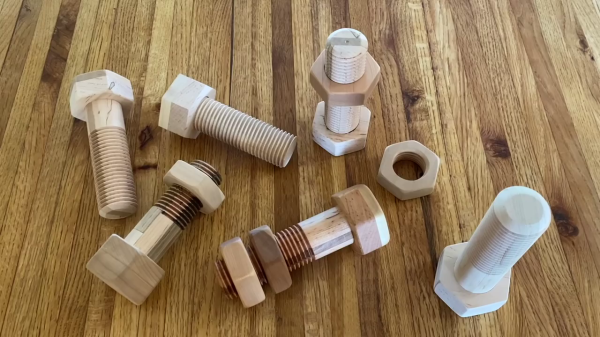
[Rudi Schoenmackers] has devised a clever set of custom 3D-printed jigs that makes it easy to build your own wooden hex nuts and bolts. Well, easy if you have access to a woodworking shop with a router, bandsaw and belt sander.

You won’t be using these to mount your PCBs, however. They are pretty big — UNC 1½-6 threads (the closest metric thread would probably be M36-4). [Rudi] points out that these jigs can be readily adapted to generate different sizes and pitches of threads, even left-handed ones, but we suspect making a #4-40 or M3-0.5 is out of the question. There are commercial jigs for making threads, but as [Rudi] points out, those are quite expensive. The price of [Rudi]’s jigs is quite low, assuming you have a 3D printer.

We’re not sure how to best take advantage of these nuts and bolts in ordinary hacking projects, but [Rudi] enjoys giving them away as cool toys or making large clamps and vises out of them. Let us know if you have any applications where wooden threaded fasteners could come in handy. If wooden threads interest you, then check out this project we covered a few years ago on making simple taps.

Continue reading “DIY Insulating Nuts And Bolts”

Lithophane Lamp Has Us Over The Moon

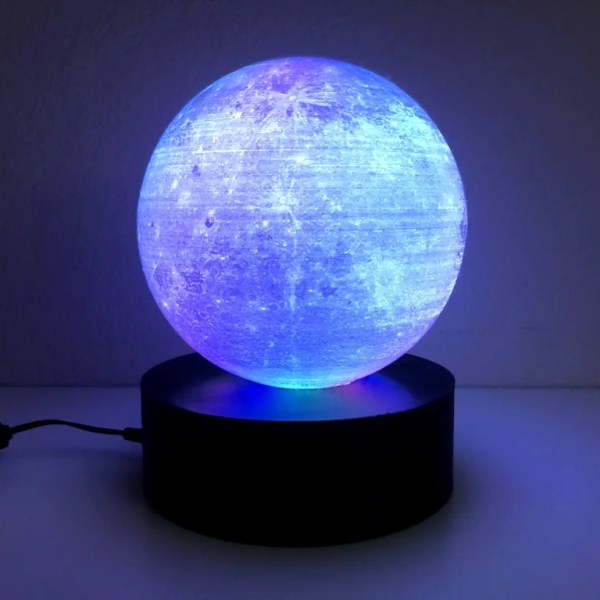
Lithophanes are artistic creations which rely on the varying thickness of a material that is then backlit to reveal an image. While these were often made in porcelain in the past, these days we have the benefit of 3D printing on our side. The principle can be deftly applied to everything from flat planes to spheres, with [Tiffany Lo] demonstrating a great application of the latter with her 3D printed moon lamp.

The basic concept is to take a 2D image of the lunar surface, and then use it to generate a height mapped sphere for 3D printing. When lit from within, the sphere will appear as per the surface of the moon. The sphere geometry was generated with the Lithophane Sphere Maker online tool combined with NASA data of the moon intended for computer graphics purposes. The sphere was then printed on a typical FDM printer before being assembled upon a base with LEDs inside for backlighting.

The result is an attractive moon lamp that both recalls the heavy rock that follows us in a tidally-locked orbit, and yet can be switched off at night to make it easier to sleep. Unfortunately, it’s impractical to turn off the shine from the real moon, and we suspect nobody is working on the problem.

We’ve seen other moon lamps before; they’re a great starting point because the moon’s greyscale tones work well as a lithograph. More advanced techniques are likely necessary for those eager to create lamps of the gas giants; if you’ve done so, be sure to drop us a line.

One Instruction To Rule Them All: C Compiler Emits Only MOV

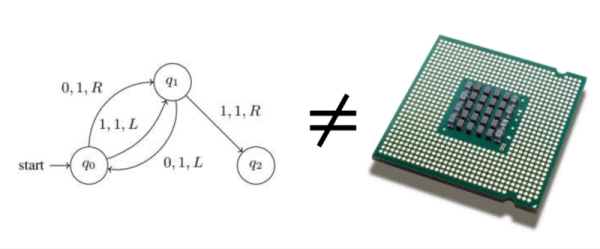
How many instructions do you need to successfully compile C code? Let’s see, you’d need some jump instructions, some arithmetic functions, and — of course — move instructions, right? Turns out you only need the move instruction, which — on x86, at least — is Turing complete.

While the effort is a bit tongue-in-cheek, we have to admit that if you were trying to create your own CPU, this would make for a simple architecture and might have power or complexity advantages, so maybe someone will find a practical use for it after all. If you wanted a C compiler for a simple CPU, this wouldn’t require much to emulate at a byte-code level, either.

Continue reading “One Instruction To Rule Them All: C Compiler Emits Only MOV”

Custom Macro Keyboard Looks Good In Wood

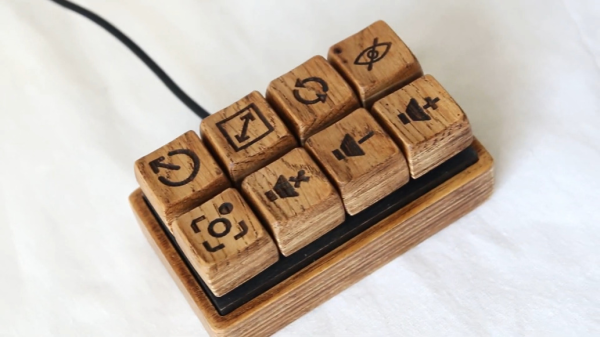
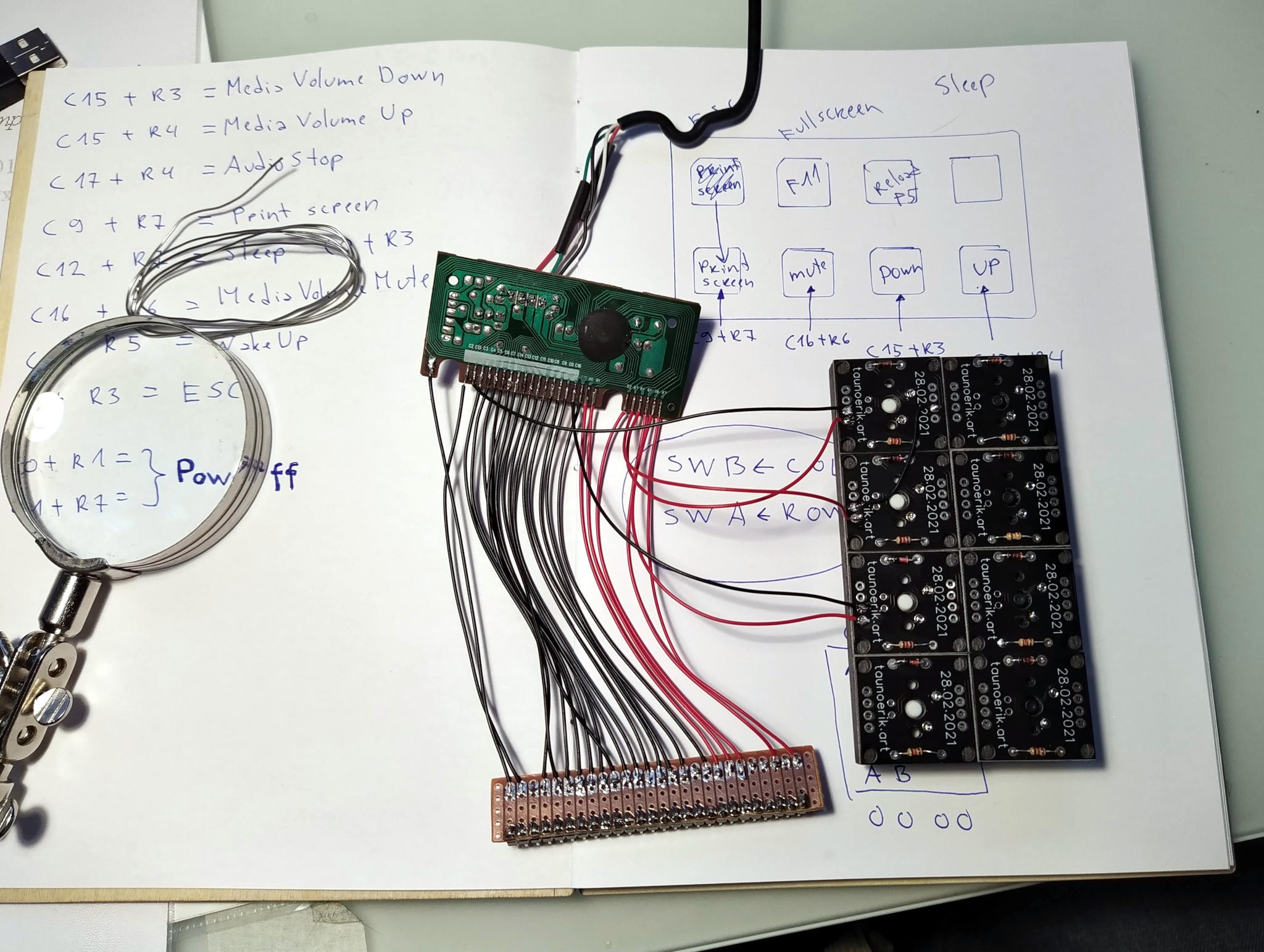
There’s more than one way to make a mechanical macro pad, and this wooden wonder represents one of our favorites. [Tauno Erik] had an old rubber dome rectangle keyboard lying around that still worked, but the poor thing was missing some of its caps. After salvaging the controller, [Tauno Erik] got to work on the tedious task of figuring out the mapping of the matrix, which was made easier with a Python script.

Almost every component of this beauty is wood, including the mounting plate and those thicc and lovely keycaps — their top layer is solid oak, and the bottom bit is birch plywood. In order to interface the ‘caps with the switches, [Tauno Erik] designed and printed connector pieces that sit inside the extra large keycaps and accept the stems of the key switches.

Speaking of switches, we’re not sure if [Tauno Erik] ended up using Cherry green switches, browns, or a mix of both (that would be interesting), but each one is mounted on a custom PCB along with a diode and a pull-up resistor. You can see more build pictures at [Tauno Erik]’s site, and stick around for a visual tour of the completed build after the break.

Wood is a great choice for keycaps, and we imagine they’ll only look better with age and use. A more common use for wood on a keyboard build is in surprisingly comfortable wrist rests.

Simple Probe Sniffs Out EMI

Unable to account for the strange glitches he was seeing on his DIY CNC router, [Daniël Van Den Berg]  wondered if his electronics might be suffering from some form of electromagnetic interference (EMI). So he did what any good hacker would do, and rummaged through the parts bin to build an impromptu EMI detector.

[Daniël] is quick to point out that he’s not an electrical engineer, and makes no guarantees about the accuracy of his tossed together gadget. But it does seem to work well enough in his testing that he’s able to identify particularly “noisy” electronic components, so it’s probably worth putting one together just to hear what your hardware is pumping into the environment.

The hardware here is very simple, [Daniël] just attached a coil of solid copper wire to one of the analog pins on an Arduino Nano with a resistor, and hung a speaker off of one of the digital pins. From there, it just took a few lines of code to read the voltage in the coil and convert that into a tone for the speaker. The basic idea is that a strong alternating magnetic field will set up voltage fluctuations in the coil large enough for the Arduino’s ADC to read.

If you’re looking for a bit more insight into what kind of interference your electronic creations might be putting out, [Alex Whittimore] gave a fantastic presentation during the 2020 Hackaday Remoticon about performing RF debugging using a cheap RTL-SDR dongle.