Refurbing A C64 With A Raspberry Pi

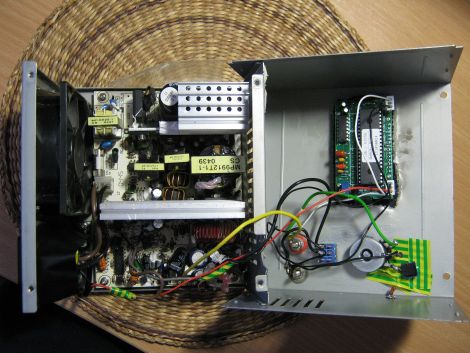
When [Carl] first heard of the Raspberry Pi, he immeidatly though how freakin tiny this board is compared to a Mini ITX motherboard. After ordering a Raspi, [Carl] decided to put his barely-larger-than-a-credit-card computer inside a Commodore 64.

[Carl]’s updated C64 functions exactly like the original – the 30-year-old keyboard works thanks to the help of a Keyrah keyboard and control port adapter. This adapter was soldered to a stripped USB cable, allowing [Carl] to keep the finished project looking very clean and tidy. Of course, the composite, HDMI, and Ethernet ports are broken out, allowing for this computer to connect to any network or TV.

For a final touch, [Carl] painted the case. He originally wanted to spray on a black, red, and purple motif to match the Raspi, but he eventually settled on a beige and red style. [Carl] really put together an awesome build, and for much, much less money than the rereleased C64 Windows-powered monstrosity goes for. You can check out the build log video after the break.

Continue reading “Refurbing A C64 With A Raspberry Pi”

Reverse Engineering Silicon

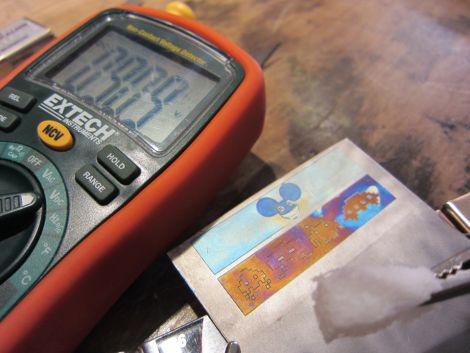
[John McMaster] is doing some pretty amazing work with figuring out how the circuitry in an integrated circuit works. Right now he’s reverse engineering a serial EEPROM chip one section at a time. This is a 24c02 made by ST, and  he chose this particular portion of the die to examine because it looked like there were some analog components involved.

He removed the top metal using hydrofluoric acid in order to take this image. By continually removing layers this way he manages to work out the traces and even the components themselves. To help clarify the parts he uses the set of snapshots to generate a colored map using Inkscape. From there he begins labeling what he thinks the components might be, and like a puzzle the pieces start falling into place one by one. From the Inkscape drawing he lays out a schematic, then rearranges the components to make the design easier to understand. Apparently this is a Schmidt trigger.

[Thanks George]

Levitating Lightbulb Does It All With No Wires

It would be really fun to do an entire hallway of these levitating wireless lights. This a project on which [Chris Rieger] has been working for about six months. It uses magnetic levitation and wireless power transfer to create a really neat LED oddity.

Levitation is managed by a permanent magnet on the light assembly and an electromagnetic coil hidden on the other side of the top panel for the enclosure. That coil uses 300 meters of 20 AWG wire. A hall effect sensor is used to provide feedback on the location of the light unit, allowing the current going to the coil to be adjusted in order to keep the light unit stationary. When working correctly this draws about 0.25A at 12V.

Wireless power transfer is facilitated by a single large hoop of wire driven with alternating current at 1 MHz. This part of the system pulls 0.5A at 12V, bringing the whole of the consumption in at around 9 Watts. Not too bad. Check out [Chris’] demo video embedded after the break.

A similar method of coupling levitation with power transfer was used to make this floating globe rotate.

Continue reading “Levitating Lightbulb Does It All With No Wires”

Dueling Mechanical Bulls

Do you have what it takes to stay on the mechanical bull longer than the next guy? Who cares! We want to know if you’ve got what it takes to build your own dueling mechanical bulls. After seeing the development stages in the video after the break we think you’ll agree that the construction part of the project is way more fun than the ‘sport’ that results. But still, we can’t watch the competition without beaming with delight too.

The project was developed by the Madagascar Institute, an Art Collective out of Brooklyn, New York. The scene displayed above is the installation at this year’s Google IO conference, where two contestants could battle it out on the same hardware, being driven the same way, at the same time. You can make out a sign on the wall in the background. It acts as the scoreboard with two red arrows, one of which will light up to identify the loser when they have been thrown from the bull.

If only this had been driven with a Bullduino… maybe next year.

Continue reading “Dueling Mechanical Bulls”

Two Retro Successes With A Commodore 64

Slowly but surely, Hackaday readers have been logging onto our retro edition with some very old hardware. Of course we’re featuring the coolest as retro successes. [azog] and [logik] entered the pantheon of brave souls who loaded up Hackaday with a Commodore 64 this week, and their builds are pretty impressive to say the least.

[logik]’s build was nearly doomed from the start: he used a C64 found dumpster diving one day with a bad power supply and half-dead VRAM chips. The first order of business was getting the C64 talking to a PC with the help of a MAX232 serial IC and loading up 64HDD to transfer a copy of Novaterm. From there it was a simple matter of connecting to an Ubuntu box and pulling up our retro site with the help of a text-only web browser.

[azog] didn’t want to abuse Lynx with his submission so he connected a Commodore 64 Ethernet card and loaded up Contiki. The banner image (above) is the ASCII Hackaday logo rendered with the C64’s PETSCII character set, something I did not foresee when I created our retro edition. Still, freakin’ awesome.

As a small aside, we’re going to open up the comments for this post to suggestions and recommendations you’ve got for the Hackaday retro edition. What would you like to see? The Retrocomputing guide is woefully inadequate, we know, but there’s a project in the works (getting WiFi over a serial port on a 68k Mac) that should be well received.

Hackaday Retro Submission: Browsing With An Apple IIc

We’ve had the retro edition of Hackaday up for about a week now, and already a few people have sent in a few neat builds that use an ancient computer to pull this page up. The latest comes from [RetroAppleFanToday] who used an Apple IIc to browse the Internet.

To load our humble retro edition, [RetroAppleFan] used a serial connection between the Apple and a Mac Mini to get a terminal running on the 30-year-old computer. From there, it was a simple matter of running lynx to browse the Internet.

There are a few more retro submissions cataloged on our retro successes page including a NEXT cube. If you have an old computer lying around that can pull up our retro site, don’t feel shy about sending it in; it’s pretty much guaranteed to get a mention.

As far as the development of the retro site is going, we’re posting 5 random stories every day. There’s a script to generate the front page every day, but if we get enough complaints or compliments we may just generate a new front page for every visitor.

Putting An Atari POKEY In Your Pocket

The Atari POKEY served as the main I/O chip on the venerable Atari 400/800 and XL/XE 8-bit computers. While a chip designed to get voltages from game paddles and scanning a matrix of keyboard switches wouldn’t normally be remembered 30 years later, the POKEY had another function: generating very, very distinctive music and sound effects for those old Atari games. [Markus Gritsch] wanted a portable version of the POKEY, so he emulated one on a modern microcontroller. Now he’s able to take those old Atari chiptunes where ever he goes.

The build uses the Another Slight Atari Player by emulating a 6502 and POKEY chip inside [Markus]’ PIC32MX-based microcontroller. There’s not much physical hardware [Markus] had to deal with – the board is built on a QFP proto board [Markus] picked up with a few buttons and a jack added for some simple I/O.

This isn’t [Markus]’s first attempt at portabalizing chiptunes – last year, we saw a truly awesome portable SID player that used the same PIC32 microcontroller and an emulated 6502. Between the Atari SAP Music Archive and the High Voltage SID Collection, [Markus] has more than enough chiptunes for days of listening pleasure.