A man holds a license plate in front of a black pickup (F-150 Lightning) tailgate. It is a novelty Georgia plate with the designation P00-5000. There are specks of black superimposed over the plate with a transparent sticker, giving it the appearance of digital mud in black.

A Deep Dive On Creepy Cameras

George Orwell might’ve predicted the surveillance state, but it’s still surprising how many entities took 1984 as a how-to manual instead of a cautionary tale. [Benn Jordan] decided to take a closer look at the creepy cameras invading our public spaces and how to circumvent them.

[Jordan] starts us off with an overview of how machine learning “AI” is used Automated License Plate Reader (ALPR) cameras and some of the history behind their usage in the United States. Basically, when you drive by one of these cameras, an ” image segmentation model or something similar” detects the license plate and then runs optical character recognition (OCR) on the plate contents. It will also catalog any bumper stickers with the make and model of the car for a pretty good guess of it being your vehicle, even if the OCR isn’t 100% on the exact plate sequence.

Where the video gets really interesting is when [Jordan] starts disassembling, building, and designing countermeasures to these systems. We get a teardown of a Motorola ALPR for in-vehicle use that is better at being closed hardware than it is at reading license plates, and [Jordan] uses a Raspberry Pi 5, a Halo AI board, and You Only Look Once (YOLO) recognition software to build a “computer vision system that’s much more accurate than anything on the market for law enforcement” for $250.

[Jordan] was able to develop a transparent sticker that renders a license plate unreadable to the ALPR but still plainly visible to a human observer. What’s interesting is that depending on the pattern, the system could read it as either an incorrect alphanumeric sequence or miss detecting the license plate entirely. It turns out, filtering all the rectangles in the world to find just license plates is a tricky problem if you’re a computer. You can find the code on his Github, if you want to take a gander.

You’ve probably heard about using IR LEDs to confuse security cameras, but what about yarn? If you’re looking for more artistic uses for AI image processing, how about this camera that only takes nudes or this one that generates a picture based on geographic data?

Continue reading “A Deep Dive On Creepy Cameras”

One Camera Mule To Rule Them All

A mule isn’t just a four-legged hybrid created of a union betwixt Donkey and Horse; in our circles, it’s much more likely to mean a testbed device you hang various bits of hardware off in order to evaluate. [Jenny List]’s 7″ touchscreen camera enclosure is just such a mule.

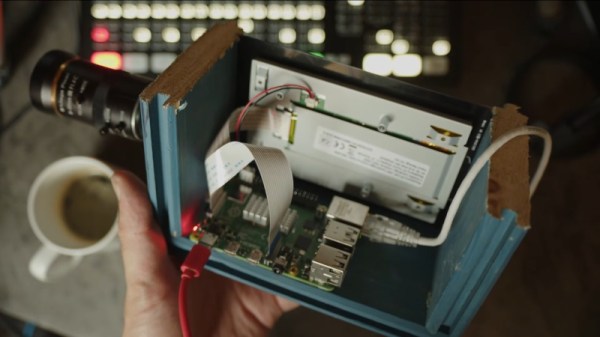
In this case, the hardware to be evaluated is camera modules– she’s starting out with the official RPi HQ camera, but the modular nature of the construction means it’s easy to swap modules for evaluation. The camera modules live on 3D printed front plates held to the similarly-printed body with self-tapping screws.

Any Pi will do, though depending on the camera module you may need one of the newer versions. [Jenny] has got Pi4 inside, which ought to handle anything. For control and preview, [Jenny] is using an old first-gen 7″ touchscreen from the Raspberry Pi foundation. Those were nice little screens back in the day, and they still serve well now.

There’s no provision for a battery because [Jenny] doesn’t need one– this isn’t a working camera, after all, it’s just a test mule for the sensors. Having it tethered to a wall wart or power bank is no problem in this application. All files are on GitHub under a CC4.0 license– not just STLs, either, proper CAD files that you can actually make your own. (SCAD files in this case, but who doesn’t love OpenSCAD?) That means if you love the look of this thing and want to squeeze in a battery or add a tripod mount, you can! It’s no shock that our own [Jenny List] would follow best-practice for open source hardware, but it’s so few people do that it’s worth calling out when we see it.

Thanks to [Jenny] for the tip, and don’t forget that the tip line is open to everyone, and everyone is equally welcome to toot their own horn.

The camera, lens off to show the 1" sensor.

There’s Nothing Mini About This Mini Hasselblad-Style Camera’s Sensor

When someone hacks together a digital camera with a Raspberry Pi, the limiting factor for serious photography is usually the sensor. No offense to the fine folks at the foundation, but even the “HQ” camera, while very good, isn’t quite professional grade. That’s why when photographer [Malcolm Wilson] put together this “Mini Hasselblad” style camera, he hacked in a 1″ sensor.

The sensor in question came in the form of a OneInchEye V2, from [Will Whang] on Tindie. The OneInch Eye is a great project in its own right: it takes a Sony IMX283 one-inch CMOS image sensor, and packages it with an IMU and thermal sensor on a board that hooks up to the 4-lane MIPI interface on the Raspberry Pi CM4 and Pi 5.

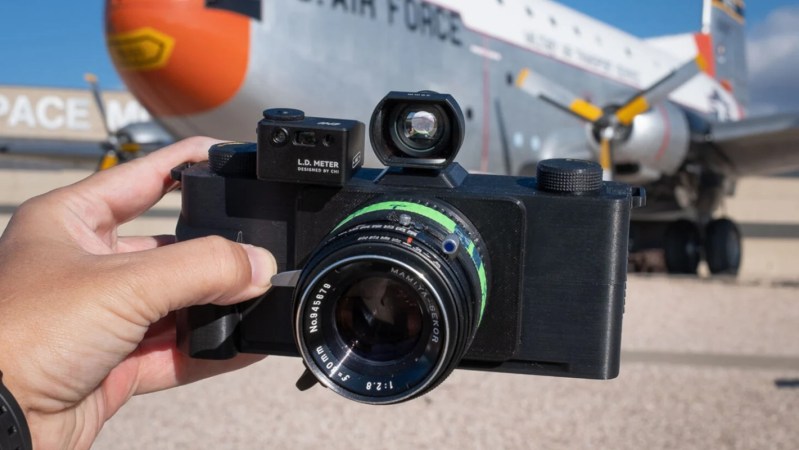
Sensor in hand, [Malcolm] needed but to figure out power and view-finding. Power is provided by a Geekworm X1200 battery hat. That’s the nice thing about the Pi ecosystem: with so many modules, it’s like LEGO for makers. The viewfinder, too, uses 4″ HDMI screen sold for Pi use, and he’s combined it with a Mamiya C220 TLR viewfinder to give that look-down-and-shoot effect that gives the project the “Mini Hasselblad” moniker.

These are a few images [Malcom] took with the camera. We’re no pros, but at least at this resolution they look good.
The steel-PLA case doesn’t hurt in that regard either, with the styling somewhat reminiscent of vintage film cameras. The “steel” isn’t just a colour in this case, and the metal actually makes the PLA conductive, which our photographer friend learned the hard way. Who hasn’t fried components on a surface they didn’t realize was conductive, though? We bet the added weight of the steel in the PLA makes this camera much nicer to hold than it would be in plain plastic, at least.

The OneInchEye module came set up for C-mount lenses, and [Malcolm] stuck with that, using some Fujinon TV lenses he already had on hand. [Malcolm] has released STL files of his build under a Creative Commons NonCommercial license, but he’s holding the code back for subscribers to his Substack.

This isn’t the first Pi-based camera we’ve seen from [Malcolm], and there’ve been quite a few others on these pages over the years. There was even a Hackaday version, to test out the “official” module [Malcolm] eschewed.

I, 3D Printer

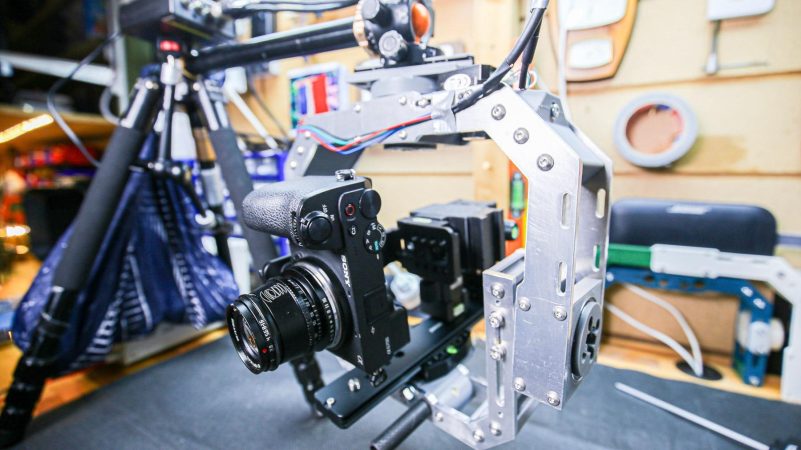
Like many of us, [Ben] has too many 3D printers. What do you do with the old ones? In his case, he converted it into a robotic camera rig. See the results, including footage from the robot, in the video below. In addition to taking smooth video, the robot can spin around to take photos for photogrammetry.

In fact, the whole thing started with an idea of building a photogrammetry rig. That project didn’t go as well as planned, but it did lead to this interesting project.

Continue reading “I, 3D Printer”

Cheap Thermal Camera Fits The Bill

If you want to save a little money on a thermal camera, or if you just enjoy making your own, you should have a look at [Evan Yu’s] GitHub repository, which has a well thought out project built around the MLX90640 and an ESP32. The cost is well under $100. You can watch it do its thing in the video below.

There’s a PCB layout, a 3D-printed case, and — of course — all the firmware files.  The code uses the Arduino IDE and libraries. It leverages off-the-shelf libraries for the display and the image sensor.

Continue reading “Cheap Thermal Camera Fits The Bill”

Light Transport And Constructing Images From A Projector’s Point Of View

Imagine you have a projector pointing at a scene, which you’re photographing with a camera aimed from a different point. Using the techniques of modelling light transport, [okooptics] has shown us how you can capture an image from the projector’s point of view, instead of the camera—and even synthetically light the scene however you might like.

The test scene used for the explanation of the work.

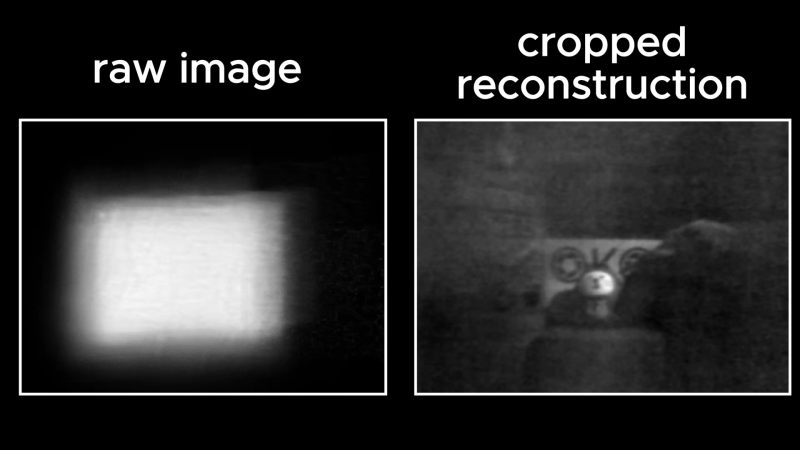
The concept involves capturing data regarding how light is transported from the projector to the scene. This could be achieved by lighting one pixel of the projector at a time while capturing an image with the camera. However, even for a low-resolution projector, of say 256×256 pixels, this would require capturing 65536 individual images, and take a very long time. Instead, [okooptics] explains how the same task can be achieved by using binary coded images with the projector, which allow the same data to be captured using just seventeen exposures.

Once armed with this light transport data, it’s possible to do wild tricks. You can synthetically light the scene, as if the projector were displaying any novel lighting pattern of your choice. You can also construct a simulated photo taken from the projector’s perspective, and even do some rudimentary depth reconstruction. [okooptics] explains this tricky subject well, using visual demonstrations to indicate how it all works.

The work was inspired by the “Dual Photography” paper published at SIGGRAPH some time ago, a conference that continues to produce outrageously interesting work to this day.

Continue reading “Light Transport And Constructing Images From A Projector’s Point Of View”

Why Cheap Digital Microscopes Are Pretty Terrible

The depth of field you get with a cheap Tomlov DM9 digital microscope. Pictured is the tip of a ballpoint. (Credit: Outdoors55, YouTube)

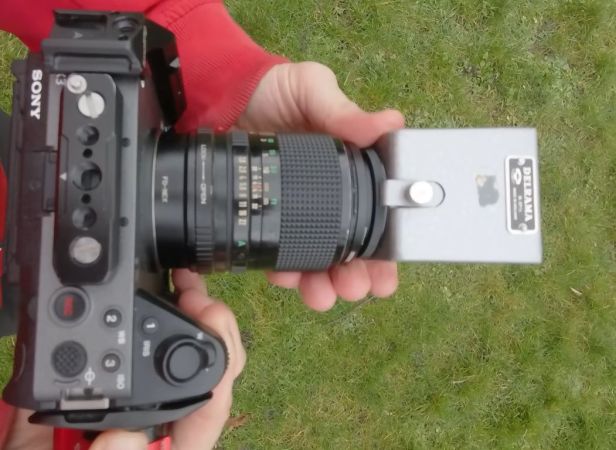
We have all seen those cheap digital microscopes, whether in USB format or with its own screen, all of them promising super-clear images of everything from butterfly wings to electronics at amazing magnification levels. In response to this, we have to paraphrase The Simpsons: in this Universe, we obey the laws of physics. This applies doubly so for image sensors and optics, which is where fundamental physics can only be dodged so far by heavy post-processing. In a recent video, the [Outdoors55] YouTube channel goes over these exact details, comparing a Tomlov DM9 digital microscope from Amazon to a quality macro lens on an APS-C format Sony Alpha a6400.

First of all, the magnification levels listed are effectively meaningless, as you are comparing a very tiny image sensor to something like an APS-C sensor, which itself is smaller than a full-frame sensor (i.e., 35 mm). As demonstrated in the video, the much larger sensor already gives you the ability to see many more details even before cranking the optical zoom levels up to something like 5 times, never mind the 1,500x claimed for the DM9.

On the optics side, the lack of significant depth of field is problematic. Although the workarounds suggested in the video work, such as focus stacking and diffusing the light projected onto the subject, it is essential to be aware of the limitations of these microscopes. That said, since we’re comparing a $150 digital microscope with a $1,500  Sony digital camera with macro lens, there’s some leeway here to say that the former will be ‘good enough’ for many tasks, but so might a simple jeweler’s loupe for even less.

There are some reasonable hobby-grade USB microscopes. There are also some hard-to-use toys.

Continue reading “Why Cheap Digital Microscopes Are Pretty Terrible”