Location Tracking? ‘Droid Does

i_spy

Last week, the Internet was alight with stories of iPhone location tracking. While this wasn’t exactly breaking news in security circles, it was new information to many people out there. Lots of blogs were full of commentary on the situation, including ours, with many Android users chiming in saying, “Android doesn’t do that”.

Well, that’s not entirely true – the playing field is far more level than most people would like to admit.

Android does have the same tracking capability, as do Windows Mobile phones for that matter. Both companies also monitor the cell towers you have connected to, as well as which Wi-Fi hotspots you have passed by. All three companies anonymize the data, though they do assign a unique ID to your location details in order to tell you apart from other users.

Where things really differ is in regards to how much information is stored. Microsoft claims that they only store the most recent location entry, while Andriod systems store the 200 most recent Wi-Fi hotspot locations as well as the most recent 50 cell towers.

At the end of the day each vendor does allow you to opt out of the tracking services, and if you are seriously concerned about the data they are tracking, you can always periodically wipe the information from your handset, should you desire.

[Image via TheTelecomBlog]
IPhone Watching Every Breath You Take, Every Move You Make

iphone_data

Most people tend to enjoy a certain modicum of privacy. Aside from the data we all share willingly on the web in the form of forum posts, Twitter activity, etc., people generally like keeping to themselves.

What would you think then, if you found out your iPhone (or any iDevice with 3G) was tracking and logging your every movement?

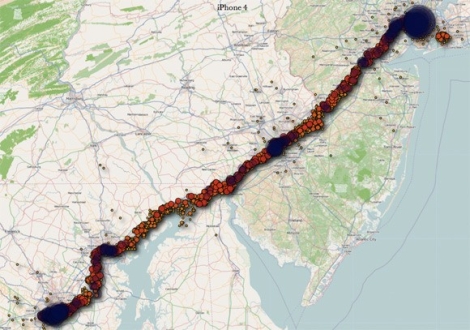
That’s exactly what two researchers from the UK are claiming. They state that the phone is constantly logging your location using cell towers, placing the information into a timestamped database. That database is not encrypted, and is copied to your computer each time you sync with iTunes. Additionally, the database is copied back to your new phone should you ever replace your handset.

We understand that many iPhone apps use location awareness to enhance the user experience, and law enforcement officials should be able to pull data from your phone if necessary – we’re totally cool with that. However, when everywhere you have been is secretly logged in plaintext without any sort of notification, we get a bit wary. At the very least, Apple should consider encrypting the file.

While this data is not quite as sensitive as say your Social Security number or bank passwords, it is dangerous in the wrong hands just the same. Even a moderately skilled thief, upon finding or swiping an iPhone, could easily dump the contents and have a robust dataset showing where you live and when you leave – all the makings of a perfect home invasion.

Continue reading to see a fairly long video of the two researchers discussing their findings.

[Image courtesy of Engadget]

Continue reading “IPhone Watching Every Breath You Take, Every Move You Make”

Webcam Turned Security Cam With Motion Detected Email Notifications

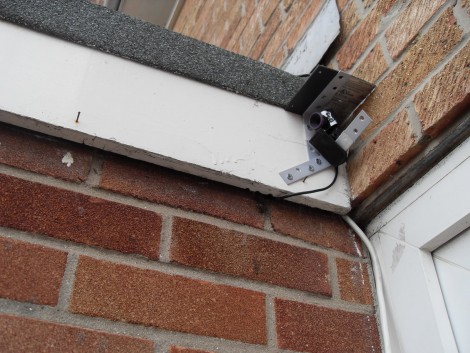
[Sean] used his old webcam to assemble a closed circuit television feed for his home. He already had a server up and running, so this was just a matter of connecting a camera and setting up the software. He wasn’t satisfied by only having a live feed, so he decided to add a few more features to the system.

He started off by hanging a webcam near the front of his house. He mentions that he’s not sure this will last long exposed to the elements, but we think it’d be dead simple to build an enclosure with a resealable container and a nice piece of acrylic as a windows. But we digress…

The camera connects via USB to the server living in the garage. [Sean’s] setup uses Yawcam to create a live feed that can be access from the Internet. The software also includes motion detection capabilities. Since he wanted to have push notifications when there was action within the camera’s view he also set up Growl alert him via his iOS devices. You can see [Sean] demonstrate his completed CCTV system in the video below the fold.

Continue reading “Webcam Turned Security Cam With Motion Detected Email Notifications”

Push Notifications For Snail Mail On An IPhone

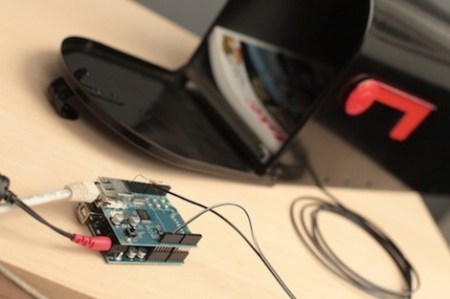
[Matt] over at Make came up with a way to send push alerts to his iPhone whenever his mailbox is opened.

The electronics are just a switch mounted to the mailbox connected to an Arduino with an ethernet shield, but the interesting part of the build is the code. [Matt] got the Arduino WebClient to request a PHP script sitting on a server. This script connects to the Prowl API to push the notification onto an iPhone.

[Matt]’s project has been up for a few months now, and we still haven’t seen any projects using an Arduino+Push combo, or really any other phone except for the iPhone. We think this could be done on an Android phone with cloud to device messaging, but that can’t be the only solution. Any hackaday readers have an idea of how to implement this outside the iOS world? What would Hackaday readers do with a microcontroller that can send push alerts to your phone?

Video of [Matt] walking us through the project after the break

Continue reading “Push Notifications For Snail Mail On An IPhone”

Growling Doorbell Lets You Know Guests Have Arrived

wireless_doorbell_hack

[Sean] was screwing around online looking for nothing in particular when he came across a mailbox hacked to notify the homeowner when the mail had been delivered. Since his mail is delivered via a slot in the door, he had no use for the hack as is, but something similar soon came to mind.

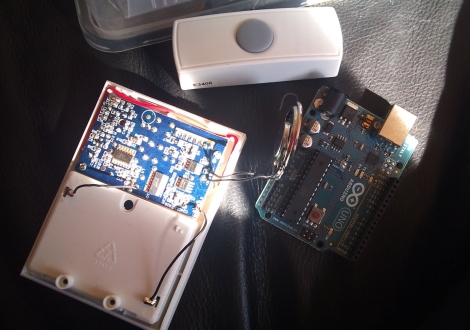
His dog isn’t too keen on visitors, and he figured that he could save himself a bit of grief (and a lot of unnecessary barking) if he were to wire up his doorbell to notify him of guests via his iPhone. He stopped by the local hardware store and picked up a wireless doorbell. It was quickly disassembled and wired up to an Arduino he had set aside for a different project. Tweaking some code he found online, he soon had the doorbell talking with the Arduino and was ready to interface it with his iPhone. He decided that he wanted to deliver notifications to his phone via Growl and found a Perl script online that was close to what he needed. A few tweaks later, and he had a Growling doorbell.

As you can see in the video below, it works, though there seems to be a bit of a delay in the notification. We don’t think that it would be enough to send his visitors packing before he made it to the door, but the lag can likely be reduced with a few small modifications.

As for the post that started this whole thing, we’re pretty sure this is it.

Continue reading “Growling Doorbell Lets You Know Guests Have Arrived”

Whistle To Make The Art Flow

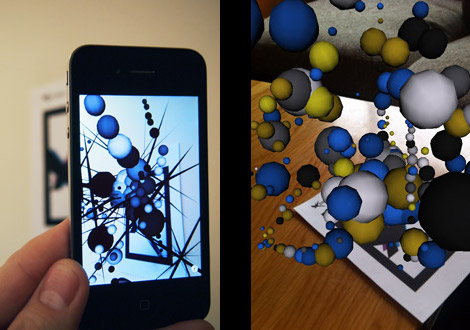
A new project from [James] targets the iPhone with this wild generative art in an Augmented Reality environment (free) app for 3GS and 4 running running iOS 4+. Powered by the String augmented reality library, and written in C + OpenGL the combo present a power AR platform offering over 100,000 polygons on screen with no noticeable dip in frame rate.

The artistic part is influenced by noise the app is picking up through the microphone. Speaking, whistling or blowing at the device creates 3D generative art, which you are then free to explore in 3 dimensions. It would be interesting to see what it comes up with in a naturally noisy environment. Features also include variety of 3D shapes, color palettes, and settings that can be mixed to create “endless” combinations along with a good to have save snapshot feature.

Join us after the break for a quick video, and be sure to check out some of [James] other work, like  the Augmented reality business card

Continue reading “Whistle To Make The Art Flow”

Using TouchOSC With Your Projects

[Marcus] wrote a guide to using TouchOSC to control your projects. He sent a link to us after reading our feature about using Open Sound Control for Arduino without an Ethernet shield. He’s been using that method for quite some time now, but takes it one step further by using a smartphone as a control device. He designs his own user interface for the iPhone using TouchOSC. This is a package which we’ve seen in other projects but now you can get an idea of how easy it really is.

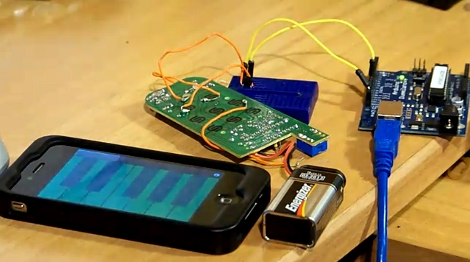
The project starts by interfacing an Arduino with the device you’d like to control. The circuit above patches into a remote control using a couple of transistors. Now the Arduino can simulate button presses on that remote, sending the signal to turn a light on or off. Next, TouchOSC is used for the smartphone – here it’s an iPhone but the suite works on Android as well. In the video after the break you can watch a quick interface design demo. Buttons are dragged into existence, uploaded to the phone, then configured to control you device over a network. A Processing sketch listens for OSC commands and then sends instructions to the Arduino via USB.

Continue reading “Using TouchOSC With Your Projects”