Impromptu Lamp Runs Linux

This LED lamp, which uses a soda cup as a lampshade, is Internet enabled thanks to a Linux board (translated). To say the system is overpowered would be a gross understatement. But at least there’s plenty of room for growth.

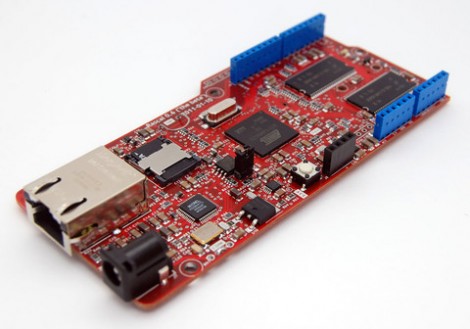
The lamp is really just a hardware extension for the Linux board. A half-dozen colored LEDs are driven by an ATmega8 and a few transistors. A Fox LX832 board pushes color instructions to the microcontroller via the i2c protocol. [Gibus] chose this board because it has a built-in Ethernet port which makes it perfect for communicating via a smart phone browser. This is where the majority of the work on the project happened. He coded a Flash application that lets you select color, hue, and saturation data from any device that doesn’t run iOS. These commands are processed by a C application running on the Linux board. See a demo of the web app, and the resulting color changes in the clip after the break.

Continue reading “Impromptu Lamp Runs Linux”

Simple Low Toner Workaround Squeezes Out A Few Extra Pages When Your Printer Refuses

low-ink-hacking

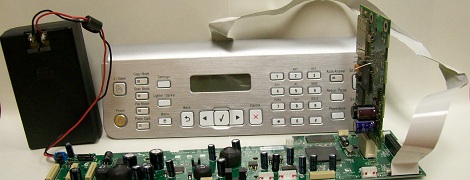
[Andrew] was getting ready to print out an assignment when his Samsung printer suddenly started blinking a red error light at him. Unable to find any documentation explaining the issue, he called Samsung directly and found that it was indicating the toner cartridge was nearly empty.

He held down the button that prints a test page, which came out just fine despite the printer’s insistence that there was not enough toner left. Annoyed at the fact that he felt Samsung was trying to strong arm him into buying another pricey toner cartridge, he looked for a way around the restriction.

He discovered that his printer’s software allowed him to specify a custom test page document, though it required that the document be in PostScript format. After a few shell commands, he had his document converted and was on to bigger and better things.

While a bit time consuming, his workaround should let him get by on this toner cartridge at least for a little while longer. We imagine that since he’s using Linux, the process could probably be scripted to save time, though we’re not sure if the same can be said for Windows-based PCs.

A Kinect Primer

Yes, the Kinect is over one year old now, and after some initial unhappiness from [Microsoft], it’s become a hacker’s best friend. [Eric] decided to celebrate this with an Article all about how it works.  If you’re new to this piece of hardware and want to get into working with it, this should be a good hacking introduction.  If you’ve been reading [HAD] lately, you will have noticed this information being used to “build a Kinect bot for 500 bones.”

Some interesting facts in this article include that the Kinect measures 307200 distance point, known as a “point cloud” in the gaming area. From this, it’s able to construct a 3D image of the environment around it and allow interaction. Such interesting hardware didn’t take long to hack after Adafruit announced a $3000.00 bounty to open it up to the masses.  This only took four days to do, making one wonder why, with their incredible resources, [Microsoft] wouldn’t either more effectively lock it down or officially open it to be hacked and modified to begin with. Our vote would be to officially open it up, but no one consulted us on the decision.

Fattening A Thin Client To Run A Debian Desktop

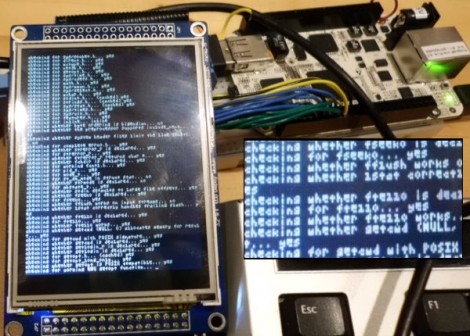
While watching his thin client boot up [Nav] noticed that it’s using some type of Linux kernel. He wondered if it were possible to run a full-blow desktop distribution on the device. A little poking around he got a Debian desktop distribution running on a thin client.

The hardware he’s working with is an HP t5325. It’s meant to be a dumb client, connecting to a backend machine like a Windows Terminal Server or via SSH. But it’s got a 1.2 GHz ARM processor and [Nav’s] preliminary investigations revealed the it’s running a version of Debian for ARM. He used CTRL-C during the boot sequence to derail that process and dump him to a shell. The login was easy enough to guess as the username and password are both ‘root’.

Once he’s got that root access it was slash and burn time. He got rid of the HP-specific setup and made way for additional Debian modules like the apt system. This isn’t trivial, but he’s worked out a bunch of sticking points which makes the process easier. With the repository tools loaded you can install Xserver and Gnome for a full-blown desktop on the embedded hardware.

How To Develop For STM32 Discovery Boards Using Linux

Some hard work has gone into making it possible to develop for the STM32 Discovery board using a Linux system. The board boasts an ARM Cortex-M3 processor, which can be programmed via the mini-USB port on the side. But the company only supports development through their IDE’s which don’t run natively on Linux. The stlink project aims to solve this, providing a toolchain, and making it possible to flash the microcontroller via the USB connection.

The github project linked above also includes a tutorial to get you started (pdf). In addition to a walk through on compiling the software packages, it includes a simple blink program that you can use to test out your hardware. GDB, the familiar open-source debugger, is used to flash the chip. This is a bare-bones tutorial so if you end up posting about your experiences using this toolchain with the Discovery boards we’d love to hear about it.

[Thanks Texane]

Chumby Transplant And Hardware Upgrade Used With DSLR And WFT

The Chumby One comes in a nice little case and features an ARM powered board with a touchscreen interface. [Bobby] thought is was a good starting point, but wanted a more portable version to use as a wireless file transfer device for photography. WFT is a connectivity enhancement for digital cameras that allows pictures to be pushed to other devices over a wireless network.

In order to improve the portability of the hardware [Bobby] ditched the power-hungry WiFi adapter that comes with the device. The newer and more efficient USB dongle that he’s using as a replacement makes switching to a rechargeable camera battery a viable option. With the battery and dongle soldered to the board he ditched the rest of the hardware (save the touchscreen) and began work on his own enclosure. You can see the version above is just a little rough around the edges, he cut it by hand from the Google Sketchup design. But since he plans to make a few more copies of this hardware for friends he will probably use a service to laser cut those cases for him.

The new hardware needs drivers, and [Bobby] has lots of instructions on how to compile your own. This includes setting up the toolchain, compiling the kernel, as well as building the drivers themselves.


[Bunnie] Mods Chumby To Capture Epic Time-lapse Video

When [Bunny] moved into his apartment in Singapore he was surprised to find that a huge building project was just getting started on the other side of the block. Being the curious sort, he was always interested in what was going on, but just looking in on the project occasionally wasn’t enough. Instead, he set up a camera and made a time-lapse video.

This isn’t hard, you can find a slew of intervalometer projects which we’ve covered over the years. But being that [Bunnie] is one of the designers of the Chumby One, and frequently performs hacks on the hardware, it’s no surprise that he chose to use that hardware for the project.

Luckily, he’s sharing the steps he used to get Chumby capturing images. He mentions the hardest part is finding a compatible USB camera. If you have one that works with a 2008 Linux kernel you should be fine. The rest is done with shell scripts. Mplayer captures the images when the script is called from a cron job. Once all the frames are captured, he used mencoder to stitch the JPEGs into a movie. See the result after the break.

Continue reading “[Bunnie] Mods Chumby To Capture Epic Time-lapse Video”