APRS IGate Built Using A Raspberry Pi

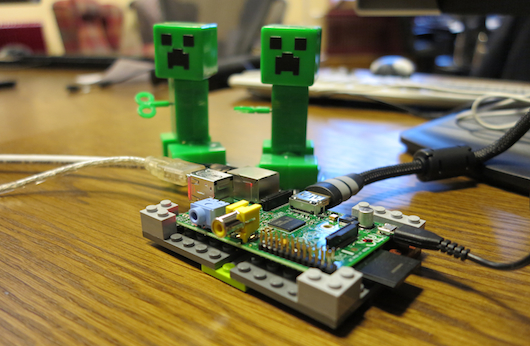
The hardware seen above is used to bridge a local RF radio network to the APRS-IS network. The APRS-IS is an Internet Service that uses a web connection to communicate between APRS networks in different parts of the world. The Raspberry Pi is perfect for this application because of its ability to connect to a network, and its native use of Linux.

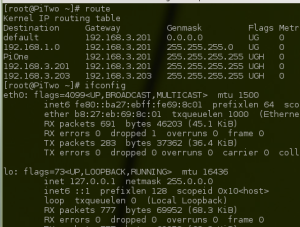
On the software side the majority of the work is done by a Python script. It is responsible for setting up and monitoring a connection with an APRS-IS server. To connect to the handheld radio unit a USB sound card was used. The Multimon package is used to send and receive audio packets through this hardware.

[Sunny] has a few upgrades planned for the system. The device needs to report its location to the APRS-IS server and the plan is to add functionality that will look of the WiFi AP’s location automatically. It may also be possible to get rid of the radio all together and use a DVB dongle as a software defined radio.

Building A Raspi Case In True Hackaday Fashion

[Ben] needed a case for his Raspberry Pi. Instead of going the usual laser-cut plastic or 3D printed route, he took a path far more familiar to us here at Hackaday. His case is built out of aluminum found in his basement, providing a neat reuse for some old aluminum extrusion he had lying around.

Part one of [Ben]’s thoroughly documented build goes over the process of acquiring some of this very handy aluminum extrusion. Part two covers a very neat feature of [Ben]’s scrap of aluminum: because of a pair of internal chamfers, [Ben] was able to mount his Raspi and USB hub to a separate piece of PVC and slide the whole assembly in.

The final assembly included dremeling a piece of aluminum plate for the Raspi and USB hub ports and wiring the whole thing together.

Right now the newly enclosed Raspi is working happily as [Ben]’s home server. Not exactly the use case a rugged aluminum case would see the best use from, but it looks great all the same.

Hacking Beer Cans For Fun And Publicity

beer-keyboard

Although beer is generally a good way to get people to come to your trade show booth, [Robofun.ru] decided to put a new spin on things. Instead of (or possibly in addition to) giving out beer, they decided to turn 40 Staropramen beer cans into a keyboard.

This was done using an Arduino hooked up to four Sparkfun MPR121 Capacitive Touch Sensor Breakout Boards, allowing them to act as keys. These inputs are translated via the Arduino into a standard output (we assume USB) that can be plugged into any computer.  Additionally, a Sparkfun MP3 trigger board was used to control the sound effects.  Rounding out the build, a Raspberry Pi computer was used to run the human machine interface, a large plasma display.

Be sure to check out this keyboard in action after the break. If this isn’t enough alternative input fun, why not check our post about how to make a banana piano and giant NES controller. Continue reading “Hacking Beer Cans For Fun And Publicity”

Android Debug Bridge Released For The Raspi

Over on the XDA developers forums, something really cool is happening. Android hacker extraordinaire [AdamOutler] has managed to port the Android Debug Bridge to the Raspberry Pi.

The Android Debug bridge allows hardware tinkerers full access to their Android device. This feature has been used to build everything from telepresence robots to connecting a MIDI keyboard to a phone. With this port of the Android Debug Bridge, anyone can take advantage of the existing hacks and hardware written around the ADB to build something completely new.

Of course, the port of the Android Debug Bridge is only useful if your Raspi is running Android. Current Android builds for the Raspberry Pi are janky at best, but the current rate of progress does look encouraging. Hopefully with the most useful Android tool ported to everyone’s favorite credit-card sized computer, the progress of the Raspi/Android builds will pick up their pace.

Raspis With Double The RAM In The Wild

There is buzz all over the reddits and Element 14 discussion boards about an updated version of the Raspberry Pi that bumps the amount of RAM from 256 MB to 512 MB.

This new update comes after the announcement of an upgraded version of the yet-to-be-released Raspi Model A (from 128 MB of RAM to 256 MB), and a few slight modifications to the Model B that include fixing a few hardware bugs (nothing serious) and adding mounting holes.

After perusing the Element 14 and Raspberry Pi discussion boards, a few things become apparent. Firstly, it appears this new upgrade to double the amount of RAM was initiated by manufacturers. It seems 512 MB RAM chips are cheap enough now to include in the Raspi without impacting the cost of components. Secondly, 512 MB seems to be the upper limit for the Raspberry Pi, at least for this iteration of hardware. Not enough address lines, they say, but you’re welcome to try and hack your own RAM to a Raspi CPU.

So far, attentive Raspi enthusiasts have found Raspberry Pis with double the amount of RAM on the UK Farnell site and the Australian Element 14 site. Nothing so far on the US Element 14 site, although we’ll gladly update this post when a Hackaday reader finds the relevant link.

EDIT: Here’s the link for the US version of Newark. No, there aren’t any in stock. Also, Hackaday beat the official Farnell/Element 14/Newark press release and the Raspberry Pi blog to the punch. Woo, go us.

Raspberry Pi Foundation Looks At Counterfeit Apple Power Supplies

The Raspberry Pi foundation is in a somewhat unique position. They always test the units that get returned to them in hopes that they can improve the design. They often request that the power supply also be sent back with the RPi unit, as we know the board will not work well if the PSU can’t source enough current. And so they’ve been able to get a look at several counterfeit iPhone chargers. This is not one of the recommended ways to power the RPi, but their ability to collect failed hardware means that they have identified three different fakes on the market.

Seen here is a genuine Apple product on the left. The others are fake, with the easiest way of spotting them being the shiny chrome plug connectors. The genuine part has a matte finish on the connectors. There is also a difference in the chamfering, and even a variation on the orientation of the USB port on some of them. Unfortunately we don’t get a look inside, which is what we really wanted. But you can see in the video after the break that weighing the adapter will also give it away as a fake, showing that the components within probably vary quite a bit. This reminds us of some other fake PSUs that have been exposed.

Continue reading “Raspberry Pi Foundation Looks At Counterfeit Apple Power Supplies”

Using Arduino Shields With The Raspi

With hundreds of Arduino shields available for any imaginable application, it’s a shame they can’t be used with the Raspberry Pi. Breaking out the Raspi GPIO pins to Arduino-compatible headers would allow makers and tinkerers to reuse their shields with a far more capable computing platform.

The folks over at Cooking Hacks realized a Raspi to Arduino shield bridge would be an awesome device, so they made their own, complete with a software library that allows you to port your Arduino code directly to the Raspberry Pi.

There are a few limitations with the Raspberry Pi’s GPIO headers; the Raspi doesn’t have analog inputs, so the Cooking Hacks team added an 8-channel ADC. Along with analog inputs and the headers required to pop a shield on the board, there’s also a socket for an XBee module.

The software library contains most of the general Arduino functions such as digitalWrite() and digitalRead(). There Serial, Wire, and SPI libraries are also implemented, allowing any device that communicates through UART, I2C, or SPI to talk directly to the Raspberry Pi.

While the Raspi Arduino bridge doesn’t allow for PWM in the same capacity as an Arduino, you’re always welcome to whip up a servo or LED shield for this neat little adapter.