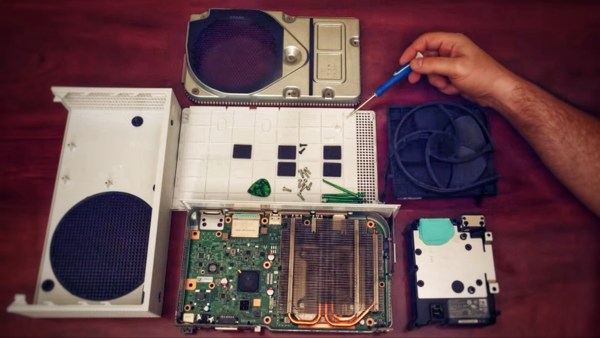
Xbox Series S Teardown Photo

Xbox Series S Teardown Shows A Glimpse At The Future

Console launch season is upon us. A time for billion dollar corporations ingratiate themselves with “Johnny Consumer” by promising the future of entertainment is finally available to one-and-all. The focus of this new generation of consoles has been the battle for 4K supremacy between Xbox Series X and PlayStation 5. Interestingly, Microsoft also created another iteration of their Xbox Series for those satisfied with games in 1080p, and thanks to [Dimitris] we have been able to see the internals of the Xbox Series S (XSS).
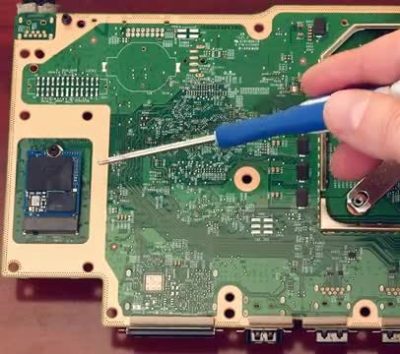
Xbox Series S Teardown SSD Photo
The Xbox Series S features standard m.2 slot that could be used for future storage expansion.

Microsoft’s choice to produce an all-digital console has greatly affected the internal design of the XSS. With the lack of a disc-drive there is only a single cable, the fan cable, tying the components together. The heat sink covering the 197mm² AMD APU takes up nearly 60% of the motherboard surface area. Though the XSS may be diminutive by modern console standards, its cooling fan is huge, somewhere in the 140 mm range. What little space is left by the heat sink and fan assembly is taken up by the internal power supply. As a fun nod, the PSU sports a Master Chief insignia to denote the location of the two-pronged connector beneath.

On the underside of the motherboard lies the biggest surprise of the “little brother” console. The system storage SSD is socketed rather than directly soldered to the board itself. The primary design goal of the XSS was to provide a cheaper alternative for players, but this standard m.2 slot reveals that Microsoft has plans for future expansion. This SSD, while not user-accessible in a traditional sense, will likely provide an alternative method to expanding storage outside of Microsoft’s proprietary external offerings. For a look at the teardown in process, [Dimitris’] video from his Modern Vintage Gamer YouTube channel is below.

Continue reading “Xbox Series S Teardown Shows A Glimpse At The Future”
Rebuilding A Hero (the Robot, Not The Sandwich)

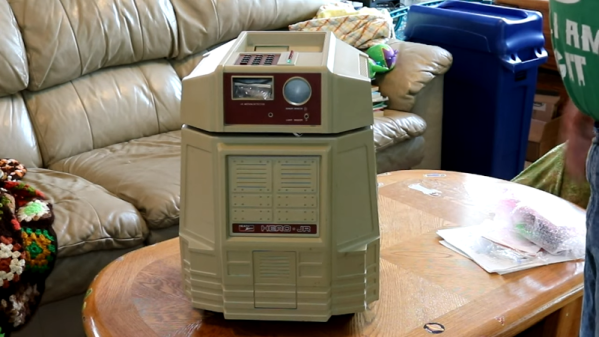
When [Scott Baker] found a Heathkit Hero Junior on eBay, he grabbed it. He had one as a kid, but it was long sold. The robot arrived with no electronics, so the first order of business is to give it some new modern brains including an ATMega328 and a Raspberry Pi. You can see the start of the project in the video below.

So far, you can see a nice teardown of the chassis and what’s left of the little robot’s drive system. This wasn’t the big Hero-1 that you probably remember, but it was still a pretty solid platform, especially for the time it was on the market.

Continue reading “Rebuilding A Hero (the Robot, Not The Sandwich)”

New Raspberry Pi 400 Is A Computer In A Keyboard For $70

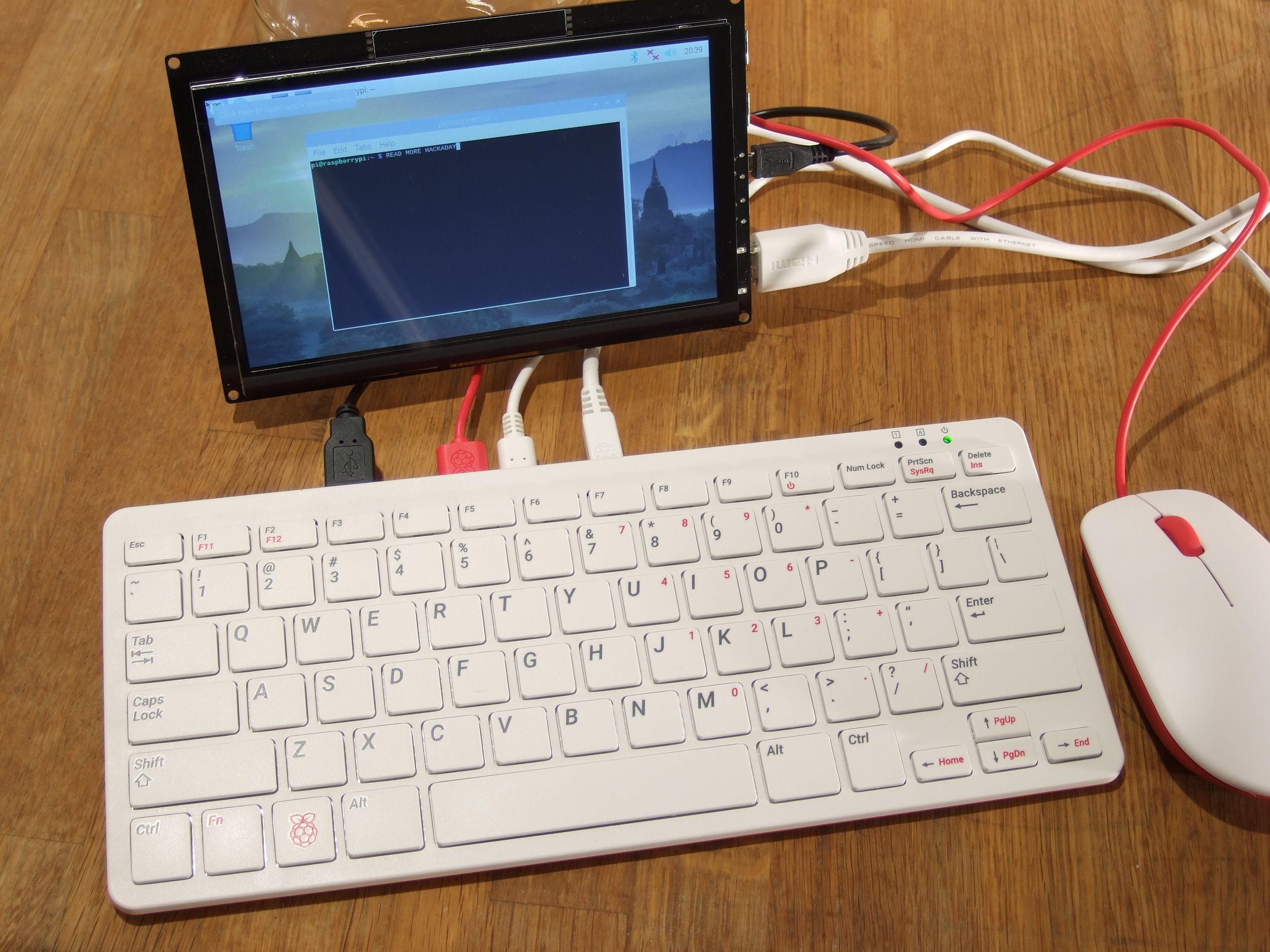
The newest Raspberry Pi 400 almost-all-in-one computer is very, very slick. Fitting in the size of a small portable keyboard, it’s got a Pi 4 processor of the 20% speedier 1.8 GHz variety, 4 GB of RAM, wireless, Ethernet, dual HDMI outputs, and even a 40-pin Raspberry Standard IDE-cable style header on the back. For $70 retail, it’s basically a steal, if it’s the kind of thing you’re looking for because it has $55 dollars worth of Raspberry Pi 4 inside.

In some sense, it’s getting dangerously close to fulfilling the Raspberry Pi Dream. (And it’s got one more trick up it’s sleeve in the form of a huge chunk of aluminum heat-sinked to the CPU that makes us think “overclocking”.)

We remember the founding dream of the Raspberry Pi as if it were just about a decade ago: to build a computer cheap enough that it would be within everyone’s reach, so that every school kid could have one, bringing us into a world of global computer literacy. That’s a damn big goal, and while they succeeded on the first count early on, putting together a $35 single-board computer, the gigantic second part of that master plan is still a work in progress. As ubiquitous as the Raspberry Pi is in our circles, it’s still got a ways to go with the general population.

By Gareth Halfacree  CC BY-SA 2.0

The Raspberry Pi Model B wasn’t, and isn’t, exactly something that you’d show to my father-in-law without him asking incredulously “That’s a computer?!”. It was a green PCB, and you had to rig up your own beefy 5 V power supply, figure out some kind of enclosure, scrounge up a keyboard and mouse, add in a monitor, and only then did you have a computer. We’ve asked the question a couple of times, can the newest Raspberry Pi 4B be used as a daily-driver desktop, and answered that in the affirmative, certainly in terms of it having adequate performance.

But powerful doesn’t necessarily mean accessible. If you want to build your own cyberdeck, put together an arcade box, screw a computer into the underside of your workbench, or stack together Pi Hats and mount the whole thing on your autonomous vehicle testbed, the Raspberry Pi is just the ticket. But that’s the computer for the Hackaday crowd, not the computer for everybody. It’s just a little bit too involved.

The Raspberry Pi 400, in contrast, is a sleek piece of design. Sure, you still need a power supply, monitor, and mouse, but it’s a lot more of a stand-alone computer than the Pi Model B. It’s made of high-quality plastic, with a decent keyboard. It’s small, it’s light, and frankly, it’s sexy. It’s the kind of thing that would pass the father-in-law test, and we’d suggest that might go a long way toward actually realizing the dream of cheaply available universal (open source) computing. In some sense, it’s the least Hackaday Raspberry Pi. But that’s not saying that you might not want one to slip into your toolbag.

Continue reading “New Raspberry Pi 400 Is A Computer In A Keyboard For $70”

Learn IC Decapping

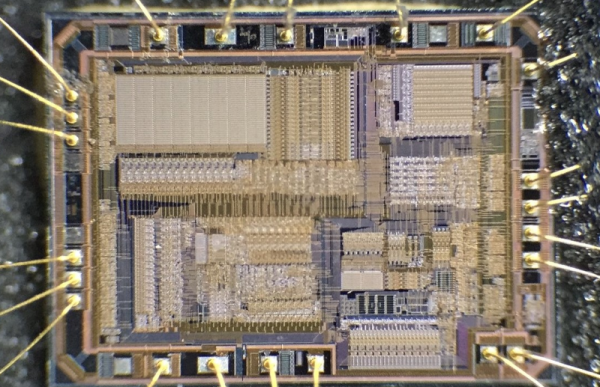
Decapsulating ICs used to be an exotic technique. (I should know, I did that professionally for one of the big IC vendors back in the 1980s.) These days, more and more people are learning to take apart ICs for a variety of reasons. If you are interested in doing it yourself, [Juan Carlos Jimenez] has a post you should read about using acid to remove epoxy from ICs.

[Juan Carlos] used several different techniques with varying degrees of success. Keep in mind, that using nitric acid is generally pretty nasty. You need safety equipment and be sure to plan for bad things to happen. Have eyewash ready because once you splash acid in your eye, it is too late to get that together.

Continue reading “Learn IC Decapping”

The Cable Modem To SDR Transformation

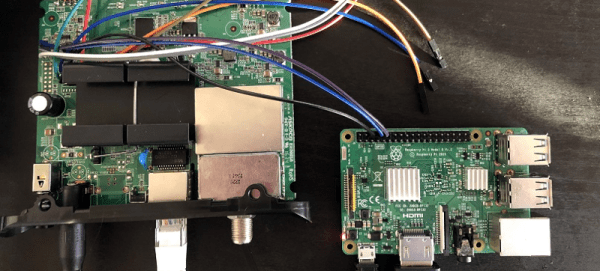
What do you do with an old cable modem in a closet? If you are [stdw] you reverse engineer it and turn it into a software-defined radio. The modem in question was a Motorola MB7220. After looking at a similar project using a different modem, it seemed like it should be doable.

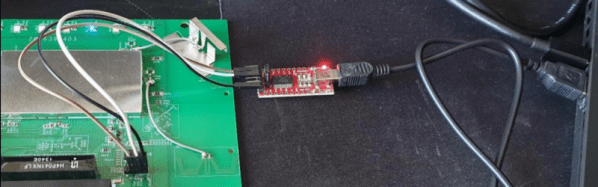
Cracking open the case revealed two likely UART ports, one of which was active. The output from that UART provided a lot of info. The chip was a Broadcom BCM3383 which is a MIPS processor. It had eCos as an operating system. However, the bootloader eventually disables the UART, so there wasn’t much more investigation possible via the serial terminal.

The next step was to dump the flash memory. That required a little solder surgery to prevent the board from starting while the flash chip had power. It appeared that some key credentials and configuration data were present, but they were really backups. After doing a factory reset to remove the backups, the right data was apparent.

After some lengthy exploration, the diagnostic that builds a spectrum display gave up its data. At first, the data was just a small sample of what was really required, but it did show a local FM station as a spectrum. Eventually, the data loss rate was down to about 12% when streaming which is not great, but good enough. You can hear an audio clip of the reception. Not exactly crystal-clear quality, but not bad.

Of course, no one will use this for an FM radio. But it is a fascinating view into how far you can hack into a device like this if you have some skills and patience. There must be something about quarantine that is making people hack old gear, as we just recently saw a similar Netgear hack. Even cheap games aren’t safe.

Official Teardown Gives Unexpected Look Into PS5

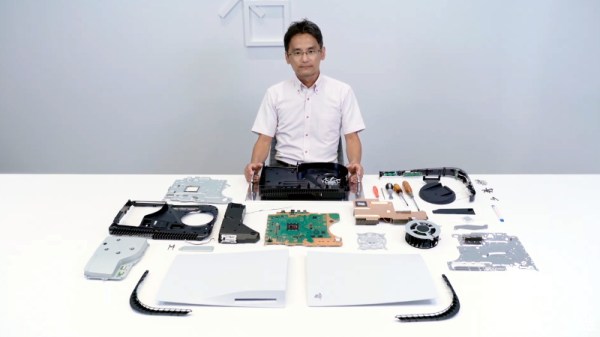
With Sony and Microsoft still a month away from the public release of their next-generation game consoles, you’d expect technical details of their respective systems to still be under a veil of secrecy. But both companies look to be taking things a bit differently this generation, as it becomes increasingly clear that modern consumers are interested in what makes their devices tick. Today, Sony really threw down the gauntlet by beating the tech media to the punch and posting their own in-depth teardown on the new PlayStation 5.

Unsurprisingly, the video after the break is almost entirely in Japanese. But even if you don’t know the language, there’s plenty of interesting details to be had. For one thing, the heatsink and fan that cools the PS5’s AMD CPU and GPU are collectively so massive that they appear to take up most of the console’s internal volume.

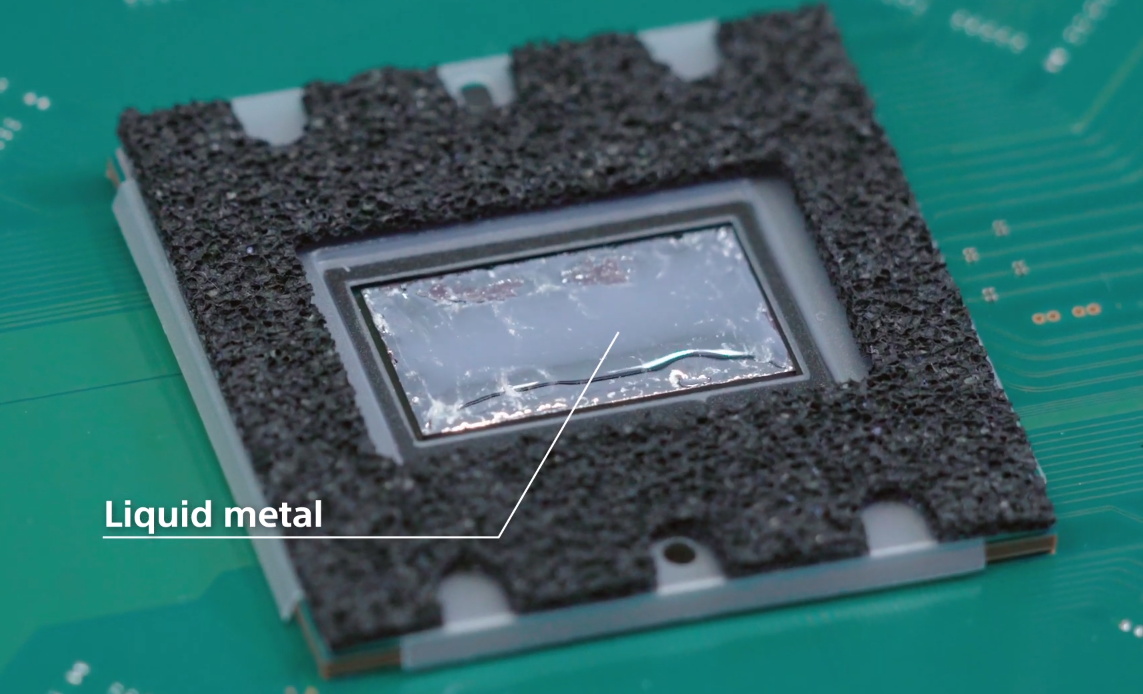
In fact, the heatsink itself is so large that the motherboard is actually mounted to it instead of the other way around. So if you want to take out the board, you have to unbolt it from the heatsink and remove it first. In the process you’ll expose the unique liquid metal thermal compound that Sony apparently developed specifically for this application. Good luck to you if any dust gets in that expensive-looking goop.

It’s also interesting to note that, unlike the previous two generations of Sony consoles, the PS5 has no discrete hard drive. Instead, onboard flash with a custom controller is used to provide 825 GB of storage for software. Hopefully Sony has put the requisite amount of R&D into their wear leveling, as a shot flash chip will mean a whole new motherboard. That said, gamers with extensive collections will be happy to see there appears to be an expansion bay where you can install your own M.2 drive.

Between this and the recent PS4 assembly line tour, it’s refreshing to see a company like Sony be a bit more transparent. After years of adversarial treatment from the tech giants, we’d almost forgotten that the customer is supposed to be king. Continue reading “Official Teardown Gives Unexpected Look Into PS5”

Hacking A Netgear Router

Have you ever wanted to watch someone reverse engineer a piece of hardware and pick up some tips? You can’t be there while [Jeremy] tears open a Netgear N300 router, but you can see his process step by step in some presentation charts, and you’ll get a few ideas for the next time you want to do something like this.

The first part of the presentation might be a little basic for most Hackaday readers, but presumably, the intended audience might not know much about soldering or multimeters. But we enjoyed the methodology used to work out the UART pins on the board. We would have read the baud rate with the scope, which [Jeremy] does, but he also mentions a script to work it out and create a minicom profile that looked interesting.

Continue reading “Hacking A Netgear Router”