Gigabit Ethernet Through The Air

There are a couple of really great things about transmitting data using light as the carrier. It can be focused so that it doesn’t spill all over the neighborhood like radio signals do — giving it both some security against eavesdropping and preventing one signal from stepping on another’s toes. And while you can modulate radio signals up nearly to the carrier frequency, the few gigahertz we normally use for radio just won’t cut it for really high bit rates. Light gets you terahertz.

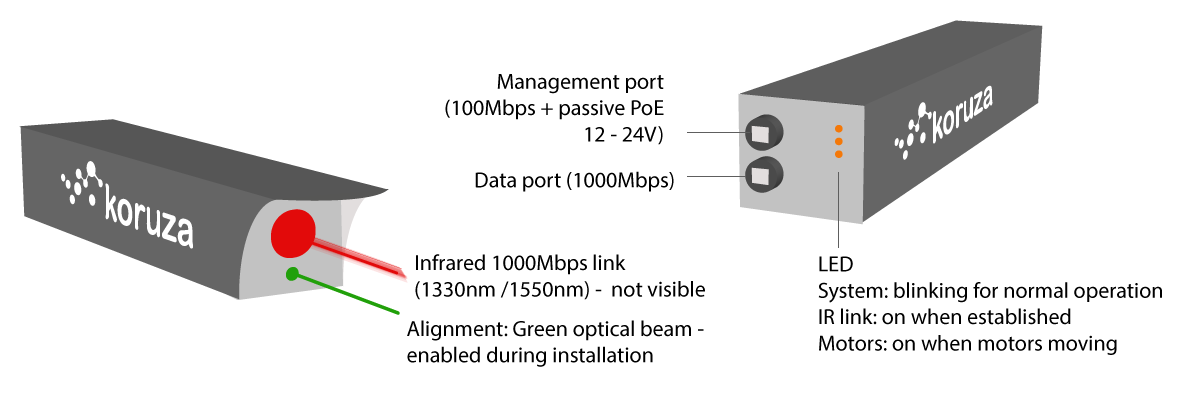
The Koruza project is an open-source, “inexpensive” system that aims to transmit 1 Gb/sec over distances around 100 meters, using modulated infrared light. The intended use-case is urban building-to-building communication at speeds that would otherwise require laying fiber-optic cables. Indeed, the system piggy-backs on existing fiber-optic equipment to get the job done, but the hard part is aligning the units to get maximum signal from point A to point B.

koruza-spec-info

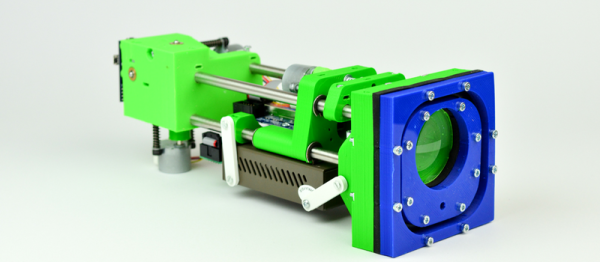
Koruza does this by including motorized lenses on the 3D-printed chassis. You make a rough alignment with a visible green laser, and then fine-tune the IR beams from a web console where you get immediate feedback on how the received signal strength is changing. Both Koruza boxes have a Raspberry Pi inside and use normal networking for calibration and signal-strength statistics. It’s a really neat system, and it’s fully DIY’able except for the commodity fiber-optic bits.

We’ve always had a soft-spot in our heart for transmitting data over light beams. The Ronja project has been doing so since 2001, and over longer distances, with completely DIY hardware, if at a slower bitrate. And now that Li-Fi seems to be getting traction, we might see an unfocused equivalent running inside our homes.

Thanks [Pavel] for the tip!

Monitor A Serial Port From Anywhere

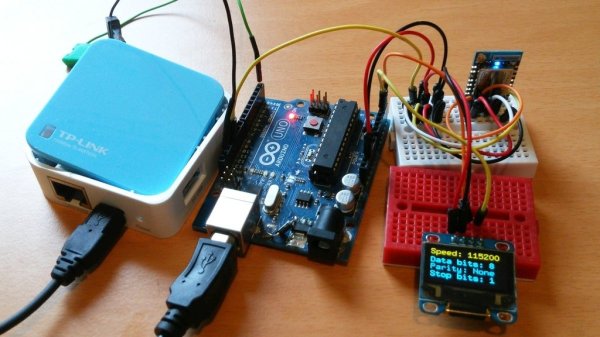
This simple WiFi serial port monitor would have saved us a lot of trouble. We can’t count how many times where being hooked into an Arduino with USB just to get the serial out has nearly been more trouble than it’s worth. Times where we sat cross-legged on the floor and could choose comfort or accidentally shifting the set-up and ruining everything, but not both.

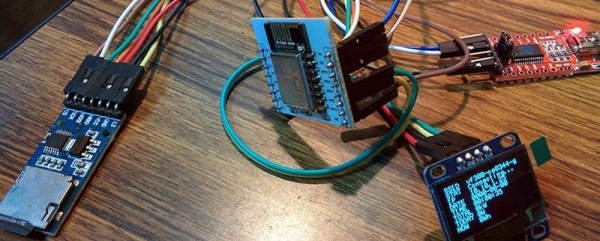
[Frenky]’s set-up is simple and clever. The Ardunio’s serial out is hooked to an ESP8266. The Arduino spams serial out to the ESP8266 in its usual way. The ESP8266 then pipes all that out to a simple JavaScript webpage. Connect to the ESP8266’s IP with any device in your house, and get a live stream of all the serial data. Neat.

As simple as this technique is, we can see ourselves making a neat little box with TX, RX, GND, and VCC screw terminals to free us from the nightmare of tethering on concrete floors just for a simple test. Video after the break.

Continue reading “Monitor A Serial Port From Anywhere”

A Spicy Regenerative Reciever

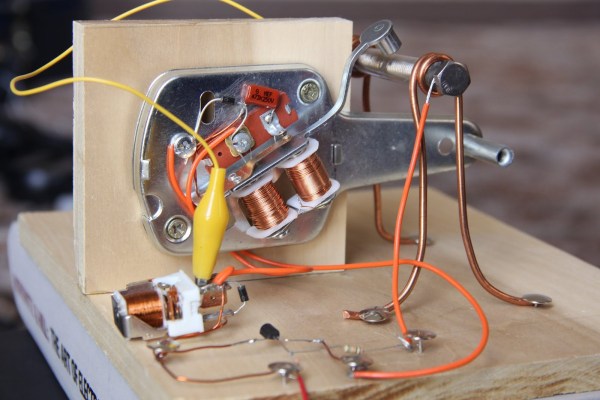
We recently posted a three-part series about using LTSpice to simulate electronic circuits (one, two, three). You might have found yourself wondering: Can you really simulate practical designs with the program? This quick analysis of [QRP Gaijin’s] minimalist regenerative receiver says “yes”.

Continue reading “A Spicy Regenerative Reciever”

A Lucky Antenna

Antennas come in all shapes and sizes, and which one is best depends wholly on what you are doing with it. A very popular choice for sending video from drones is the cloverleaf antenna. It is circularly polarized which is an advantage when you have a moving vehicle. It also reduces multipath interference.

A cloverleaf contains three closed loops spaced at different angles. The antenna works well for transmitting but isn’t ideal for receiving. It is also difficult to tune after building it. However, for the right job, it is a good performer. [Vitalii Tereshchuk] shows how he made a cloverleaf antenna that fits a WiFi router.

Continue reading “A Lucky Antenna”

Passive WiFi On Microwatts

A lot of you use WiFi for your Internet of Things devices, but that pretty much rules out a battery-powered deployment because WiFi devices use a lot of juice. Until now. Researchers at the University of Washington have developed a passive WiFi implementation that uses only microwatts per device.

Working essentially like backscatter RFID tags do, each node has a WiFi antenna that can be switched to either reflect or absorb 2.4 GHz radiation. Your cell phone, or any other WiFi device, responds to this backscattered signal. All that’s missing is a nice steady signal to reflect.

passive_wifi-shot0008A single, plugged-in unit provides this carrier wave for multiple WiFi sensor nodes. And here’s the very clever part of the research: to keep the carrier from overwhelming the tiny modulated signal that’s coming from the devices, the plugged-in unit transmits off the desired frequency and the battery-powered units modulate that at just the right difference frequency so that the resulting (mixed) frequency is in the desired WiFi band.

If you’re a radio freak, you’ll recognize the WiFi node’s action being just like a frequency mixer. That’s what the researchers (slightly mysteriously) refer to as the splitting of the analog transmission stage from the digital. The plugged-in unit transmits the carrier, and the low-power nodes do the mixing. It’s like a traditional radio transmitter, but distributed. Very cool.

There’s a bunch more details to making this system work with consumer WiFi, as you’d imagine. The powered stations are responsible for insuring that there’s no collision, for instance. All of these details are very nicely explained in this paper (PDF). If you’re interested in doing something similar, you absolutely need to give it a read. This idea will surely work at lower frequencies, and we’re trying to think of a reason to use this distributed transmitter idea for our own purposes.

And in case you think that all of this RFID stuff is “not a hack”, we’ll remind you that (near-field) RFID tags have been made with just an ATtiny or with discrete logic chips. The remotely-powered backscatter idea expands the universe of applications.

Thanks [Ivan] for the tip!

Continue reading “Passive WiFi On Microwatts”

Quickie WiFi Scanner

File this project under “Getting Stuff Done” rather than “Shiniest Things”. [filid] works with a local free-WiFi access group, and wanted to map out the signal strength (RSSI) and coverage of their installations. This is a trivial task for an ESP8266, and it was even easier for [filid] because he had already written some WiFi scanner code for the same hardware.

Basically, the device is a Neopixel ring connected to an ESP8266. If it detects a router that’s part of the Freifunk München network, it displays the RSSI on the ring in an attractive circular “bargraph”. When it doesn’t detect a Freifunk node, it displays the number of WiFi routers that it finds. It dumps a lot more detail over the serial port.

The code is short and sweet. Take a look if you’re just getting started with networking using the Arduino firmware on an ESP. Even if you don’t live in Munich, you’ll be able to tweak it to your own situation in a few seconds.

We want to see a GPS and an SD card added to this one, for a standalone wardriving-with-purpose setup. And while we admit that the small form-factor is probably appropriate for this project, how much cooler would it be if it glowed blue like Bilbo’s “Sting”?

Shoot Darts At The Shins Of Total Strangers

[Michael Brumlow] found us and sent us a link. Within a few seconds, we were driving a webcam-enabled Nerf dart tank through his office and trying not to hit walls or get stepped on by his co-workers. Unfortunately, it was out of darts at the time, but you can find them all over the floor if you scout around.

screenshot_remote_botAll of the code details, including the link where you can test drive it yourself, are up on [Michael]’s GitHub. The brains are an Intel Edison board, and the brawns are supplied by an Arduino motor controller shield and (for the latest version) a chassis bought from China.

It runs fairly smoothly, considering the long round trip from [Michael]’s office in Texas, through wherever Amazon keeps their Web Services, over to us in Germany and back. Once we got used to the slight lag, and started using the keyboard’s arrow keys for control, we were driving around like a pro.

It’s got a few glitches still, like the camera periodically overheating and running out of WiFi distance. [Michael] said he’d try to keep it charged up and running while you give it a shot. The controls are multiplexed in the cloud, so your chance of steering it is as good as anyone else’s. It’ll be interesting to see what happens when thousands of Hackaday readers try to control it at once!

It takes a certain kind of bravery to put your telepresence robot up on the open Internets. So kudos to you, [Michael], and we hope that you manage to get some work done this week, even though you will have all of Hackaday driving into your cubicle walls.