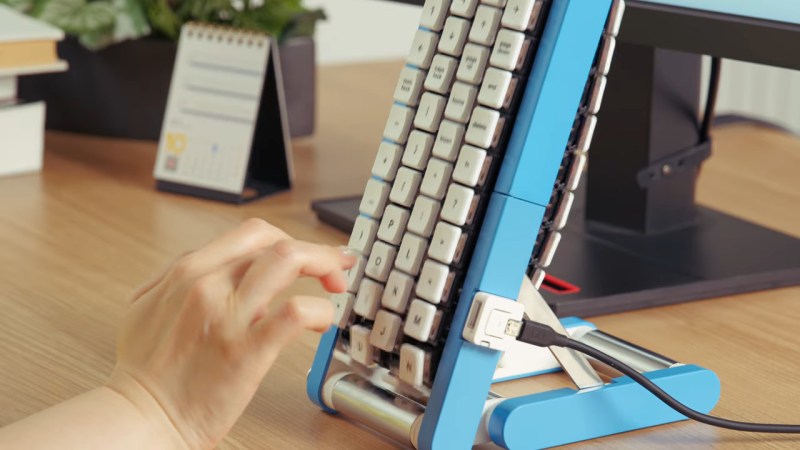
Two maps of London turned into hexagonal regions heat mapped from white to peach to purple. The left map is according to: density, ratings, surprise, cuisine diversity, and independent share. The map on the right of merged data assigns the dominant hub type in a region. Purple is assigned a value of "Elite", reddish orange is "Strong", peach is "Everyday", and white/grey is "Weak." The five locations deemed to be the highest scorers were Ealing-Acton, Kingston Upon Thames, Enfield, Bromley, and Havering.

Google Maps Killed The Restaurant Star

We all know that Google and other big players pick and choose what information people see, but we sometimes overlook it outside of the search and social media space. [Lauren Leek] decided to take a look at how Google Maps picks winners and losers in the restaurant scene in London.

Building a machine learning model to determine a new restaurant recommendation (as one does), [Leek] uncovered interesting, and perhaps concerning, elements of how Google Maps ranks restaurants. Broken down by relevance, proximity, and prominence, many new restaurants face the issue of not drawing traffic without reviews and vice-versa causing a vicious cycle. Relevance and proximity are fairly straightforward, but what goes into “prominence?”

[Leek] found that “it is not just what people think of a place – it is how often people interact with it, talk about it, and already recognise it.” This leads to chains and high foot traffic areas awash in reviews while more out-of-the-way places find it more difficult to draw traffic. Some of this is expected and would be happening even when word of mouth was the primary way to find out where to eat, but as with many things, the algorithm amplifies this, along with the undisclosed paid placement of restaurants in Maps results.

While still in its infancy, [Leek] built a public dashboard where people can sort restaurants in the city. The machine learning algorithm is designed to identify places that are hidden gems that punch above their Google Maps weight and may make you look like the trendy one (if you live in London).

Zooming out further, [Leek] found larger clusters that revealed restaurant “diversity, in other words, is not just about taste. It is about where families settled, which high streets remained affordable long enough for a second generation to open businesses, and which parts of the city experienced displacement before culinary ecosystems could mature.”

If you want to step outside the algorithm mayhem, how about a good old-fashioned Web Ring? We’ve also addressed what’s an AI versus an algorithm, and Cory Doctorow advised us on how to reverse course on the current wave of enshittification.

Google Earth Desktop Client To Be Retired In 2027

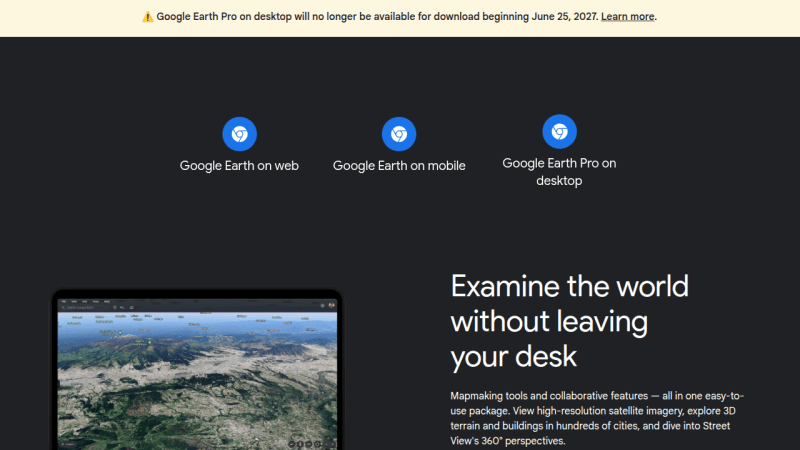
Come next year, those looking to explore the globe virtually via Google Earth will have to do so on their smartphone or from within their browser, as the search giant has decided to discontinue the service’s desktop client in June 2027.

The good news is, the lights won’t be going out immediately. According to a post made on Google Earth’s official support community by Community Manager [Aamir F.], the June cutoff date applies to new downloads, but nothing is changing on the backend, so existing installs will continue to work.

Continue reading “Google Earth Desktop Client To Be Retired In 2027”

Linux Fu: Upcycling An Old Router

You’re wandering through a thrift store and spot an old router for ten bucks. Worthless, right? But in this case, it was a Google OnHub, which, at the time, was pretty premium and still isn’t anything to sneeze at. Of course, Google abandoned it long ago, and it runs Chrome, so pass, right? Of course I didn’t. In fact, I bought two for less than $20. The question is always the same: what do you do with it?

OpenWrt will run on the device. That’s a good start, but merely replacing the firmware isn’t much of a project. The more interesting question is whether the hardware can still do something useful. I had a specific need: connect a wired workstation to a reasonably distant WiFi network without running cable and without suffering the usual double-NAT headaches that come from turning the router into yet another subnet. For this, the OnHub turned out to be nearly perfect.

The Hardware

The OnHub was Google’s first Wi-Fi router, built by TP-Link and ASUS in different versions. Mine was the TP-Link model, and one was missing a bit of plastic cowl trim. Under the hood, it has a Qualcomm IPQ8064 dual-core processor — a dual-core ARMv7 — multiple radios, gigabit Ethernet, and enough memory to run OpenWrt comfortably: 1 GB of RAM and 4 GB of flash. The processor also has two network offload processors, but it isn’t clear to me that the stock OpenWrt build uses them.

These devices were expensive when new, but now show up regularly at thrift stores and surplus sales. Installing OpenWrt was straightforward. You do need to remove a screw that covers the magic switch at the bottom, but that’s not a big problem. You can just peel the rubber foot back if you don’t want to remove it. However, the interesting part came afterward.

Continue reading “Linux Fu: Upcycling An Old Router”

Turning A Chromebox Into A Proper Power-Efficient PC

Google’s ChromeOS and associated hardware get a lot of praise for being easy to manage and for providing affordable hardware for school and other educational settings. It’s also undeniable that their locked-down nature forms a major obstacle and provides limited reusability.

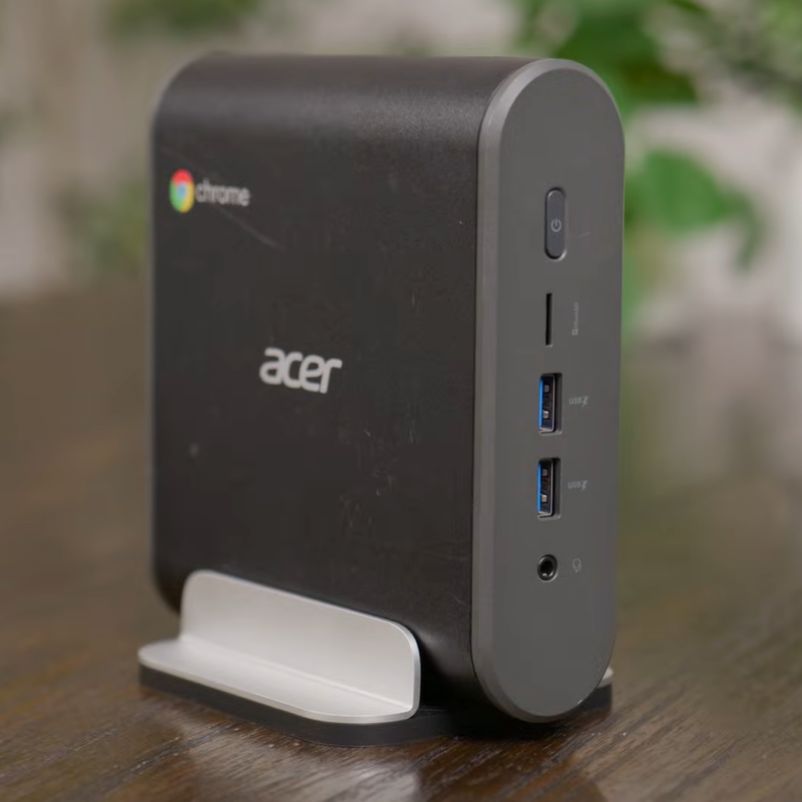
That is unless you don’t mind doing a bit of hacking. The Intel Core i3-8130U based Acer CXI3 Chromebox that the [Hardware Haven] YouTube channel got their mittens on is a perfect example.

The Acer CXI3 in all its 8th-gen Intel Core i3 glory. (Credit: Hardware Haven, YouTube)

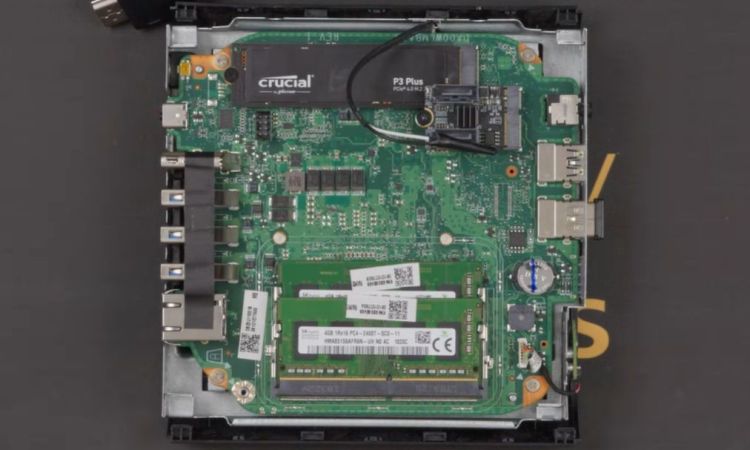
This is a nice mini PC, with modular SODIMM RAM, an NVMe storage M.2 slot as well as a slot for the WiFi card (or SATA adapter). After resetting the Chromebox to its default configuration and wiping the previous user, it ran at just a few watts idle at the desktop. As this is just a standard x86_64 PC, the only thing holding it back from booting non-ChromeOS software is the BIOS, which is where [MrChromebox]‘s exceedingly useful replacement BIOSes for supported systems come into play, with easy to follow instructions.

Reflashing the Acer CXI3 unit was as easy as removing the write-protect screw from the mainboard, running the Firmware Utility Script from a VT2 terminal (Ctrl+Alt+F2 on boot and chronos as login) and flashing either the RW_LEGACY or UEFI ROM depending on what is supported and desired. This particular Chromebox got the full UEFI treatment, and after upgrading the NVMe SSD, Debian-based Proxmox installed without a hitch. Interestingly, idle power dropped from 2.6 watts under ChromeOS to 1.6 watts under Proxmox.

If you have a Chromebox that’s supported by [MrChromebox], it’s worth taking a poke at, with some solutions allowing you to even dualboot ChromeOS and another OS if that’s your thing.

Continue reading “Turning A Chromebox Into A Proper Power-Efficient PC”

Google FindMy Tools Run On An ESP32

As of about a day ago, Google’s reasonably new Find My network just got more useful. [Leon Böttger] released his re-implementation of the Android tracker network: GoogleFindMyTools. Most interestingly for us, there is example code to turn an ESP32 into a trackable object. Let the games begin!

Everything is in its first stages here, and not everything has been implemented yet, but you are able to query devices for their keys, and use this to decrypt their latest location beacons, which is the main use case.

The ESP32 code appears not to support MAC address randomization just yet, so it’s possibly more trackable than it should be, but if you’re just experimenting with the system, this shouldn’t be too much of a problem. The README also notes that you might need to re-register after three days of use. We haven’t gotten to play with it just yet. Have you?

If you’re worried about the privacy implications of yet another ubiquitous tracking system out there, you’re not alone. Indeed, [Leon] was one of the people working on the Air Guard project, which let iPhone users detect trackers of all sorts around them. Anyone know if there’s something like that for Android?

Thanks [Lars] for the hot tip!


A Look Back At Google’s 2015 Chromecast

Google’s Chromecast was first released in 2013, with a more sophisticated follow-up in 2015, which saw itself joined by the Chromecast Audio dongle. The device went through an additional two hardware generations before the entire line of products was discontinued earlier this year in favor of Google TV.

Marvell's Armada 88DE3006 dual-core Cortex-A7 powers the second-generation ChromeCast. (Credit: Brian Dipert, EDN)
Marvell’s Armada 88DE3006 dual-core Cortex-A7 powers the second-generation Chromecast. (Credit: Brian Dipert, EDN)

In addition to collecting each generation of Chromecast, [Brian Dipert] over at EDN looked back on this second-generation dongle from 2015 while also digging into the guts of a well-used example that got picked up used.

While not having any of the fascinating legacy features of the 2nd-generation Ultra in his collection that came with the Stadia gaming controller, it defines basically everything that Chromecast dongles were about: a simple dongle with a HDMI & USB connector that you plugged into a display that you wanted to show streaming content on. The teardown is mostly similar to the 2015-era teardown by iFixit, who incidentally decided not to assign any repairability score, for obvious reasons.

Most interesting about this second-generation Chromecast is that the hardware supported Bluetooth, but that this wasn’t enabled until a few years later, presumably to fix the wonky new device setup procedure that would be replaced with a new procedure via the Google Home app.

While Google’s attention has moved on to newer devices, the Chromecast isn’t dead — the dongles in the wild still work, and the protocol is supported by Google TV and many ‘smart’ appliances including TVs and multimedia receivers.

Installing SteamOS And Windows On A Google Meet Video Conference Computer

The Lenovo Meet is a collaboration with Google to bring Google Meet to customers in a ready to install kit for conference rooms and similar. Also called the Google Meet Series One, it features a number of cameras, speakers, display and more, along with the base unit. It is this base unit that [Bringus Studios] on YouTube tried to install a different OS capable of running Steam games on in a recent video. Along the way many things were learned about this device, which is – unsurprisingly – just another ChromeOS box.

After removing the rubber bottom (which should have been softened with a hot air gun to prevent damage), the case can be opened with some gentle prying to reveal the laptop-like innards. Inside are an 8th gen Intel CPU (i7-8550U @ 1.8 GHz), a 128 GB SATA M.2, 2 GB DDR4 RAM, along with 2 more GB of DDR4 a MicroSD slot and a Google Coral DA1 TPU on the bottom of the mainboard. It should be easy to install Linux, Windows, etc. on this other than for the ChromeOS part, which locks down the non-UEFI BIOS firmware.

Continue reading “Installing SteamOS And Windows On A Google Meet Video Conference Computer”