
NASA is going back to the Moon! We’ll follow the crew of Artemis II every step of the way.
Continue reading “Following Artemis II’s Journey Around The Moon”

NASA is going back to the Moon! We’ll follow the crew of Artemis II every step of the way.
Continue reading “Following Artemis II’s Journey Around The Moon”
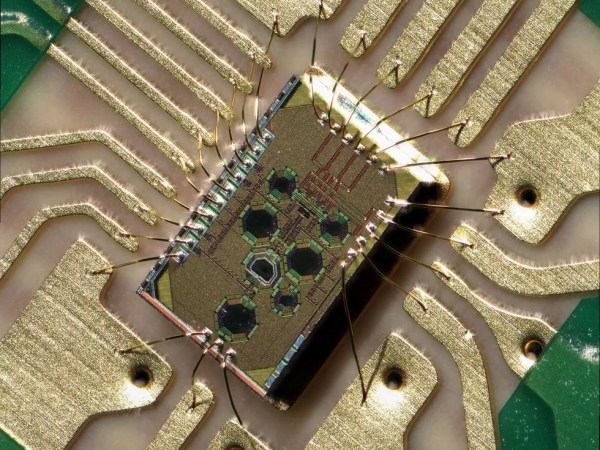
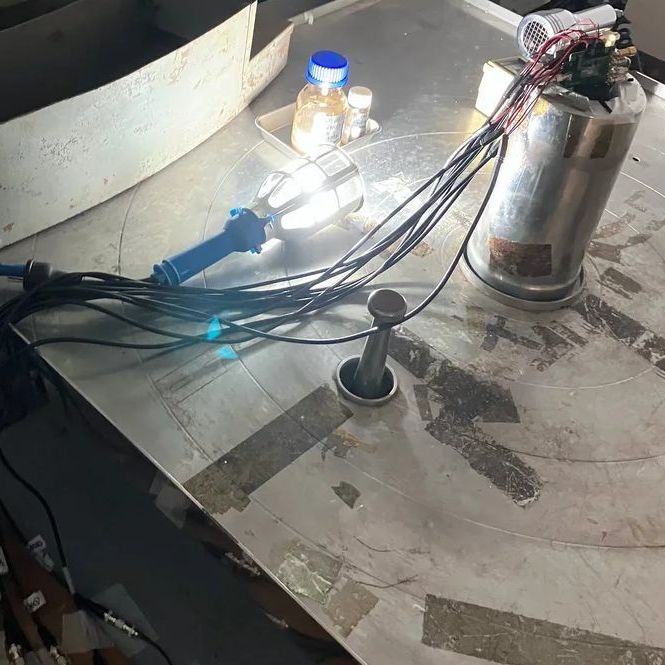
From outer space to down here on Earth, there are many places where ionizing radiation levels are high enough that they effectively bar access for humans, but also make life miserable for anything containing semiconductor technology. This is especially true for anything involving wireless communications, such as Wi-Fi. However, recently Japanese researchers have created a Wi-Fi chip that is claimed to be so radiation-hardened that it can be used even in gamma ray-rich environments, such as in the worst contaminated depths of the Fukushima Daiichi nuclear reactor.
The indicated dose exposure of 500 kilograys that the chip survived during testing is quite significant. A single gray (Gy) is the absorption of one joule of energy per kilogram of matter. In radiation therapy, a solid epithelial tumor can receive as much as 60 to 80 Gy in a single dose, for example.
Continue reading “Exposing A Radiation-Hardened 2.4 GHz Wi-Fi Receiver To 500 Kilograys”

A fun part of retro computing is saving ‘e-waste’ that was headed for certain destruction. These boards can have any number of defects, modifications and more that have to be remedied prior to using them. In the case of the Asus P5A-B Socket 7 mainboard that [Bits und Bolts] rescued from the scrapheap at least one issue was obvious: someone had ripped off the plastic part of the ZIF socket, leaving only the metal pins poking out like an awkward kind of LGA socket.
In addition to the busted PGA ZIF socket there was additional damage, including a broken SMT capacitor and missing resistor. Interestingly, someone had apparently modded the ATX power connector to permanently power on the system by removing a pin and bridging to the power-on signal. Obviously this mod had to be undone by removing the bridge and installing a new pin. After this cracked solder joints had to be addressed, before the tedious task of removing the stray PGA socket pins one by one started.
Exactly what was done to this mainboard and why will likely forever remain a mystery, but at least there didn’t seem to be any serious damage. After installing a CPU it was possible to boot and access the BIOS as well as run a couple of tools, confirming that one more Socket 7 board has been saved from the scrapper.
Continue reading “Fixing An E-Waste ASUS P5A-B Socket 7 Mainboard”

Although Windows 95 stole the show, Windows 3.0 was arguably the first version of Windows that more or less nailed the basic Windows UI concept, with the major 3.1 update being quite recognizable to a modern-day audience. Even better is that you can still install Win3.1 on a modern x86-compatible PC and get some massive improvements along the way, as [Omores] demonstrates in a recent video.
The only real gotcha here is that the AMD AM5 system with Asus Prime X670-P mainboard is one of those boards whose UEFI BIOS still has the ‘classic BIOS’ Compatibility Support Module (CSM) option. With that enabled, Win 3.1 installs without further fuss via a USB floppy drive from a stack of ‘backup’ floppies that someone made in the early 90s. [Omores] also tried it with CSMWrap, but with this USB to PS/2 emulation didn’t work.
Windows 3.1 supports ‘enhanced mode’ by default, which adds virtual memory and multi-tasking if you have an 80386 CPU or better. To fix crashing on boot and having to use ‘standard mode’ instead, the ahcifix.386 fix for the responsible SATA issue by [PluMGMK] should help, or a separate SATA expansion card.
For the video driver the vbesvga.drv by [PluMGMK] was used, to support all VESA BIOS Extensions modes. This driver has improved massively since we last covered it and works great with an RTX 5060 Ti GPU. There’s now even DCI support to enable direct GPU VRAM access for e.g. video playback, with audio also working great with only a few driver-related gotchas.
Continue reading “Windows 3.1 On A Modern AM5-Based PC Is Surprisingly Usable”
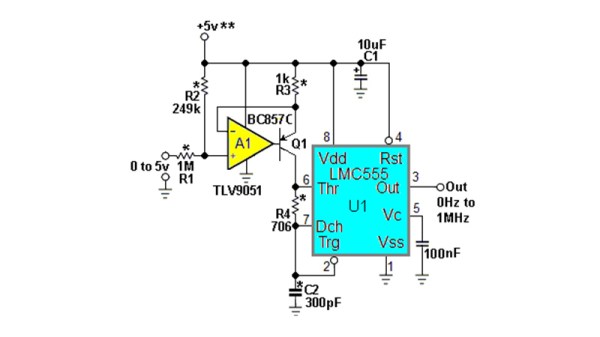
The humble NE555 has been around for over five decades now, and while during that time we’ve seen a succession of better and faster versions of the original, the circuits which surround it are pretty well known. There can’t be anything new in the world of 555s, can there? [Stephen Woodward] claims he’s made a novel 555 circuit, with his 1 MHz linear voltage to frequency converter. Since he’s been in love with the 555 since 1974, we’re inclined to trust him on this part.
It’s visibly the 555 astable oscillator we’re all familiar with, given the addition of a current source in place of the normal charging resistor. This makes for a much more linear sawtooth waveform, but it still doesn’t fix the linearity of the voltage to frequency curve. The novel bit comes in adding an extra resistor between the threshold and discharge pins, with a value calculated for a time constant with the capacitor to match the 555’s own switching delay. This provides the necessary compensation, and gives the circuit its linearity.
This is so brilliantly simple that it’s almost a shock that it’s new, but it’s also a great example of the old-school electronic engineer’s art. We can’t think of an immediate need for a 555 voltage to frequency converter on the Hackaday bench at the moment, but you can bet we’ll come back to this one if we do.
We had someone pushing a newer 555 variant to its limit, when we ran our component abuse challenge.
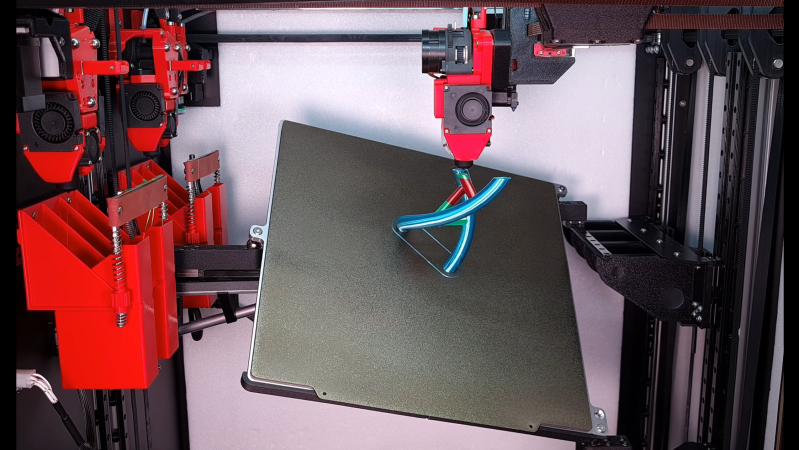
Usually, when we see non-planar 3D printers, they’re rather rudimentary prototypes, intended more as development frames than as workhorse machines. [multipoleguy]’s Archer five-axis printer, on the other hand, breaks this trend with automatic four-hotend toolchanging, a CoreXY motion system, and print results as good-looking as any Voron’s.
The print bed rests on three ball joints, two on one side and one in the center of the opposite side. Each joint can be raised and lowered on an independent rail, which allows the bed to be tilted on two axes. The dimensions of the extruders’ motion system limit how much the bed can be angled when the extruder is close to the bed, but it can reach sharp angles further out.
The biggest difficulty with non-planar printing is developing a slicer; [multipoleguy] is working on a slicer (MaxiSlicer), but it’s still in development. It looks as though it’s already working rather well, to the point that [multipoleguy] has been optimizing purge settings for tool changes. It seems that when a toolhead is docked, the temperature inside the melt chamber rises above the normal temperature in use, which causes stringing. To compensate for this, the firmware runs a more extensive purge when a hotend’s been sitting for a longer time. The results speak for themselves: a full three-color double helix, involving 830 tool changes, could be printed with as little as six grams of purge waste.
As three-axis 3D printers become consumer products, hackers have kept looking for further improvements to make, which perhaps explains the number of non-planar printing projects appearing recently, including a few five-axis machines. Alternatively, some have experimented with non-planar print ironing.
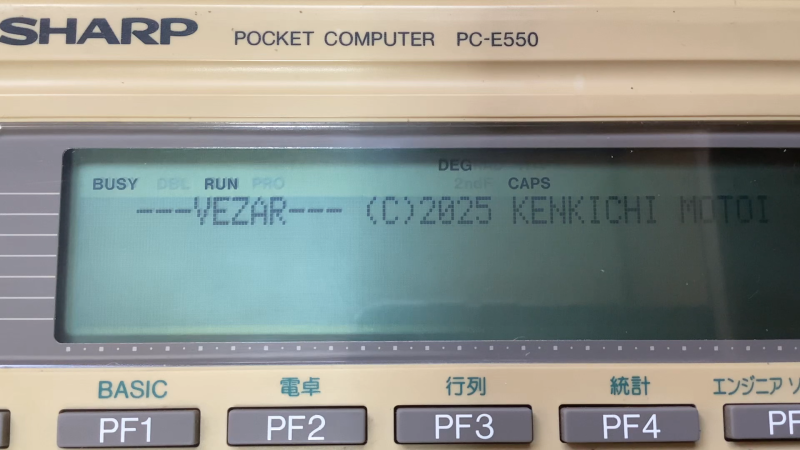
Pocket computers like Sharp’s 8-bit computing marvels were a big part of the 1980s, providing super-portable processing power to anyone who wanted a bit more than what something like a scientific calculator could provide at the time. These days they are mostly just a collector’s item for retrocomputing enthusiasts, which also means that a lot of the knowledge about how to program the CPUs in them is at risk of being lost.
This is why [gikonekos] decided to combine as much knowledge they can glean from official documentation into a reference project on GitHub for the SC62015 equipped Sharp pocket computers like the PC-E550.
Generally you’d program in Sharp’s dialect of BASIC on these computers, such as the ‘PLAY3’ program that [gikonekos] recently unearthed from a November 1993 copy of ‘Pocket Computer Journal’ using which you can create polyphonic tunes. This only unlocks a small part of what the hardware can do, of course, so having a full opcode reference like this is important.
While still a work in progress, it’ll eventually contain the full opcode and register tables, addressing modes, instruction summaries and of course a full accounting of how all of this was reconstructed. As the original Sharp documentation wasn’t released to the public, providing these scans is also not a goal, especially not under any kind of free license.
A cursory search reveals an instruction table for the PC-E500 from 1995 by [Andrew Woods], so documenting this is not a new thing, although at the time these Sharp pocket PCs didn’t count as ‘retro systems’ yet.
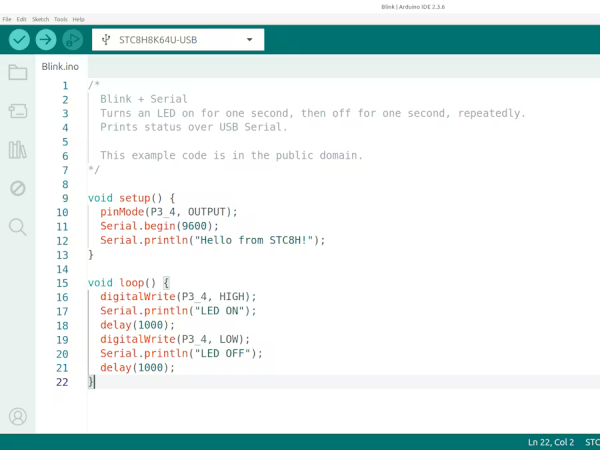
The 8051 was an 8-bit Harvard-architecture microcontroller first put out by Intel in 1980. They’ve since discontinued that line, but it lives on in the low-cost STC8 family of chips, which is especially popular in Asia. They’re cheap as, well, chips — under 1$ — but lack compatibility with modern toolchains. If you’re happy with C, then you’re fine, but if you want to plus-plus it up and use all those handy-dandy shortcuts provided by the Arduino ecosystem, you’re out of luck. Or rather, you were, until [Bùi Trịnh Thế Viên] aka [thevien257] came up with a workaround.
The workaround is delightfully Hack-y. One could, conceivably, port a compiler for Arduino’s Wiring to the 8051, but that’s not what [Viên] did, probably because that would be a lot of work. There isn’t even a truly modern toolchain to put plain C on this chip. Instead, [Viên] started with rv51, a RISC-V emulator written in 8051 assembly language by [cryozap]. RISC-V is a lot easier to work with and, frankly, a more useful skill to build up.
Continue reading “Arduino Code? On My 8051? It’s More Likely Than You Think”









