Helmke-Part-Counter Dispensing Parts

Dispense 60 Bolts In 2.3 Seconds

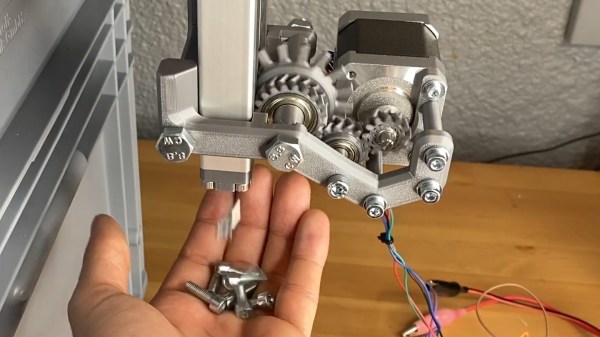
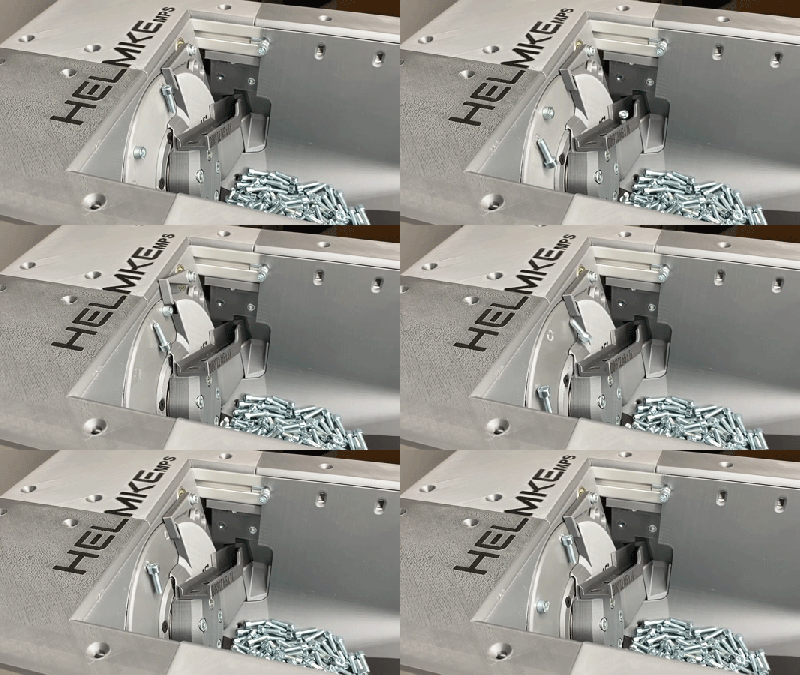
We’ve covered a number of projects that assist makers who need to fill orders for their small businesses, or kitting. [Helmke] has sorted thousands of pieces of hardware that they include with 3D printed parts sold online. They have been developing an alternative, a modular system for sorting and packaging specific quantities of parts.

Animated GIF of Helmke-Part-Counter Sorting Parts

After the break, check out the latest video from their small but growing channel for a very clear walk-through of the counting system they’ve been iterating on. The 2nd video in the series explores solenoids, Geneva drives, and ultimately a sprocket to dispense a variable number of bolts from the sorting machine. The approach gives consistent results, easily to vary quantities, and is fast! These videos are also rich with lots of small details you might want to explore on your own like magnetic part feeding, discussions of different sensors for detecting and counting parts, 3D printed gear box designs, and we love the use of stackable crates for project enclosures.

We hope to see more videos from [Helmke] in the series as the project matures for deeper dives into the existing mechanisms and new features they develop next. Hungry for more? We’ve brought you everything from cutting and stripping wire, to SMD tape, to resistors, to laser-cut parts. Continue reading “Dispense 60 Bolts In 2.3 Seconds”

Ikea Clock Gets Wanderlust

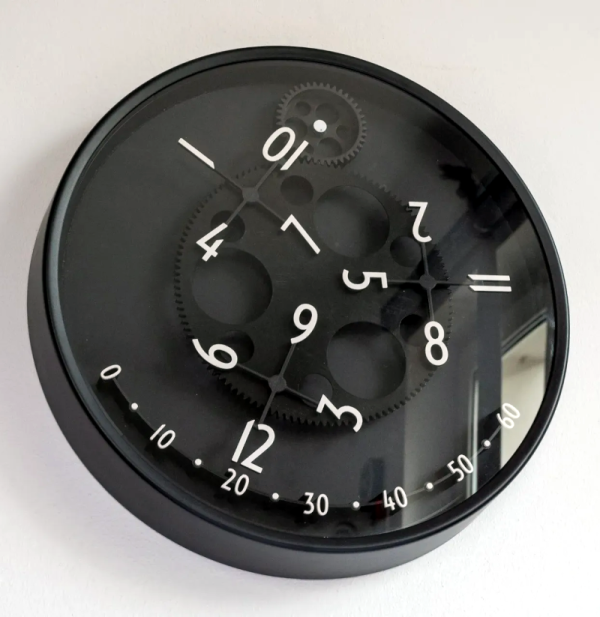
We always enjoy unique clocks, and a recent 3D print from [David Kingsman] caught our eye. It converts an Ikea clock into a very unusual-looking “wandering hour” clock that uses a Geneva drive to show a very dynamic view of the current time. The concept is based on an earlier wandering clock, but [David] utilized a different mechanism.

To read the clock, you note which hour numeral is in range of the “minute arc” and read the time directly. So if the 12 hour is over the 20-minute mark, the time is 12:20. Besides the clock, you need a fair number of printed parts, although they all look like relatively simple prints. You’ll also need 13 bearings and some metric hardware. A piece of cardboard used for the face rounds out the build.

Modifying the clock is more than just taking it apart. There is a template file to print, and you’ll need to align it and drill holes as indicated.

If you haven’t seen a Geneva drive before, it translates a continuous rotation into intermittent rotation. This isn’t the first clock we’ve seen use this kind of drive, although the last one we saw represented time differently. If you want something even more mechanical, try a chain-driven clock.

Making The One Ring By Electroplating Gold On A 3D Print

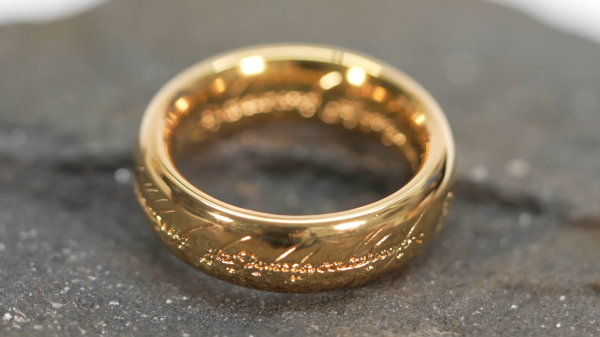
Electroplating is a great way to add strength or shine to a 3D print. However, we don’t see too many people trying it with gold. [HEN3DRIK] isn’t afraid to experiment, though, and pulled off some amazing, high-quality jewelry-grade plating!

The design for the project was the so-called Ring of Power from Lord of the Rings. The print was created on a resin printer at a high quality level, washed thoroughly to remove any remaining resin, and then cured. The print was then post-processed with sandpaper to make it as smooth as possible. Conductive paint was then applied, ready to take on the plating layers. [HEN3DRIK] first started by plating copper to build up a tough base layer, then nickel to prevent mixing between the copper and gold. The gold is then finally plated on top. Plating the copper is done with the ring constantly rotating to get as even a coat as possible. In contrast, the gold plating is done with a brush to avoid wasting the highly-expensive plating solution.

The final result is a gleaming gold ring that probably feels strangely light in the hand. The technique is time consuming, thanks to the need to plate multiple layers, but the results are to die for. We’ve seen [HEN3DRIK]’s fine work before, too. Video after the break.

Continue reading “Making The One Ring By Electroplating Gold On A 3D Print”

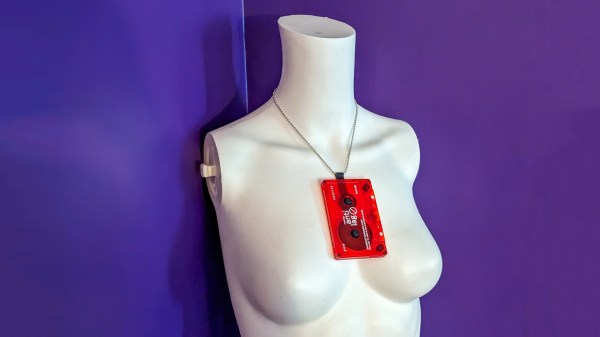
Wear Your Fave Cassette Tapes As A Necklace With This 3D Printed Adapter

While packing merch for a recent gig, I realised I had the opportunity to do something a little fun. I’d released an album on tape, and spent a little extra to ensure the cassette itself was a thing of beauty. It deserved to be seen, rather than hidden away in a case on a shelf. I wanted to turn this piece of musical media into a necklace.

Of course, cassette tapes aren’t meant to be used in this way. Simply throwing a chain through the cassette would lead to tape reeling out everywhere. Thus, I fired up some CAD software and engineered a solution to do the job! Here’s how I built an adapter to turn any cassette tape into a cool necklace.

Find the design on Thingiverse, and more details below!

Continue reading “Wear Your Fave Cassette Tapes As A Necklace With This 3D Printed Adapter”

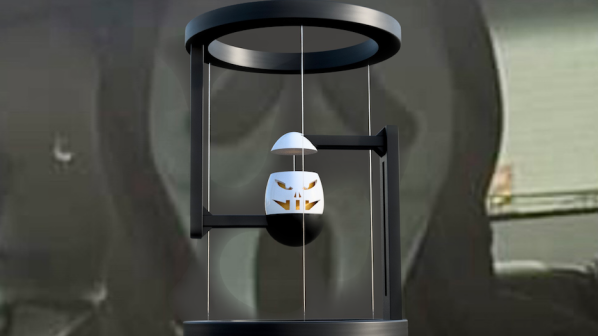
Build This Halloween-Themed TensEGGrity Sculpture

Tensegrity sculptures are fun things, and often sold as office desk toys or scientific novelties. You can build your own too, and [seabirdhh] has whipped up a fun holiday-themed version.

The first part to build is the egg-hat-stand. This consists of the base of the structure, with the “hat” of the egg character hanging in the center. The other half of the structure is built separately, with the rest of the “egg head” sitting in a cup in the bottom of the upper structure. A series of nylon threads are then tied between the components. These can then be tensioned to give the structure its shape, allowing the egg’s “hat” to hover above its “head”. [seabirdhh] passes the nylon threads through small pieces of rubber that allow the tension to be adjusted just right. Too little and the structure falls down, but too much, and it will bend over time. Tuning it carefully is key.

It’s a fun build, and a cheap way to experiment with tensegrity concepts at home. You can even use these same techniques to build a quadcopter, or apply them in the world of LEGO. Video after the break.

Continue reading “Build This Halloween-Themed TensEGGrity Sculpture”

Electroplating Makes 3D-Printed Star Wars Prop Shine

3D printing is known for producing parts with a fairly average finish at best. Even the smoothest resin prints are still fairly plasticky and dull in appearance. However, it’s possible to do much better if you get creative with electroplating. This thermal detonator prop from [HEN3DRIK] shows just how good a 3D print can look with a little post-processing and some chemical help.

[HEN3DRIK] started with a Star Wars thermal detonator model found online, and printed it in resin for the best possible surface finish from the get go. The parts were cleaned after printing and cured, as per usual resin processing techniques. From there, fine steel wool and sandpaper was used to make the print as smooth as possible. A conductive layer of copper paint was then sprayed on with an airbrush, with mating surfaces masked off to avoid ruining the fit.

The part was then dunked in an acidic copper bath while attached to a power source, and gently rotated during the electroplating process. The results were excellent, resulting in near-mirror finish copper-plated parts after polishing. Nickel was then plated on top to get the prop to the proper silver color. The prop was finally then assembled with an Arduino Nano inside to run several LEDs for visual effect.

Electroplating isn’t just for making things pretty. It can also add strength to your 3D prints, too! Video after the break.

Continue reading “Electroplating Makes 3D-Printed Star Wars Prop Shine”

£D printed parts with glossy toner transfer images on

Add Full-Color Images To Your 3D Prints With Toner Transfer

Toner transfer is a commonly-used technique for applying text and images to flat surfaces such as PCBs, but anybody who has considered using the same method on 3D prints will have realized that the heat from the iron would be a problem. [Coverton] has a solution that literally turns the concept on its head, by 3D printing directly onto the transparency sheet.

instrument panel design with toner transfer markings
The fine detail is great for intuitive front-panel designs

The method is remarkably straightforward, and could represent a game-changer for hobbyists trying to achieve professional-looking full-color images on their prints.

First, the mirrored image is printed onto a piece of transparency film with a laser printer. Then, once the 3D printer has laid down the first layer of the object, you align the transparency over it and tape it down so it doesn’t move around. The plastic that’s been deposited already is then removed, and a little water is placed on the center of the bed. Using a paper towel, the transparency gets smoothed out until the bubbles are pushed off to the edges.

Another few pieces of tape hold the transparency down on all corners, and the hotend height is adjusted to take into account the transparency thickness. From there, the print can continue on as normal. When finished, the image should be fused with the plastic. If it’s hard to visualize, check out the video after the break for a step-by-step guide.

There are, of course, some caveats. Aligning the transfer and the print looks a little fiddly at the moment, the transparency material used (obviously) has to be rated for use in laser printers, and it only works on flat surfaces. But on the other hand, there will be some readers who already have everything they need to try this out at home right now — and we’d love to see the results!

We’ve covered some other ways to get color and images onto 3D prints in the past, such as this hydrographic technique or by using an inkjet printhead, but [Coverton]’s idea looks much simpler than either of those.  If you’re interested in toner transfer for less heat-sensitive materials, then check out this guide from a few years back, or see what other Hackaday readers have been doing on wood or brass.

Continue reading “Add Full-Color Images To Your 3D Prints With Toner Transfer”