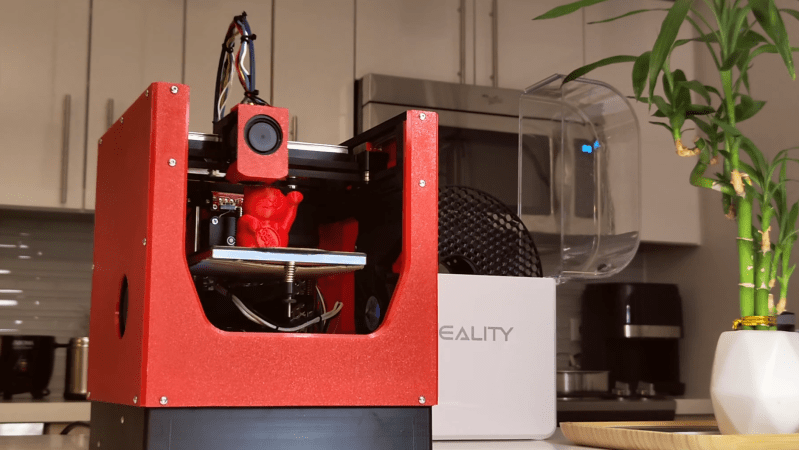
A Status Screen For Bambu Labs Printers

If you’ve got a Bambu Labs printer, it’s usually pretty straightforward to keep an eye on it via the onboard display or the various apps the company has released. However, if you want a dedicated display somewhere remote from your printer, you might like this build from [Keralots].

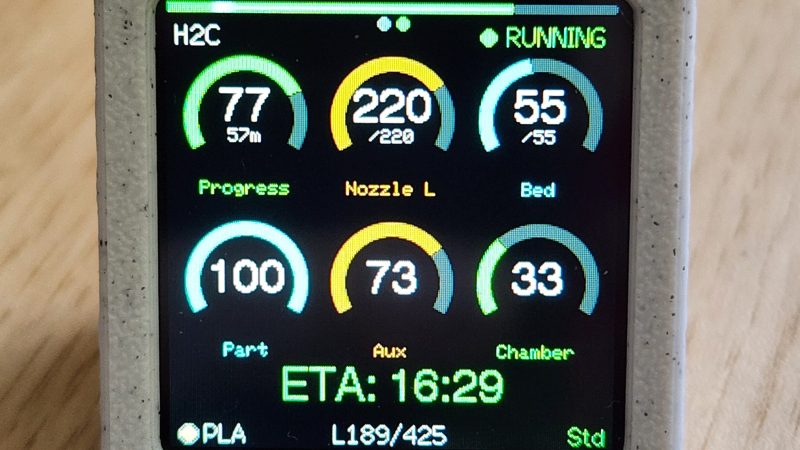
The project is based on an ESP32-S3 Super Mini, paired with a 1.54″ TFT display with a 240 x 240 resolution. It’s set up to talk to Bambu Labs printers over MQTT with TLS. It harvests status data and uses it to display a real-time dashboard with critical printer parameters display on arc gauges. There’s also plenty of live stats to pore over, as well as buzzer notifications if you want auditory alerts about what is going on. It’s possible to use with just about any Bambu Labs printer with a Bambu Cloud access token; otherwise, you can tinker with LAN Direct connections on certain models, but you might need to enable Developer Mode depending on your rig.

If you want to monitor your printer’s vital statistics at a glance, this project is a great way to do it. It breaks out the fundamental numbers in a clear and obvious fashion that’s a little easier to parse quickly compared to the interface of the official software. We’ve featured similar builds before, too. If you’re also paranoid about prints and using that to motivate you towards creating useful hardware, don’t hesitate to let us know on the tipsline. 

Using A Nintendo Switch To Speed Up A 3D Printer

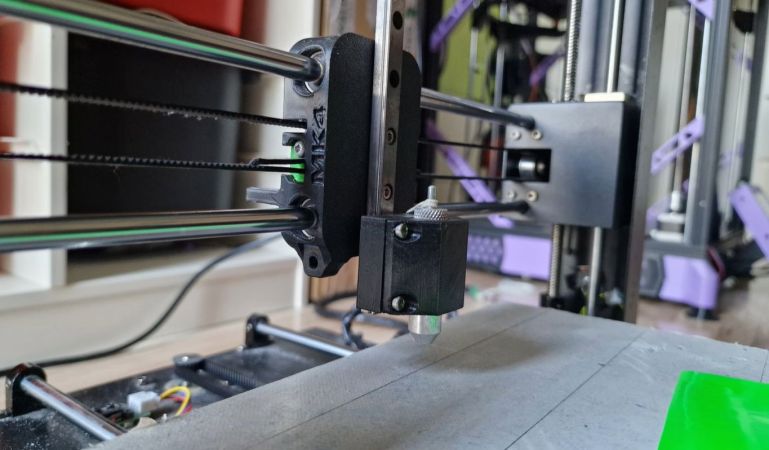
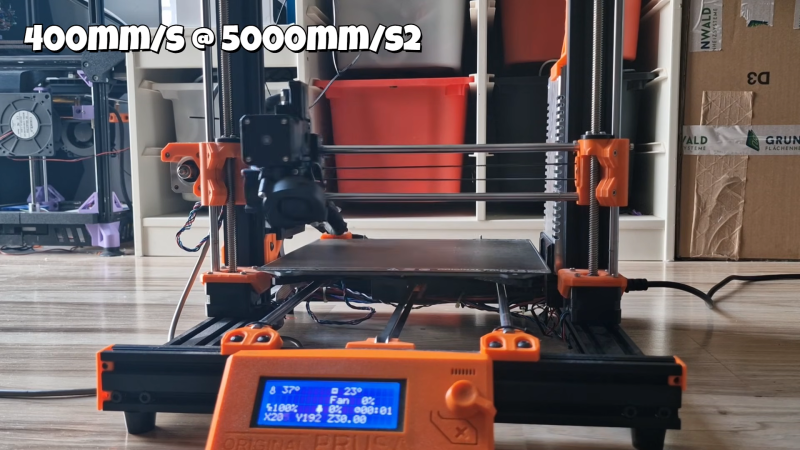
3D printers are almost never fast enough. [Cocoanix] had a Prusa MK3S with this very problem. He found it to be disappointingly tedious when completing even simple prints, and sought a way to make it faster. Thus, he grabbed a Nintendo Switch and got to work.

It might sound like an odd choice, and that’s because it is. There’s no special magic inside a Nintendo Switch that makes 3D printers faster – it’s just that the handheld console was a useful platform on which to run Klipper. As [Cocoanix] explains, Klipper is designed to run on faster general-purpose computers compared to the more limited microcontrollers used in some printers. It’s designed to off-load complex motion processing tasks to a faster CPU, while the printer’s onboard microcontrollers are freed up to simply handle the low-level tasks of driving the motors and so on. An older printer equipped with Klipper can often print faster, while implementing techniques like input shaping to further improve speed as well as print quality.

It’s worth noting that you don’t have to use a Nintendo Switch for this. It’s just a good hook for the YouTube video. Typically you’d use a Raspberry Pi or some other computer instead, but the fact it runs on a jailbroken console is amusing nonetheless. It’s also cool to see the results – in this video, [Cocoanix] got the Benchy printing time down from 90 minutes to just 8.

We’ve previously discussed the benefits of Klipper at length.

Continue reading “Using A Nintendo Switch To Speed Up A 3D Printer”

Three-Axis Camera Slider From 3D Printer Parts

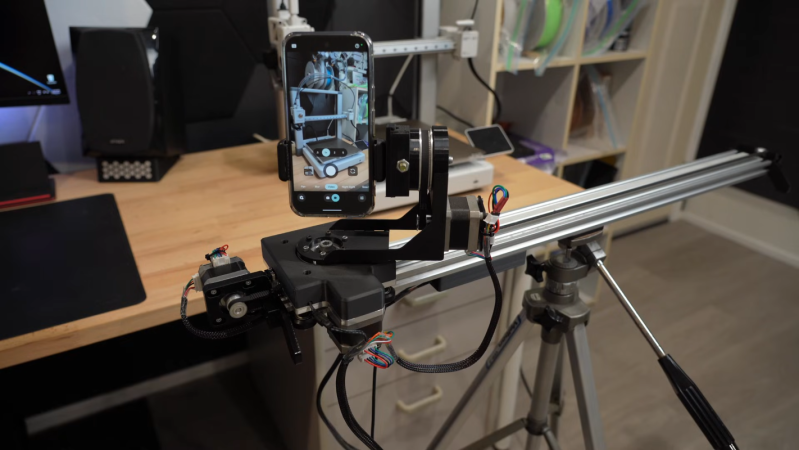
There’s a great reason 3D printers are made with things like extruded aluminum rails and other commodity, off-the-shelf parts. These things are designed not only for ease of construction and prototyping, but they’re also fairly strong especially given how modular they are. And they are excellent platforms for other projects as well. [CNCDan] has been using plenty of on-hand 3D printer parts to build a three-axis camera slider to film parts of his other projects, and this video documents his build and the latest upgrades to this platform.

After sorting out some issues with underpowered motors by improving their gear ratios, he found that many of the sizes and clearances on the existing platform changed enough that he needed to redo other parts of the carrier, including the mounting plate. He cut a new plate from steel and pressed bearings in, and then started putting together the other axes including a quick release mechanism for his camera. With a camera that weighs about 1.4 kg, getting the motors to move the camera smoothly was its own challenge. He re-worked all of his driver code over the course of a few weeks and eventually got his new system working much better than the original version.

With everything said and done, the camera slider can be controlled wirelessly with a GUI on another computer. Everything runs on an ESP32, and the slider can support other cameras besides his heavier one, including smartphones. He notes that this wasn’t the easiest way to build a project like this, but worked for him eventually because he had the parts and tools on hand to make it work. He’s also put the project files up on a GitHub page for anyone interested. Camera sliders like these have some niche uses as well; take a look at this high-speed camera slider for some examples.

Continue reading “Three-Axis Camera Slider From 3D Printer Parts”

New Slicer Enables Horizontal Overhangs Without Support

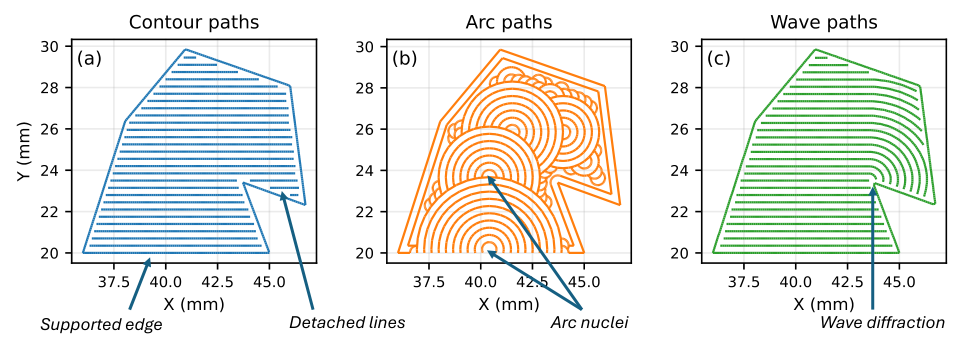
There’s a rule of thumb when it comes to FDM printing that overhangs are really only possible to an angle of around 45 degrees or so. If you try to squirt out plastic with nothing supporting it, it just goes everywhere. However, a new slicer hopes to enable printing up to 90-degree overhangs with some creative techniques.

The software that enables this is called WaveOverhangs, and currently exists as a fork of OrcaSlicer. The idea is straightforward enough — using unique toolpathing to create rings of deposited material that fasten to those laid down before them in the same layer. Thus as the printer lays down a layer into bare space, the deposited plastic is, ideally, able to fix on to the supported edge. As the next ring is laid down, it grabs on to the cooled ring laid down before it, and so on. The idea is inspired by wave propagation, hence the name. You can see a demonstration of the software in the video below by [Cocoanix 3D Printing].

It’s still a very new technique. The slicer has a whole bunch of knobs to turn and two different algorithms. Get the settings just right and you can print horizontal overhangs successfully. There aren’t exactly presets yet, this is something to explore with trial and error. If you test it out, don’t forget to upload your results to the Community Gallery so the developers can see what works and what doesn’t.

We’ve explored how smart slicers can do amazing things before, too, particularly when it comes to things like bridging.

Continue reading “New Slicer Enables Horizontal Overhangs Without Support”

3D Print This Retro Desktop Case

Once upon a time, not every computer lived in a vertical “tower” case. Many decades back a horizontal arrangement was a popular choice, sometimes just referred to as the “desktop” style. [PuTaTuo] is helping to bring it back, with this amazing 3D printed case design.

The case is designed to suit mini-ITX motherboards, while supporting standard ATX-size power supplies. The printed components are all designed to measure less than 220 mm in any dimension to ensure they can easily be produced on smaller printers. The case has a 3.5″ drive bay cutout up front, which you can use for the front panel I/O or a floppy drive if you’re super-retro like that. The front panel is otherwise relatively simple, with buttons for power and reset as well as power and SSD status LEDs.

Assembly is via M3 hardware and heat set inserts. If you’d like to print your own, you can grab the files from Thingiverse or Printables depending on your taste.

We’ve featured some great 3D printed cases over the years, like this colorful build that focuses on ease of access and servicing. The cool thing about designing your own case is you can optimize it to suit your own desires, and customize it to look as cool as you need it to be.

Continue reading “3D Print This Retro Desktop Case”

How I 3D Printed My Own Lego-Compatible Train Bridges

Lego train sets have been available for decades, now. The Danish manufacturer long ago realized the magic of combining its building block sets with motors and plastic rails to create real working railways for children and adults to enjoy. Over the years, Lego has innovated through several generations of trains, from classic metal-rail systems to the more modern IR and later Bluetooth-controlled versions. The only thing largely missing over all that time, though…? A bridge!

Yes, Lego has largely neglected to build any bridges for its mainstream train lineup. There are aftermarket solutions, and innovative hacks invented by the community, all with their own limitations and drawbacks. This glaring oversight, though, seemed like a perfect opportunity to me. It was time to fire up the 3D printer and churn out a fully-realized Lego rail bridge of my very own.

Bridges Are Hard

I’ve experimented with building Lego rail bridges before, using standard track and household objects like cardboard, books, and beer. Unfortunately, it can be very difficult to support the track evenly at the joints which occur every 150mm, and derailments are common. Credit: author

There’s actually a good reason Lego bridges aren’t a big thing in the company’s own product lineup, beyond a few obscure historical parts. This is probably because they aren’t very practical. Lego locomotives are not particularly strong haulers, nor do they have excellent grip on the rails, and this makes them very poor at climbing even mild grades. Any official Lego bridge would have to be very long with a shallow slope just to allow a train to climb high enough to clear a locomotive on a track below. This would end up being an expensive set that would probably prove unpopular with the casual Lego train builder, even if the diehard enthusiasts loved it. 

There are third-party options available out there. However, most rely on standard Lego track pieces and merely combine them with supports that hold them up at height. This can work in some cases, but it can be very difficult to do cool things like passing a Lego train under a bridge, for example. It can be hard to gain enough height, and the short length of Lego track pieces makes it hard to squeeze a locomotive between supports. Continue reading “How I 3D Printed My Own Lego-Compatible Train Bridges”

3D Printed Jack Mixes Two Filaments For Great Performance

If you’re looking to jack up your car and you don’t have anything on hand, your 3D printer might not be the first tool you look towards. With that said, [Alan Reiner] had great success with a simple idea to create a surprisingly capable scissor jack with a multi-material print.

The design will look familiar if you’ve ever pulled the standard jack out of the back of your car. However, this one isn’t made fully out of steel. It relies on an M6 bolt and a rivet nut, but everything else is pure plastic. In this scissor jack design, rigid PETG arms are held in a scissor jack shape with a flexible TPU outer layer. Combined with the screw mechanism, it’s capable of delivering up to 400 pounds of force without failing. It’s an impressive figure for something made out of 80 grams of plastic. The idea came about because of [Alan’s] recent build of a RatRig VCore4 printer, which has independent dual extruders. This allowed the creation of single prints with both rigid and flexible filaments included.

[Alan] did test the jack by lifting up his vehicle, which it kind of achieved. The biggest problem was the short stroke length, which meant it could only raise the back of the car by a couple inches. Printing a larger version could make it a lot more practical for actual use… if you’re willing to trust a 3D-printed device in such use.

Files are on Printables if you wish to make your own. It’s worth paying attention to the warning upfront that [Alan] provides—”THIS CAN CREATE A LOT OF FORCE (400+ lbs!), WHICH MEANS IT CAN STORE A LOT OF ENERGY THAT MIGHT BE RELEASED SUDDENLY.  Please be cautious using 3d-printed objects for high loads and wear appropriate safety equipment!”

Funnily enough, we’ve featured 3D printed jacks before, all the way back in 2015! Video after the break.

Continue reading “3D Printed Jack Mixes Two Filaments For Great Performance”