
Controlling Vintage Mac OS With AI

Classic Mac OS was prized for its clean, accessible GUI when it first hit the scene in the 1980s. Back then, developers hadn’t even conceived of all the weird gewgaws that would eventually be shoehorned into modern operating systems, least of all AI agents that seem to be permeating everything these days. And yet! [SeanFDZ] found a way to cram Claude or other AI agents into the vintage Mac world.

The result of [Sean]’s work is AgentBridge, a tool for interfacing modern AI agents with vintage Mac OS (7-9). AgentBridge itself runs as an application within Mac OS. It works by reading and writing text files in a shared folder which can also be accessed by Claude or whichever AI agent is in use. AgentBridge takes commands from its “inbox”, executes them via the Mac Toolbox, and then writes outputs to its “outbox” where they can be picked up and processed by the AI agent. The specifics of how the shared folder work are up to you—you can use a network share, a shared folder in an emulation environment, or just about any other setup that lets the AI agent and AgentBridge access the same folder.

It’s hard to imagine any mainstream use cases for having a fleet of AI-controlled Macintosh SE/30s. Still, that doesn’t mean we don’t find the concept hilarious. Meanwhile, have you considered the prospect of artificial intelligence running on the Commodore 64?
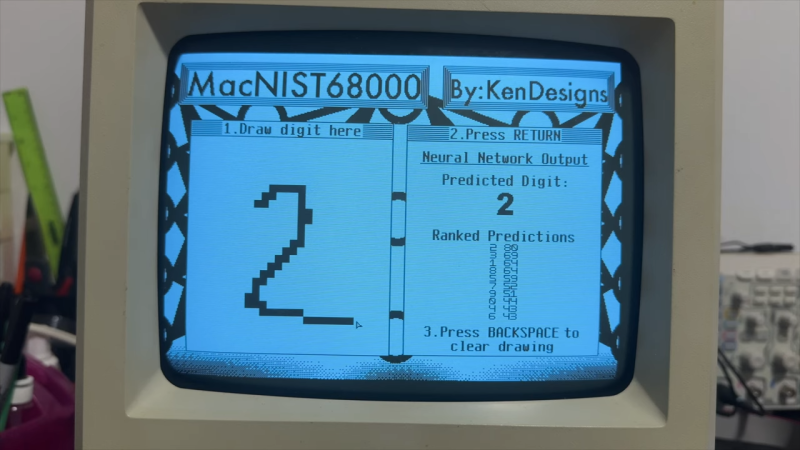
Neural network shown on original mac screen, handwritten 2 on left and predictions on right

Original Mac Limitations Can’t Stop You From Running AI Models

Modern retrocomputing tricks often push old hardware and systems further than any of the back-in-the-day developers could have ever dreamed. How about a neural network on an original Mac? [KenDesigns] does just this with a classic handwritten digit identification network running with an entire custom SDK!

Getting such a piece of hardware running what is effectively multiple decades of machine learning is as hard as most could imagine. (The MNIST dataset used wasn’t even put together until the 90s.) Due to floating-point limitations on the original Mac, there are a variety of issues with attempting to run machine learning models. One of the several hoops to jump through required quantization of the model. This also allows the model to be squeezed into the limited RAM of the Mac.

Impressively, one of the most important features of [KenDesigns] setup is the custom SDK, allowing for the lack of macOS. This allows for incredibly nitty-gritty adjustments, but also requires an entire custom installation. Not all for nothing, though, as after some training manipulation, the model runs with some clear proficiency.

If you want to see it go, check out the video embedded below. Or if you just want to run it on your ancient Mac, you’ll find a disk image here. Emulators have even been tested to work for those without the original hardware. Newer hardware traditionally proves to be easier and more compact to use than these older toys; however, it doesn’t make it any less impressive to run a neural network on a calculator!

Continue reading “Original Mac Limitations Can’t Stop You From Running AI Models”

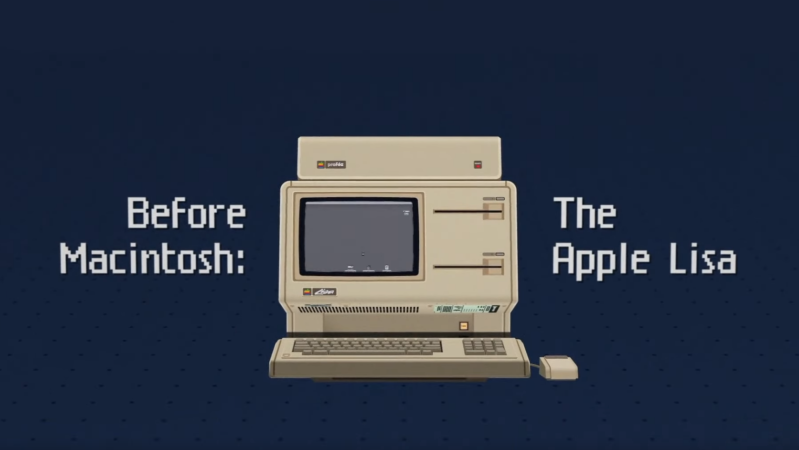
Before Macintosh banner with stylized pixelated picture of one

Before Macintosh: The Story Of The Apple Lisa

Film maker [David Greelish] wrote in to let us know about his recent documentary: Before Macintosh: The Apple Lisa.

The documentary covers the life of the Apple Lisa. It starts with the genesis of the Lisa Project at Apple, covering its creation, then its marketing, and finally its cancellation. It then discusses the Apple Lisa after Apple, when it became a collectible. Finally the film examines the legacy of the Apple Lisa, today.

The Apple Lisa was an important step on the journey to graphical user interfaces which was a paradigm that was shifting in the early 1980s, contemporary with the Macintosh and the work at Palo Alto. The mouse. Bitmapped graphics. Friendly error messages. These were the innovations of the day.

Continue reading “Before Macintosh: The Story Of The Apple Lisa”









