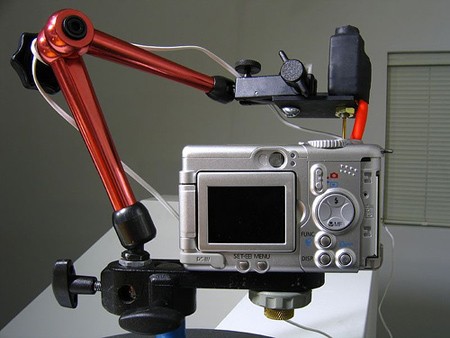
While researching the CHDK How-To, we came across the team’s instructions for porting the firmware to entirely new cameras. In theory, CHDK should work on any Canon running the DIGIC II or III processor since most of them are running the same VxWorks OS. A dump of the camera’s firmware is required before porting work can begin. On some cameras, the firmware was retrieved using software, but others required a hardware route. Pictured above is a Canon A610 that’s slowly flashing out every bit of its firmware using the built in LED. The photodiode is hooked up to a soundcard where the entire bitstream is recorded. It takes 1-7 hours to read the entire firmware. Once the sound file has been captured, it’s reverted to the original bytes and can then be decompiled with something like IDApro.
camera589 Articles
How-To: Expand Your Camera With CHDK
As anyone who has lusted over the technical specifications for Canon’s new Digital Rebel XSi knows, the capabilities of the average point and shoot camera are severely limited. Using the CHDK firmware hack, the features of Canon point and shoot cameras can be significantly expanded, allowing for ultra-high speed photography, very long exposures, time lapse photography, and RAW capture. This How-To provides a guide to our experiences using the CHDK firmware, and shows just how easy it is to get more out of a point and shoot than ever thought possible.
Underwater Camera Housings
Underwater cameras can produce some amazing photography, but who wants to pay for housing if you can make something yourself?
This underwater camera housing on Instructables doesn’t require a specific container, allowing you to choose anything you have around the house that’s watertight and large enough to fit your camera. A finger from a glove is added so you can still operated the controls. A similar project uses an insulated water jug, accommodating any camera that fits inside. Neither of these involve any camera mods.
Notacon 2008: The TSA Bagcam

[algormor] gave one of the more controversial talks at Notacon. After receiving a few too many inspection slips and destroyed baggage he decided to find out what was going on behind the scenes. First, he purchased a cheap bag from Walmart with a zipable liner. To record the video, he purchased a SwannGUARD MicroDVR. It’s a palm-sized device that records 128×128 15fps video. It comes with a plastic cover that he mounted to the inside of the bag. A hole was cut for the video camera right above the badge holder. Since the camera is motion triggered, he could slide the badge up, covering the hole, to deactivate the camera. He’s taken the bag on at least four trips. So… what did the footage show?
SLR Lenses On Your Digital Video Camera

Considering all the attention we give digital cameras, I wanted to find an interesting hack for those old school analog SLR cameras. (I spent a fair share of time behind one; I’m fond of the classic Canon AE-1) [Joshua] mated his Sony VX-2000e video camera with a Canon FD lens mount and created this monster. With the new lens mount, he’s got a full selection of lenses without the huge investment of specialized lenses.
3D Video With Consumer Cameras

While perusing our photos from the Hooptyrides, Inc. tour you may have noticed [Eric Kurland]’s two handed stereoscopy rig. It’s constructed from two consumer grade Sony DV cameras. The problem with using two separate cameras to make stereo images or video is that a lack of clock sync will make objects appear out of their true position because of differences in framerate. To solve this problem Damir Vran?i? developed the 3D LANC Master. It reads the crystal frequency from one of the cameras and writes to the ram of the other camera using Sony’s LANC protocol. This constant monitoring keeps the clocks within +/- 3ms. The control box also has buttons to power on, zoom, and record in sync. The 3D LANC Master plans are completely open source and work with a large number of Sony cameras. We have more photos of Eric’s rig after the break.
Lightweight Eye Tracker

[Jason S. Babcock] and [Jeff B. Pelz] put together this paper on building a simple, lightweight eyetracker (PDF) to foster the creation of open source eyetracking software. All of the components are mounted to a cheap pair of safety glasses. The eyetracker uses a technique called “dark-pupil” illumination. An IR LED is used to illuminate the eye. The pupil appears as a dark spot because it doesn’t reflect the light. A bright spot also appears on the cornea where the IR is directly reflected. An eye camera is mounted next to the IR LED to record the image of eye with these two spots. Software tracks the difference between the two spots to determine the eye orientation. A laser mounted to the frame helps with the initial calibration process. A scene camera placed above the eye records what the eye is viewing. The video from these two cameras can be compared in real time or after the experiment is concluded.
[thanks austin y.]