It’s Now Imperative That You Copy That Floppy

In the early 1990s, Don’t Copy That Floppy was an anti-piracy campaign that attempted to connect with computer-savvy youth through the power of hip-hop. While somewhat difficult to imagine given our current draconian Digital Rights Management (DRM) hellscape, warning kids about the potential legal ramifications of duplicating floppy disks containing copyrighted software was seen as necessary since at the time there was usually nothing preventing users from simply copying the contents of one disk to another.

Unfortunately 30+ years down the road, we’re now finding that somebody really should have been backing up some of those disks. Which is why the University of Cambridge of launched the Future Nostalgia project and produced Copy That Floppy! — a phenomenal guide on preserving the contents of floppy disks while we still can.
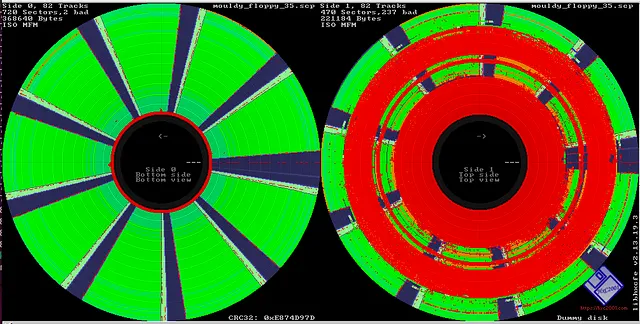
Visualizing a disk’s flux stream can identify debris and damage.

There’s no telling how much data could potentially be lost to time because its stuck on such an antiquated and fragile storage media, and the situation only gets worse with the passage of time. The problem isn’t just that modern computers don’t have floppy drives. The disks themselves degrade with age, a process which is accelerated if they aren’t stored properly.

As such, Copy That Floppy! only briefly touches on the most ideal situation — that is, buying a USB floppy drive and making copies of the bog standard 3.5 inch disks you might come across. It then moves right on into more advanced topics, such as interfacing with less common drive types, how to safely clean floppies, and the use of advanced tools such as Greaseweazle to analyze captured disk images.

We’ve seen demonstrations of some of these techniques before, and a few years back Adafruit got interested in floppy preservation with modern hardware. But in-depth guides like these that pull all that information together into one place are valuable resources.
Rescuing The Data On A 1960s LGP-21 Computer’s Disk Memory

One of the nice things about magnetic storage is that as long as the magnetic layer remains intact, the data it contains should stay readable pretty much indefinitely. That raises the prospect of recovering data from really old computer systems featuring magnetic memory, such as the 63-year old LGP-21 that [David Lovett] of Usagi Electric is currently restoring. Its magnetic memory disk is nothing amazing by modern standards, but after initial testing it seems to spin up and read data just fine, raising the question of what was left on the drive when it was last used, meaning what was in memory at the time.

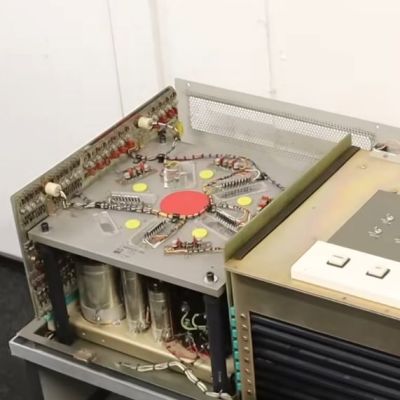
The read/write head side of the LGP-21's magnetic memory. (Credit: Usagi Electric, YouTube)
The read/write head side of the LGP-21’s magnetic memory. (Credit: Usagi Electric, YouTube)

Non-invasive data recovery here involves writing a program that will simply read the entire disk from beginning to end. Tracks 0 and 1 were found to be unreadable due to some kind of hardware issue, but track 2 could be backed up by looking at the output on the CRT, thus providing a track to use. Fascinatingly the LGP-21’s memory disks uses interleaved tracks to reduce the number of read/write heads as part of the overall cost-saving measures relative to the more expensive LGP-30. As you might expect, this slows down memory access a lot over its big brother.

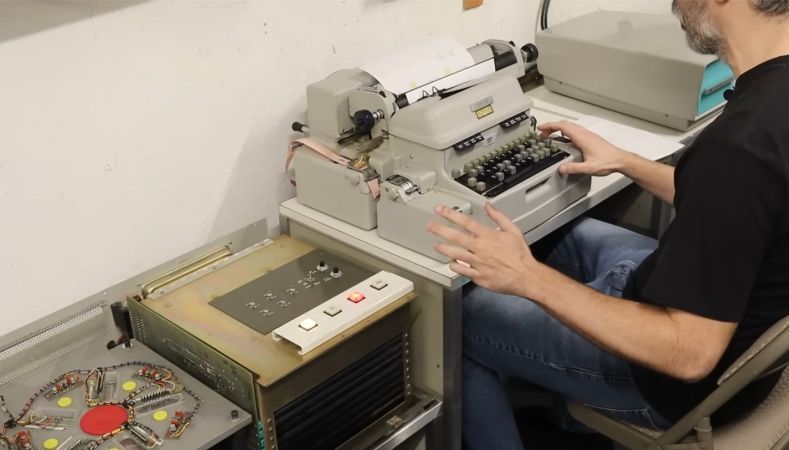
Before any recovery attempt could begin, the Flexowriter typewriter that forms the user interface to the computer had to be given some serious maintenance, along with a few other components like a switch and the paper tape reader. This restored the ability to even properly enter data and receive output instructions.

The subsequent effort to recover the stored data involved a bootstrap program that got loaded into memory, after which the remainder of the program was loaded from paper tape. Following this everything worked swimmingly, though with the caveat that with not even a floppy drive to use, the raw hexadecimal data was hammered out on paper with the Flexowriter over the course of 1.5 hours.

This data will now be scanned in and OCR-ed into something that can hopefully be easily analyzed. Hopefully we’ll know before long what this system was last used for.

Continue reading “Rescuing The Data On A 1960s LGP-21 Computer’s Disk Memory”

A Tale Of Cheap Hard Drives And Expensive Lessons

When it comes to electronic gadgets, I’m a sucker for a good deal. If it’s got a circuit board on the inside and a low enough price tag on the outside, you can be pretty sure I’ll be taking it home with me. So a few years ago, when I saw USB external hard drives on the shelf of a national discount chain for just $10, I couldn’t resist picking one up. What I didn’t realize at the time however, was that I’d be getting more in the bargain than just some extra storage space.

It’s a story that I actually hadn’t thought of for some time — it only came to mind recently after reading about how the rising cost of computer components has pushed more users to the secondhand market than ever before. That makes the lessons from this experience, for both the buyer and the seller, particularly relevant.

What’s in the Box?

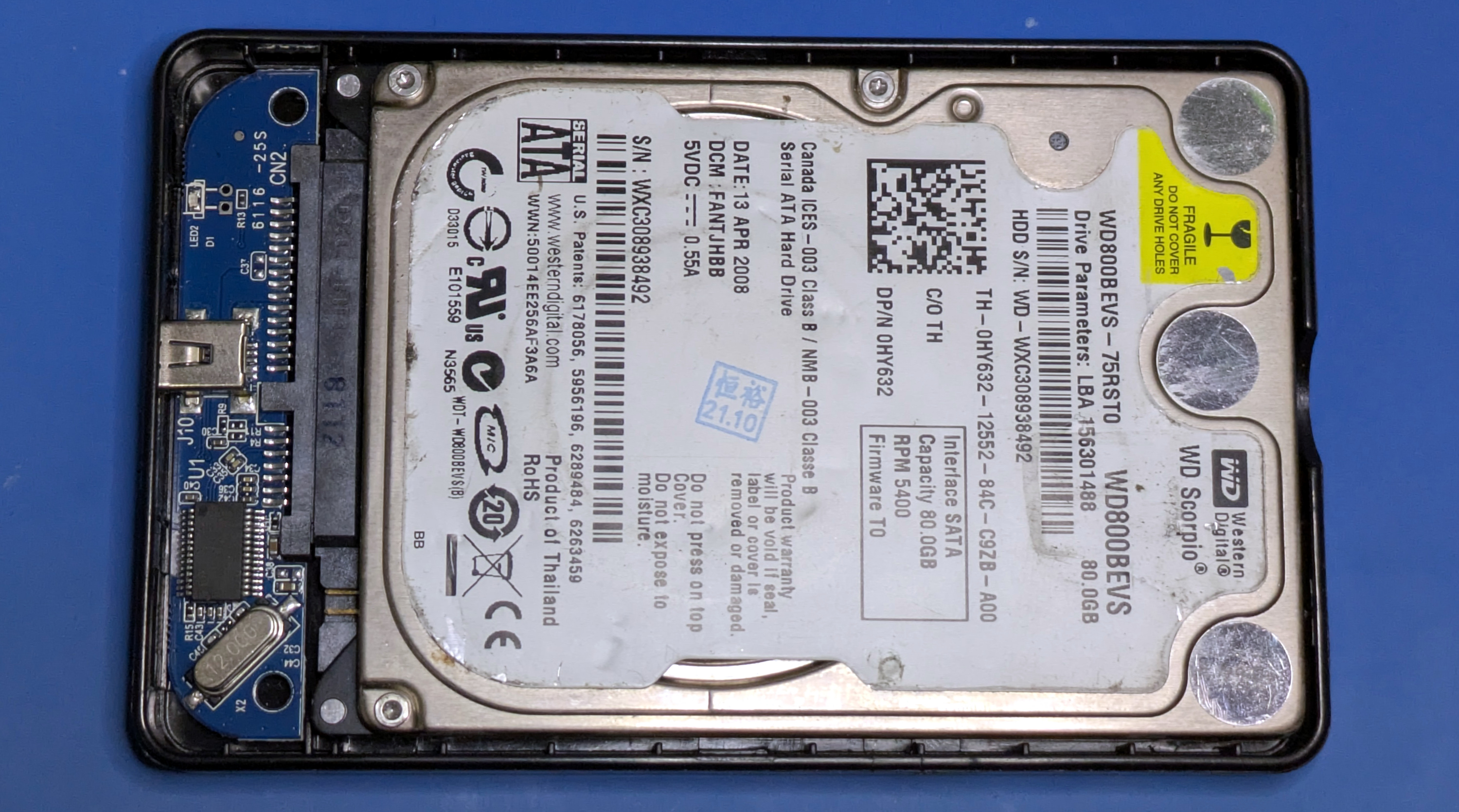
It wasn’t just the low price that attracted me to these hard drives, it was also the stated capacity. They were listed as 80 GB, which is an unusually low figure to see on a box in 2026. Obviously nobody is making 80 GB drives these days, so given the price, my first thought was that it would contain a jerry-rigged USB flash drive. But if that was the case, you would expect the capacity to be some power of two.

Upon opening up the case, what I found inside was somehow both surprising and incredibly obvious. The last thing I expected to see was an actual spinning hard drive, but only because I lacked the imagination of whoever put this product together. I was thinking in terms of newly manufactured, modern, hardware. Instead, this drive was nearly 20 years old, and must have been available for pennies on the dollar since they were presumably just collecting dust in a warehouse somewhere.

Or at least, that’s what I assumed. After all, surely nobody would have the audacity to take a take a bunch of ancient used hard drives and repackage them as new products…right?

Continue reading “A Tale Of Cheap Hard Drives And Expensive Lessons”