Hackaday Links: November 28, 2010

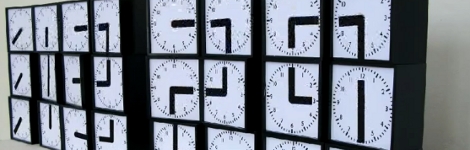
The Clock Clock

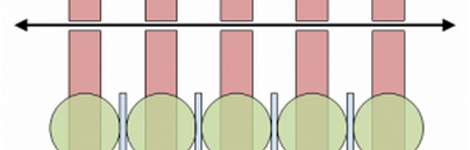
This digital display is made from several analog clocks with thick hands. Together they make something of a 7-segment display, which can be used to display the time. It reminds us of the “Shared Time” installation we covered previously. [Thanks Drum365 via Anonimiss Files]

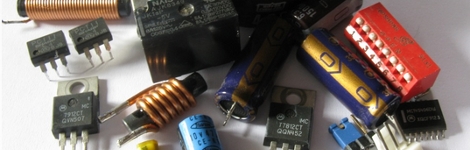
Quickly desolder lots of parts

[Rhys Goodwin] is grabbing parts from junk PCBs but he’s not using a rework station. Instead it’s a hot-air gun and a brisk tap on the bench to send the parts flying. Well, at least he’s not using a blow-torch like [Ben Heck] does.

Binary Hero

This bank of 8 toggle switches is the controller for Binary Hero, a geeky take on Guitar Hero. When you see a decimal number come down the screen set your toggle to the binary equivalent in time or the game will be over before you know it. [Thanks Fabien]

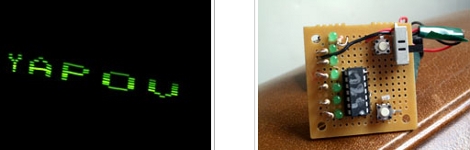
Quick fan POV

[GMG] took a small persistence of vision board and slapped onto an oscillating fan blade. Along with a couple of magnets on the safety cage this display is a persistence of vision hack you can pull off in an hour or two.

Speed up laser etching

[James] figured out a way to cut down on the time it takes to etch multiple copies of one item with a laser cutter. It doesn’t run the laser faster, but orients the pieces in a way that means less movement of the head while the laser is not on. Read through his article and see if this method can help you out when doing some CNC work.

The Transistor Takes On The Machine

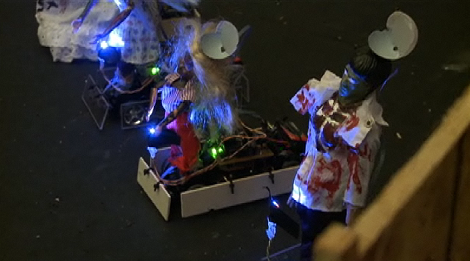
It only took 4 hackerspaces, but we finally get to see a zombie movie inspired project; hackerspace The Transistor Takes on the Machine with a Dawn/Shawn of the Dead movie theme. Race cars disguised as zombies swarm toward the players, who then use laser tag like guns to “shoot” down the approaching undead. The whole thing is a mess of Arduinos communicating with xBees to a central iMac G3, but it all comes together rather well and is promised to be released open source.

Now all that’s left is deciding which hackerspace wins the competition. Who do you have your money on?

[Thanks Deven]

Gas Containment For Laser Cutters

Tired of breathing all the noxious fumes your laser cutter puts out? Yeah… we don’t have a laser cutter either. But [Jeri Ellsworth] does and she needed a way to evacuate off-gases generated during cutting so that they don’t damage the laser cutter, or her lungs. What she came up with is a containment box that attaches to a pump system.

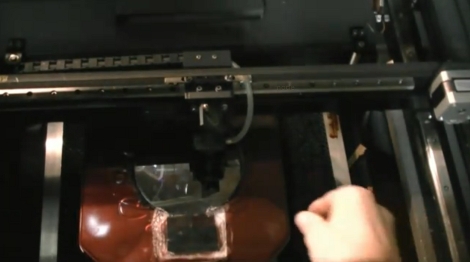
The problem is that you want to keep the gases away from the laser cutter hardware but you still need to be able to shoot the laser at your work material. Her clever solution is to use a silicone wafer like the ones with which she makes integrated circuits. They allow the infrared laser to pass through without being chopped in half. What you see in the image above is a red box with the round wafer in the center. Near the bottom of the image is a clear window so you can see what’s going on with your work piece. But to get the full idea you need to watch the video embedded after the break.

We can’t help but think she’s building this in preparation for some more chemistry hacking.

Continue reading “Gas Containment For Laser Cutters”

Laser Mic Makes Eavesdropping Remarkably Simple

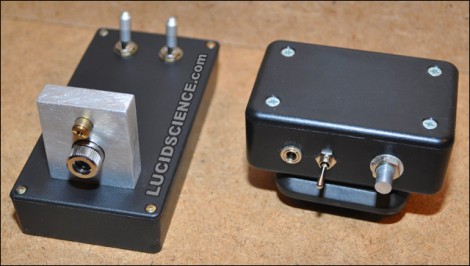
Here’s a surprisly simple way to build yourself a laser-based listening device. It consists of two modules, a transmitter and a receiver. The transmitter is a set of lasers, one is visible red for aiming, and the other is infrared for measuring the vibration of a surface. Point the transmitter at the window of the room you want to listen in on and the laser can be reflected back to the receiver. The receiver module has a phototransistor to pick up the infrared laser light, and an LM386 audio amplifier to generate the audio signal sent to a pair of headphone. The need to be well-aligned which is easy enough using a pair of tripods. Check out the demo after the break.

Looking for something to do with the leftover laser diodes from this project? Try making yourself a laser microscope.

Continue reading “Laser Mic Makes Eavesdropping Remarkably Simple”

Laser Marquee Projector

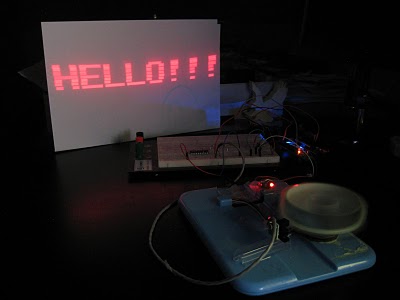
This laser message scroller is built with inexpensive parts. The heart of [Raul’s] system is a spinning pill-box with eight mirrors on it. Each redirects the laser to a different vertical portion of the projection surface. There are eight small arms on the apparatus that each break the beam of an optical sensors as it spins, facilitating the precise synchronization needed to generate the projected image correctly. In the video after the break we can make out what looks like an Arduino controlling the system. This makes sense as it’s easy to connect the laser pointer and sensor, and the USB connection allows for the streaming of messages to the system.

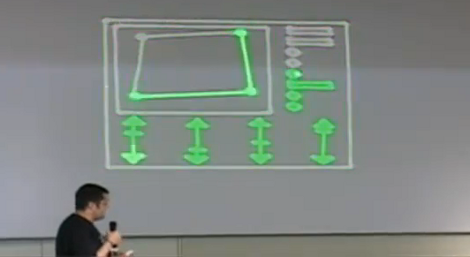
Want to see a more complicated setup? Check out the POV laser projector from a few years back. Continue reading “Laser Marquee Projector”

unbelievably simple

Home Made T.E.A. Lasers

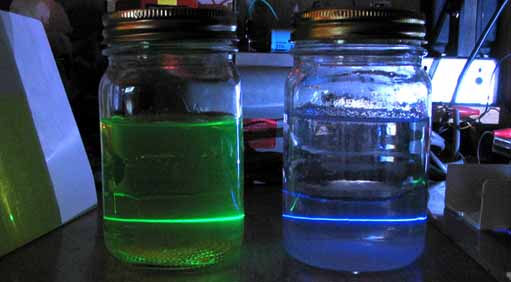
[Nyle] was interested in building lasers at home but felt that the exotic parts list was just too daunting. That was, until he discovered T.E.A. lasers. T.E.A. lasers can be constructed from a few bits of aluminum and some high voltage. They emit UV light, as you can see in his examples where he shoots them through a jar full of water with highlighter ink mixed in.

He has posted several variations of different sizes as well as numerous images of them in action. You can see a video of one in action after the break. We also have to point out the fantastic music in the video. It reminds us of those school videos left over from the 50s.

Continue reading “Home Made T.E.A. Lasers”

Constructing A CO2 Laser Cutter

angler

[Owen] contacted us to show us his site dedicated to his CO2 laser cutter build. He spent about 2 years and roughly $15,000 putting it together, so this is not small build. The laser and optics alone were $9,000. This site isn’t necessarily meant to be a template to build your own, but he shares so much information that we would certainly suggest you read it before digging into a build. He does have some downloadables, like the tool paths and the emc2 configuration files as well as a copy of the entire website. Great job [Owen].