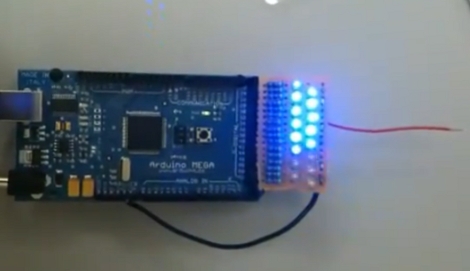
Arduino EMF Sensor

As a biomedical equipment technician [Adam Outler] equipment needs to be in top working condition. The emergency room staff were complaining about erroneous noise on the electrocardiogram and it’s his job to fix it. He suspected EMF interference so as a quick first step he decided to throw together an EMF detector using an Arduino. It uses a bank of LEDs as an indicator bar to reflect the EMF picked up by the red antenna. In the video after the break [Adam] checks a room for possible sources of interference, treating the recharging circuit from the emergency lights as the most likely culprit. Since the ECG is many times more sensitive to EMF than the Arduino, this turns out to be a quick and easy way to make sure he’s not barking up the wrong tree.
Continue reading “Arduino EMF Sensor”

Accidental LED Fabrication

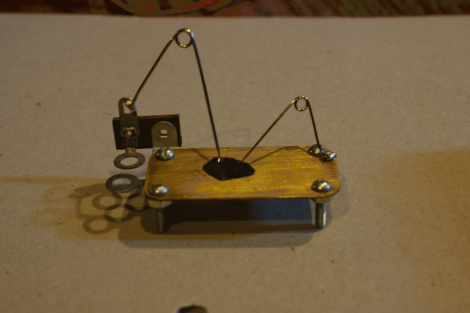
[Grenadier] had a piece of silicon carbide sitting around that he planned to use when making a primitive diode called a Cat’sWhisker Diode. While probing he noticed that one of the crystals threw off a bit of light. He popped it off and used JB Weld to attach it to a brass plate. The peculiar thing is that it generates light when power is run through it both forward and reverse biased. So what’s going on here? According to an informed discussion on the phenomenon there’s actually a pair of diodes in series but with their polarity reversed.

LED Lighthouse Simulator

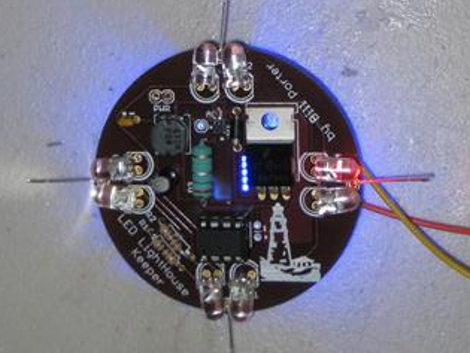
This Christmas [Bill Porter] decided to show his parents that those college dollars were well spent. He upgraded the custom lighthouse light which he originally designed in high school for their garden fountain. He even went so far as to craft some retail-worthy packaging for the gift.

We think it’s a wonderful design, on a custom PCB and based around an ATtiny85. A real lighthouse has a spinning lens to aim the beam of light. When the lens sweeps across your viewpoint there is a sudden flash and he’s recreated that effect using PWM. Take a look at the video after the break and you’ll see what we mean.

Also, during development he was plagued by a startup glitch which we got majorly sidetracked reading aboutContinue reading “LED Lighthouse Simulator”

Bi-color LED Matrix Clock Uses Point-to-point Construction

[Daniel] wanted his child to stay in bed until a semi-decent time each morning. The problem is the kid doesn’t know how to read a clock, so [Daniel] built him a clock. Yeah, doesn’t make much sense to us either, but we’ve used our own shaky premises for projects so who are we do judge?

He used a bi-color 8×8 LED matrix as the clock display. What caught our eye is the point-to-point soldering he used for the three strip boards that make up the device. Note the use of a drill-bit to break the traces when needed. Each board has its own purpose; the matrix drive, the logic board, and the power board. A PIC 18F4550 lets [Daniel] control the clock via USB, and takes care of lighting up the hour as a red number when it’s time to sleep, and a green one when it’s okay to arise. There’s a flashing pixel for seconds, and a binary readout of minutes along the bottom.

We’ve asked [Daniel] to post a schematic and an image of the clock face when displaying the time. No word yet but we’ll keep our eye on it. In the mean-time, check out this clock that uses an RGB 8×8 LED matrix.

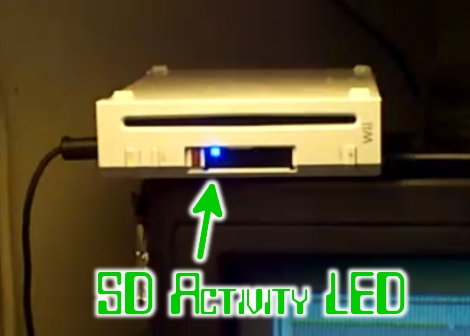
SD Activity Indicator For Wii

[DeadlyFoez] wanted to know when the SD card in his Nintendo Wii was in use. He built and indicator LED using a PICAXE 08M and added it next to the SD slot. He uses one pin of the microcontroller to monitor the voltage on one pin of the SD card slot. That pin has a specific value when the card is idle, which rises when it’s in use. He didn’t share the details of which pin he’s sampling, or what the magic number from his source code actually represents. But the concept should be enough of a start if you want to do this one yourself. Watch it go blink-ity-blink in the clip after the break.

Continue reading “SD Activity Indicator For Wii”

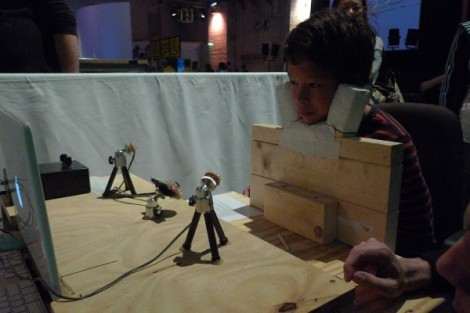
Kids Type With Their Eyes, Robot Arm Prints Their Words

F.A.T. took it to the next level, combining a couple of their projects for the Cinekid festival. This contraption lets kids write their names with their eyes for printing by a robot arm. The first part is a glasses-free version of the EyeWriter, originally developed as an assistive technology. The system uses some IR LEDs to generate a reflection on your eye that a PS3 camera can pick up and use to precisely track your gaze. Just look at each key on a virtual keyboard to spell out your message. From there, a robot arm used previously in the Robotagger project prints out the name on a big sheet of paper the kids can take home. This is cool, but more importantly it’s a great way to inspire the next generation of hackers and engineers. Check out the video after the break.

Continue reading “Kids Type With Their Eyes, Robot Arm Prints Their Words”

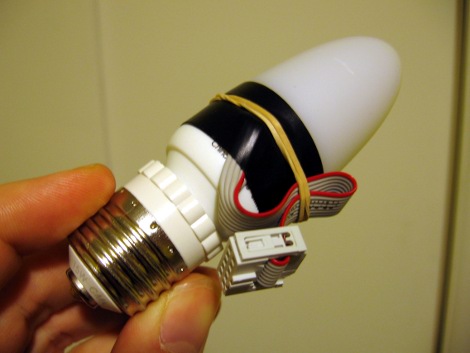
Part 2: Help Me Reverse Engineer An LED Light Bulb

Almost a month ago I started trying to reverse engineer an inexpensive LED color changing light bulb. With your help I’ve mapped out the circuit, and taken control of the bulb. But there’s still a few mysteries in this little blinker. Join me after the break to see what I’ve done so far, peruse the schematic and source code, and to help solve the two remaining mysteries.

Continue reading “Part 2: Help Me Reverse Engineer An LED Light Bulb”