A Robot… That Can See Through Walls!

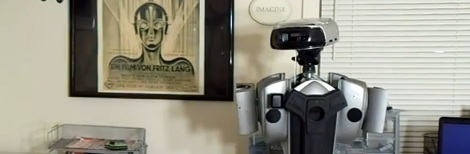
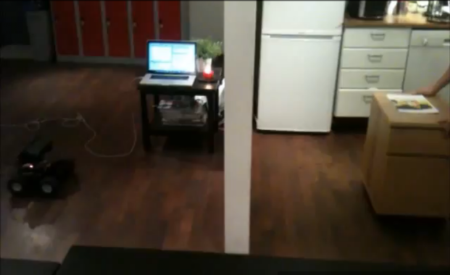
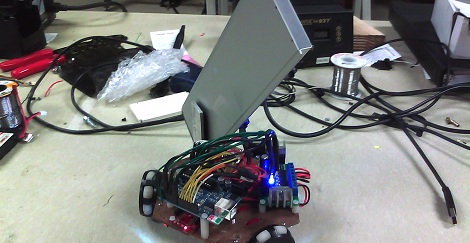
Robots on four wheels are fun on their own merits, but one thing that most lack is the ability to see through walls.  With it’s onboard radar system, this bot is equipped to see objects that a person couldn’t normally detect on the other side of the wall.

Although some of the more “nuts and bolts” details of this build are missing, the robot uses an Ultra-Wideband Radar system called the [D1] Radar System. This system can, according to their documentation, “Avoid false positives caused by vapor, dust, smoke, rain or other small particles.” Apparently this means drywall as well if programmed correctly.

In the video after the break, the robot’s sensor package is programmed to ignore anything within 1.5 meters. This allows the robot to mirror the movement of the apparent shelving unit on the other side. This sensor could certainly have some interesting robotics applications besides imitating a rolling shelf, so we’re excited to see what it will be used for!

Continue reading “A Robot… That Can See Through Walls!”

Tribot Robotics Platform

For a number of children born of geek parents, the WowWee Tribot is sure to make an appearance underneath a Christmas tree this year. By New Year’s, though, this toy will surely make its way to the back of a closet to sit unused until spring cleaning. It’s a shame to let such an interesting robotics platform go to waste, so [haltux] sent in a nice guide to unlocking the motor controller of this talking robot.

The ‘legs’ of the WowWee Tribot have three omnidirectional wheels mounted 120 degrees apart. We’ve seen this drive system before, so getting a pre-built platform out of the toy box is pretty interesting.

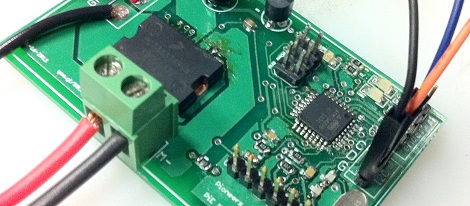
[haltux] found three H-bridges inside the Tribot and connected the direction and enable pins for each motor directly to an Arduino. The build was a success, and the new robot platform scurried along the floor. There are also rotary encoders on the Tribot, but these run at 12 Volts. [haltux] said he’ll cover these in a future post, and we’re waiting to see it.

Video: Working With The 3pi Robot’s Line Sensors

This week, we are serving up part five in our series where we are using the Pololu 3pi robot as a fancy development board for the ATmega328p processor. This week we are taking a quick break from working with the perpherals specific to the processor and will show how to work with the 3pi’s line sensors. A quick look at the schematic for the 3pi might lead you to think that you should be reading the line sensors with the A2D peripheral. Even though they are wired to the A2D pins, they need to be read digitally. In the video, [Jack] will show how to read raw values from the sensors and then how to calibrate the results so that you can get a nice clean 8-bit value representing what the sensors are seeing. Of course, that would happen under normal circumstances. Murphy had his way in this video and it turned out that our studio lighting was interfering a bit with the sensor readings when we were shooting so we didn’t get as good of a calibration as we would have liked when we shot.

Video is after the break.

In case you have missed the previous videos here are some links:

Part 1: Setting up the development environment
Part 2: Basic I/O
Part 3: Pulse Width Modulation
Part 4: Analog to Digital conversion

Continue reading “Video: Working With The 3pi Robot’s Line Sensors”

Build A Kinect Bot For 500 Bones

[Eric] sent in his tutorial on building a Kinect based robot for $500, a low-cost solution to a wife that thinks her husband spends too much on robots.

For the base of his build, [Eric] used an iRobot Create, a derivative of the Roomba that is built exclusive for some hardware hackery. For command and control of the robot, an EEE netbook takes data from the Kinect and sends it to the iRobot over a serial connection.

The build itself is remarkably simple: two pieces of angle aluminum were attached to the iRobot, and a plastic milk crate was installed with zip ties. The Kinect sits on top of the plastic crate and the netbook comfortably fits inside.

A few weeks ago, [Eric] posted a summary of the history and open-source software for the Kinect that covers the development of the Libfreenect driver. [Eric] used this same driver for his robot. Currently, the robot is configured for two modes. The first mode has the robot travel to the furthest point from itself. The second mode instructs the robot to follow the closest thing to itself – walk in front of the robot and it becomes an ankle biter.

There is a limitation of the Kinect that [Eric] is trying to work around. Objects closer than 19 inches to the Kinect appear to be very far away. This caused a lot of wall bumping, but he plans on adding a few ultrasonic sensors to fill the gap in the sensor data. Not bad for a very inexpensive autonomous robot.

Bomb Disposal Robot With Lego Gripper

[Krash] had a lot of fun hacking up his Spy Gear TRAKR; we’re just lucky he was able to move a suspicious Shrek doll before it detonated.

The now discontinued Spy Gear TRAKR serves as the basis for [Krash]’s build. This tiny remote-controlled toy transmits video back to its remote and makes us very jealous of the awesome toys our nephew has. Thankfully, the engineers behind the TRAKR made it extremely hackable, as proved by Hack A Day’s very own [Phil Burgess].

[Krash] began his build by putting a few male headers in the GPIO pins on the TRAKR’s board. After that, the TRAKR SDK was downloaded. He used a few Snap Circuits to verify his TRAKR software was working, then set off to build a Lego gripper arm. The arm is powered through an H-bridge IC [Krash] found alongside the rest of his Snap Circuits stuff.

Not a bad build for what amounts to a pile of toys. Check out [Krash]’s video of his bomb disposal bot after the break.

Continue reading “Bomb Disposal Robot With Lego Gripper”

Video: Analog To Digital Conversion On The ATmega328p

In this week’s video, we continue on where we left off last week with another in our series of videos where we discuss how to program for the ATmega328p processor. This week, [Jack] takes a look at the analog to digital converter and takes us through how to set things up and then how to perform a conversion using the potentiometer on the 3pi as the analog source. Playing with potentiometers isn’t the most interesting thing in the world, but after watching this video, you will be able to do things like take light readings using a cadmium sulfide cell, read the weight applied to a sensor, calculate the temperature from a resistor and a thermistor, or interface with an analog gyroscope.

If you have missed our previous videos, here are some links:
Part 1: Setting up the development environment
Part 2: Basic I/O
Part 3: Pulse Width Modulation

Stay tuned for next week’s* video where we will take a look at how to interface with the 3pi’s line sensors.

Video is after the break…

* HAD is in the process of moving our secret headquarters so next week’s video may come some time later than next week.

Continue reading “Video: Analog To Digital Conversion On The ATmega328p”

Robotic Farming Means More Corn For Everyone

You know we’re all going to starve, right? If the world’s population keeps growing exponentially and food production grows linearly, we’re eventually going to find out what Soylent Green is made of. This is where [David Dorhout]’s Prospero robot farmer comes in. [David] has come up with the idea of using small autonomous robots to plant, tend and harvest fields. Right now, he’s working on stage 1: planting seeds.

A swarm of six-legged Prospero robots are dispatched to a field. There, each member of the swarm plants seeds one at a time. The robots keep in contact with each other over a wireless connection to ensure the optimal planting pattern for an entire field.

The Prospero prototype is based on the Parallax Propeller with a Ping ultrasonic sensor used to avoid obstacles. Each hexapod is equipped with a bunch of seeds, a small auger, and a supply of fertilizer for the future corn plant. The next step in the plan is to build a ‘tending’ robot that will monitor and apply nutrients if needed. Check out the Prospero video after the break.

Continue reading “Robotic Farming Means More Corn For Everyone”