Encoding MOD Files Optically On Paper, Because Amiga’s Legacy Will Outlast M-Disks

All but a few of our very youngest readers are surely familiar with music formats that rely on optical disks. When we say [RobSmithDev] made a MOD tracker that uses an optical disk, then, you might be forgiven for thinking he stuck a bunch of MOD files onto a CD– MOD files being a format of electronic music that was conceived of on the Commodore Amiga that is still used to this day. A dedicated MOD-CD player might be a fun project, but it’s not what [Rob] did; his project is far more impressive and impractical, as he’s come up with a way to encode the MOD files on paper for optical playback. This way the Amiga’s legacy can be preserved longer than the paltry thousand years promised by the optical M-disk format.

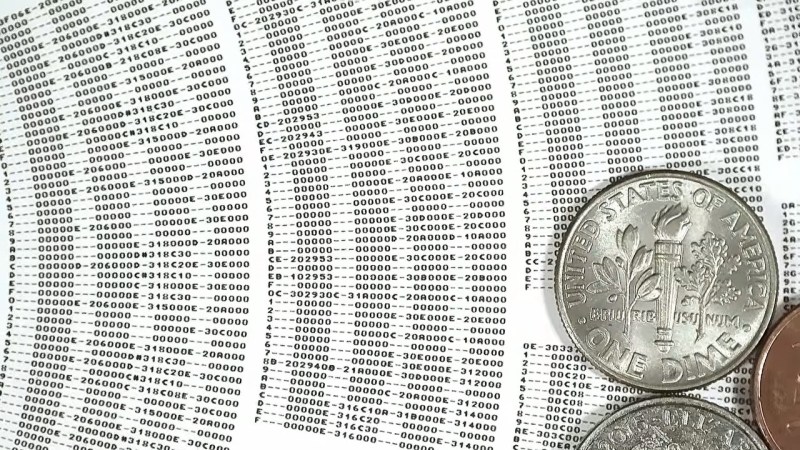
Zooming way, way in on the disk reveals that he’s actually printing the patterns of the MOD file row by row, just like you’d see playing it in a ‘tracker’ program. A MOD file, you see, does not encode music like a WAV or MP3. Rather, like with MIDI, it lists the notes the software reading the file — traditionally called a tracker — is to recreate. Unlike a MIDI file, though, you don’t have to store the same notes more than once: repeating sections are stored in patterns. So most of the disk is just a long list of hexadecimal numbers: several columns worth, one for each ‘voice’ or instrument playing in the song. Another difference with MIDI is that MOD files are self-contained in that they are supposed to contain the samples, which isn’t in evidence until you flip over the disk.

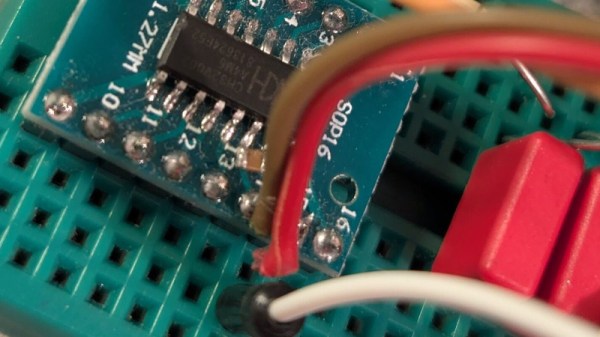
There’s no B-side to [Rob]’s album. Instead a QR-code like series of barcodes is used to encode the samples used in each track on the disk, as well as other information needed to recreate the MOD file, including metadata like title and artist, and the sequencing of the patterns on the front. Of course this means he needs two cameras on his physical mod player, one on each side, and steppers to slide them across the disk like a linear tracking turntable. The front is read via OCR of his modified Amiga “Topaz” font, while the rear holds the first 1084 bytes of the MOD file in a QR-inspired format [Rob] produced specifically for this project.

Unlike the last time we saw someone store music in QR codes, the more modest size requirements of modfiles — something that led to their use in keygens — means this player can store the music’s 8-bit sound samples without the OPUS compression [Rob] is using affecting fidelity. He’s working on another video to give the details of the player– as he works out the bugs, right now it can’t jump betwixt patterns on the disk as fast as some modfiles need–but we’re willing to hazard a guess he’s got a Raspberry Pi in there, and that it’s probably not running the Amiga-inspired AROS operating system.
Continue reading “Encoding MOD Files Optically On Paper, Because Amiga’s Legacy Will Outlast M-Disks”

Win95-Tracker-CYD Is A Cheap Yellow Mod Tracker With I2S

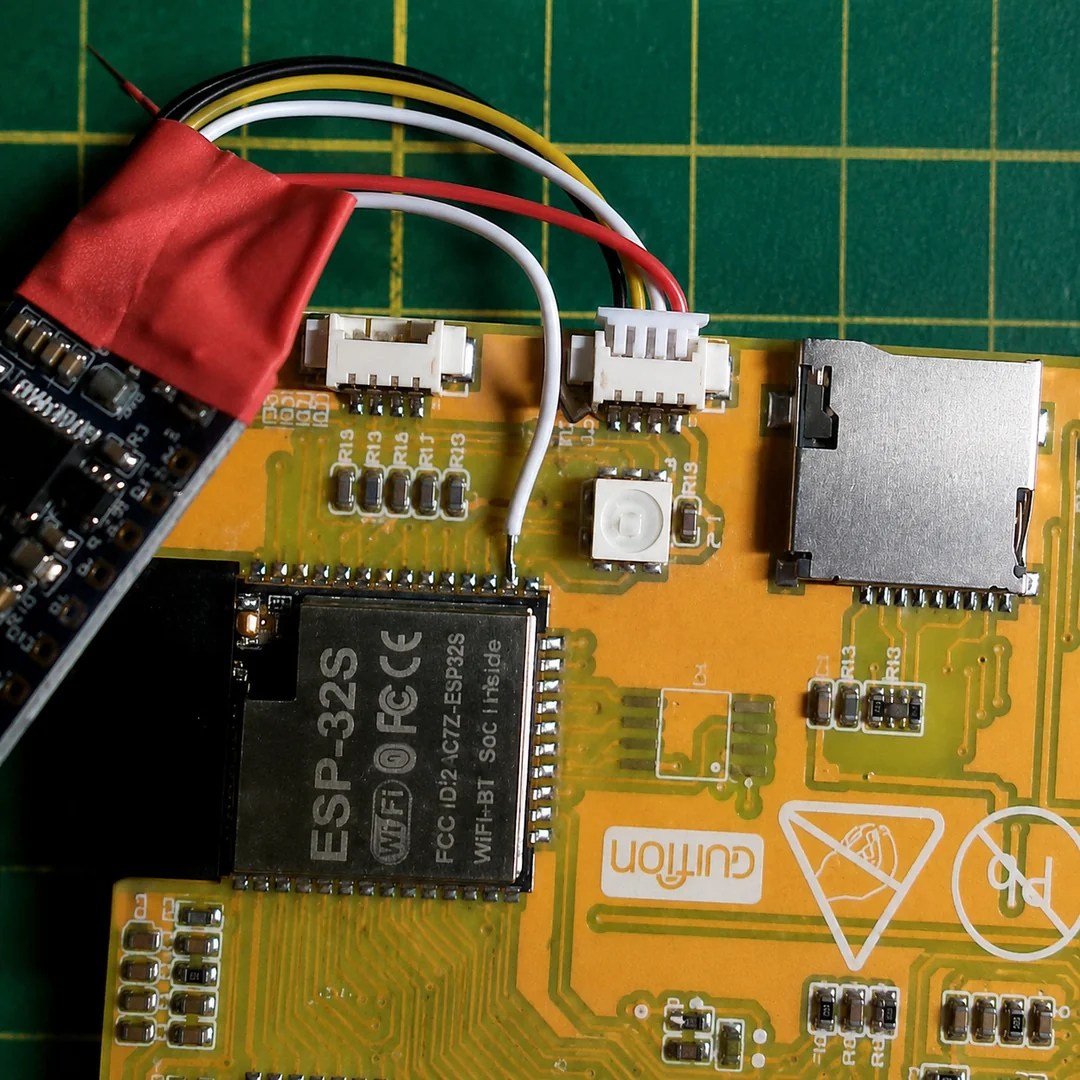
The Cheap Yellow Display is a great little module to start a project with, but it wouldn’t necessarily be our first choice for an audio device. That’s because the PWM on the ESP32 isn’t exactly going to put out hi-fi, and the I2C pins needed for the I2S audio protocol aren’t broken out on the CYD board. That didn’t stop [ivans805] AKA [Ill-Town-5623]– he wanted a mod tracker, he had a CYD board, and necessity is the mother of invention.

It isn’t exactly a ground-breaking hack: he’s just tossed a bodge wire to the pin he needs on the ESP32, and run it to the I2S sound module. Still, in this era of endless modules it’s nice to see someone hacking what they have rather than running to AliExpress or somewhere else for a part that has everything the project needs built in.

The bodge wire is how you know it’s a hack.

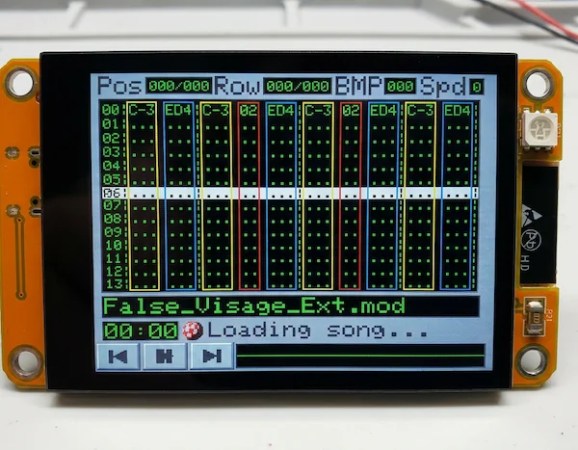
What really caught our eye when we saw this project on the ESP32 subreddit was the aesthetics. It might be called “Win95-Tracker-CYD” but that interface just screams “Amiga” to us– look at that Boing Ball! Given where MOD files come from, that’s perfect. The UI was made with Lopaka.app, which we haven’t seen before but appears to be a sort of WYSIWYG editor for embedded device interfaces.

While you don’t need an ESP32 to play mod files– the diminutive CH32 can manage the task— there’s no arguing the CYD could make a nice little player. If you actually wanted to push its limits, you might try a 3D engine instead,

SEGA Music To MODfile, (Semi)Automatically

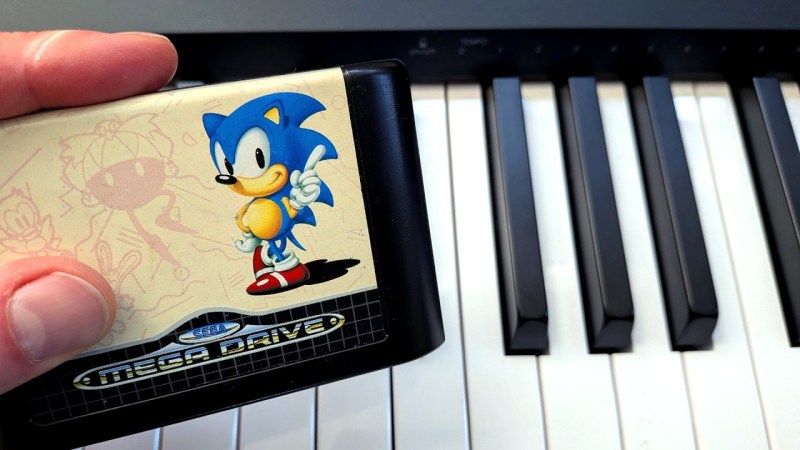
One thing SEGA’s MegaDrive/Genesis and the Commodore Amiga had in common was–aside from the Motorola 68000 processor– being known for excellent music in games. As [reassembler] continues his quest to de-assemble Sonic: The Hedgehog and re-assemble the code to run on Amiga, getting the music right is a key challenge. Rather than pull MIDI info or recreate the sound by ear, [reassembler] has written a program called Sonic2MOD to automatically take the assembly file music from the MegaDrive cartridge and turn it into an Amiga-style MODfile. He’s also made a video about it that you’ll find embedded below.

Of course how music gets made differs widly on the two systems. Amiga, famously has Paula, a custom ASIC designed for sampling, allowing you to play four eight-bit voices. The Sega, of course, has that glorious FM-synthesis chip from Yamaha synthesizing five channels of CD-quality sound and one channel of sample. It’s not as well known, but the Sega also has a bonus TI-compatible programmable sound chip (PSG) that can handle 3 square-wave tone channels and one noise channel. That’s ten total channels to the Amiga’s four, and CD-quality to 8-bit voices. Knowing all that, we were very curious how close to SEGA’s original music [reassembler] could get on the Amiga.

Before he could show us, [reassembler] needed to decode the SMPS files used on Sonic: The Hedgehog and many other MegaDrive games. Presumably he could have gotten a MIDI file online somewhere– there are oodles– but the goal was to reverse engineer Sonic from its cartridge for the Amiga, not download a lot of resources from the web. SMPS is a sort of programing language for sound, telling the Yamaha and PSG chips what to do.

In some ways, it’s not unlike the Amiga’s MOD format, which programmatically specifies how to play the sampled voices also stored in the file. Translating from one to another is a matter of reading the SMPS files, extracting the timing, volume, vibrato, et cetera, and translate that into a form the MOD file can use. Then [reassembler] needed to generate samples, which was an added hiccup because the Amiga can only handle 3 octaves vs the seven of the SEGA’s FM synthesizer. He’s able to solve this simply by generating multiple samples to span the Yamaha chip’s range, though, again, at only 8-bit fidelity. It doesn’t sound half bad.

What about the four-channel limit? That’s where a bit of artistry comes in; the automated tool produces MOD files with more voices, which MOD trackers can handle at increased computational load. Computational load you don’t need when trying to play a game. Scaling down the soundtrack to the Amiga’s limits is something [reassembler] already has practice with from his famous OutRun port, though, so we’re sure he’ll get it done.

All of this effort just to match the Mega Drive makes us appreciate what a capable little computer the Sega console was; why, you can even check your stocks with it! We’ve already featured [reassembler]’s Sonic port once before, but this music tool was interesting enough we couldn’t help ourselves coming back to it. The ability to play MOD files were pretty impressive when the Amiga came out, but nowadays all you need is a ten-cent microcontroller.

Continue reading “SEGA Music To MODfile, (Semi)Automatically”

10 Cent Microcontroller Makes Tracker Music

We are absurdly spoiled these days by our microcontrollers. Take the CH32V00X family– they’ve been immortalized by meme as “the ten cent micro” but with a clock speed of 48MHz and 32-bit registers to work with, they’re astoundingly capable machines even by the standards of home computers of yore. That’s what motivated [Tim] to see if he could use one to play MOD files, with only minimal extra parts– and quite specifically no DAC.

Well, that’s part of what motivated him. The other part was seeing Hackaday feature someone use a CH32V003 making chiptune-like beeps. [Tim] apparently saw that post as a gauntlet thrown down, and he picked it up with an even smaller chip: the CH32V002, which he proceeded to turn into a MOD player. For those of you who slept through 80s and early 90s (or for those precocious infants reading this who hadn’t then yet been born), MOD files are an  electronic music format, pioneered on the Amiga home computers. Like MIDI, the file specifies when to play specific voices rather than encoding the sound directly. Unlike MIDI, MOD files are self-contained, with the samples/voices used being stored inside the file. The original version targeted four-channel sound, and that’s what [Tim] is using here.

As you can see from the demo video, it sounds great. He pulled it off by using the chip’s built-in PWM timer. Since the timer’s duty cycle is determined by a variable that can be changed by DMA, the CPU doesn’t end up with very much to do here. In the worst case, with everything in flash memory instead of SRAM, the CPU is only taxed at 24%, so there’s plenty of power to say, add graphics for a proper demo. Using the existing MODPlay Library, [Tim]’s player fits into 4kB of memory, leaving a perfectly-usable 12kB for the MOD file. As far as external components needed, it’s just an RC filter to get rid of PWM noise.

[Tim] has put his code up on GitHub for anyone interested, and has perhaps inadvertently cast down another gauntlet for anyone who wants to use these little RISC V microprocessors for musical tasks. If you can do better, please do, let us know.

Continue reading “10 Cent Microcontroller Makes Tracker Music”