This Week In Security: Microsoft On Microsoft, Register Your Domains, Linux On ARM, And FreeBSD Joins The File Cache Club

Supply chain attacks continue, with Microsoft’s own open source Azure repositories being automatically disabled by GitHub following a compromise of the packages by the Miasma worm.

OpenSourceMalware reports that the infection resulted in 73 Microsoft-related package repositories being flagged and taken offline in a little over a minute by the GitHub automated security system, with over 40 repositories being related to Azure and the rest distributed across the Microsoft organization.

The center of the infection appears to be the Microsoft Durabletask package, which was previously compromised in May and used to push infected packages to PyPi. Considering that all of the supply chain worms also steal credentials for every service they can find in the build or developer environment they infect, it seems likely that credentials stolen in the original attack were never properly disabled.

Disabling the repositories can help stem the infected packages and GitHub actions from spreading and infecting more organizations, but of course any build processes depending on those packages will not function. In May, the Durabletask package showed over 400,000 downloads per month.

The OpenSourceMalware report includes a full list of the impacted repositories.

Microsoft Fixes GitHub Token Exploit

Microsoft has finally fixed a bug in GitHub which could steal a GitHub authentication token with access to all of an accounts repositories via the embedded web-based VSCode editor which is part of GitHub itself.

Ammar Askar discovered the bug and discusses it on their blog; by manipulating the sandboxed VS Code into treating an embedded web view as user keyboard strokes, it is possible to to cause it to install a VS Code extension which is then used to exfiltrate the GitHub authentication tokens of the user using the embedded VS Code instance.
Continue reading “This Week In Security: Microsoft On Microsoft, Register Your Domains, Linux On ARM, And FreeBSD Joins The File Cache Club”

Glue-in Hinge Design Tries Something Different

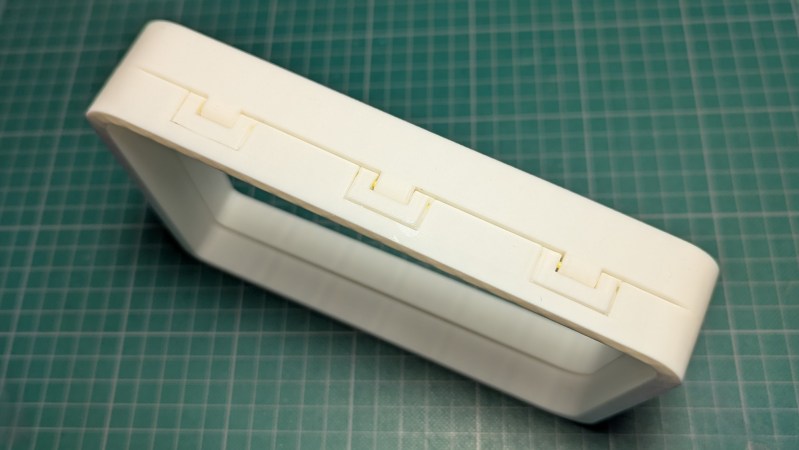
Need a hinge in your 3D printed design and would prefer not to re-invent the wheel? You may find [Alex Krush]’s glue-in filament hinge useful.

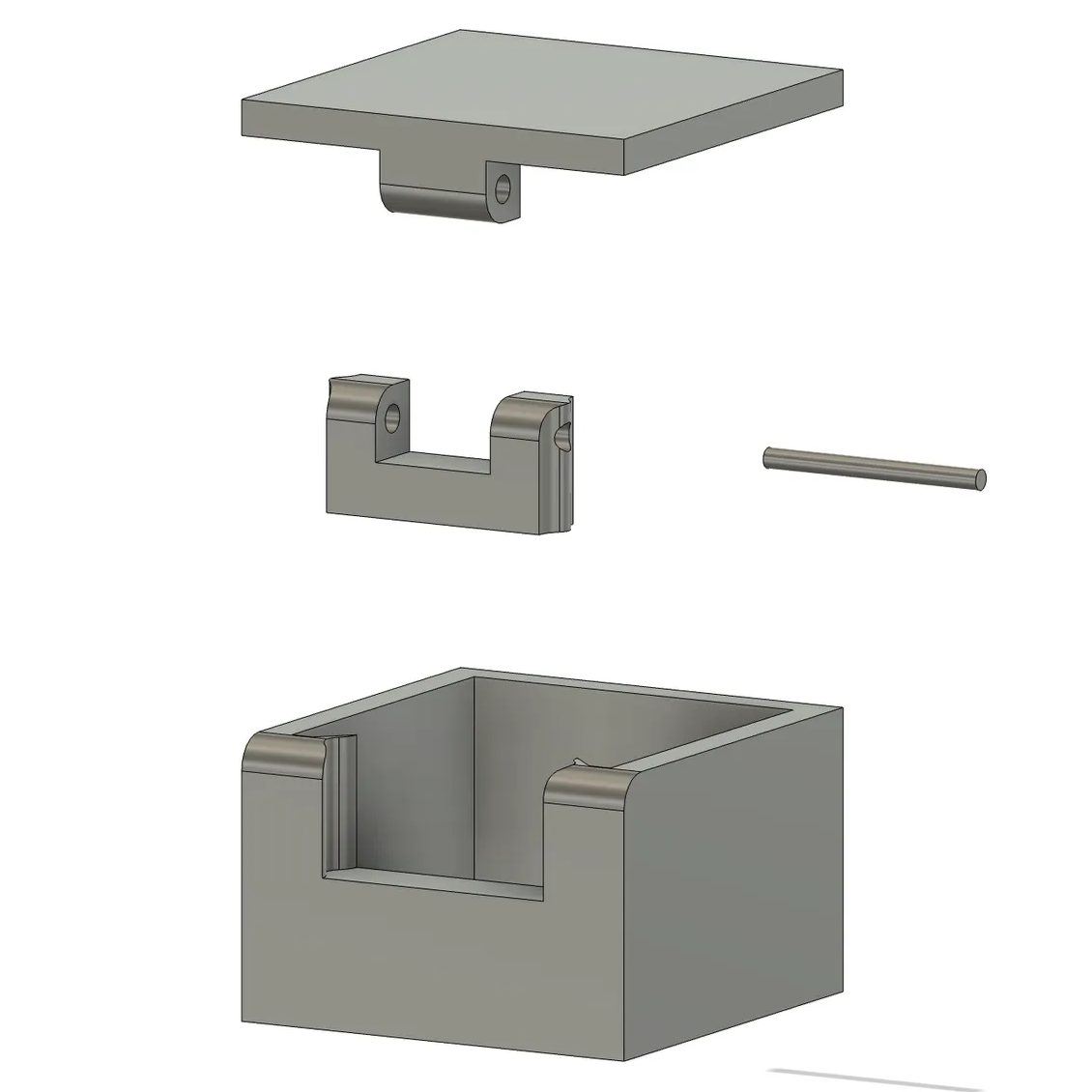
This design (shown in this simple box as an example) makes a very close-fitting hinge point.

This design prints half the hinge as a separate piece — the u-shaped one in the picture to the side — that must be glued into the target object after printing. It’s a bit of extra work, but doing it this way has a couple advantages.

One is that printing some of the hinge elements separately means one no longer needs to choose between a print orientation that best suits the object, and a print orientation that works best for the hinge. Also, the length of 1.75 mm filament used as a hinge pin is held captive after assembly so there’s no need to glue the hinge pin itself.

[Alex] helpfully provides the parts in STEP format, which makes CAD tweaks and adjustments easy. While incorporating the design should be doable even if one is just using .stl or .3mf files because boolean subtraction and merging is all that’s needed, having the model in STEP format is so much better.

Should you need some pointers on incorporating either into FreeCAD, we have you covered.

The Hackaday Communicator Badge, Re-Imagined With New Firmware

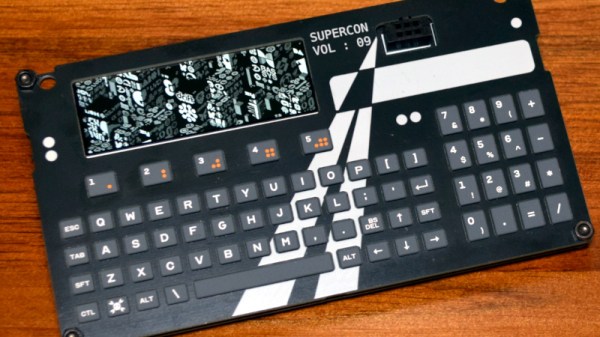
Our recently concluded event in Europe saw the return of the Hackaday Communicator badge — a stylish handheld gadget with a QWERTY keyboard, a LoRa radio, and an ESP32. It came complete with a simple messaging app built into its MicroPython firmware, and by all accounts it was a great success.

But there was certainly room for improvement, which is where [Giovi321]’s new firmware for the badge comes in. It brings support for Meshtastic proper, as well as longer battery life support for GPS module. To install this firmware you will need to have the ESP-IDF but fortunately there are very comprehensive instructions provided to help you. Under the hood it’s running FreeRTOS.

It’s something which is so often missing with an event badge, any sense of how it might have a life after the event rather than becoming a piece of e-waste. The Communicator badge is such a nice physical design that it obviously has potential, so this firmware unlocks it and gives the badge a use out in the real world. We really like it for this, and we’ll be flashing a few of our badges over to give it a shot shorlty.

If you’re looking to upgrade the hardware on your Communicator, check out the custom RGB keyboard we covered last week.