Mini Ms. Pacman

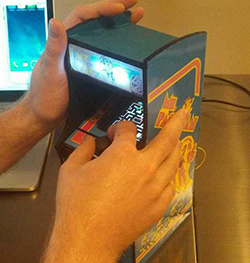
MsThe bragging rights of owning a vintage arcade machine are awesome, but the practicality of it – restoring what is likely a very abused machine, and the sheer physical space one requires – doesn’t appeal to a lot of people. [Jason] has a much better solution to anyone who wants a vintage arcade machine, but doesn’t want the buyer’s remorse that comes with the phrase, “now where do we put it?” It’s a miniaturized Ms. Pacman, mostly scale in every detail.

The cabinet is constructed out of 1/8″ plywood, decorated with printed out graphics properly scaled down from the full-size machine. Inside is a BeagleBone Black with a 4.3″ touchscreen, USB speakers, and a battery-backed power supply.

The control system is rather interesting. Although [Jason] is using an analog joystick, the resistive touch screen monopolizes the ADC on the BeagleBone. The solution to this problem would be to write a driver, or if you’re [Jason], crack the joystick open and scratch away the resistive contact until you have a digital joystick. A nice solution, considering Ms. Pacman doesn’t use an analog joystick anyway.

Pictures over on [Jason]’s G+ page, along with a vertical video that G+ displays properly. Thanks, Google.
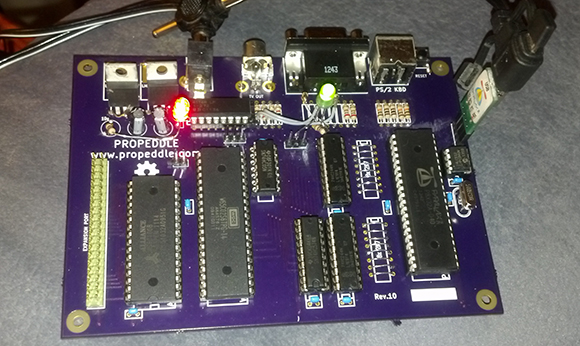
Propeddle, The Software Defined 6502

When it comes to building retrocomputers, there are two schools of thought. The first is emulation, that allows for greater compatibility and ease of use, and much easier to find parts. The second requires real, vintage hardware with all the bugs and idiosyncrasies found in vintage chips. Reconciling these two ideas is hard, but the software defined Propeddle manages to do it, all while using a real 6502 CPU.

The trick here is using a Parallax Propeller for the heavy lifting of loading the ROM into RAM with an extremely clever technique using the Reset and NMI pins, generating the clock and other signals required by the 6502, and hosting the keyboard, serial, and video I/O. Already [Jac] has the Propeddle running as an Apple 1 emulator (video below), making it possible to write programs for the Propeddle in BASIC or assembly.

It’s a great design that allows for emulation of a lot of the classic 6502 computers with a real CPU, all while doing away with the cruft of expensive ACIAs and video generation hardware. Awesome work, and we can’t wait for the next version that will be dedicated to [Bill Mensch].

Continue reading “Propeddle, The Software Defined 6502”

The $50 DMX Tester

DMX

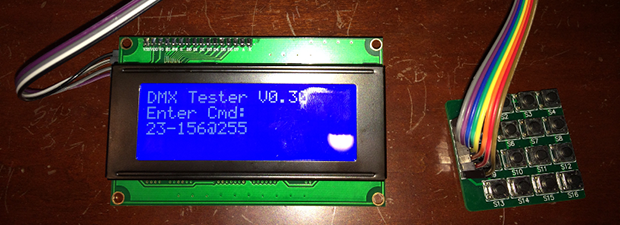
Despite being around for about as long as MIDI, DMX, the industry standard for controlling stage lighting and smoke machines, is still an astonishing expensive protocol to work with. Where MIDI can be banged out with a simple microcontroller – with odd bit rate requirements, no less, DMX testers cost hundreds of dollars. Of course this means the market is wide open for a DIY DMX tester, and over on the projects site [Tony] has just the thing.

For the hardware, [Tony] is using few 4×4 matrix keypads for user input, and a character LCD for the display. With this, he can set any of the 512 lighting channels in a DMX setup to any one of the 256 intensity values. Setting a range of channels to any intensity is a snap, with an extremely cut down command protocol. All the processing is handled by an Arduino, which seems more than capable of handling the DMX protocol thanks to the Conceptionetics DMX library.

While it’s not a full-blown lighting console you’d find in the back of a theatre, it’s more than sufficient to test a lighting rig. It also seems pretty simple to use, just the thing if you’re trying to wrap your brain around some theatrical lighting.

PirateBox, For All Your Wireless Dead Drop Needs

piratebox

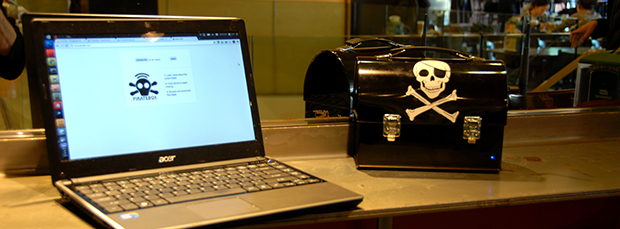
Here’s an interesting idea: get a router, Android device, or Raspberry Pi, put it on its own wireless network, and allow anyone to upload and download files. That’s a PirateBox, a small node in the web of digital culture and also a really great way to distribute files at a LAN party.

We’ve seen these type of things before, but now, thanks to [David] and [Matthias], and a bunch of other people, there’s now an easy way to turn a Raspi, Android, or anything that runs OpenWrt into a wireless dead drop. Also included in the software is an image board (think chan) a chat room, UPnP media server, and a browser-based file sharing system. Want to share a “linux distro”? Just upload it to the box over WiFi and it’s available to anyone in range.

Installers are available for devices you probably have sitting around in a junk drawer. Great for that Pi you’re trying to find a use for, and figuring out how to run one of these completely off the grid is an interesting challenge, to boot.


The I2C Programmable NFC Tag

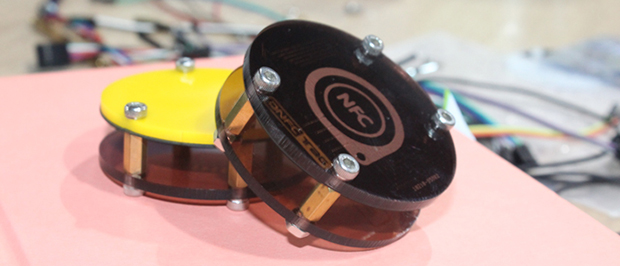
NFCNFC tags are cool, but programming them to do your bidding – whether unlocking your computer, making an Arduino vending machine, or a smart home application – requires using an NFC device to program the tag over the air. An NFC tag programmable with any ‘ol microcontroller would certainly have some interesting applications, and Elecfreaks’ DNFC tag is just the thing to test out these ideas.
While NFC tags are reprogrammable, reprogramming them requires an NFC controller, be that through a dedicated hardware, a phone, or an Arduino shield. The DNFC tag is reprogrammable with a microcontroller with an I2C interface thanks to TI’s RF430CL330H dynamic NFC transponder IC. It still does everything you would expect from a NFC tag – MIFARE compatible. NDEF reading and writing, and everything else – but you can program it through an Arduino, Pi, or any other board with an I2C interface.

TI has an app note on using the chip inside the DNFC for automatic Bluetooth pairing, and Elecfreaks themselves have a few use cases in mind that include putting WiFi credentials on an Arduino board without putting the SSID in code and other Internet of Things™ applications. We’re thinking this is one of those devices that is eminently useful, but for something we just can’t think of off the top of your head. If you’ve got an idea for how to use an I2C programmable NFC tag, drop a note in the comments.

Elecfreaks is doing an Indiegogo campaign for the DNFC, $13 for one. I picked one up, but it’s flexible funding, so buy it or don’t. I don’t care.

Papilio Duo: FPGA, Logic Analyzer, Debugger, And Arduino Compatible

Back

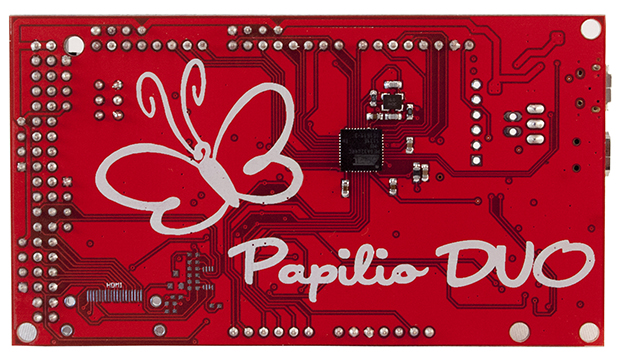
It’s been a while since we’ve seen some new boards that combine an FPGA and an Arduino, so naturally the state of the art is a little bit behind. The latest from [Jack Gassett], the Papilio Duo, aims to change that by addressing all the complaints of the original Papilio and adding some neat, modern features that you would expect on a board designed in 2014.

On board the Duo is an ATMega32u4, the same chip used in the Arduino Leonardo, allowing for easy integration with your standard Arduino projects. The top of the board is where the real money is. There’s a Spartan 6 FPGA with 9k logic cells, enough to run emulate some of the classic computers of yore, including the famous SID chip, Yamaha YM2149, and the Atari POKEY (!).  With host and device USB, 512k or 2M of SRAM, and an ADC on the FPGA inputs, this board should be able to handle just about everything you would want to throw at it. There’s even a breakout for HDMI on the bottom.

There are a few interesting software features of the Duo, including a full debugger for the ATMega chip, thanks to an emulated Atmel JTAG ICE MKII. Yes, an Arduino-compatible board finally has a real debugger. The FPGA can also implement a 32 channel logic analyzer, making this not only an extremely powerful dev board, but also a useful tool to keep around the workbench.

Talking To ISEE-3

hello.again.m

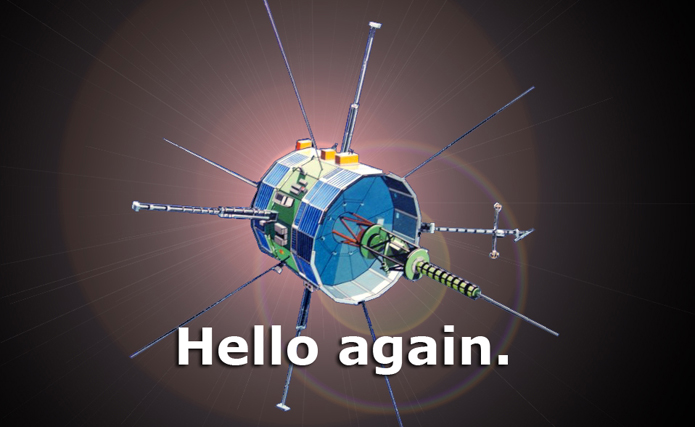
ISEE-3, the plucky interplanetary spacecraft fueled by the dreams of thousands of crowdfunding backers and hydrazine is now transmitting data to Earth.

Where all radio contact with ISEE-3 this year has only been a carrier frequency, the folks at the reboot project have successfully commanded ISSE via the huge Arecibo telescope to transmit data back to Earth. Usable data are now being received at 512 bits/second at ground stations in Germany, Kentucky, and California, surely being looked over by the ISEE reboot project engineers.

Simply transmitting the commands to put the data multiplexers into their engineering telemetry mode was no small task; a power amplifier needed to be built, shipped to Arecibo, and installed in the giant dome hanging over the Arecibo dish. The amplifier was only installed in the last day, during an earthquake, no less.

There’s still a lot of work to be done before the project can go any further; the team will need to check the status of the spacecraft from the data received, more systems will be checked out, and eventually the spacecraft will be commanded to perform a 17-hour long burn with its small thrusters, putting it on course to be captured by Earth some time in August.

It’s an amazing achievement to do any sort of communication on this scale, and now events in the ISEE-3 mission timeline will be coming rather quickly. We’re trying to organize a video/blog/cast thing with the team from NASA Ames or Morehead State, but the team is, understandably, a little busy right now.