Add Motorized Blinds To Your Home Theater

motorized-blinds

[Chipsy] found himself with an interesting problem. The room that serves his home theater has a wall mirror which reflects part of the screen during viewing. In an otherwise dark room this was very distracting. His solution was to add a blind that covers the mirror during viewing, but who wants to constantly pull that down and back up again? Since the motorized projection screen he is using has a remote control he figured out a way to motorize the blind and synchronize it with the screen’s remote.

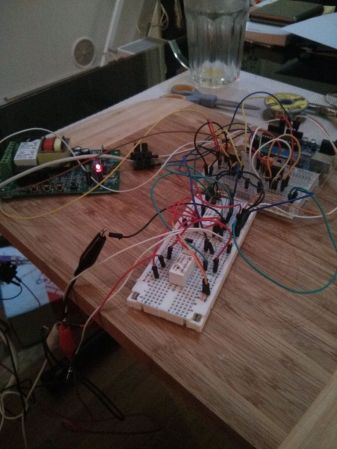
The screen uses mechanical relays to switch the motor. He patched into these with an Arduino to detect whether the screen was going up or down. It was easy enough to use his own relay and motor with the blind, but he needed a way to stop the blind once it was in position. For covering up the mirror he simply sets an 18 second timer, but for retracting the blind he wanted precise alignment so he added a magnet and sense its position with a reed switch. See the synchronized screen and blind in the clip after the break.

Continue reading “Add Motorized Blinds To Your Home Theater”

Midwest RepRap Festival

midwest-reprap-meetup

Midwesterner’s should take note — here’s an event that’s happening somewhere other than New York or California! We jest, of course there are great events in the Midwestern states every year, like the Kanasas City or Detroit Maker Faires. This event puts focus on 3D printing. The Midwest RepRap Festival will be held in Elkhart, Indian March 15-17, 2013. Despite the name, the event is meant to encompass all things involved with any brand, make, or variety of 3D printing.

The owners of a local business called The Royal Phoenix have opened their doors for the weekend. Organizers have arranged for [Josef Prusa] and [Johnny R] to speak. There will also be build events (one session will show the build process of the MendelMax 2.0) so feel free to bring your own equipment for help with construction or getting it dialed in.

There is no registration fee, or tickets. But it would be best if you did fill out the questionnaire so they have some semblance of how many people might be coming.

Heating, Bending, And Gluing To Make Acrylic Enclosures

acrylic-enclosures-heating-bending-gluing

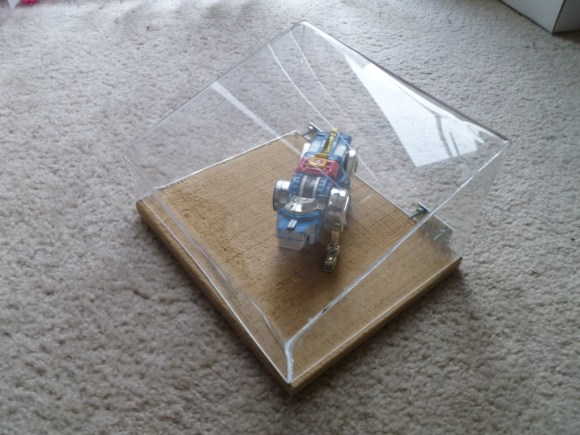
You can do a lot with acrylic and few tools. If you’re just starting out we’d suggest taking a look at [Michael Colombo’s] guide to heating, bending, and gluing to create custom acrylic enclosures. Chances are you already have most of what you need. The one tool you might be lacking is a heat gun.

The process starts with math. Before cutting the acrylic down to size you need to calculate how much you need. Next [Michael] demonstrates his cutting technique using a Dremel and a cut-off wheel. We prefer to clamp along the cut line, score many times with a razor knife, and snap the stuff. But you can also send it through a table saw if you have the right blade.

The bending technique he uses starts by clamping boards on either side of the bend. The acrylic left sticking out is pushed with a scrap board while the bend is heated with the heat gun. Once all of the corners were made in one piece the sides were glued in place. This last step can be tricky. The acrylic glue is made to work with perfect seams, so make sure your cuts are clean and the bent pieces line up.

The process was documented in the clip found after the jump. If you’re looking for a more targeted heat source check out this dedicated acrylic bender.

Continue reading “Heating, Bending, And Gluing To Make Acrylic Enclosures”

Gifsockets: WebSockets Using Animated GIF Files

gifsockets

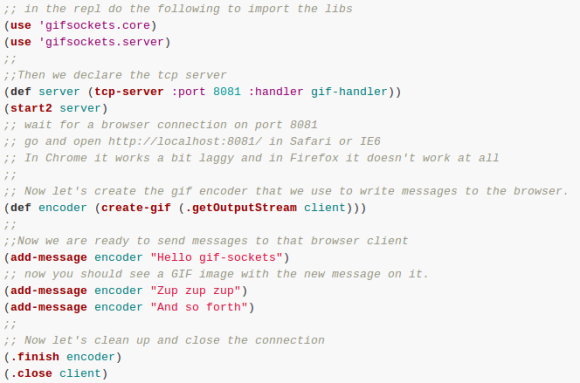
Using animated GIF images as a crude WebSocket is an idea we’ve never come across before, but it actually makes a lot of sense. Not in terms of it’s overall usefulness, but just for the fact that the animated files work in a similar way. The nature of these animated containers is what makes it work. A GIF doesn’t tell the browser how many frames to expect, so the connection is kept open until the “hey this is the last frame” command is received. This can be used to stream data to anything that can play the animations.

The demonstration after the break shows this in action. Hello World and a couple of other test messages are pushed to the browser without refreshing the page. In our mind that’s what’s useful — real time updates without a refresh or any underlying client-side code structure. But we haven’t looked into the particulars like does this eat bandwidth even when nothing new is being sent?

When [Hans] wrote into us about this gif hack he referenced this discussion panel on WebSockets. We didn’t watch the whole thing yet, but apparently someone calls the gif trick the WebSocket of the ’90s.

Continue reading “Gifsockets: WebSockets Using Animated GIF Files”

Pocket Serial Host Acts As An Apple II Disk Drive

apple-II-pocket-serial-host

[Osgeld] is showing off what he calls a sanity check. It’s the first non-breadboard version of his Pocket Serial Host. He’s been working on the project as a way to simplify getting programs onto the Apple II he has on his “retro bench”. When plugged in, the computer sees it as a disk drive.

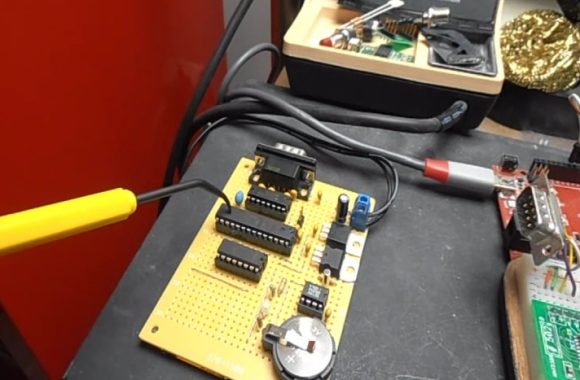
The storage is provided by an SD card which is hidden on the underside of that protoboard. This makes it dead simple to hack away at your programs using a modern computer, then transfer them over to the retro hardware. The components used (starting at the far side of the board) are a DB9 serial connector next to a level converter to make it talk to the ATmega328 chip being pointed at with a tool. The chip below that is a level converter to get the microcontroller talking to the RTC chip seen to the right. The battery keeps that clock running when there’s no power from the 5V and 3.3V regulators mounted in the upper right.

The video after the break shows off this prototype, the breadboard circuit, and a demonstration with the Apple II.

Continue reading “Pocket Serial Host Acts As An Apple II Disk Drive”

Fruit Piano Uses A Different Circuit Than The Makey Makey

screen

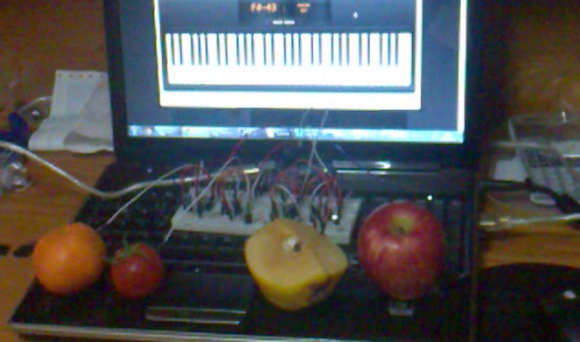
[Hasbi Sevinç] is using perishable goods in his electronics project. The orange, tomato, and two apples seen above act as keys for the virtual piano. The concept is the same as the Makey Makey which is often demonstrated as a banana piano. This implementation uses an Arduino to read the sensors and to connect to the computer running the piano program.

You can see there’s a fair amount of circuitry built on the breadboard. Each piece of fruit has its own channel to make it into a touch sensor. The signal produced when your finger contacts the food is amplified by transistors connected in a Darlington pair. That circuit drives the low side of a optoisolator transmitter. The receiving side of it is connected the I/O pin of the Arduino. You can see the schematic as well as a demo clip after the break.

This use of hardware frees up a lot of your microcontroller cycles. That’s because projects like this banana piano use the timers to measure RC decay. [Hasbi’s] setup provides a digital signal that at most only needs to be debounced.

Continue reading “Fruit Piano Uses A Different Circuit Than The Makey Makey”

Wall Votive Display Controlled With A Glowing Cube

wall-votive-display

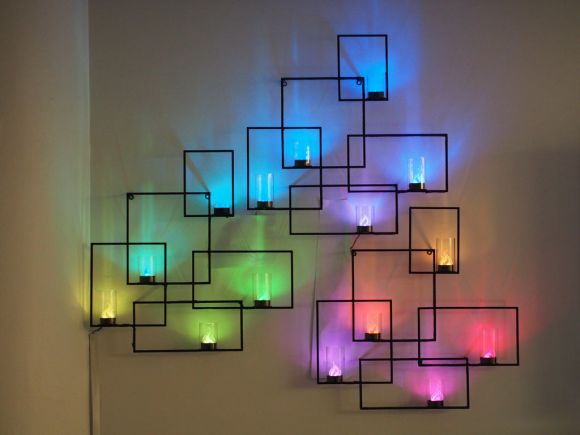
This wall hanging would look great even if it did no more than light up. But thanks to a unique controller it’s meant to work as an interactive display for your living area.

The rectangles and votive candle cups are a set of three store-bought hangings. But lighting the candles and remembering to blow them out was a pain, so [Adiel Fernandez] decided to add the LEDs to make the job easier. But why stop at that, in addition to an RGB light for each cup he made them fully addressable. It’s all the better for a light show, but this also opens up the arena for all manner of different uses.

Accompanying the wall installation is a palm-sized cube meant to sit on the coffee table. Whichever side of the cube us up sets the function for the display, with a rotation tweaking the function, and a fast spin used as a select. If the power icon is on the side facing up, a fast spin will turn the display on or off. There are also functions for weather, temperature, transportation (we were thinking something like a bus schedule notifier but it’s actually a bit different) and animation patterns. After the break you can watch a demo of the cube functionality.

Continue reading “Wall Votive Display Controlled With A Glowing Cube”