Ebike Display Uses Reflective LCD

Although LCD displays have been used in almost every type of consumer electronics display over the last two decades, many of these screens have a few downsides that limit their usefulness in certain situations. As any owner of an early digital watch, an early laptop, or an early digital camera will testify, these displays often completely fail in direct sunlight. And, a currently new technology often using inexpensive displays in full sunlight conditions is ebikes, so [Volos Projects] decided to use a unique LCD display to solve this issue.

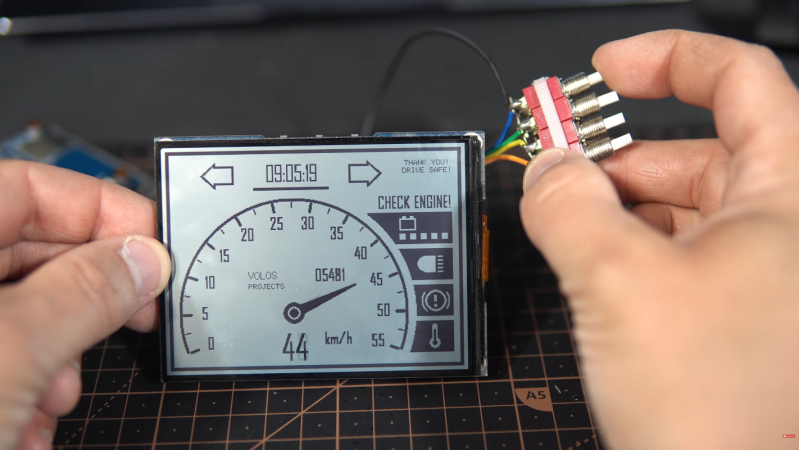
The display is called a reflective LCD (RLCD) and is actually a fairly old but overlooked piece of technology. Displays like these have a reflective layer that bounces ambient light back to the user, increasing contrast and readability in high light, especially when compared to more common transmissive displays. This build is based on a board from Waveshare, which includes the screen and its driver components, and [Volos Projects] integrated this into a test stand that mimics an ebike’s speed sensor and other hardware like turn signals. The display shows the bike’s speed and a few other indicators, and thanks to the screen, this information can be easily seen in full sun.

Although he doesn’t have it on an actual e-bike yet, he hopes it will be useful for those who want to try out something like this with their substandard e-bike displays. The code he’s used is available on a GitHub page for anyone interested. We’d imagine that a low-cost display like this would pair well with an open-source ebike like this one.
Continue reading “Ebike Display Uses Reflective LCD”

Building A Device To Map Magnetic Fields

Magnetic fields are all around us. We can’t really feel or see them ourselves, per se, but we can map them with the right hardware, like this device built by [edosari50].

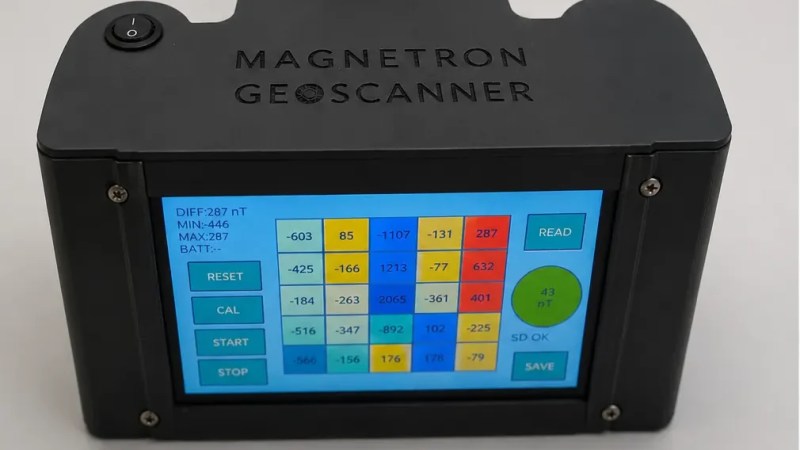
The build uses an ESP32 microcontroller, which is built on to a board with an integrated 4.3″ touchscreen LCD. It’s paired with an Arduino Nano, which does the work of actually talking to a pair of EMS100 Fluxgate magnetic sensors. The slower, less capable Arduino handles the low-level chatter and then passes the readouts to the ESP32 over a UART connection. Power is courtesy of a pair of 18650 lithium-ion cells, and a XL4005 DC-DC converter. A lithium-ion charging module is on hand to keep the batteries topped off safely.  Scan results are visualized on the device itself using a heatmap representation, and can also be exported to SD card for later analysis if so desired.

Unless you’re in the geological field or otherwise hunting for stuff underground, this probably isn’t a tool you’ll have a lot of use for. However, if you like finding magnetic anomalies and investigating them, it might be very much in your wheelhouse. We’ve featured other tools for magnetic visualization before, too. Video after the break.
Continue reading “Building A Device To Map Magnetic Fields”

A Computer That Fits Inside A Camera Lens

For a long while, digital single-lens reflex (DSLR) cameras were the king of the castle for professional and amateur photography. They brought large sensors, interchangeable lenses, and professional-level viewfinders to the digital world at approachable prices, and then cemented their lead when they started being used to create video as well. They’re experiencing a bit of a decline now, though, as mirrorless cameras start to dominate, and with that comes some unique opportunities. To attach a lens meant for a DSLR to a mirrorless camera, an adapter housing must be used, and [Ancient] found a way to squeeze a computer and a programmable aperture into this tiny space.

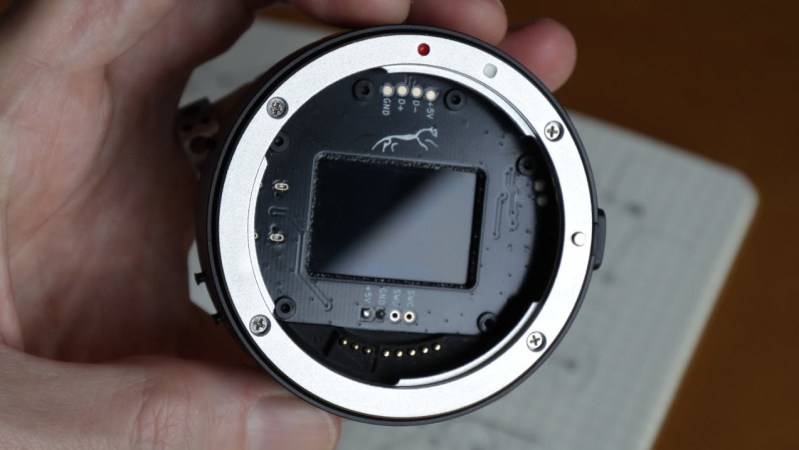
The programmable aperture is based on an LCD screen from an old cell phone. LCD screens are generally transparent until their pixels are switched, and in most uses as displays a backer is put in place so someone can make out what is on the screen. [Ancient] is removing this backer, though, allowing the LCD to be completely transparent when switched off. The screen is placed inside this lens adapter housing in the middle of a PCB where a small computer is also placed. The computer controls the LCD via a set of buttons on the outside of the housing, allowing the photographer to use this screen as a programmable aperture.

The LCD-as-aperture has a number of interesting uses that would be impossible with a standard iris aperture. Not only can it function as a standard iris aperture, but it can do things like cycle through different areas of the image in sequence, open up arbitrary parts or close off others, and a number of other unique options. It’s worth checking out the video below, as [Ancient] demonstrates many of these effects towards the end. We’ve seen some of these effects before, although those were in lenses that were mechanically controlled instead.

Continue reading “A Computer That Fits Inside A Camera Lens”

All-Screen Keyboard Has Flexible Layouts

Most keyboards are factory-set for a specific layout, and most users never change from the standard layout for their home locale. As a multilingual person, [Inkbox] wanted a more flexible keyboard. In particular, one with the ability to change its layout both visually and logically, on the fly. Thus was born the all-screen keyboard, which can swap layouts on demand. Have a look at the video below to see the board in action.

The concept is simple enough: It’s a keyboard with transparent keys and a screen underneath. The screen displays the labels for the keys, while the transparent plastic keys provide the physical haptic interface for the typist. The device uses a Raspberry Pi to drive the screen. [Inkbox] then designed a plastic frame and transparent keys, which are fitted with magnets, which in turn are read by Hall effect sensors under the display. This eliminates the need for traditional key switches, which would block light from the screen below.

Unfortunately for [Inkbox], the prototype was very expensive (about $1,400 USD) and not particularly functional as a keyboard. However, a major redesign tackled some of these issues. Version two had a smaller screen with a different aspect ratio. It also jettisoned the Hall effect sensors and uses plastic keys capacitively operating a traditional touch screen. Some design files for the keyboard are available on Github for the curious.

An all-screen keyboard is very cool, if very complicated to implement. There are other ways to change your layout that aren’t quite as fancy, of course. You can always just make custom keycaps and remap layouts on a regular mechanical keyboard if desired. Still, you have to admire the work that went into making this thing a reality.

Continue reading “All-Screen Keyboard Has Flexible Layouts”

Using A Smartphone As A Touchscreen For Arduino

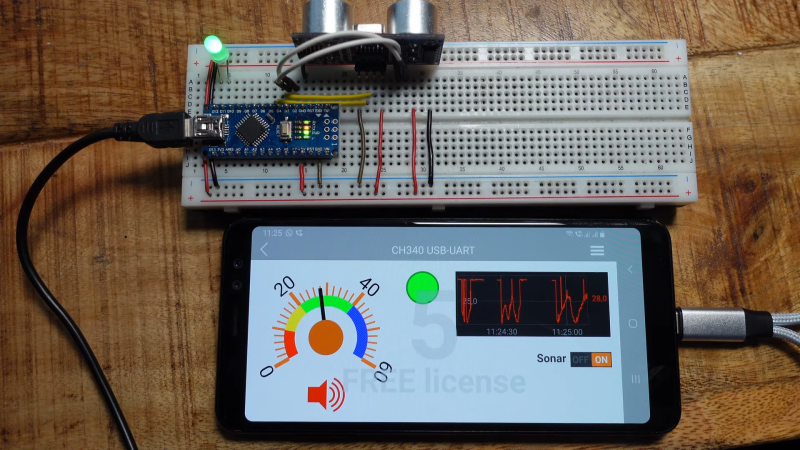
If you want a good display and interface device for an embedded project, it’s hard to look past an old smartphone. After all, you’ve got an excellent quality screen and capacitive touch interface all in the same package! [Doctor Volt] explains how to easily set up your old smartphone to work as a touchscreen for your Arduino.

[Doctor Volt] demonstrates the idea with a 2018 Samsung Galaxy A8, though a wide variety of Android phones can be put to use in this way. The phone is connected to the Arduino via a USB-to-serial converter and an OTG cable. Using a USB-C phone with Power Delivery is ideal here, as it allows the phone to be powered while also communicating with the Arduino over USB.

The RemoteXY app is built specifically for this purpose. It can be installed on an Android phone to allow it to communicate effectively with Arduino devices, which run the RemoteXY library in turn. Configuring the app is relatively straightforward, with a point-and-click wizard helping you designate what hardware you’re using and how you’ve got it hooked up. [Doctor Volt] does a great job of explaining how to hook everything up, and how to build some simple graphical interfaces.

There are a ton of display and interface options in the embedded space these days, many of which can be had cheaply off the shelf. Still, few compete with the resolution and quality of even older smartphones. It’s a neat project that could come in very handy for your next embedded build! Video after the break.

Continue reading “Using A Smartphone As A Touchscreen For Arduino”

How To Find Replacement Parts When Model Numbers Don’t Match

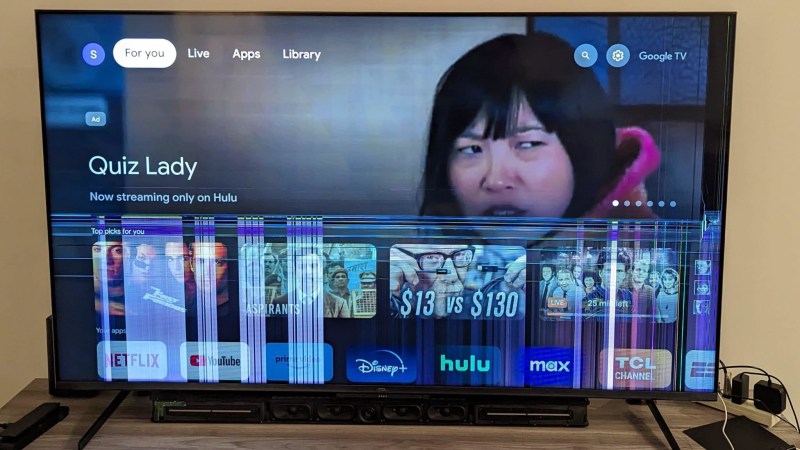
[Sharad Shankar] repaired a broken TV by swapping out the cracked and malfunctioning image panel for a new one. Now, part-swapping is a great way to repair highly integrated modern electronics like televisions, but the real value here is something else. He documented his fix but the real useful part is his observations and guidance on how to effectively look for donor devices when the actual model of donor device can’t be found.

The usual approach to fixing a device by part swapping is to get one’s hands on two exact same models that are broken in different ways. But when it comes to consumer electronics with high turnovers — like televisions — it can be very difficult to actually locate any particular model once it’s no longer on shelves. [Sharad Shankar]’s broken TV was a 65″ TCL R646 purchased in 2021, and searching for a second 65″ TCL R646 was frankly like looking for a needle in a haystack. That’s when he got a visit from the good ideas fairy. Continue reading “How To Find Replacement Parts When Model Numbers Don’t Match”

ESP32 Oscilloscope Skips Screen For The Browser

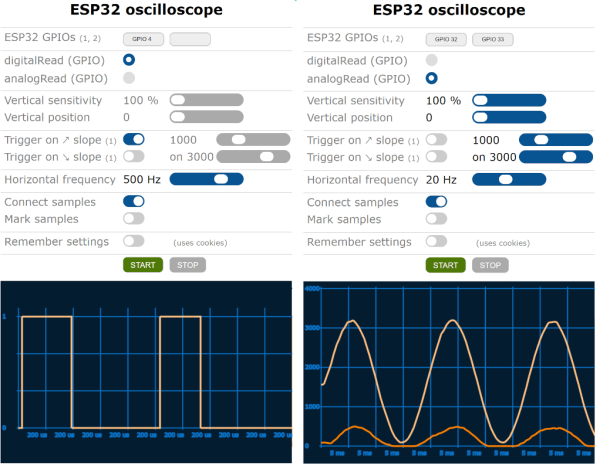
An oscilloscope can be an expensive piece of equipment, but not every measurement needs four channels and gigahertz sampling rates. For plenty of home labs, old oscilloscopes with CRTs can be found on the used marketplace for a song that are still more than capable of getting the job done, but even these can be overpowered (not to mention extremely bulky). If you’re looking for something even cheaper, and quite a bit smaller, this ESP32 scope from [BojanJurca] might fit the bill.

The resulting device manages to keep costs extremely low, but not without a trade-off. For this piece of test equipment, sampling is done over the I2C bus on the ESP32, which can manage a little over 700 samples per second with support for two channels. With the ESP32 connected to a wireless network, the data it captures can be viewed from a browser in lieu of an attached screen, which also keeps the size of the device exceptionally small. While it’s not a speed demon, that’s more than fast enough to capture waveforms from plenty of devices or our own circuit prototypes in a form factor that can fit even the smallest spaces.

Of course for work on devices with faster switching times, it’s always good to keep a benchtop oscilloscope around. But as far as we can tell this one is the least expensive, smallest, and most capable we’ve come across that would work for plenty of troubleshooting or testing scenarios in a pinch. We’ve seen others based on slightly more powerful microcontrollers like this one based on the STM32 and this other built around the Wio Terminal with a SAMD51, both of which also include built-in screens.