Linux Fu: Getting Started With Systemd

I will confess. I started writing this post about some stupid systemd tricks. However, I wanted to explain a little about systemd first, and that wound up being longer than the tricks. So this Linux Fu will be some very fundamental systemd information. The next one will have some examples, including how to automount a Raspberry Pi Pico. Of course, by the end of this post, you’ll have only scratched the surface of systemd, but I did want to give you some context for reading through the rest of it.

Like many long-time Unix users, I’m not a big fan of systemd. Then again, I’m also waiting for the whole “windows, icon, mouse, pointer” fad to die down. Like it or not, systemd is here and probably here to stay for the foreseeable future. I don’t want to get into a flame war over systemd. Love it or hate it, it is a fact of life. I will say that it does have some interesting features. I will also say that the documentation has gotten better over time. But I will also say that it made many changes that perhaps didn’t need to be made and made some simple things more complicated than they needed to be.

In the old days, we used “init scripts,” and you can still do so if you are really motivated. They weren’t well documented either, but it was pretty easy to puzzle out the shell scripts that would run, and we all know how to write shell scripts. The systemd way is to use services that are not defined by shell scripts. However, systemd tries to do lots of other things, too. It can replace cron and run things periodically. It can replace inetd, syslog, and many other traditional services. This is a benefit or a drawback, depending on your point of view.

(Editor’s note: And this logging functionality was exactly what was abused in last week’s insane liblzma / ssh backdoor.)

Configuring systemd requires you to create files in one of several locations. In systemd lingo, they are “units.” For the purpose of this Linux Fu, we’ll look at only a few kinds of units: services, mounts, and timers. Services let you run programs in response to something like system start-up. You can require that certain other services are already running or are not running and many other options. If the service dies, you can ask systemd to automatically restart it, or not. Timers can trigger a service at a particular time, much like cron does. Another unit you’ll run into are sockets that represent — you guessed it — a network socket.
Continue reading “Linux Fu: Getting Started With Systemd”

Homebrew Network Card With No CPU

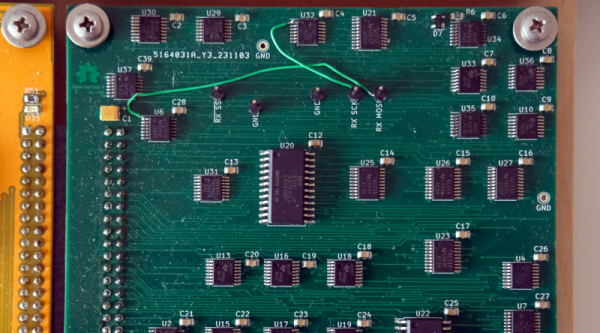
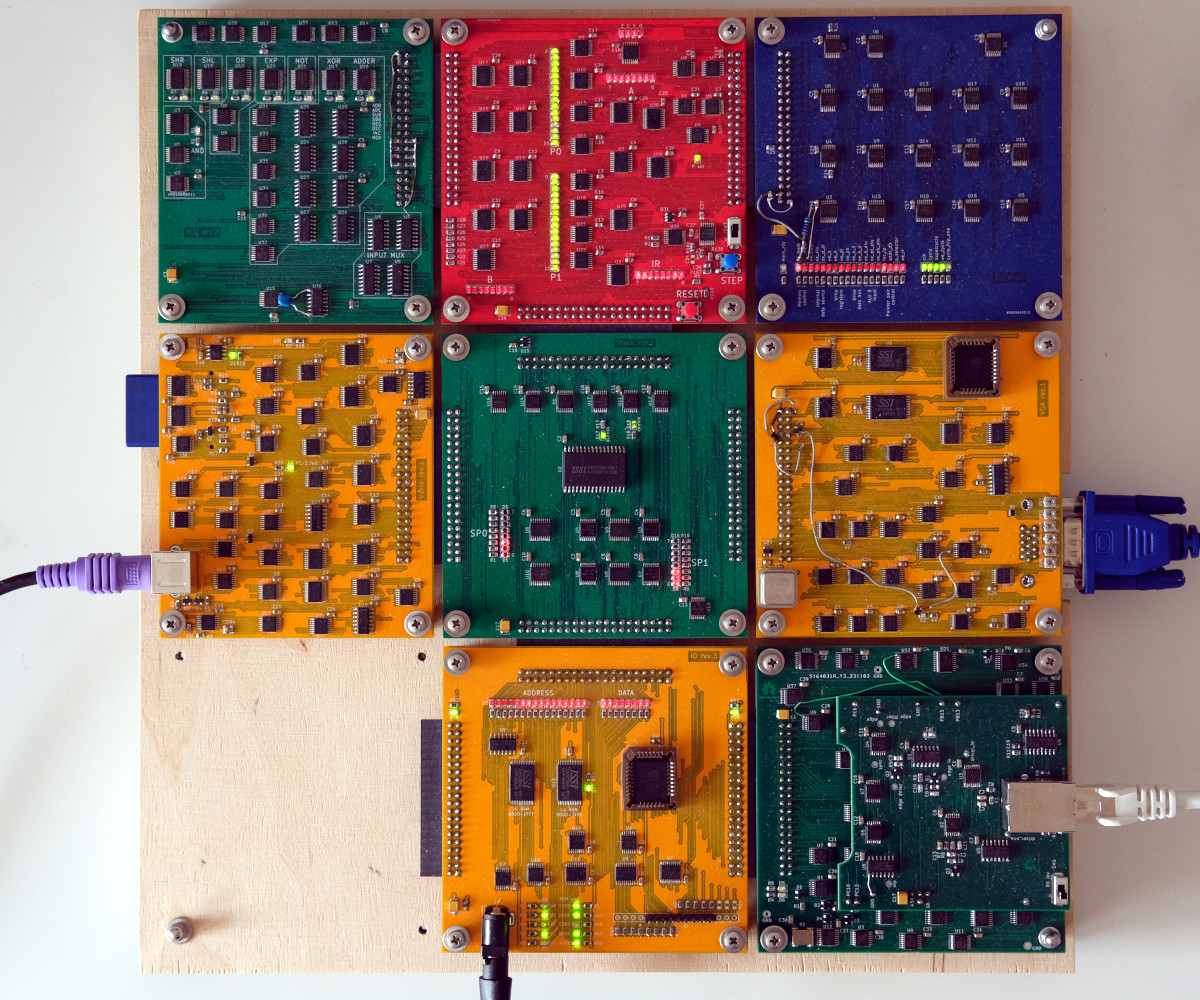
A modern normal network card will have onboard an Ethernet controller which, of course, is a pre-programmed microcontroller. Not only does it do the things required to keep a computer on the network, it can even save the primary CPU from having to do certain common tasks required for communicating. But not [Ivan’s]. His homebrew computer — comprised of 7 colorful PCBs — now has an eighth card. You guessed it. That card connects to 10BASE-T Ethernet.

There’s not a microcontroller in sight, although there are RAM chips. Everything else is logic gates, flip flops, and counters. There are a few other function chips, but nothing too large. Does it work? Yes. Is it fast? Um…well, no.

The complete computer.

He can ping others on the network with an 85 ms round trip and serve web pages from his homebrew computer at about 2.6 kB/s. But speed wasn’t the goal here and the end result is quite impressive. He even ported a C compiler to his CPU so he could compile uIP, a networking stack, avoiding the problems of writing his own from scratch.

Some compromises had to be made. The host computer has to do things you normally expect a network card to do. The MTU is 1024 bytes (instead of the more common 1500 bytes, but TCP/IP is made to expect different MTU sizes, which used to be more common when more network interfaces looked like this one).

Even on an FPGA, these days, you are more likely to grab some “IP” to do your Ethernet controller. Rolling your own from general logic is amazing, and — honestly — the design is simpler than we would have guessed. If you check out [Ivan]’s blog, you can find articles on the CPU design, its ALU, and even a VGA video card all from discrete logic. The whole design, including the network card is up on GitHub.

We love the idea of building a whole computer system soup to nuts. We wish we had the time. If you need a refresher on what’s really happening with Ethernet, our [Arya Voronova] can help.

Soldering The Elusive USB C Port

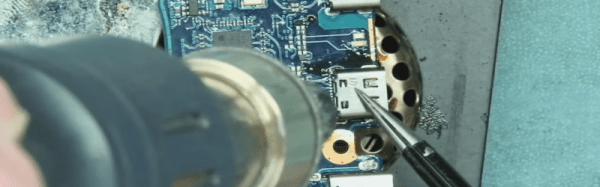
Many SMD components, including some USB C ports, have their terminals under the component. When installed, the pins are totally hidden. So, how do you solder or unsolder them? That’s the problem [Learn Electronics Repair] encountered when fixing a Lenovo Yoga, and he shows us his solution in the video below.

He showed the removal in a previous video, but removal is a bit easier since you can just heat up the area, yank the connector, and then clean up the resulting mess at your leisure. Installation is harder because once the socket is down, you no longer have access to the pads.

Continue reading “Soldering The Elusive USB C Port”

In A Twist, Humans Take Jobs From AI

Back in the 1970s, Rockwell had an ad that proudly proclaimed: “The best electronic brains are still human.” They weren’t wrong. Computers are great and amazing, but — for now — seemingly simple tasks for humans are out of reach for computers. That’s changing, of course, but computers are still not good at tasks that require a little judgment. Suppose you have a website where people can post things for sale, including pictures. Good luck finding a computer that can reliably reject items that appear to be illegal or from a business instead of an individual. Most people could easily do that with a far greater success rate than a computer. Even more so than a reasonable-sized computer.

Earlier this month, we reported on Amazon stepping away from the “just walk out” shopping approach. You know, where you just grab what you want and walk out and they bill your credit card without a checkout line. As part of the shutdown, they revealed that 70% of the transactions required some human intervention which means that a team of 1,000 people were behind the amazing technology.

Humans in the Loop

That’s nothing new. Amazon even has a service called Mechanical Turk that lets you connect with people willing to earn a penny a picture, for example, to identify a picture as pornographic or “not a car” or any other task you really need a human to do. While some workers make up to $6 an hour handling tasks, the average worker makes a mere $2 an hour, according to reports. (See the video below to see how little you can make!) The name comes from an infamous 200-year-old chess-playing “robot.” It played chess as well as a human because it was really a human hiding inside of it.

Continue reading “In A Twist, Humans Take Jobs From AI”

Query Your C Code

If you’ve ever worked on a large project — your own or a group effort — you know it can be difficult to find exactly where you want to be in the source code. Sure, you can use ctags and most other editors have some way of searching for things. But ClangQL from [AmrDeveloper] lets you treat your code base like a database.

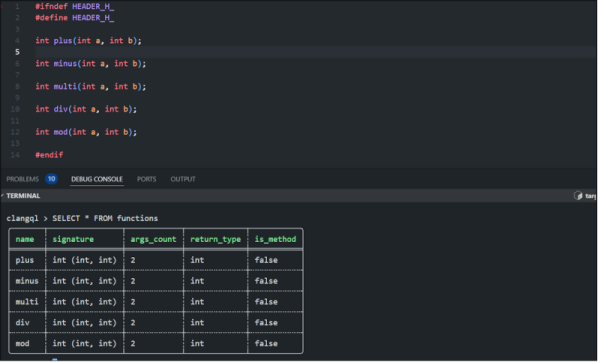
Honestly, we’ve often thought about writing something that parses C code and stuffs it into a SQL database. This tool leverages the CLang parser and lets you write queries like:

SELECT * FROM functions

That may not seem like the best example, but how about:

SELECT COUNT(name) FROM functions WHERE return_type="int"

That’s a bit more interesting. The functions table provides each function’s name, signature, a count of arguments, a return type, and a flag to indicate methods. We hope the system will grow to let you query on other things, too, like variables, templates, preprocessor defines, and data types. The tool can handle C or C++ and could probably work with other CLang front ends with a little work.

Continue reading “Query Your C Code”

Royal Typewriter Gets A Second (or Third) Life

Usually when we are restoring something with a keyboard, it is some kind of old computer or terminal. But [Make it Kozi] wanted an old-fashioned typewriter. The problem is, as he notes, they are nostalgically popular these days, so picking up a working model can be pricey. The answer? Buy a junker and restore it. You can watch the whole process in the video below, too, but nearly the only sound you’ll hear is the clacking of the keys. He doesn’t say a word until around the 14-minute mark. Just warning you if you have it playing in the background!

Of course, even if you can find a $10 typewriter, it probably won’t be the same kind, nor will it have the same problems. However, it is a good bet that any old mechanical typewriter will need many of the same steps.

Continue reading “Royal Typewriter Gets A Second (or Third) Life”

1950s Switching Power Supply Does It Mechanically

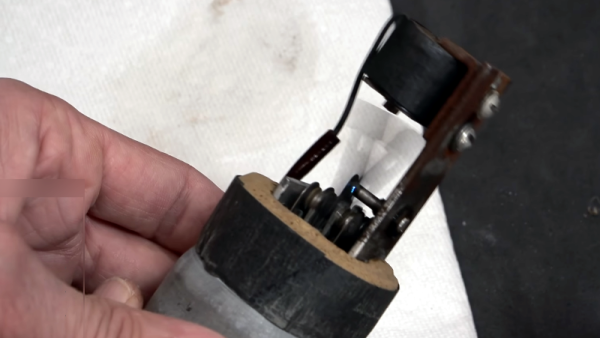
When you hear about a switching power supply, you think of a system that uses an inductor and a switch to redistribute energy from the input to the output. But the original switching power supply was the vibrator supply, which was common in automotive applications back in the middle part of the last century. [Mr. Carlson] has a 1950s-era example of one of these, and he invites us to watch him repair it in the video below.

Most of the vibrator supplies we’ve seen have been built into car radios, but this one is in a box by itself. The theory is simple. A DC voltage enters the vibrator, which is essentially a relay that has a normally-closed contact in series with its coil. When current flows, the relay operates, breaking the contact. With no magnetic field, the springy contact returns to its original position, allowing the whole cycle to repeat.

Continue reading “1950s Switching Power Supply Does It Mechanically”