3D Printed Calipers Work Like Clockwork

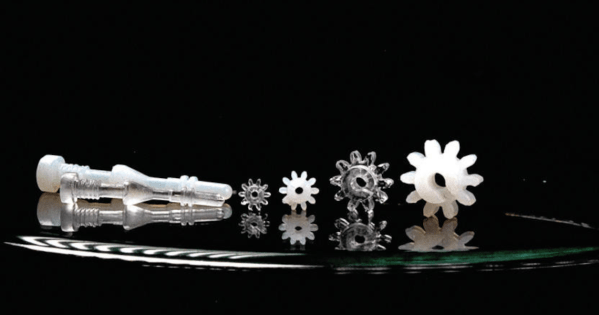
Most of us use calipers when working with our 3D printers. Not [Albert]. He has a clockwork caliper design that he 3D printed. The STL is available for a few bucks, but you can see how it works in the video below. We don’t know how well it works, but we’ll stick with our digital calipers for now.

The digital readout on this caliper is more like a sophisticated watch. A window shows 10s of millimeters and two dials show the single digits and the number after the decimal point.

Continue reading “3D Printed Calipers Work Like Clockwork”

What Is Ultra Wideband?

If you’ve been following the world of mobile phone technology of late, you may be aware that Apple’s latest IPhones and AirTag locator tags bring something new to that platform. Ultra wideband radios are the new hotness when it comes to cellphones, so just what are they and what’s in it for those of us who experiment with these things?

An Apple AirTag being paired with an iPhone. Swisshashtag, CC BY-SA 4.0.

Ultra wideband in this context refers to radio signals with a very high bandwidth of over 500 MHz, and a very low overall power density spread over that  spectrum. Transmissions are encoded not by modulation of discrete-frequency carriers as they would be in a conventional radio system, but by the emission of wideband pulses of RF energy across that bandwidth.  It can exist across the same unlicensed spectrum as narrower bandwidth channelised services, and that huge bandwidth gives it an extremely high short-range data transfer bandwidth capability. The chipsets used by consumer devices use a range of UWB channels between about 3.5 and 6.5 GHz, which in radio terms is an immense quantity of spectrum. Continue reading “What Is Ultra Wideband?”

Flat Transformer Gives This PCB Tesla Coil Some Kick

Arguably, the most tedious part of any Tesla coil build is winding the transformer. Getting that fine wire wound onto a suitable form, making everything neat, and making sure it’s electrically and mechanically sound can be tricky, and it’s a make-or-break proposition, both in terms of the function and the aesthetics of the final product. So this high-output printed circuit Tesla should take away some of that tedium and uncertainty.

Now, PCB coils are nothing new — we’ve seen plenty of examples used for everything from motors to speakers. We’ve even seen a few PCB Tesla coils, but as [Ray Ring] points out, these have mostly been lower-output coils that fail to bring the heat, as it were. His printed coil generates some pretty serious streamers — a foot long (30 cm) in some cases. The secondary of the coil has 6-mil traces spaced 6 mils apart, for a total of 240 turns. The primary is a single 240-mil trace on the other side of the board, and the whole thing is potted in a clear, two-part epoxy resin to prevent arcing. Driven by the non-resonant half-bridge driver living on the PCB below it, the coil can really pack a punch. A complete schematic and build info can be found in the link above, while the video below shows off just what it can do.

Honestly, for the amount of work the PCB coil saves, we’re tempted to give this a try. It might not have the classic good looks of a hand-wound coil, but it certainly gets the job done. Continue reading “Flat Transformer Gives This PCB Tesla Coil Some Kick”

Old DSLR Lens Becomes Useful Soldering Magnifier

Soldering tiny stuff is hard, if not impossible, without some optical assistance. [Ad_w00000] was having just this problem, so built himself a soldering magnifier to help.

The magnifier uses a variety of components [Ad_w00000] had lying around. For the optical side of things, an old Canon DSLR zoom lens was pressed into service as the main magnifying element. The lens was then fitted with an old laptop webcam, which was glued into an old lens extender to avoid modifying the main lens itself. The webcam is hooked up to an Asus Tinkerboard fitted with a touchscreen display to show the images. The whole lens assembly is then fitted onto an old TV stand to enable it to sit far enough above the work surface to focus properly.

The build is a great example of building something useful out of whatever you have on hand. Sometimes, that’s cheaper and quicker than spending money and waiting for something to ship. It also has the bonus that you’ll learn useful skills along the way.

We’ve seen other great soldering hacks recently, too, like this gimbal to help steady hand tremors. If you’ve got your own coming together, be sure to let us know!

Nintendo DS Transformed Into Gameboy Macro

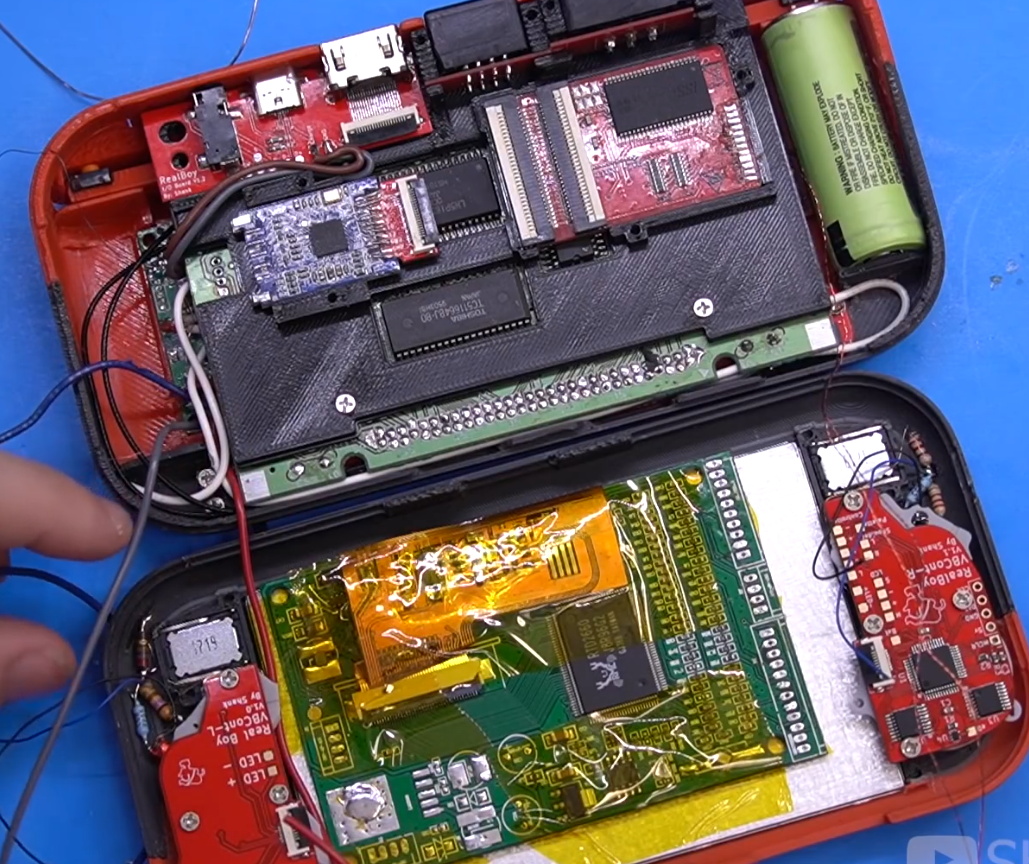
Nintendo’s Game Boy line were the world’s most popular handheld gaming systems, but did have their drawbacks. Most notably, the Game Boy didn’t receive a backlit color LCD until the Game Boy Advance SP launched in 2003. Of course, you can always build your own Game Boy that rectifies this and other shortcomings, and that’s what [JoshuaGuess] did with this Gameboy Macro build.

The build ends up like a bigger version of the Game Boy Micro, the final release in the Game Boy line.

The build is based around a Nintendo DS Lite, one of Nintendo’s later handhelds featuring dual screens. In this build, the top screen is removed and discarded entirely. The motherboard is then hacked with a resistor on some test points to allow it to still boot with the top missing. The shell of the bottom half is then cleverly modified with epoxy clay and paint in order to hide the original hinge and give a clean finished aesthetic.

The final result is essentially a larger version of the Game Boy Micro, the final handheld in the Game Boy line. It also has the benefit of a bigger, brighter screen compared to virtually any Game Boy ever made. The only thing to note is that the DS hardware can only play Game Boy Advance games, not the earlier 8-bit titles.

It’s a fun build, and one that goes to show you don’t have to throw a Raspberry Pi in everything to have a good time. That can be fun too, though. If you end up building the Game Boy Nano or Game Boy Giga, please let us know. Be sure to include measurements to indicate how it’s scaled in SI units relative to the Game Boy Micro itself.

Printer Uses Algae To Print Live Structures

There’s a famous scene in the movie version of Frankenstein — but not in the book — where the doctor exclaims: “It’s alive!” We wonder if researchers at TU Delft had the same experience after printing living structures using algae. Of course, they aren’t creating life or even reanimating it. They are simply depositing living cells in artificial structures using a bio-compatible substrate. According to the paper, the living cells or bio ink can build up layers in a 3D printing fashion and the structures are “self-standing.”

There are some advantages, for example that the algae get their energy from sunlight. Of course they also have to eat, so unless you provide some snacks, your print will die off in about 3 days.

Continue reading “Printer Uses Algae To Print Live Structures”

Custom Num Pad Does Double Duty As Macro Pad

Why buy a num pad or a macropad when you can build something new and beautiful, open source that bad boy, and be a hero to the community? We think that should be all the justification you ever need to build instead of buy, even if you think your thing is Just Another Keypad [JAnK] as [Clewsy] claims.

At first glance, JAnK appears to be a standard number pad with four macro keys across the top. But when you roll your own ‘board, all the keys are programmable. [Clewsy] took advantage of this by adding a second layer that’s accessible with (what else?) the Num Lock key. This switches JAnK over to 21-key macro pad mode.

[Clewsy] rolled their own PCB for this and used the venerable ATMega32u4 because of its HID and USB host capabilities. Every key is backlit, and these LEDs are driven by an MP3202 LED driver and PWM from the AVR. [Clewsy] was able to build a prototype by sawing the num pad off of a stainless steel key switch plate from another build, but eventually ordered JAnK its own custom, laser-cut, stainless steel plate. The lovely enclosure is made of spotted gum wood and an acrylic base.

Putting it all together proved to be a bit problematic. [Clewsy] soldered up the minimum viable components for testing and discovered that the ATMega’s VCC and GND pins were both shorted. This killed the AVR programmer, but not the chip itself, and [Clewsy] happened to have a spare. To add insult to injury, the Num Lock light didn’t work, but [Clewsy] was able to simply reverse the LED instead of ordering a new pile of boards. Check out the detailed write-up with code and tons of pictures over on [Clewsy]’s personal site.

One of the awesome things about this build is that [Clewsy] was able to re-use the code from macr0, which began life as a proof of concept for scanning key matrices, and retired to become a music and media controller.