An RP2040 Powered ADS-B Receiver

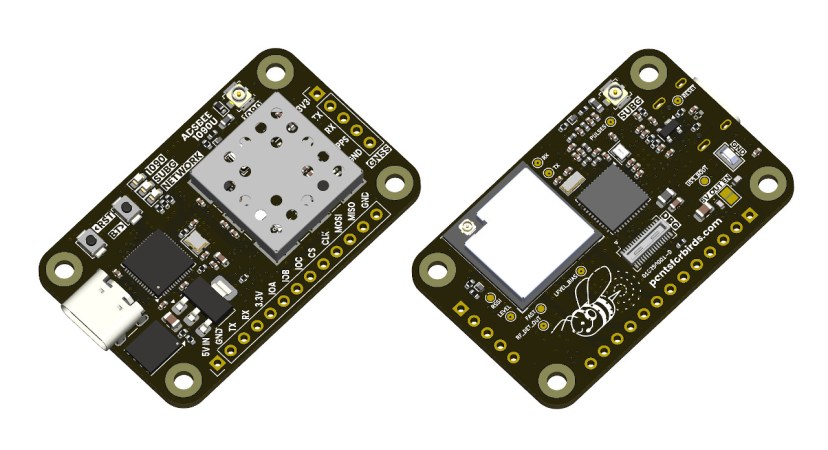
If you’ve ever heard the sound of an aircraft passing overhead and looked at an online plane tracker to try and figure out what it was, then you’ve interacted with ADS-B. It’s a protocol designed to enable easier aircraft monitoring, and it just so happens you can decode it yourself with the right hardware and software — which is how [John McNelly] came to develop ADSBee, an open source ADS-B receiver based around an RP2040.

ADS-B uses on–off keying (OOK) at 1 Mbps, and operates at 1090 MHz. This might seem like a rather difficult protocol to decode on a microcontroller, but the RP2040’s PIO is up to the task. All it takes is a bit of optimization, and a some basic RF components to amplify and digitize the signals.
However, not all aircraft utilize the 1090 MHz ADS-B implementation, and instead use a related protocol called UAT. Operating at 978 MHz, a second receiver is needed for decoding UAT traffic data, which is where the CC1312 comes into play. ADSBee may even be the first open source implementation of a UAT decoder!

What’s quite impressive is the various form factors the module is available in. Ranging from small solder-down modules to weatherproof outdoor base stations, nearly every potential need for an ADS-B receiver is covered. With POE or ESP32 S3 options available, there is no shortage of networking options either!

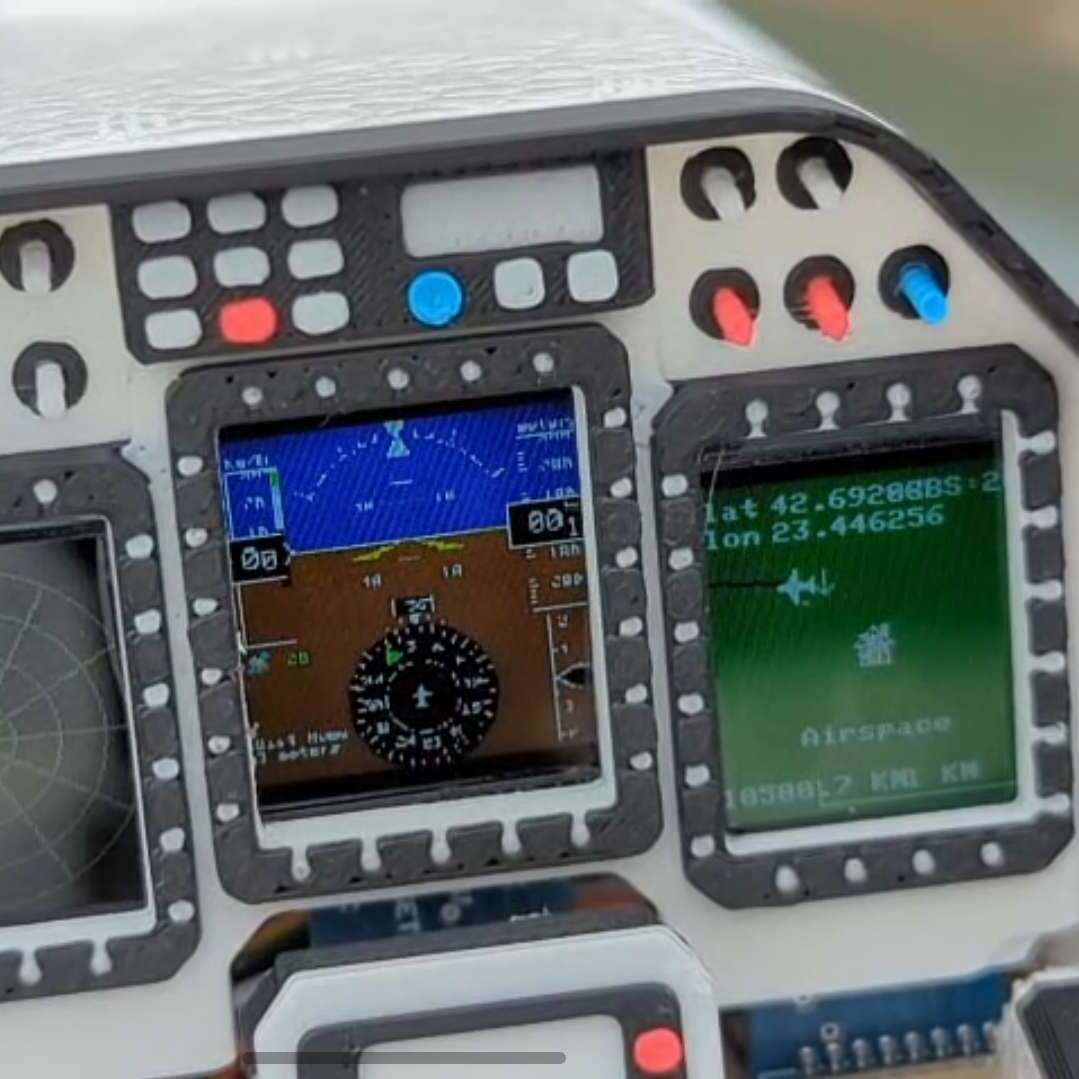
ADSBees have been placed in numerous locations, ranging from base stations to drones. One user even built out a tiny flight display cluster complete with traffic indicators into an FPV drone.

This isn’t the first time we have seen ADS-B receivers used by drone enthusiasts, but this is certainly the most feature rich and complete receiver we have come across.

Super Mario 64, Now With Microtransactions

Besides being a fun way to pass time, video gaming is a surprisingly affordable hobby per unit time. A console or budget PC might only cost a few hundred dollars, and modern games like Hollowknight: Silksong can provide 40-60 hours of experience for only around $20 USD. This value proposition wasn’t really there in the 80s, where arcade cabinets like Gauntlet might have cost an inflation-adjusted $8 per hour in quarters. This paradigm shift is great for gamers, but hasn’t been great for arcade owners. [PrintAndPanic] wanted to bring some of that old coin munching vibe into console gaming, and so added a credit system to Super Mario 64.

The project is a fork of a decompilation of Super Mario 64, which converts the original machine code into a human-friendly format so bugs can be fixed and other modern features added. With the code available, essentially anyone can add features into the game that weren’t there already. In this case, [PrintAndPanic] is using a Raspberry Pi connected to a coin slot, so when coins are put into the game like an old arcade machine, the Raspberry Pi can tell the modified version of Super Mario 64 to add credits. These credits allow the player to run and jump, and when the credits run out Mario becomes extremely limited and barely able to outrun even the slowest Bombombs and Goombas.

With some debugging out of the way and the custom game working, [PrintAndPanic] built a custom enclosure for the game and the coin slot to turn it into a more self-contained arcade-style machine. The modified code for this project is available on the project’s GitHub page for those who want to play a tedious version of a favorite video game that costs more money than it should.

There are plenty of other modifications for this classic as well, most of which involve improving the game instead of adding a modern microtransaction-based system.

Continue reading Super Mario 64, Now With Microtransactions”

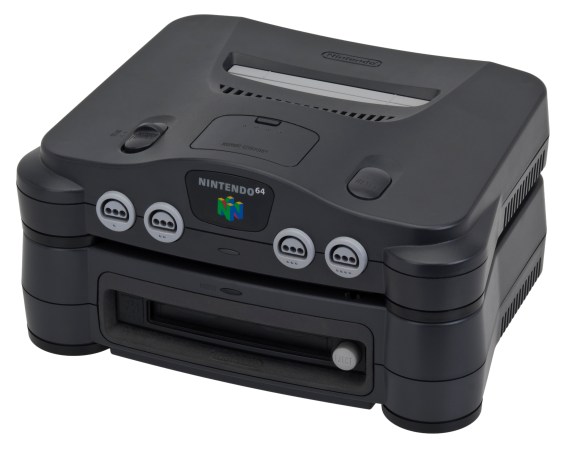
The Nintendo 64DD, an N64 add-on released only in Japan in 1999.

Exploring Nintendo 64DD Code Remnants In Ocarina Of Time

What if you took a Nintendo 64 cartridge-based game and allowed it to also use a large capacity magnetic disc format alongside it? This was the premise of the Nintendo 64DD peripheral, and the topic of a recent video by [Skawo] in which an archaeological code dig is performed to see what traces of the abandoned product may remain.

The 64DD slots into the bottom of the console where the peripheral connector is located, following which the console can read and write the magnetic discs of the 64DD. At 64 MB it matched the cartridge in storage capacity, while also being writable unlike cartridges or CDs. It followed on previous formats like the Famicom Disk System.

For 1998’s Game of the Year title The Legend of Zelda: Ocarina of Time such a 64DD-based expansion was worked on for a while before being cancelled along with the 64DD. With this Zelda game now decompiled, its source code has shown to be still full of 64DD-related code that [Skawo] takes us through in the video.

Continue reading “Exploring Nintendo 64DD Code Remnants In Ocarina Of Time

Zork Running On 4-Bit Intel Computer

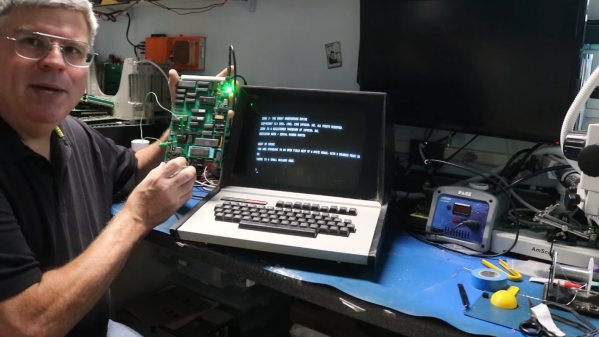
Before DOOM would run on any computing system ever produced, and indeed before it even ran on its first computer, the game that would run on any computer of the pre-DOOM era was Zork. This was a text-based adventure game first published in the late 70s that could run on a number of platforms thanks to a virtual machine that interpreted the game code. This let the programmers write a new VM for each platform rather than porting the game every time. [smbakeryt] wanted to see how far he could push this design and got the classic game running on one of the oldest computers ever produced.

The computer in question is the ubiquitous Intel 4004 processor, the first commercially available general-purpose microprocessor produced. This was a four-bit machine and predates the release of Zork by about eight years. As discussed earlier, though, the only thing needed to get Zork to run on any machine is the Z-machine for that platform, so [smbakeryt] got to work. He’s working on a Heathkit H9 terminal, and the main limitation here is the amount of RAM needed to run the game. He was able to extended the address bus to increase the available memory in hardware, but getting the Z-machine running in software took some effort as well. There’s a number of layers of software abstraction here that’s a bit surprising for 70s-era computing but which make it an extremely interesting challenge and project.

As far as [smbakeryt]’s goal of finding the “least amount of computer” that would play Zork, we’d have a hard time thinking of anything predating the 4004 that would have any reasonable user experience, but we’d always encourage others to challenge this thought and [smbakeryt]’s milestone. Similarly, DOOM has a history of running on machines far below the original recommended minimum system requirements, and one of our favorites was getting it to run on the NES.

Continue reading Zork Running On 4-Bit Intel Computer”

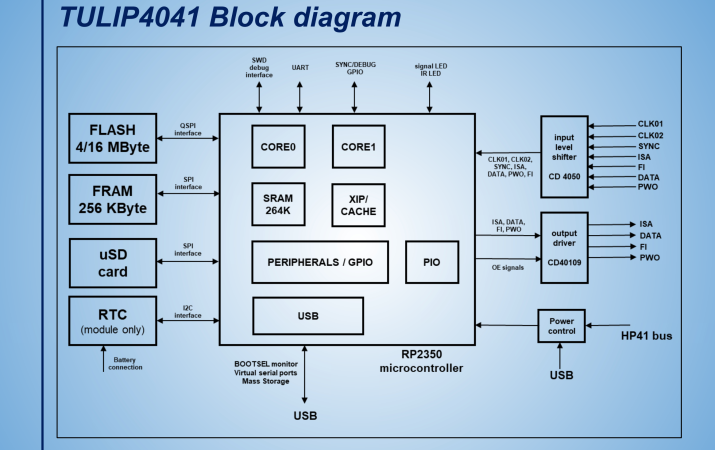
Schematic for the TULIP4041

TULIP: The Ultimate Intelligent Peripheral For The HP-41 Handheld Calculator

[Andrew Menadue] wrote in to let us know about the TULIP-DevBoard and TULIP-Module being developed on GitHub.

TULIP is short for “The Ultimate Intelligent Peripheral” and it’s an everything expansion board for the HP-41 line of handheld calculators sold by HP from 1979 to 1990. These particular calculators support Reverse Polish notation which seems to be one of those things, like the Dvorak keyboard, where once you get used to it you can never go back.

Continue reading “TULIP: The Ultimate Intelligent Peripheral For The HP-41 Handheld Calculator”

Only Known Copy Of UNIX V4 Recovered From Tape

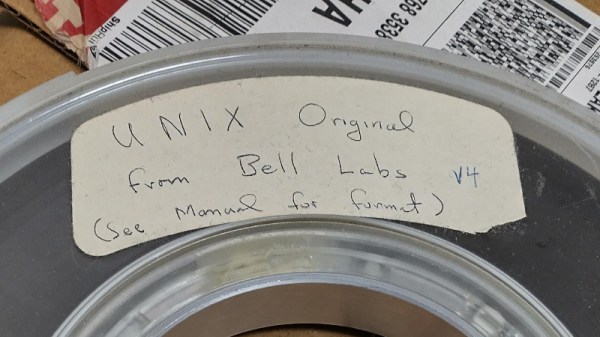
UNIX version 4 is quite special on account of being the first UNIX to be written in C instead of PDP-11 ASM, but it was also considered to have been lost to the ravages of time. Joyfully, we can report that the more than fifty year old magnetic tape that was recently discovered in a University of Utah storeroom did in fact contain the UNIX v4 source code. As reported by Tom’s Hardware, [Al Kossow] of Bitsavers did the recovery by passing the raw flux data from the tape read head through the ReadTape program to reconstruct the stored data.

Since the tape was so old there was no telling how much of the data would still be intact, but fortunately it turned out that the tape was not only largely empty, but the data that was on it was in good nick. You can find the recovered files here, along with a README, with Archive.org hosting the multi-GB raw tape data. The recovered data includes the tape file in SimH format and the filesystem

Suffice it to say that you will not run UNIX v4 on anything other than a PDP-11 system or emulated equivalent, but if you want to run its modern successors in the form of BSD Unix, you can always give FreeBSD a shot.

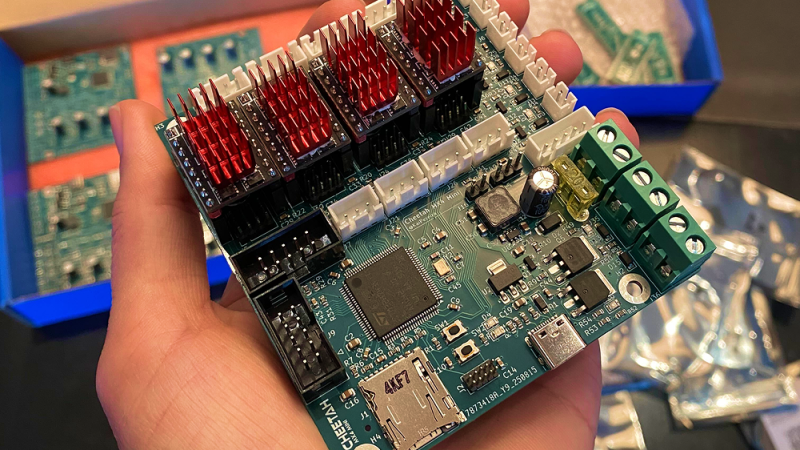
Cheetah 3d printer mobo

Cheetah MX4 Mini: A Pint-Sized 3D Printer Controller

There’s a seemingly unending list of modifications or upgrades you can make to a 3D printer. Most revolve around the mechanical side of things, many are simple prints or small add-ons. This upgrade is no small task: this 17-year-old hacker [Kai] took on designing and building his own 3D printer control motherboard, the Cheetah MX4 Mini.

He started the build by picking out the MCU to control everything. For that, he settled on the STM32H743, a fast chip with tons of support for all the protocols he could ask for, even as he was still nailing down the exact features to implement. For stepper drivers, [Kai] went with four TMC stepstick slots for silent motor control. There are provisions for sensorless homing and endstops, support for parallel and serial displays, and both USB-C and microSD card slots for receiving G-code. It can drive up to three fans as well as two high-amperage loads, such as for the heated bed.

All these features are packed into a board roughly the size of a drink coaster. Thanks to the STM32H743, the Cheetah MX4 Mini supports both Marlin and Klipper firmware, a smart choice that lets [Kai] leverage the massive amount of work that’s already gone into those projects.

One of the things that stood out about this project is the lengths to which [Kai] went to document what he did. Check out the day-by-day breakdown of the 86 hours that went into this build; reading through it is a fantastic learning aid for others. Thanks [JohnU] for sending in this tip! It’s great to see such an ambitious project not only taken on and accomplished, but documented along the way for others to learn from. This is a fantastic addition to the other 3D printer controllers we’ve seen.