
Restoring A 1924 Frigidaire B-9 Refrigerator Back To Working Condition

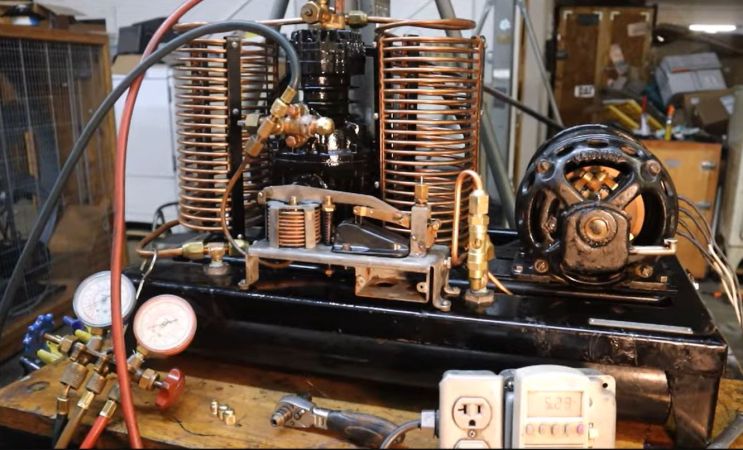
Before the refrigerator became a normal part of any kitchen, those with enough money to throw around could get an icebox, which used melting ice to cool food and drinks in a second compartment. As refrigerators became available for sale in the 1920s, this created somewhat awkward transition models, like the 1924 Frigidaire B-9 that [David Allen] recently got offered for a restoration. This was part of the restoration of a 1926 house, which foresaw putting this venerable unit back into operation.

As [David] explains, this refrigerator was still in use until about 1970 when it broke down, and repairs proved tricky. Clearly, the fault wasn’t that severe as [David] got it working again after a number of small repairs and a lot of maintenance. The running unit with its basic elements can be seen purring away in the completion video, with the journey to get there covered in a video series starting with the first episode.

What’s fascinating is that during this aforementioned transition period, the vapor compression electric cooling system was an optional extra, meaning that the basic layout is still that of an icebox. Correspondingly, instead of ice in the ice compartment, you find the low-side float evaporator, with the basement section containing the condensing unit, motor, and compressor. The temperature sensor is also a miracle of simplicity, using bellows that respond to the temperature and thus volume of the evaporator coolant, which trigger a switch that turns on the compressor.

Despite a hundred years having passed since this refrigerator was constructed, at its core it works exactly the same as the unit we have in our kitchens today, albeit with higher efficiency, more electronics, and with the sulfur dioxide refrigerant replaced with something less toxic to us humans.

Continue reading “Restoring A 1924 Frigidaire B-9 Refrigerator Back To Working Condition”
Commodore 64 Helps Revive The BBS Days

Before the modern Internet existed, there were still plenty of ways of connecting with other computer users “online”, although many of them might seem completely foreign to those of us in the modern era. One of those systems was the Bulletin Board System, or BBS, which would have been a single computer, often in someone’s home, connected to a single phone line. People accessing the BBS would log in if the line wasn’t busy, leave messages, and quickly log out since the system could only support one user at a time. While perhaps a rose-tinted view, this was a more wholesome and less angsty time than the modern algorithm-driven Internet, and it turns out these systems are making a bit of a comeback as a result.

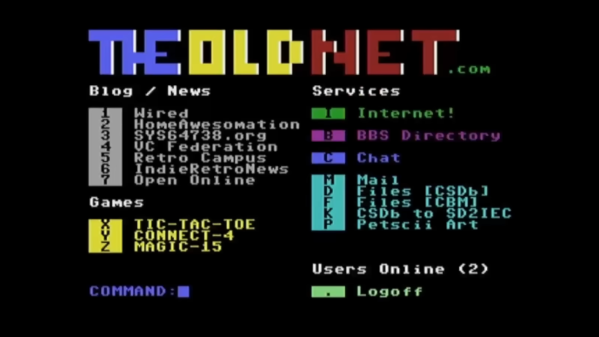
The video by [The Retro Shack] sets up a lot of this history for context, then, towards the end, uses a modern FPGA-based recreation called the Commodore 64 Ultimate to access a BBS called The Old Net, a modern recreation of what these 80s-era BBS systems were like. This involves using a modern networking card that allows the C64 to connect to Wi-Fi access points to get online instead of an old phone modem, and then using a terminal program called CCGMS to connect to the BBS itself. Once there, users can access mail, share files, and even play a few games.

While the video is a very basic illustration of how these BBS systems worked and how to access one, it is notable in that it’s part of a trend of rejecting more modern technology and systems in favor of older ones, where the users had more control. A retro machine like a C64 or Atari is not required either; modern operating systems can access these with the right terminal program, too. A more in-depth guide to the BBS can be found here for those looking to explore, and we’ve also seen other modern BBS systems recently.

Thanks to [Charlie] for the tip!

Continue reading “Commodore 64 Helps Revive The BBS Days”

Hackaday Podcast Episode 354: Firearms, Sky Driving, And Dumpster Diving

Hackaday Editors Elliot Williams and Al Williams took a break to talk about their favorite hacks last week. You can drop in to hear about articulated mirrors, triacs, and even continuous 3D-printing modifications.

Flying on an airplane this weekend? Maybe wait until you get back to read about how the air traffic control works. Back home, you can order a pizza on a Wii or run classic Basic games on a calculator.

For the can’t miss articles, the guys talked about very low Earth orbit satellites and talked about readers who dumpster dive.

Check out the links below if you want to follow along, and don’t be shy. Tell us what you think about this episode in the comments!

As always, this episode is available in DRM-free MP3.

Continue reading “Hackaday Podcast Episode 354: Firearms, Sky Driving, And Dumpster Diving”

Looking At A Real Fake Raspberry Pi RP2040 Board

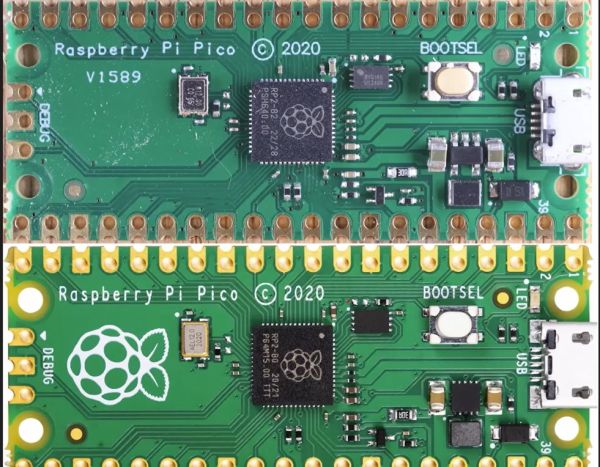
Since the RP2040 microcontroller is available as a stand-alone component, it’s easy enough for third parties to churn out their own variations — or outright clones of — the Raspberry Pi Pico. Thus we end up with for example AliExpress sellers offering their own versions that can be significantly cheaper than the genuine article. The ones that [electronupdate] obtained for a test and decapping session cost just $2.25 a pop.

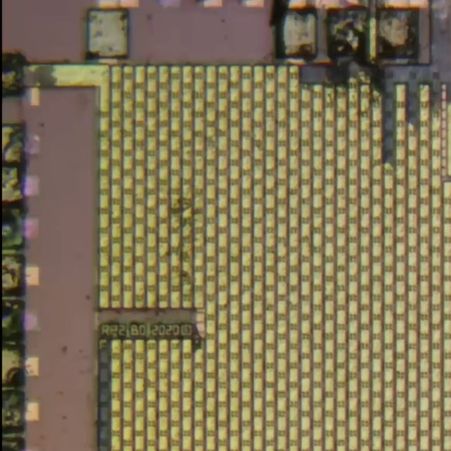
RP2 B0 stepping imprinted on the die shot.

As can be seen in the top image, the board from AliExpress misses the Raspberry Pi logo on the silkscreen for obvious reasons, but otherwise appears to feature an identical component layout. The QSPI Flash IC is marked on the die as BY250156FS, identifying it as a Boya part.

Niggles about flash ROM quality aside, what’s perhaps most interesting about this teardown is what eagle-eyed commentators spotted on the die shot of the RP2040. Although on the MCU the laser markings identify the RP2040 as a B2 stepping, the die clearly identifies it as an ‘RP2 B0’ part, meaning B0 stepping. This can be problematic when you try to use the USB functionality due to hardware USB bugs in the B0 and B1 steppings.

As they say, caveat emptor.

Continue reading “Looking At A Real Fake Raspberry Pi RP2040 Board”

ESP32-P4 Powers Retro Handheld After A Transplant

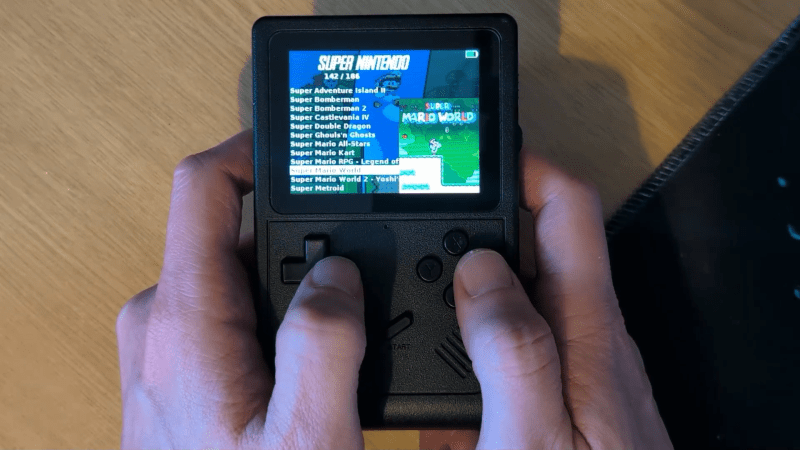
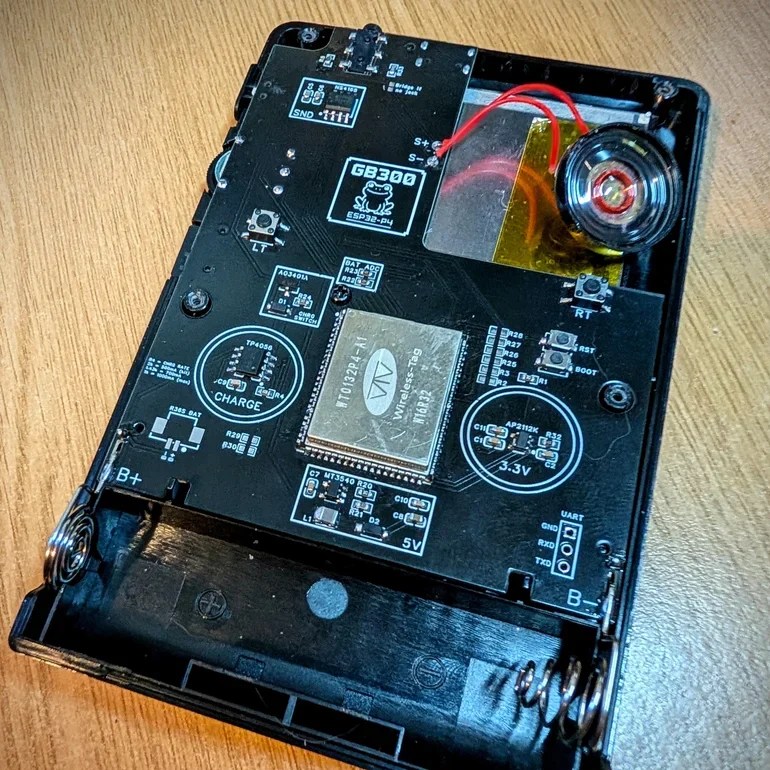
The ESP32-P4 is the new hotness on the microcontroller market. With RISC-V architecture and two cores running 400 MHz, to ears of a certain vintage it sounds more like the heart of a Unix workstation than a traditional MCU. Time’s a funny thing like that. [DynaMight] was looking for an excuse to play with this powerful new system on a chip, so put together what he calls the GB300-P4: a commercial handheld game console with an Expressif brain transplant.

Older ESP32 chips weren’t quite up to 16-bit emulation, but that hadn’t stopped people trying; the RetroGo project by [ducalex] already has an SNES and Genesis/Mega Drive emulation mode, along with all the 8-bit you could ask for. But the higher-tech consoles can run a bit slow in emulation on other ESP32 chips. [DynaMight] wanted to see if the P4 performed better, and to no ones surprise, it did.

If the build quality on this handheld looks suspiciously professional, that’s because it is: [DynaMight] started with a GB300, a commercial emulator platform. Since the ESP32-P4 is replacing a MIPS chip clocked at 914 MHz in the original — which sounds even more like the heart of a Unix workstation, come to think of it — the machine probably doesn’t have better performance than it did from factory unless its code was terribly un-optimized. In this case, performance was not the point. The point was to have a handheld running RetroGo on this specific chip, which the project has evidently accomplished with flying colours. If you’ve got a GB300 you’d rather put an “Expressif Inside” sticker on, the project is on github. Otherwise you can check out the demo video below. (DOOM starts at 1:29, because of course it runs DOOM.)

The last P4 project we featured was a Quadra emulator; we expect to see a lot of projects with this chip in the new year, and they’re not all going to be retrocomputer-related, we’re sure. If you’re cooking up something using the new ESP32, or know someone who is, you know what to do.

Continue reading “ESP32-P4 Powers Retro Handheld After A Transplant”

Hacking The Krups Cook4Me Smart Cooking Pot For Doom

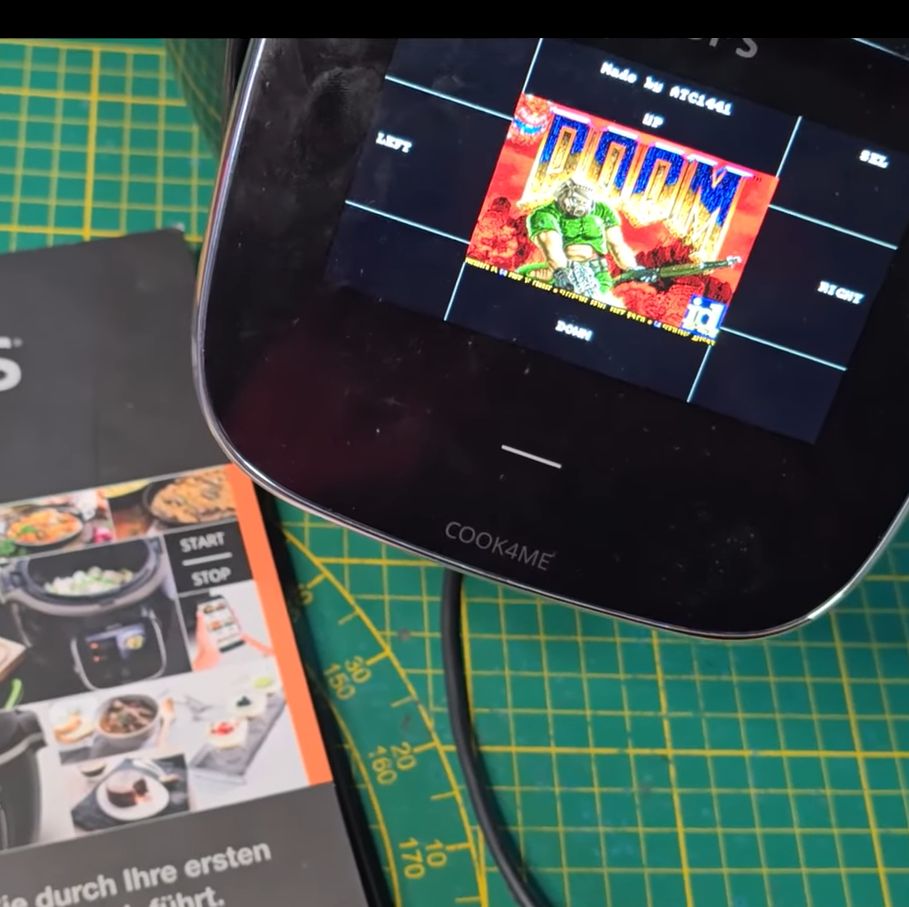
With more and more kitchen utilities gaining touch screens and capable microcontrollers it’d be inconceivable that they do not get put to other uses as well. To this end [Aaron Christophel] is back with another briefly Doom-less device in the form of the Krups Cook4Me pressure cooking pot with its rather sizeable touch screen and proclaimed smarts in addition to WiFi and an associated smartphone app.

Inside is an ESP32 module for the WiFi side, with the brains of the whole operation being a Renesas R7S721031VC SoC with a single 400 MHz Cortex-A9. This is backed by 128 MB of Flash and 128 MB of RAM. The lower touch interface is handled by a separate Microchip PIC MCU to apparently enable for low standby power usage until woken up by touch.

The developers were nice enough to make it easy to dump the firmware on the SoC via SWD, allowing for convenient reverse-engineering and porting of Doom. With the touch screen used as the human input device it was actually quite playable, and considering the fairly beefy SoC, Doom runs like a dream. Sadly, due to the rarity of this device, [Aaron] is not releasing project files for it.

As for why a simple cooking pot needs all of this hardware, the answer is probably along the lines of ‘because we can’.

Continue reading “Hacking The Krups Cook4Me Smart Cooking Pot For Doom

M8SBC-486 Is An FPGA-Based “Kinda PC Compatible” 486 SBC

[Editor’s note: We got this one wrong! The computer uses an actual 486: the FPGA is running essentially as the chipset, interfacing the RAM and the ISA bus with the CPU. And since this went to press, [maniek-86] put out a nicer writeup of the project, which you should go check out, in addition to the GitHub link below.]


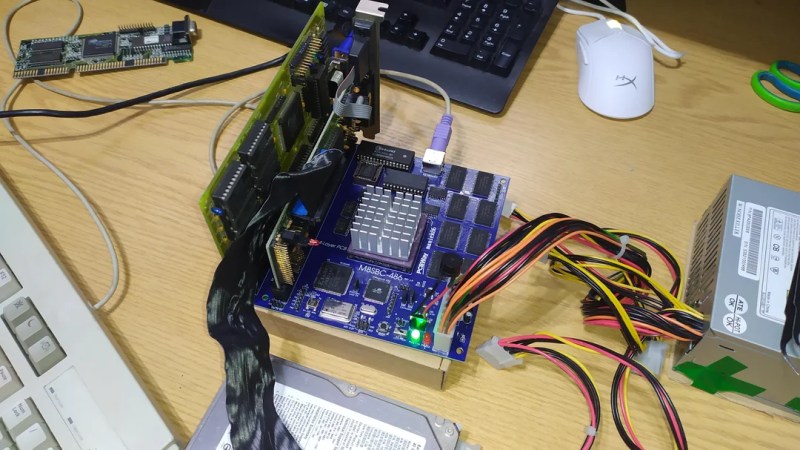
Given the technical specs of the FPGAs available to hobbyists these days, it really shouldn’t be a shock that you can implement a relatively-modern chipset on one, like one for a 486 system. In spite of knowing that in the technical sense, we were still caught off guard by [maniek-86]’s M8SBC project that does just that– the proas both CPU and BIOSducing a 486 FPGA chipset with a motherboard to boot.

Boot what? Linux 2.2.6, MS-DOS 6.22 or FreeDOS all work. It can run DOOM, of course, along with Wolfenstien 3D, Prince of Persia, and even the famous Second Reality demo– though that last without sound. [maniek-86]’s implementation is lacking direct memory access, so sound card support is right out. There are a few other bugs that are slowly being squished, too, according to the latest Reddit thread. Continue reading “M8SBC-486 Is An FPGA-Based “Kinda PC Compatible” 486 SBC”