Neural Nets In The Browser: Why Not?

We keep seeing more and more Tensor Flow neural network projects. We also keep seeing more and more things running in the browser. You don’t have to be Mr. Spock to see this one coming. TensorFire runs neural networks in the browser and claims that WebGL allows it to run as quickly as it would on the user’s desktop computer. The main page is a demo that stylizes images, but if you want more detail you’ll probably want to visit the project page, instead. You might also enjoy the video from one of the creators, [Kevin Kwok], below.

TensorFire has two parts: a low-level language for writing massively parallel WebGL shaders that operate on 4D tensors and a high-level library for importing models from Keras or TensorFlow. The authors claim it will work on any GPU and–in some cases–will be actually faster than running native TensorFlow.
Continue reading “Neural Nets In The Browser: Why Not?”

Find Instructions Hidden In Your CPU


There was a time when owning a computer meant you probably knew most or all of the instructions it could execute. Your modern PC, though, has a lot of instructions, many of them meant for specialized operating system, encryption, or digital signal processing features.

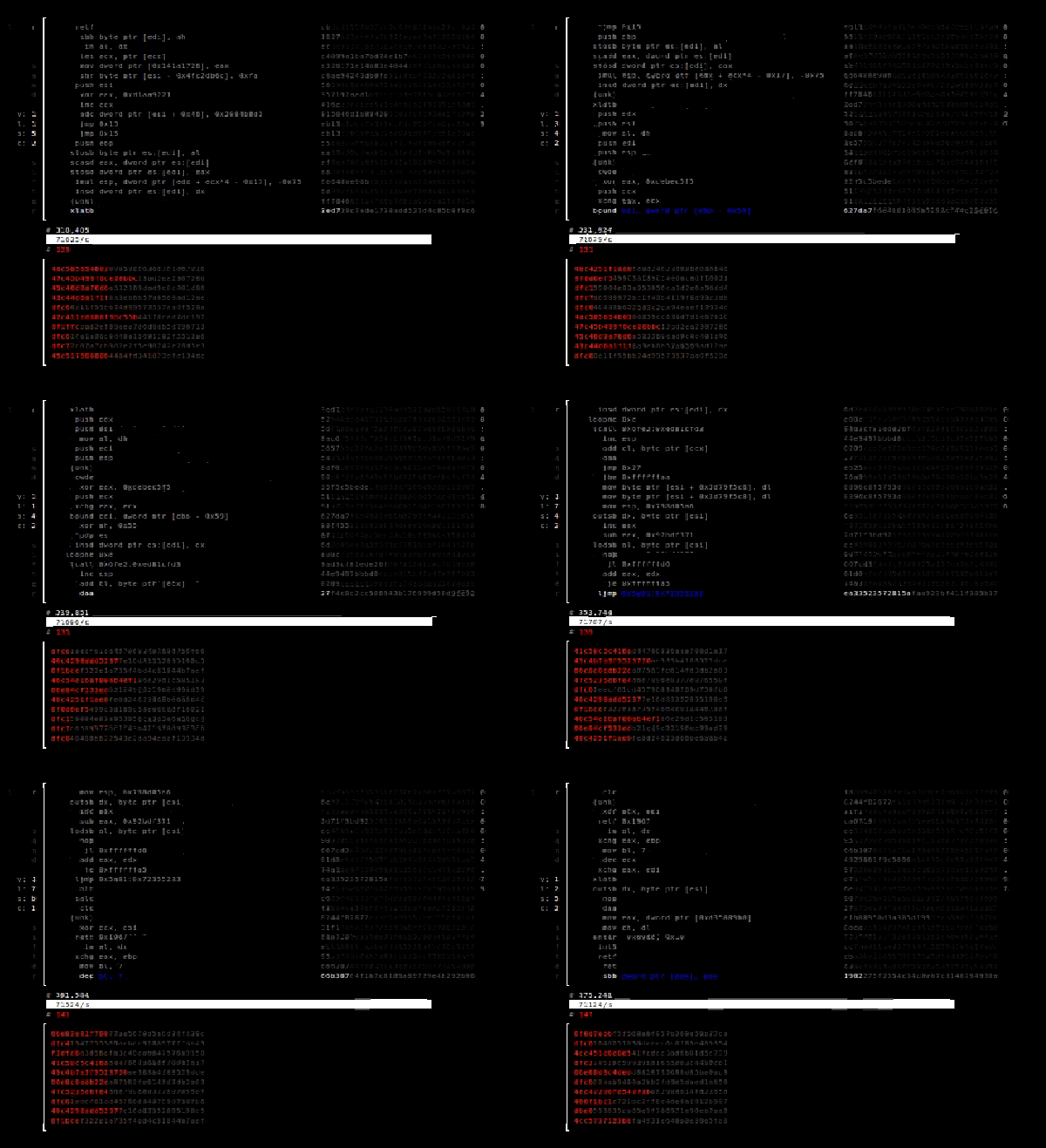
There are known undocumented instructions in a lot of x86-class CPUs, too. What’s more, these days your x86 CPU might really be a virtual machine running on a different processor, or your CPU could have a defect or a bug. Maybe you want to run sandsifter–a program that searches for erroneous or undocumented instructions. Who knows what is lurking in your CPU?

Continue reading “Find Instructions Hidden In Your CPU”

Edit Hex In The Browser

If you can’t stand the thought of using an application in your browser, you might as well jump ahead to the comments and start flaming.

Still with us? Imagine this scenario. You are at the office, at a client’s site, at a school, or visiting your mom. Suddenly, for some strange reason, you need to edit a hex file. We don’t know why, but if you are reading Hackaday, it isn’t that big of a stretch to imagine it. What do you do? Download and install a hex editor? Maybe you can’t. Or, if it is mom’s computer, maybe you just don’t want to. Your next option is to navigate to HexEd.it.

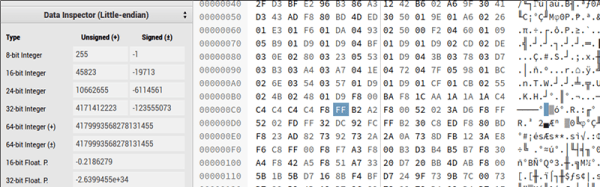
The application, by [Jens Duttke], uses HTML5 and JavaScript and is actually a nicely capable editor. It shows the data in hex and ASCII as you’d expect. It also shows the current cursor location in a number of formats like 8-bit integer, 32-bit integer, date and time, and more. It even shows all the representations as big endian and little endian.

Continue reading “Edit Hex In The Browser”

Take Control Of Your Cheap Laser Cutter

The relatively inexpensive K40 laser cutter/engraver machines from China have brought laser cutting to the masses, but they are not without their faults. Sure, they’re only powerful enough for the lightest cutting tasks, but on top of that, their bundled software is inflexible and disappointing. If your workshop or hackspace has one of these machines languishing in the corner, then the release of a new piece of software, K40 Whisperer from [Scorch], is an interesting and welcome development.

He tells us that the reverse engineering process required to understand the K40’s protocol was non-trivial, given that it does not use handy decimal numbers to issue commands. A spreadsheet was used to collate data packets and spot repeating patterns to analyse the inner workings. Feature-wise, the software reads SVG and DXF files, and can split SVGs by colour. It has a halftone algorithm for rendering grey scales, and cuts from the inside of each shape first to avoid pieces of work dropping out of the piece of material. Currently it works with the stock M2 Nano controller board and is available as a Windows download, though it can also be compiled for Linux distributions, or MacOS, and he is asking owners to test it with as many machines as possible to ensure compatibility with other boards.

He has posted a video of K40 Whisperer in action, which you can see below the break.

Continue reading “Take Control Of Your Cheap Laser Cutter”

The Site Of A Hundred Languages

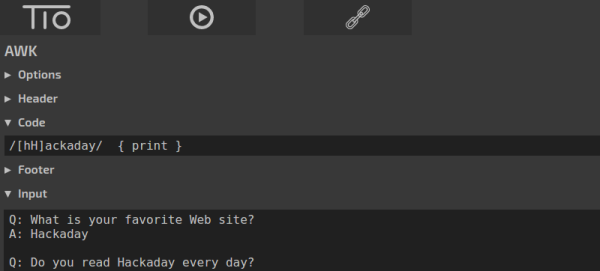
Silent film star [Lon Chaney] had the nickname “man of a thousand faces.”  The Try It Out website (tio.run) might well be the site of a hundred languages. Well, in all fairness, they only have 97 “practical” languages, but they do have 172 “recreational languages” but the site of 269 languages doesn’t trip off the tongue, does it? The site lets you run some code in each of those languages from inside your browser.

By the site’s definition, practical languages include things like C, Java, Python, and Perl. There’s also old school stuff like FOCAL-69, Fortran, Algol, and APL. There’s several flavors of assembly and plenty of other choices. On the recreational side, you can find Numberwang, LOLCODE, and quite a few we’ve never heard of.

Continue reading “The Site Of A Hundred Languages”

Using The GPU From JavaScript

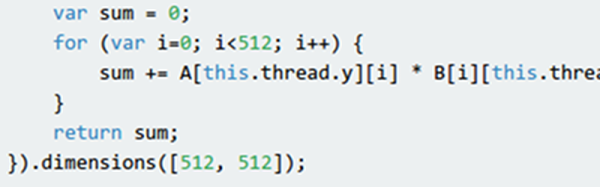
Everyone knows that writing programs that exploit the GPU (Graphics Processing Unit) in your computer’s video card requires special arcane tools, right? Well, thanks to [Matthew Saw], [Fazil Sapuan], and [Cheah Eugene], perhaps not. At a hackathon, they turned out a Javascript library that allows you to create “kernel” functions to execute on the GPU of the target system. There’s a demo available with a benchmark which on our machine sped up a 512×512 calculation by well over five times. You can download the library from the same page. There’s also a GitHub page.

The documentation is a bit sparse but readable. You simply define the function you want to execute and the dimensions of the problem. You can specify one, two, or three dimensions, as suits your problem space. When you execute the associated function it will try to run the kernels on your GPU in parallel. If it can’t, it will still get the right answer, just slowly.

Continue reading “Using The GPU From JavaScript”

Hacking IBeacons For Automating Routines

Every self-respecting hacker has an automation hack somewhere in his/her bag of tricks. There are a lot of modern-day technologies that facilitate the functionality like GPS, scripting apps, and even IFTTT. In an interesting hack, [Nick Lee] has combined iBeacons and a reverse engineered Starbucks API to create an automated morning routine.

By creating a mobile app that scans for iBeacons, [Nick Lee] was able to reduce the effort made every morning while heading to his office. When the app encounters a relevant beacon, a NodeJS app sitting in the cloud is triggered. This consequently leads to desired actions like ordering an Uber ride and placing an order for an iced latte.

[Nick Lee] shares the code for the Starbucks application on GitHub for anyone who wants to order their favorite cup of joe automatically. This project can be easily expanded to work with GPS or even RFID tags and if you feel like adding IoT to a coffee machine, you could automate all of your beverage requirements in one go.