HDMI Splitter Is Also A Decrypter

It warms our hearts when the community gets together. [esar] needed to get a decrypted HDMI stream for his home theater system. A tip-off in the comments and a ton of good old-fashioned hacking resulted in a HDMI splitter converted into a full-featured HDMI decrypter. Here’s the story.

His amazing custom Ambilight clone got profiled here, and someone asked him in the comments if it worked when High-bandwidth Digital Content Protection (HDCP) is on. [esar] lamented that it didn’t. Hackaday readers to the rescue. [Alan Hightower] and [RoyTheReaper] pointed [esar] to the fact that HDMI splitters need to decrypt and re-encrypt the signal to pass it on, and pointed him to a trick to knock out the on-board microcontroller. [esar] took off from there.

Unfortunately, taking the micro out of the picture messed with a lot of other HDMI functionality. So [esar] started digging in the datasheets for the HDMI splitter chip, looking for registers relevant to the re-encryption. If he could get in between the microcontroller and the splitter chip on the I2C bus and disable the re-encryption, he’d be set.

If you’re at all interested in I2C hacking or abusing HDMI splitters, you need to read his post because he details all of the tribulations and triumphs. He first tries just brute-forcing the I2C by overwriting a 1 bit with a 0. This (correctly) signals the micro that there’s been a conflict on the bus, so it re-sends the command again. Dead end.

He then found another signal that the receiver could use say that it wasn’t decrypting. He tried sending this continuously to the splitter so that it would stop encrypting. That worked, but only for one channel, some of the time. It turns out that his code was taking too long in his bit-banged I2C code. He fixes this up and all is well? Well, 90% of the way there.

To hammer down the last 10% of the functionality, [esar] buys a couple more splitters, experiments around with another splitter chipset that works with 3D, and solders some more wires to enable the Audio Return Channel. And after a ton of well-documented hard work, he wins in the end.

DIY Turntable In A Beautiful Wooden Case

Old timers who have been around for the last 40 years or so have been fortunate enough to have lived through several audio reproduction technologies – Vinyl Records, Cassette Tapes, Laser Disks and CD-ROM’s. Most will also swear that analog, especially vinyl records, sounded the best. And when it comes to amplifiers, nothing comes close to the richness of vacuum tubes.

[MCumic10] had a long time desire to build his own HiFi turntable encased in a nice wooden housing, with the electronics embedded inside. When he chanced upon an old and battered turntable whose mechanism barely worked, he decided to plunge right in to his pet project. The result, at the end of many long months of painstaking work, is a stunning, beautiful, wooden turntable. Especially since in his own words, “I didn’t have any experience in electronics or woodworking before I started this project so it took me many long months in learning analyzing and frustration. I burned some electronic parts few times and made them from the beginning.”

The build is a mix of some off the shelf modules that he bought off eBay and other sources, and some other modules that he built himself. He’s divided the build in to several bite sized chunks to make it easy to follow. The interesting parts are the 6N3 Valve Preamplifier (the main amplifier is solid-state), the motorized Remote Volume Control Input kit, and the Nixie tube channel indicator. And of course the layered, plywood casing. By his own reckoning, this was the toughest and longest part of his build, requiring a fairly large amount of elbow grease to get it finished. He hasn’t yet measured how much it tips the scales, but it sure looks very heavy. The end result is quite nice, especially for someone who didn’t have much experience building such stuff.

Thanks [irish] for sending in this tip.

EVA: What’s On Telly For The Visually Impaired

[chewabledrapery] has certainly used his Raspberry Pi for good. His girlfriend’s grandfather is growing more visually impaired as time goes on. He likes to watch telly, but has trouble reading the on-screen information about the channel and programming. To that end, [chewabledrapery] has built an electronic voice assistant called EVA, who fetches the telly schedule from a web service and reads it aloud in her lovely voice that comes courtesy of Google Translate’s TTS function.

Under EVA’s hood is a Raspberry Pi. A USB hub powers the Pi and holds a small USB soundcard, a Wi-Fi dongle, and a USB daughterboard that the controller plugs into. The daughterboard is from a USB keyboard, which makes another appearance in the awesome controller. It’s made of a joystick and two arcade buttons that use the USB keyboard’s controller to interact with Python scripts.

[chewabledrapery]’s scripts make formatted requests to a web service called atlas, which returns JSON objects with the TV schedule and content descriptions. EVA then turns to Google Translate, speaking the formatted text through a small amplifier and salvaged PC speaker. In order to minimize the number of web calls, some of EVA’s frequent musings are stored locally. A full tour of EVA is after the break.

We love to see hacks that help people. Remember this RFID audio book reader?

Continue reading “EVA: What’s On Telly For The Visually Impaired”

Calculator Remote with Launchpad

Calculator + MSP430 + IR LED = TV Remote?

Eschewing the store-bought solution, [Stefan] managed to build a TV remote out of an old calculator. The brains of the calculator were discarded and replaced with an MSP430, leaving only the button matrix and enclosure. Rather than look it up, he successfully mapped the matrix manually before getting stumped with the infrared code timings. Some research pointed him to a peculiarity with Samsung IR codes and with help from an open source remote control library he got it working.

When the range was too limited to satisfy him he added a booster circuit and an LED driver which he snapped off the top of an old remote; now it works from 30 feet away. Some electrical tape and hot glue later and it all fit back into the original case.

It cannot take photos or play Super Smash Brothers, but it does what a remote needs to do: browses channels in the guide, control volume, and turn the TV on or off. Considering that all this calculator was built to do was boring basic arithmetic, it is a procrastination-enabling upgrade.

See the video after the break for some smiles.

Continue reading “Calculator + MSP430 + IR LED = TV Remote?”

Mutant Kitchen TV Computer

In need of a kitchen entertainment system, [BoaSoft] headed to the parts bin and produced a project that can easily be called a mutant. That being said, we love the results!

Here’s the link to the original Russian language post. If your Russian is a bit rusty here’s a really awful machine translation. So let’s see if we can decipher this hack.

Sounds like [BoaSoft] had a broken Acer laptop on hand. Problem was the laptop can’t play over-the-air television (and similarly, a television can’t surf the net). The solution was to figure out how to utilized a TV tuner of unknown origin, combine that with the laptop and a computer monitor, then add back all the user interface you’d expect from an entertainment device.

The board shown in the first post of the thread is familiar to us. It seems to be based on the IgorPlug board which is a hack that goes waaaay back. This allows for the use of an IR media center remote and those input signals are easy to map to functions. The computer runs Windows Media Center which is already optimized for remote control but can use a wireless keyboard and mouse when more computer-centric functions are necessary.

With all on track the rest of the hack deals with hacking together a case. The laptop’s original body was ditched for some extended sides for the back of the monitor. [BoaSoft] did a great job of installing all the necessary ports in these extensions. Once in the kitchen everything is nice and neat and should stand the test of time.

[Thanks Dmitry]

Multi Input IR Remote Control Repeater

[Peter]’s folks’ cable company is terrible – such a surprise for a cable TV provider – and the digital part of their cable subscription will only work with the company’s cable boxes. The cable company only rents the boxes with no option to buy them, and [Peter]’s folks would need five of them for all the TVs in the house, even though they would only ever use two at the same time. Not wanting to waste money, [Peter] used coax splitters can take care of sending the output of one cable box to multiple TVs, but what about the remotes? For that, he developed an IR remote control multidrop extender. With a few small boards, he can run a receiver to any room in the house and send that back to a cable box, giving every TV in the house digital cable while still only renting a single cable box.

The receiver module uses the same type of IR module found in the cable box to decode the signals from the remote. With a few MOSFETs, this signal is fed over a three-position screw terminal to the transmitter module stationed right next to the cable box. This module uses a PIC12F microcontroller to take the signal input and translate it back into infrared.

[Peter]’s system can be set up as a single receiver, and single transmitter, single receiver and multiple transmitter, many receivers to multiple transmitters, or just about any configuration you could imagine. The setup does require running a few wires through the walls of the house, but even that is much easier than whipping out the checkbook every month for the cable company.

Video below.

Continue reading “Multi Input IR Remote Control Repeater”

Chromecast Is Root

Image from [psouza4] on the xda-developers forum

Chromecast is as close as you’re going to get to a perfect device – plug it in the back of your TV, and instantly you have Netflix, Hulu, Pandora, and a web browser on the largest display in your house. It’s a much simpler device than a Raspi running XBMC, and we’ve already seen a few Chromecast hacks that stream videos from a phone and rickroll everyone around you.

Now the Chromecast has been rooted, allowing anyone to change the DNS settings (Netflix and Hulu users that want to watch content not available in their country rejoice), and loading custom apps for the Chromecast.

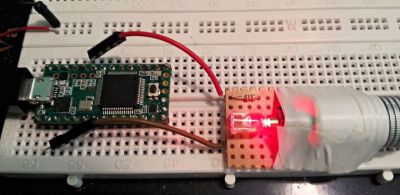
The process of rooting the Chromecast should be fairly simple for the regular readers of Hackaday. It requires a Teensy 2 or 2++ dev board, a USB OTG cable, and a USB flash drive. Plug the Teensy into the Chromecast and wait a minute. Remove the Teensy, plug in the USB flash drive, and wait several more minutes. Success is you, and your Chromecast is now rooted.

Member of Team-Eureka [riptidewave93] has put up a demo video of rooting a new in box Chromecast in just a few minutes. You can check that out below.

Continue reading “Chromecast Is Root”