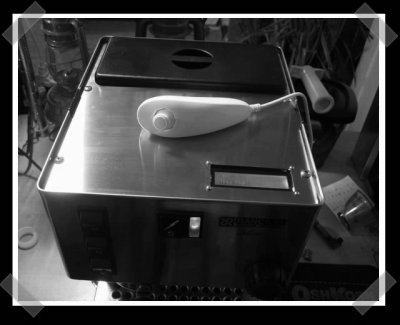
Wiitendo: A Wii In An NES Case

[youtube=http://www.youtube.com/watch?v=jTs8c4r8m94&hl=it&fs=1]
[Matt] has managed to cram a Wii into an old NES. The write up is fairly short, but does mention a few details. He installed some Game Cube controller ports and a Game Cube memory card. He’s added some external LEDs connected to the Wii’s power button. He put a lot of effort into this, as he said almost every area of the internal case needed some serious dremel action to make the Wii fit inside. He’s even promised a more detailed write up, so keep an eye out for that.

You might also remember the Wii Laptop previously on Hackaday.
[via Hack a Wii]

More Wiimote Hacking From Johnny Lee

Our friend [Johnny Lee] has been quite busy traveling and moving to a new city. He hasn’t had time to put together any new videos because of this. He’s been doing more Wiimote research though and has put together an extensive post about what he’s working on and thinking about.

Right before the move, he put together a demo for throwable displays. The square pieces of foamcore have retro-reflective tape added to each of the corners. The Wiimote sees the orientation of the square and adjusts the projected image to fit perfectly; even when you pick it up and throw it. He used it to add a trail to an airhockey puck. Embedded above is an earlier project where he used the Wiimote to track a foldable display and project accordingly.

[Johnny] has also been working on 3D tracking with two or more Wiimotes. Since the Wiimote is camera based, stereo triangulation is simple. Check out the video below from the University of Cambridge that uses two Wiimotes for motion capture.

Have a look at [Johnny Lee]’s full post for even more Wiimote ideas.

Homebrew Channel For Wii

[youtube=http://www.youtube.com/v/6ji2imug_bc]

Had enough Nintendo homebrew action yet? We haven’t either. Especially not now that the doors to the homebrew scene have been blown open by The Homebrew Channel. Up to this point, the only way you could run homebrew on an unmodded Wii was the Twilight Hack, which leveraged a flaw in Twilight Princess save games. The Homebrew Channel lets you launch various homebrew apps with a useful GUI instead of performing the hack every time you want to run them. It can access apps stored on an SD card, a computer on the same network, and even USB Gecko. There is no USB flash drive or DVD support at the moment.

The Homebrew Channel can be loaded onto the Wii by running the Twilight Hack (don’t worry, it’ll probably be for the last time) with the Homebrew Channel Files in the root of your SD card. The Wii will reboot and then the channel will appear in the list. We tested it ourselves, and found that everything loaded properly from the SD card (we didn’t try the other sources). We did run into a problem where it failed to load any of our homebrew apps or even reboot properly if a Gamecube memory card was in the slot, but it’s an easy fix, just pull it out.

The devteam behind this release wanted to make things as easy and accessible as possible, so they included download links to the Twilight Hack, The Homebrew Channel, and even a homebrew software bundle to get you started. If you want more homebrew apps, head to Wiibrew.

[via everywhere]

Arduino + Nunchuck +espresso = Awesome


Remember the voltage detector that I mentioned a while back? [Tim] hasn’t put up quite enough info to make me happy, but definitely enough to make me jealous. He updated his NES controlled Silvia to become a Wii nunchuck controlled (via Arduino) Silvia. That said, his last couple of blog posts have me questioning just how much espresso he’s been drinking. Theoretically, he could actually program the Silvia to refuse shots to people who are too jittery.

Wii Nunchuck Arduino Pan And Tilt Camera

[youtube=http://www.youtube.com/watch?v=MD_-YnFZFP8&hl=en]
I found this while looking for a teardown of a Wii Nunchuck remote since they’re cheap and include a 3 axis accelerometer. I mentioned an interface board the other day, but the responsiveness of the interface in this video grabbed my attention. If you like it, you should check out this [via] Nunchuck Arduino RF controlled robot. You can find details on that bot here. The accelerometer itself only runs about $10, but it’s a pretty small SMD part.

Wiimote Head Tracking Desktop VR Display

[youtube=http://www.youtube.com/watch?v=Jd3-eiid-Uw&rel=1]
If you thought [Johnny Lee] was done making us all buy Wiimotes, you were wrong. Now he’s back showing off a simple, but incredibly effective VR head tracker. He swapped out the LED’s on a pair of LED light safety glasses with a set of IR LEDs and used his PC/Wiimote combo to do the work. The demo is just fantastic. As usual, you can download the software from his project page.

Wiimote Projector Whiteboard

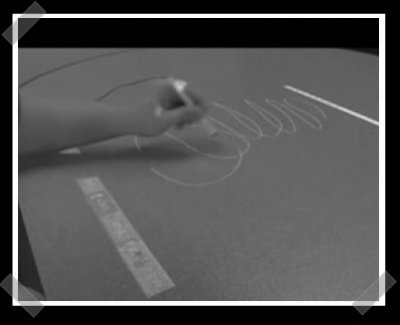
[Johnny Lee]’s back again with his Wiimote interactive whiteboard. Commercial versions of these things are expensive and heavy. His technique doesn’t even need a projector, just a computer, a Wiimote and a simple IR emitting pen. The pen is just a stylus with an infrared LED in the tip. Hit the video after the break, and you can grab the software from his site here.

Continue reading “Wiimote Projector Whiteboard”