Making An Update Server For PythonAnywhere And GitHub

Cloud based IDEs and development tools have grown over the years, though most have limitations in their free tiers and may not be fully compatible with other services such as GitHub. [Aadi Bajpai] loved using PythonAnywhere and to collaborate using GitHub, so he made a update server that automatically updates the running code once you make a push to Github

PythonAnywhere gives you access to a python shell over a web browser, and also lets you run a web app that can be accessed via a custom sub-domain. Even though it does not have direct integration with GitHub, you can drop to the bash shell to and get access to a git client.

For this hack, [Aadi Bajpai] utilizes the webhooks from GitHub that are triggered when a push event is detected. A flask server running on PythonAnywhere is written such that once triggered by the get POST request, it locally executes a git pull from the repository. There a bit more work that allows adding a bit of security sauce to the recipe but it is a pretty elegant solution and can be used for other cases as well.

Setting up alert notifications has been demonstrated to be an interesting task, though integrating Discord or Slack for notifications adds a little more bragging rights.

Caching In On Program Performance

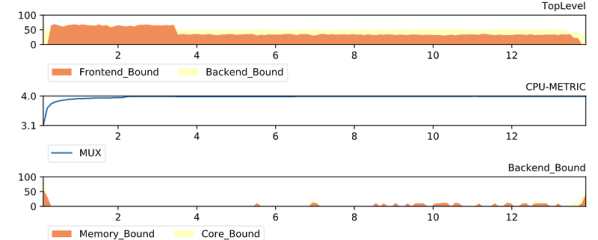
Most of us have a pretty simple model of how a computer works. The CPU fetches instructions and data from memory, executes them, and writes data back to memory. That model is a good enough abstraction for most of what we do, but it hasn’t really been true for a long time on anything but the simplest computers. A modern computer’s memory subsystem is much more complex and often is the key to unlocking real performance. [Pdziepak] has a great post about how to take practical advantage of modern caching to improve high-performance code.

If you go back to 1956, [Tom Kilburn’s] Atlas computer introduced virtual memory based on the work of a doctoral thesis by [Fritz-Rudolf Güntsch]. The idea is that a small amount of high-speed memory holds pieces of a larger memory device like a memory drum, tape, or disk. If a program accesses a piece of memory that is not in the high-speed memory, the system reads from the mass storage device, after possibly making room by writing some part of working memory back out to the mass storage device.

Continue reading “Caching In On Program Performance”

Game Builder Lets Kids — Even Old Kids — Build Games

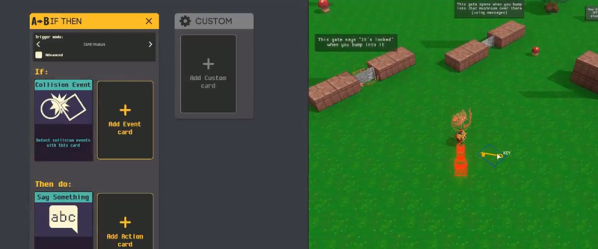
One rite of passage back in the good old days of owning a TRS-80, Commodore 64, or similar vintage computer was writing your own game. It probably wouldn’t be very good, but it wouldn’t be much worse than most of the stuff that was out there, either. Today, trying to get a kid interested in “hunt the wumpus” is probably not going to fly and having them create a modern-looking game is out of the question. Or is it? Disguised as a game itself, Game Builder offers an interactive way to create interesting games without having to get too detailed into programming. On the other hand, it supports JavaScript, so you can get to programming if you need to or want to. We could easily see a kid — or even an adult — easing into programming using this game which is free, from Google.

In the old days, hardware was a limiting factor and Basic made it pretty easy to whip out some text or crude graphics. Our favorite was a high low game that guesses your number. But everyone had some little game they’d create so they said they could. Today’s games, though, have good graphics and music and 3D shapes and a host of other things you didn’t have to contend with back then. Game Builder, though, makes it pretty simple. You can work on a game by yourself, or with friends, or with the general public. Everyone involved can play the game, but they can also edit the game. The tool runs under Steam so even though it is marked for PC or Mac, it will also run on Linux if you have Steam installed properly.

Continue reading “Game Builder Lets Kids — Even Old Kids — Build Games”

Hyperlinking Comes To GitHub Via Extension

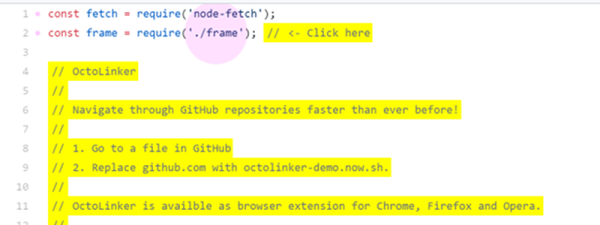
If you are browsing GitHub it is very tempting to open up the source code to some project and peek at how it works. The code view is easy to read, but the viewer lacks one important feature: the ability to click on an included file and find it. The Octolinker extension fixes that oversight.

If you want to try it without installing the extension, there is a mock-up demo available. Even though the demo wants you to click on specific things, if you don’t play by the rules it will still do the right thing and take you to either the code on GitHub or an appropriate page. You can even substitute the demo URL for github.com and try it out on any GitHub page without the extension.

Continue reading “Hyperlinking Comes To GitHub Via Extension”

Windows 10 Goes To Shell

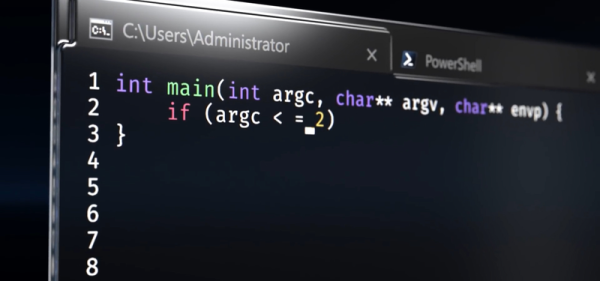
Windows 10 — the operating system people love to hate or hate to love. Even if you’re a Linux die-hard, it is a fair bet that your workplace uses it and that you have friends and family members that need help forcing you to use Windows at least some times. If you prefer a command line — or even just find a place where you have to use the command line, you might find the classic Windows shell a bit anemic. Some of that’s the shell’s fault, but some of it is the Windows console which is — sort of — the terminal program that runs various Windows text-based programs. If you have the creator update channel on Windows 10, though, there have been some recent improvements to the console and the Linux system that will eventually trickle down to the mainstream users.

What’s New?

So what’s new? According to Microsoft, they’ve improved the call interface to make the following things work correctly (along with “many others”):

  • Core tools: apt, sed, grep, awk, top, tmux, ssh, scp, etc.
  • Shells: Bash, zsh, fish, etc.
  • Dev tools: vim, emacs, nano, git, gdb, etc.
  • Languages & platforms: Node.js & npm, Ruby & Gems, Java & Maven, Python & Pip, C/C++, C# &
  • .NET Core & Nuget, Go, Rust, Haskell, Elixir/Erlang, etc.
  • Systems & Services: sshd, Apache, lighttpd, nginx, MySQL, PostgreSQL

The changes to the console are mostly surrounding escape sequences, colors, and mouse support. The API changes included things like allowing certain non-administrative users to create symlinks. We’ve made X Windows work with Windows (using a third-party X server) and Microsoft acknowledges that it has been done. However, they still don’t support it officially.

Continue reading “Windows 10 Goes To Shell”

Hail To The King, Baby: Reverse Engineering Duke

If you’re a fan of DOS games from the 1990s, you’ve almost certainly used DOSBox to replay them on a modern computer. It allows you to run software in a virtual environment that replicates an era-appropriate computer. That’s great for historical accuracy, but doesn’t do you much good if you’re trying to leverage modern computing power to breathe some new life into those classic titles. For that, you need to dig in a little deeper.
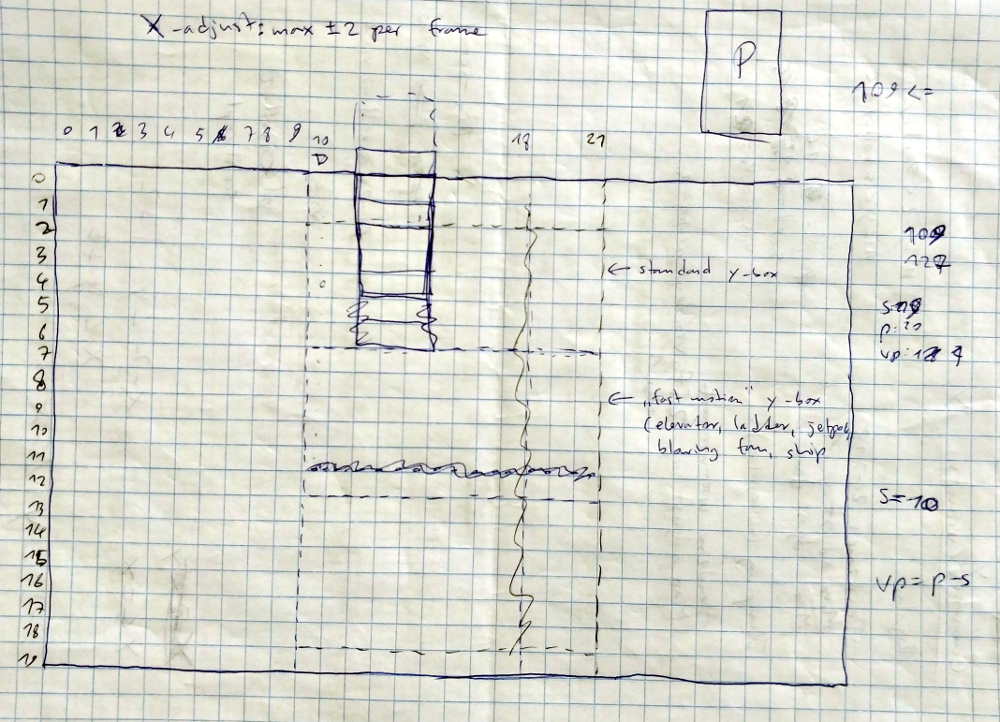
For the last two and a half years, [Nikolai Wuttke] has been doing exactly that for 1993’s Duke Nukem II. The end result is RigelEngine, an open source drop-in replacement for the original game binary that not only runs on a modern Windows, Linux, or Mac OS machine, but manages to improve on the original in a number of ways. An accomplishment made even more impressive once you learn that the original source code for the game has been lost to time, and that he had to do everything blind.

In a blog post chronicling his progress so far, [Nikolai] explains the arduous process he used to make sure his re-implementation was as accurate as possible to the original game. He spent untold hours studying the original game’s disassembled code in Ida Pro, handwriting out pages of notes and pseudocode as he tried to understand what was happening behind the scenes. Once a particular enemy or element of the game was implemented in RigelEngine, he’d record the gameplay from his version and compare it to the original frame by frame so he could fine tune the experience.

So what’s the end result of more than two years of work and over 25K lines of code? Thanks to the incredible advancements in computing power since the game’s release nearly 30 years ago, [Nikolai] has managed to remove the need for loading screens. His engine is also capable of displaying an unlimited number of particle effects on the screen at once, and multiple sound effects can now be played simultaneously. In the future he’s looking to implement smooth character movement (in the original game, movement was in 8 pixel increments) and adaptive volume for sound effects based on their distance from Duke. Ultimately, RigelEngine should be able to replace the original graphics with new high resolution textures once some issues with the rendering buffer gets sorted out.

It’s hard to overstate how important some of these classic games are to those who grew up playing them. With John Romero still releasing DLC for the original DOOM and hackers disassembling nearly 40 year old games to fix bugs, it doesn’t seem like they’re in any danger of being forgotten.

Continue reading “Hail To The King, Baby: Reverse Engineering Duke”

Wolfram Engine Now Free… Sort Of

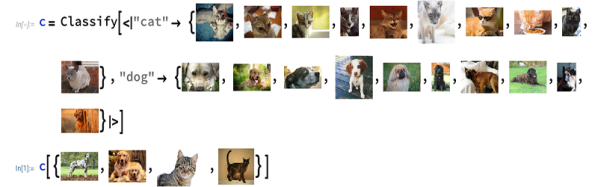
You’ve probably used Wolfram Alpha and maybe even used the company’s desktop software for high-powered math such as Mathematica. One of the interesting things about all of Wolfram’s mathematics software is that it shares a common core engine — the Wolfram Engine. As of this month, the company is allowing free use of the engine in software projects. The catch? It is only for preproduction use. If you are going into production you need a license, although a free open source project can apply for a free license. Naturally, Wolfram gets to decide what is production, although the actual license is pretty clear that non-commercial projects for personal use and approved open source projects can continue to use the free license. In addition, work you do for a school or large company may already be covered by a site license.

Given how comprehensive the engine is, this is reasonably generous. The engine even has access to the Wolfram Knowledgebase (with a free Basic subscription). If you don’t want to be connected, though, you don’t have to be. You just won’t be able to get live data. If you want to play with the engine, you can use the Wolfram Cloud Sandbox in which you can try some samples.

Continue reading “Wolfram Engine Now Free… Sort Of”