Variable Capacitance/reistance Switch Box Has You Covered

variable_cap_resistor_box

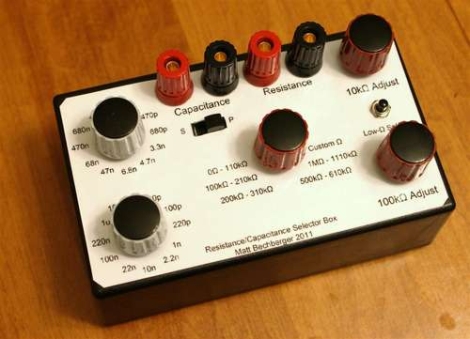
While working on electronics projects, it’s often necessary to test out different capacitance or resistance values as things are moving along. Depending on what you are testing, this can be a tedious process even when using a breadboard. Instructables user [mattthegamer463] recently built a very useful device that would help out in these situations, and would likely be a welcome addition to any Hackaday reader’s workbench.

His variable resistor/capacitor box makes it easy to test out any number of different resistance or capacitance values with a simple turn of a knob. He wired up a pair of pots to provide a wide range of resistance values, being sure to add a low-resistance safety as well as safety override switch for those of you who like to have things blow up in your face live dangerously. A set of 22 capacitors were wired up on a piece of perfboard, each of which can be selected using a pair of knobs. He added a simple switch to allow the capacitors to be toggled between parallel and series orientations as well.

[Matt] did a wonderful job here – this is a great project that can be customized in a multitude of ways to fit almost anyone’s specific needs.

Using Your PC As A Simple Signal Generator

dc_offset_circuit

[Debraj] needed a simple signal generator for a project he was working on, but didn’t have one handy. He found that the easiest and cheapest way to get clean, reliable signaling was by using something that was already sitting on his desk – his PC.

He found that the tone generator built into Audacity was quite useful, at least for generating waveforms at less than 20 KHz or so. Upon plugging his scope into his sound card’s audio jack, he observed that the PC had good frequency fidelity, though it required an additional DC offset as most cards are built to remove that offset from the waveform.

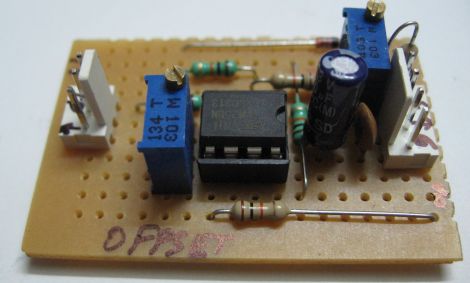
Using a LM358 as a non-inverting summing amplifier, he was able to apply a steady DC offset and generate usable signals for his micro controller projects. A schematic for his offset circuit is available on his site, should you wish to build one of your own.

[Debraj] also notes that though Audacity is a cheap free way to generate simple signals, any number of complex signals can be generated using MATLAB if you happen to own a copy.

DIY Camera Stabilizer Keeps Your Video Shake Free On The Cheap

diy_camera_stabilizer

Commercial vest-based camera stabilizer systems are quite expensive, sometimes bearing price tags in the $700-$800 dollar range. Photographer [Miguel Vicente] has a pretty well-stocked workshop and decided there was no way he would shell out that much cash for a rig, so he simply built his own.

“Simply” is a bit of a misstatement, to be honest. The system looks relatively complex, judging by the build videos embedded below. Constructed of steel tubing, custom-built springs, and a really snazzy vest, the rig is adjustable in almost every direction. He has tested its capacity up to 2.5 Kg (roughly 5.5 pounds), though he says it’s pretty unruly to manage at that weight. [Miguel] says that 1.5 Kg (3.3 pounds) is a far more reasonable limit, and that the stabilizer works quite well at or below that weight.

While it looks pretty good to us, he says that there are plans to improve the design even further. One particular point that he wants to address is the ability for the stabilizer to accept asymmetric camera setups, i.e. cameras with attached lighting and microphones.

Stick around to see a short “highlight” film of the build process, as well as a video featuring a more thorough documentation of the stabilizer’s construction.

Interested in more DIY camera equipment?  Check out this overhead camera dolly and this DIY gimbal mount we featured a short while back.

[via Make]

Continue reading “DIY Camera Stabilizer Keeps Your Video Shake Free On The Cheap”

Oscilloscope Thinks It’s A Video Monitor

There is nothing wrong with your television set. Do not attempt to adjust the picture.

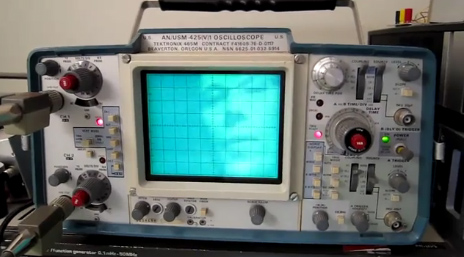
Where would we be if we listened to advice like that? [Eric] writes that with a fairly simple circuit, he’s able to split a composite video signal into its constituent X and Y ramp signals for display on his trusty Tektronix 465m. A LM1881 IC does the bulk of the heavy lifting. After running the signal through a few passive components, the generated ramp signals are ready for consumption by his venerable ‘scope. All that’s needed past that is some additional glue logic to invert the levels so the image shows up properly. The end result is a display that has an almost ethereal quality to it, like an old TV set or something out of the movie Brazil.

Hit the break to catch a video of the circuit in action.

Continue reading “Oscilloscope Thinks It’s A Video Monitor”

Propeller Proto Board Has You Flying In No Time

propeller_proto_board

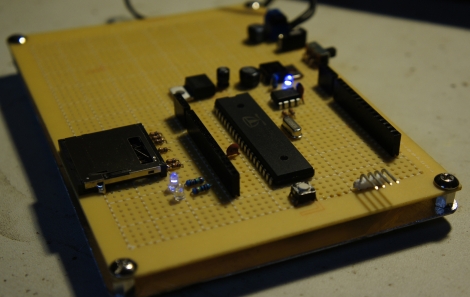
[Parker] was in need of a Propeller development board to make working on his projects easier. More often than not, when he needed to prototype something, he would pull the only one he had on hand from his home made pinball machine, and replace it when finished. This was time consuming and cumbersome, so he decided he needed a better way of doing things.

He looked into purchasing a Gadget Gangster proto board which allows you to use a Propeller much like an Arduino, complete with support for shields and the like. Unfortunately, they were sold out and he was in a hurry to finish up a project. Rather than wait, he decided to build his own proto board, which would be more flexible than the COTS version – allowing him to add things like an Analog to Digital converter without having to use a shield.

He looked around online and found some schematics to follow, and had his proto board constructed in no time. It gets the job done and looks quite clean, considering it was put together using perf board.

Keep reading to see a video walkthrough of the Propeller development board construction.

Continue reading “Propeller Proto Board Has You Flying In No Time”

Portable Bench Supply Carries Around 10 Amp-hours Of Juice

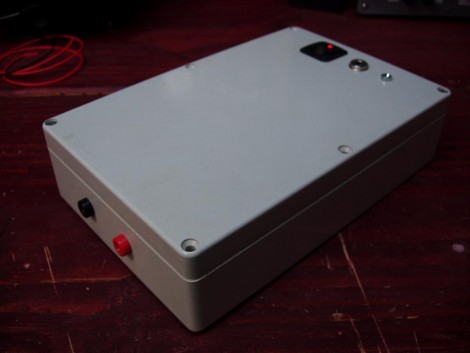
[Punish3r] wanted to have power for prototyping on the go. What he came up with is this little thing above. Inside you’ll find common components that let the unit provide 10 amp hours of current with a 12V 500mA output.

The storage capacity is provided by a dozen Lithium batteries. These 3.7V cheapies are wired in parallel behind a protection board. For charging and discharging, a Sparkfun LiPo charger board was used, taking care of all the work necessary to top off the batteries using a wall-wort. The final piece in the puzzle is a boost converter that provides the regulated 12v connected to the red and black banana plug receivers on the bottom of the case.

This is very much a plug-and-play design… just make sure you hook the parts up correctly and you’re up and running. We would love to see a roll-your-own boost converter circuit that include a switch or dial that lets you select common PSU voltage levels. If you’re going to the trouble to make your own board you might as well incorporate the charging circuit at the same time.

[Thanks Paul]

Function Generator Built And Mounted Inside Electronics Bench

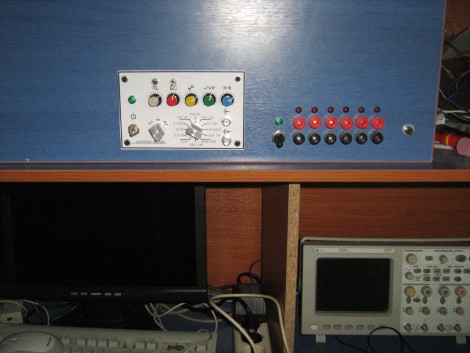
A function generator is a handy piece of test equipment to have on-site. [Kammenos] designed and built his own function generator, using the bench itself as the enclosure. You can see above that the control panel presents a clean finished look. To achieve it, [Kammenos] designed and printed the panel labels on a sheet of paper, and used a piece of acrylic to protect it. The circuit inside uses a MAX038 high-frequency generator chip. This is a full-featured part that allows for great control based on a few external components. One of those is a selectable frequency range based on the capacitance value on one pin. This is selectable using a twelve-step rotary switch with a dozen different cap values. There’s also adjustment knobs for fine tuning, duty cycle, and DC offset.

Check out the video after the break for a full demonstration. If you want to build this yourself you’ll need to do some chip hunting. The MAX038 is obsolete. You may still be able to find one, but at around $20 you should be able to source a replacement with the same features and save yourself cash all in one step.

Continue reading “Function Generator Built And Mounted Inside Electronics Bench”