Oscilloscope Digital Storage, 1990s Style

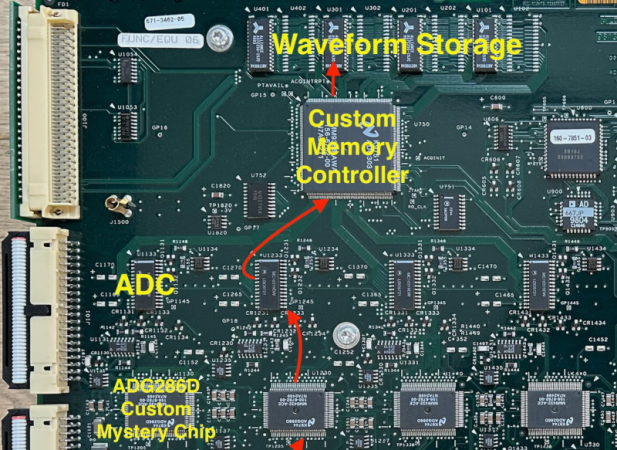
You’re designing an oscilloscope with modest storage — only 15,000 samples per channel. However, the sample rate is at 5 Gs/s, and you have to store all four channels at that speed and depth. While there is a bit of a challenge implied, this is quite doable using today’s technology. But what about in the 1990s when the Tektronix TDS 684B appeared on the market? [Tom Verbure] wondered how it was able to do such a thing. He found out, and since he wrote it up, now you can find out, too.

Inside the scope, there are two PCBs. There’s a CPU board, of course. But there’s not enough memory there to account for the scope’s capability. That much high-speed memory would have been tough in those days, anyway. The memory is actually on the analog board along with the inputs and digitizers. That should be a clue.

Continue reading “Oscilloscope Digital Storage, 1990s Style”

Hackaday Podcast Episode 319: Experimental Archaeology, Demoscene Oscilloscope Music, And Electronic Memories

It’s the podcast so nice we recorded it twice! Despite some technical difficulties (note to self: press the record button significantly before recording the outro), Elliot and Dan were able to soldier through our rundown of the week’s top hacks.

We kicked things off with a roundup of virtual keyboards for the alternate reality crowd, which begged the question of why you’d even need such a thing. We also looked at a couple of cool demoscene-adjacent projects, such as the ultimate in oscilloscope music and a hybrid knob/jack for eurorack synth modules.

We dialed the Wayback Machine into antiquity to take a look at Clickspring’s take on the origins of precision machining; spoiler alert — you can make gas-tight concentric brass tubing using a bow-driven lathe. There’s a squishy pneumatic robot gripper, an MQTT-enabled random number generator, a feline-friendly digital stethoscope, and a typewriter that’ll make you Dymo label maker jealous.

We’ll also mourn the demise of electronics magazines and ponder how your favorite website fills that gap, and learn why it’s really hard to keep open-source software lean and clean. Short answer: because it’s made by people.

Download the zero-calorie MP3.

Continue reading “Hackaday Podcast Episode 319: Experimental Archaeology, Demoscene Oscilloscope Music, And Electronic Memories”

Amazing Oscilloscope Demo Scores The Win At Revision 2025

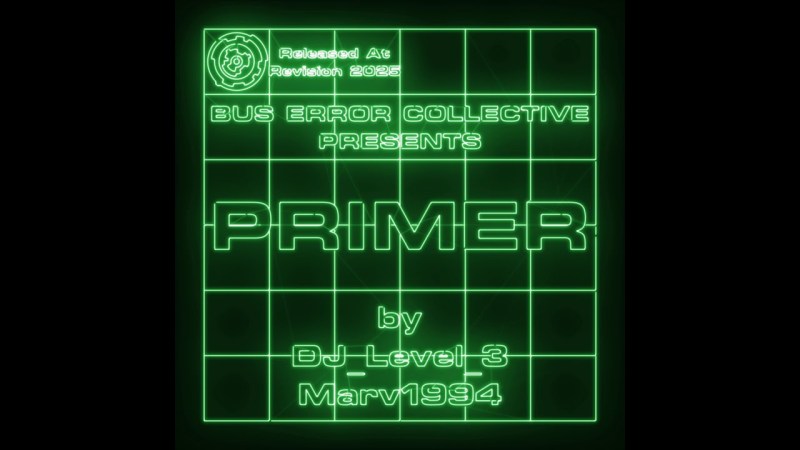
Classic demos from the demoscene are all about showing off one’s technical prowess, with a common side order of a slick banging soundtrack. That’s precisely what [BUS ERROR Collective] members [DJ_Level_3] and [Marv1994] delivered with their prize-winning Primer demo this week.

This demo is a grand example of so-called “oscilloscope music”—where two channels of audio are used to control an oscilloscope in X-Y mode. The sounds played determine the graphics on the screen, as we’ve explored previously.

The real magic is when you create very cool sounds that also draw very cool graphics on the oscilloscope. The Primer demo achieves this goal perfectly. Indeed, it’s intended as a “primer” on the very artform itself, starting out with some simple waveforms and quickly spiraling into a graphical wonderland of spinning shapes and morphing patterns, all to a sweet electronic soundtrack. It was created with a range of tools, including Osci-Render and apparently Ableton 11, and the recording performed on a gorgeous BK Precision Model 2120 oscilloscope in a nice shade of green.

If you think this demo is fully sick, you’re not alone. It took out first place in the Wild category at the Revision 2025 demo party, as well as the Crowd Favorite award. High praise indeed.

We love a good bit of demoscene magic around these parts.

Continue reading “Amazing Oscilloscope Demo Scores The Win At Revision 2025”

Low Cost Oscilloscope Gets Low Cost Upgrades

Entry-level oscilloscopes are a great way to get some low-cost instrumentation on a test bench, whether it’s for a garage lab or a schoolroom. But the cheapest ones are often cheap for a reason, and even though they work well for the price they won’t stand up to more advanced equipment. But missing features don’t have to stay missing forever, as it’s possible to augment them to get some of these features. [Tommy’s] project shows you one way to make a silk purse from a sow’s ear, at least as it relates to oscilloscopes.

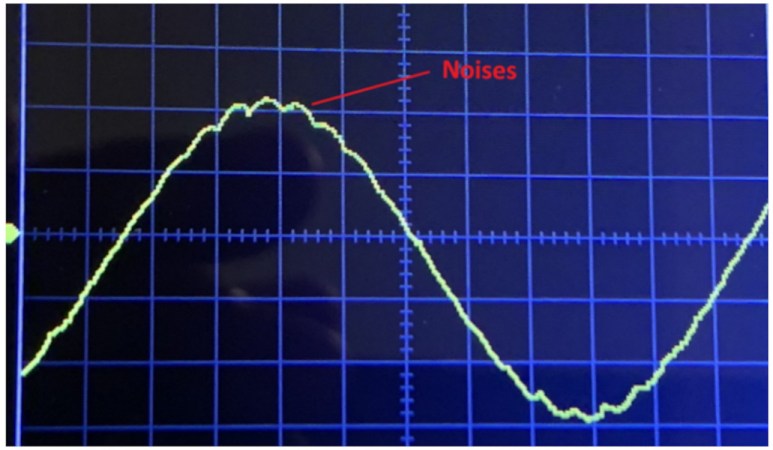
Most of the problem with these lower-cost tools is their low precision due to fewer bits of analog-digital conversion. They also tend to be quite noisy, further lowering the quality of the oscilloscope. [Tommy] is focusing his efforts on the DSO138-mini, an oscilloscope with a bandwidth of 100 kHz and an effective resolution of 10 bits. The first step is to add an anti-aliasing filter to the input, which is essentially a low-pass filter that removes high frequency components of the signal, which could cause a problem due to the lower resolution of the device. After that, digital post-processing is done on the output, which removes noise caused by the system’s power supply, among other things, and essentially acts as a second low-pass filter.

Continue reading “Low Cost Oscilloscope Gets Low Cost Upgrades”

Your Favorite Basic Oscilloscope Operation Guide?

Like many pieces of lab equipment, oscilloscopes are both extremely useful and rather intimidating to a fledgling user. Unlike a digital multimeter with its point-and-measure functionality, digital storage oscilloscopes (DSOs) require fundamental knowledge before they can be used properly. Yet at the same time nobody likes reading manuals, so what is one to do? Try the Absolute Beginner’s Guide to DSOs  by [Arthur Pini]

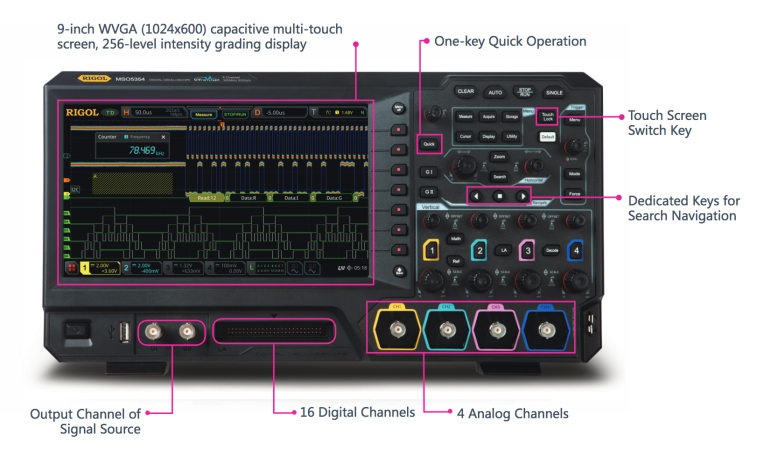
[Pini’s] Cliff’s Notes version of your scope’s manual isn’t half bad. It covers the basic user interface and usage of a (stand-alone) DSO. Unfortunately, it focuses a bit too much on a fancy touch-screen Teledyne LeCroy MSO rather than something the average hobbyist is likely to have lying around.

We rather like the PSA-type videos such as the classic ‘“How not to blow up your oscilloscope” video by [Dave] over at EEVBlog. Many guides and introductions cover “what to do,” but covering common safety issues like improper grounding, isolation, or voltages might be a better place to start.

What tutorial or reference work would you hand to an oscilloscope newbie? We can endorse a hands-on approach with a suitable test board. We also enjoyed [Alan’s] video on the topic. Even if you are an old hand, do you know how to use all those strange trigger modes?

Continue reading “Your Favorite Basic Oscilloscope Operation Guide?”

A Look Inside A Modern Mixed Signal Oscilloscope

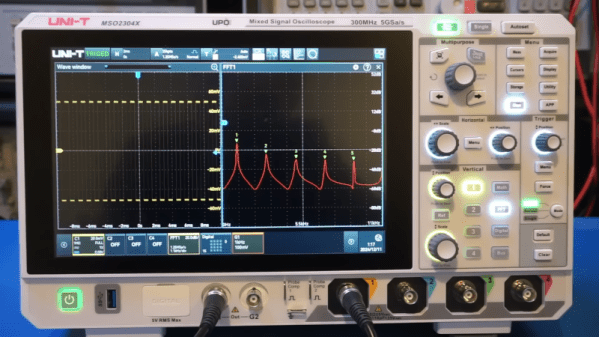
High-speed bench equipment has become so much more affordable in the last decade that naturally one wonders what has made that possible. A great source of answers is a teardown by users like [kerry wong] who are kind enough to take apart their MSO2304X 300MHz osilloscope for our viewing pleasure.

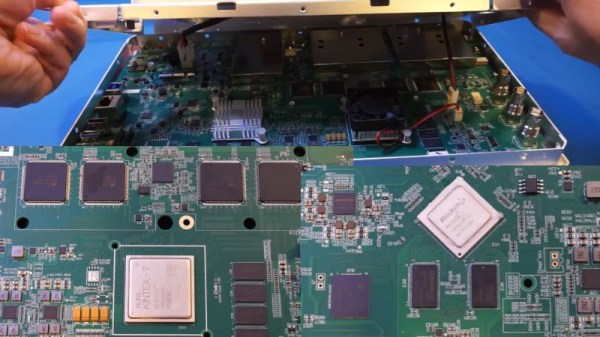
The posted teardown video shows the guts of the scope without enclosure, heatsinks and shields that reveal a handful of boards that execute the functions nicely. The motherboard uses the Xilinx KINTEX-7 FPGA that is expected to run core processes such as signal processing as well as managing the sample storage on the paired DDR3 memory.

The analog front-end here is a bit of a surprise as it sports TI’s ADC08D1000 ADCs that are capable of 1.3 GSPS but the scope is advertised to be capable of more. The inferred design is that all four ADCs are being operated in an interleaved symphony to achieve 5 GSPS. Testing confirms that each input uses two ADCs at a time and when two or more channels are employed, the reconstruction quality drops.

Continue reading “A Look Inside A Modern Mixed Signal Oscilloscope”

[Kerry Wong] Talks (and Talks) About A 300 MHz Oscilloscope

There aren’t many people who could do an hour-long video reviewing an oscilloscope, but [Kerry Wong] is definitely one of them. This time, he’s looking at a UNI-T MSO2304X 300 MHz scope. The review might be a little long, but the scope — like many modern scopes — has a lot of features for measuring power, accommodating digital signals with an add-on pod, and protocol decoding.

The scope has a touchscreen and four normal inputs, plus two frequency generator outputs. You can also use a mouse or an external display. But, of course, what you really want to know is how the scope performs when reading signals.

Continue reading “[Kerry Wong] Talks (and Talks) About A 300 MHz Oscilloscope”