
Building A Better Automotive Rotary Controller

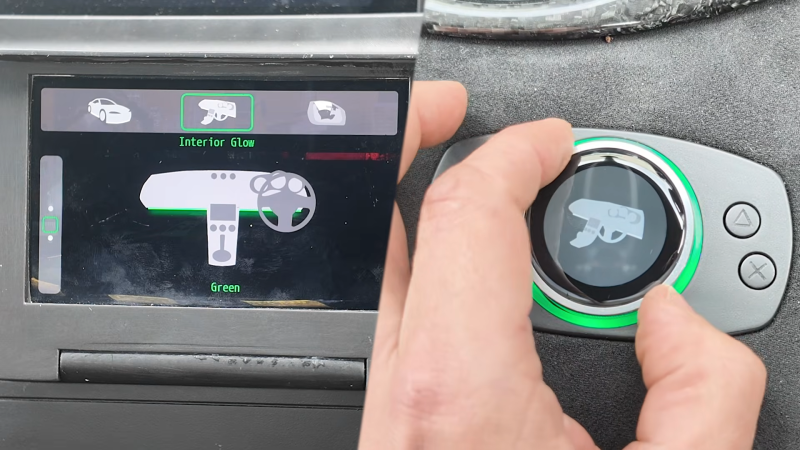
If you’ve ever spent time in a modern BMW, you’ve probably fussed about with the goofy iDrive controller. It’s a rotary knobbery slidery thing that just never really feels that good to use. [Garage Tinkering] was inspired to try and build a better version for his own car.

The first order of business was to choose the right knob as the core of the build. [Garage Tinkering] eventually landed on the Crowpanel 1.28″ rotary knob which integrates a push-button encoder, a round screen, and an ESP32-S3 all into one convenient package. He then set about designing a 3D printed housing that would integrate it into the vehicle’s interior, along with a diffuser ring for the knob’s inbuilt LEDs and some additional buttons for added control. The goal is to use the rotary control as the human interface for a broader system being implemented in the vehicle, which will feature a larger infotainment screen and multiple digital gauges. The rotary control will allow switching things like interior and underglow lighting, and display of other vehicle parameters.

The cool thing about building your own gear is that you can make it work exactly the way that suits you. We’ve seen great hacks in this realm before, too, like this rad car data display.

Continue reading “Building A Better Automotive Rotary Controller”
Need For Speed Map IRL

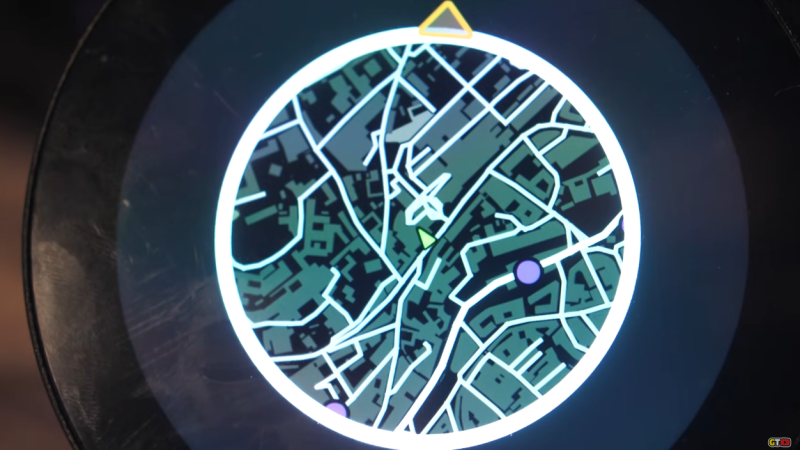
When driving around in video games, whether racing games like Mario Kart or open-world games like GTA, the game often displays a mini map in the corner of the screen that shows where the vehicle is in relation to the rest of the playable area. This idea goes back well before the first in-vehicle GPS systems, and although these real-world mini maps are commonplace now, they don’t have the same feel as the mini maps from retro video games. [Garage Tinkering] set out to solve this problem, and do it on minimal hardware.

Before getting to the hardware, though, the map itself needed to be created. [Garage Tinkering] is modeling his mini map onĀ Need For Speed: Underground 2, including layers and waypoints. Through a combination of various open information sources he was able to put together an entire map of the UK and code it for main roads, side roads, waterways, and woodlands, as well as adding in waypoints like car parks, gas/petrol stations, and train stations, and coding their colors and gradients to match that of his favorite retro racing game.

To get this huge and detailed map onto small hardware isn’t an easy task, though. He’s using an ESP32 with a built-in circular screen, which means it can’t store the whole map at once. Instead, the map is split into a grid, each associated with a latitude and longitude, and only the grids that are needed are loaded at any one time. The major concession made for the sake of the hardware was to forgo rotating the grid squares to keep the car icon pointed “up”. Rotating the grids took too much processing power and made the map updates jittery, so instead, the map stays pointed north, and the car icon rotates. This isn’t completely faithful to the game, but it looks much better on this hardware.

The last step was to actually wire it all up, get real GPS data from a receiver, and fit it into the car for real-world use. [Garage Tinkering] has a 350Z that this is going into, which is also period-correct to recreate the aesthetics of this video game. Everything works as expected and loads smoothly, which probably shouldn’t be a surprise given how much time he spent working on the programming. If you’d rather take real-world data into a video game instead of video game data into the real world, we have also seen builds that do things like take Open Street Map data into Minecraft.

Thanks to [Keith] for the tip!

Continue reading “Need For Speed Map IRL”









