The Zorkduino

zork

Zork, the famous Infocom text-based adventure game, is actually quite the technical achievement in software engineering. It’s an amazingly large world to explore, albeit in text form only, running on an interpreter that allows paging, loading, and saving the complete state. All this, built to run on computers with meager amounts of RAM in the late 70s. You might think it would be easy to play Zork on an Arduino, but as [rossum] found out, that’s easier said than done (alternate blog link)

While most computers that were capable of running Zork had at least 8k of RAM, if not more, the ATMega328 in the Arduino only has 2k of RAM. Those fancy home computers of yore also had built-in video, a keyboard, and most of the time, a disk drive. The Arduino has none of that.

[Rossum] faced this challenge head on, capitalizing on the onboard hardware of the Arduino. Video is generated by using SPI mode on a UART at top speed – 8 MHz. This just shifts out pixels from the video buffer on an SD card. The keyboard is handled like any other PS/2 keyboard project on the Arduino, and audio is generated by toggling a pin at 1000Hz for a keypress, and 3600Hz for SD card access.

The finished product includes a bunch of other Infocom games on the SD card, including Leather Goddesses of Phobos, and the ability to run Hitchhiker’s Guide to the Galaxy, the game regarded by many as being better than the book. Video below.

Continue reading “The Zorkduino”

Arduino Electronic Load

A Simple Programmable Electronic Load Using The Arduino

Some projects are both educational and useful. We believe that [Jasper’s] Arduino based electronic load is one of those project.

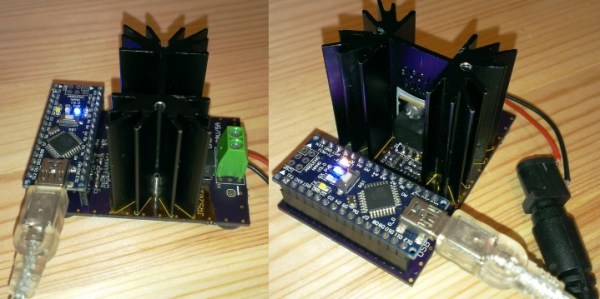
[Jasper’s] electronic load can not only act as a constant current load, but also as a constant power and constant resistive load as well. The versatile device has been designed for up to 30V, 5A, and 15W. It was based on a constant current source that is controlled by a DAC hooked up to the Arduino. By measuring both the resulting voltage and current of the load, the system can dynamically adapt to achieve constancy. While we have seen other Arduino based constant loads before, [Jasper’s] is very simple and straight forward compartively. [Jasper] also includes both the schematic and Arduino code, making it very easy to reproduce.

There are tons of uses for a voltage controlled current source, and this project is a great way to get started with building one. It is an especially great project for putting together your knowledge of MOSFET theory and opamp theory!

Profiling An Arduino

profiling

In proper, high-dollar embedded development environments – and quite a few free and open source ones, as well – you get really cool features like debugging, emulation, and profiling. The Arduino IDE doesn’t feature any of these bells a whistles, so figuring out how much time is spent in one section of code is nigh impossible. [William] came up with a clever solution to this problem, and while it doesn’t tell you exactly how much time is spent on a specific line of code, it’s still a good enough tool to be a great help in optimization.

[William]’s solution is to create a ‘bin’ for arbitrary chunks of code – one for each subroutine or deeply nested loop. When the profiler run, you end up with a histogram of how much time is spent per block of code. This is done with an interrupt that runs at about 1 kHz, with macros sprinkled around the code. Each time the interrupt ticks, the macro runs and increases a counter by one. Let the sketch run for a minute or so, and you get an idea of how much time is spent in a specific area of code.

It’s a bit of a kludge, but when you’re dealing with extremely minimal tools, any sort of help in debugging is sorely needed and greatly appreciated.


Hackaday Links: April 27, 2014

hackaday-links-chain


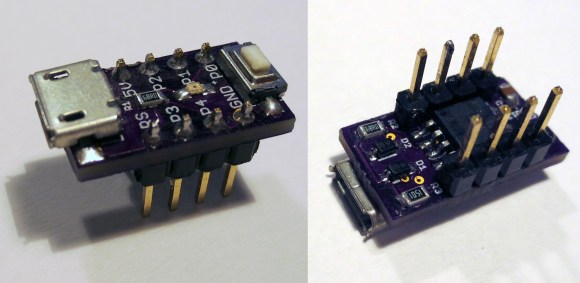
The HackFFM hackerspace in Frankfurt finally got their CO2 laser up and running, and the folks there were looking for something to engrave. They realized the labels on IC packages are commonly laser engraved, so they made a DIP-sized Arduino. The pins are labelled just as they would be on an Arduino, and a few SMD components dead bugged onto the pins provide all the required circuitry. Video here.

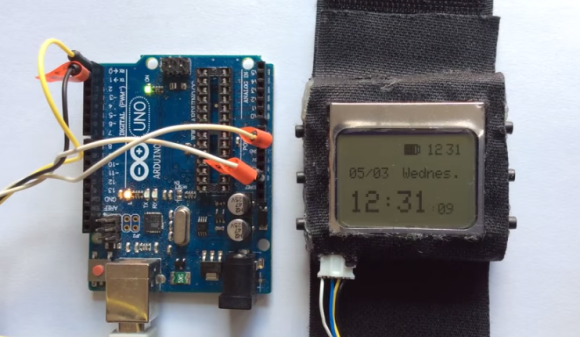
A few years ago, we heard [David Mellis] built a DIY cell phone for an MIT Media Lab thingy. Apparently it’s making the blog rounds again thanks to the Raspi cell phone we featured yesterday. Here’s the Arduino cell phone again. Honestly we’d prefer the minimalist DIY Nokia inspired version.

The Raspberry Pi is now a form factor, with the HummingBoard, a Freescale i.MX6-powered clone, being released soon. There’s another form factor compatible platform out there, the Banana Pi, and you can actually buy it now. It’s an ARM A20 dual core running at 1GHz, Gig of RAM, and Gigabit Ethernet for about $60. That SATA port is really, really cool, too.

[Richard] has been working on a solar-powered sun jar this winter and now he’s done. The design uses two small solar panels to charge up two 500F (!) supercapacitors. There’s a very cool and very small supercap charging circuit in there, and unless this thing is placed in a very dark closet, it’ll probably keep running forever. Or until something breaks.

Here’s something awesome for the synth heads out there: it’s an analog modeling synthesizer currently on Indiegogo. Three DCOs, 18dB lowpass filter, 2 envelopes and an LFO, for all that classic Moog, Oberheim, and Roland goodness. It’s also pretty cheap at $120 USD. We really don’t get enough synth and musical builds here at Hackaday, so if you’re working on something, send it in.

A glass-based PCB? Sure. Here’s [Masataka Joei] put gold and silver on a piece of glass, masked off a few decorative shapes, and sandblasted the excess electrum away. [Masataka] is using it for jewelery, but the mind races once you realize you could solder stuff to it.

Small-Scale Projects Use Snail-Mail Mail-Scale

stamps.com scale

Stamps.com offers a free USB scale when you sign up for their service. The first versions of this scale did not have a display. In order to find the weight of an object the scale had to be connected to a computer running the stamps.com software. If you happen to have one of these old scales or are able to pick one up cheap, you may be interested in using it outside of the stamps.com service. There are several options on how to do that.

Continue reading “Small-Scale Projects Use Snail-Mail Mail-Scale”

DIY Multimeter, Arduino Sold Seperately

Arduino-based Multimeter

You can’t argue that Arduinos are extremely popular with the maker/hacker community. Some would say that there is certainly no shortage of projects to make using them. [Milen] thought otherwise and felt it was time to create an Arduino-based multimeter.

At the heart of this project  is a common Arduino Uno. The additional parts were kept to a minimum in order to keep down the overall cost and project complexity. The finished product can measure voltage from 0-100v, amperage up to 500mA and resistance between 0-250 kohm. If you need to check for continuity, it can do that too.

All of the parts required to make the multimeter fit on a shield that plugs directly into the Arduino. Banana plugs allow for attaching test leads. The measurement values are displayed on an LCD screen and/or (if connected) to the Arduino IDE Serial Monitor. If only using the serial monitor, the LCD screen can be omitted to save a few bucks.

Continue reading “DIY Multimeter, Arduino Sold Seperately”

Building A Final Key

Final Key

Remembering passwords is a pain, and there’s a number of devices out there to make it easier. If you’re looking to roll your own, this guide to building a Final Key will walk you through the process.

We talked about the Final Key before. It’s a one button password manager that encrypts and stores your password. It acts as a virtual serial port for configuration. When you hit the button, it becomes a keyboard and types in the correct password.

The creator has no intentions of making this a commercial project for a number of reasons. Instead, easy build instructions are provided based on the Arduino Pro Micro. The 24LC512 EEPROM can be soldered directly to the Arduino by bending out the DIP legs. A few resistors, a button, and an LED finish off the project. The last step is to fill it with hot glue to prevent tampering.

The Final Key firmware is available on Github, and the case can be ordered from Shapeways. If you’re interested in hardware password management, you can also check out the Mooltipass which is being developed on Hackaday.

[Thanks to Lars for the tip!]